
Auto Clicker for Phone: Is It Possible and Is It Worth It?
Using an auto clicker for phone sounds like the perfect solution when you are tired of tapping the same spot on your screen again and again. Whether it is a mobile game, a rewards app, or a repetitive task, manual tapping quickly becomes frustrating. Because of this, many users start looking for ways to automate those taps and save time.
At the same time, mobile devices are now more powerful than ever. Phones can handle gaming, productivity, and even light development tasks. So naturally, people begin to ask an important question. If computers can use auto clickers so easily, why not phones?
This leads to even more questions. What is Auto Clicker Used For on mobile devices? Can you safely auto click phone screens without breaking apps or rules? And most importantly, is a phone auto clicker actually worth using compared to desktop options?
In this article, we will explore these questions step by step. We will explain what auto clickers are, how they work on phones, and where they fall short. Then, we will look at why PC tools, especially Auto Clicker on Steam, continue to be the preferred choice for serious automation.
Introduction to Auto Clickers in Simple Terms

An auto clicker is a tool that performs clicks or taps automatically for you. Instead of pressing your finger or mouse repeatedly, the software handles the action based on rules you set. These rules may include how fast to click, where to click, and how long the clicking should continue.
On computers, an auto clicker usually simulates an automated mouse click. On phones, the idea is similar, but instead of mouse clicks, it performs screen taps, often referred to as auto tap actions.
People use auto clickers for many reasons. Some want to save time. Others want to reduce physical strain. Many players use auto clickers to automate repetitive actions during gameplay. Over time, the auto clicker has evolved into a flexible clicking tool used across many industries.
However, while auto clicker tools work very well on PCs, the story changes when we move to mobile devices.
The Growing Demand for Mobile Automation
As mobile gaming and app usage continue to grow, so does the demand for automation. Many mobile games rely on grinding mechanics. This means players must repeat the same actions hundreds or even thousands of times. As a result, users begin searching for auto clicker download options that work on their phones.
In addition, some apps require repeated tapping to earn points, refresh content, or confirm actions. Over time, this creates fatigue and frustration. This is where people start looking for an automatic clicker that can work in the background.
Because of this demand, searches for phone auto clicker, auto click phone, and automated clicker solutions have increased. Yet, demand does not always mean quality solutions exist.
Can You Use an Auto Clicker on a Phone?
Yes, you can use an auto clicker for phone, but there are important limitations. These limitations depend heavily on the operating system and the type of app you choose.
Let us break this down by platform.
Auto Clickers on Android Phones
Android is generally more flexible than other mobile systems. Because of this, most mobile auto clicker apps are designed for Android users.
On Android, many auto clicker apps rely on accessibility services. These services were originally designed to help users with disabilities interact with their phones. Over time, developers began using them to simulate taps and gestures.
As a result, Android users can find apps that support basic auto tap features such as:
- Repeating taps at a fixed location
- Setting a tap interval
- Running an automated click for a limited time
However, even though this sounds useful, Android auto clickers still face challenges.
First, accessibility based automation is not always stable. Phone updates can break functionality without warning. Second, many advanced features require permissions that users may not feel comfortable granting. This raises serious auto clicker safety concerns.
Finally, while Android allows some automation, it still cannot match the precision and reliability of desktop tools.
Auto Clickers on iPhones
When it comes to iPhones, the situation is far more restricted.
Apple uses a very strict sandboxed environment. Each app operates within tight boundaries and has limited access to system level functions. Because of this, true automated click functionality is very difficult to implement.
Some iOS apps offer basic automation using built in features like AssistiveTouch or Shortcuts. However, these tools are not designed to function as a full automated clicker. They often require manual setup each time and cannot run freely in the background.
Additionally, Apple’s app review process prevents most apps from offering true auto click phone behavior. This means that most so called auto clickers on iOS are either limited or misleading.
As a result, iPhone users often struggle to find a reliable auto clicker for phone that works as expected.
Why Mobile Auto Clickers Are So Limited
Even though mobile auto clickers exist, they often disappoint users. There are several reasons for this, and they go beyond just operating system rules.
System Restrictions and Background Limits
Mobile operating systems are designed to save battery and protect performance. Because of this, background processes are tightly controlled.
If an app runs for too long or consumes too many resources, the system may pause or close it. This is especially common when the screen turns off or when another app becomes active.
For auto clickers, this is a major problem. Automation often requires continuous background activity. On phones, this behavior is discouraged by design.
As a result, many automated click attempts stop unexpectedly, which defeats the purpose of automation in the first place.
Security and Privacy Risks
Another major issue is safety.
When users search for how to download an auto clicker, they often encounter third party websites offering modified apps or APK files. While some of these may work, many come with serious risks.
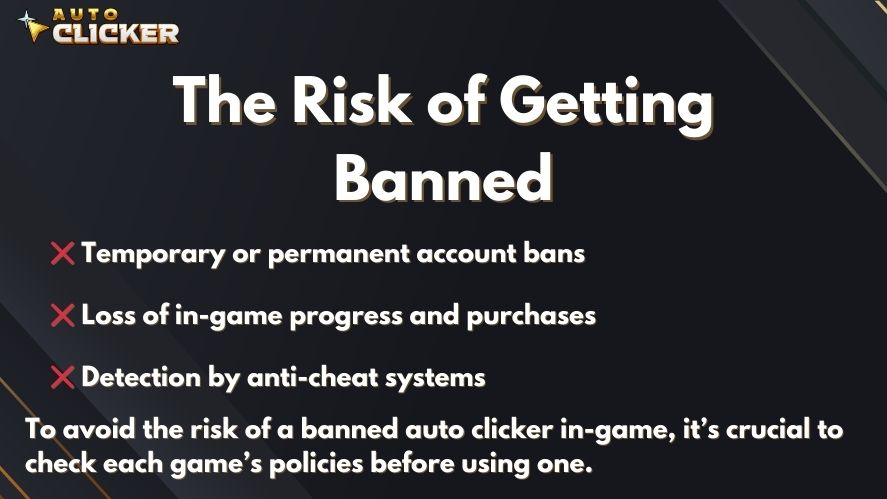
These risks include:
- Malware hidden inside the app
- Spyware that tracks activity
- Excessive permissions that expose personal data
Because phones store sensitive information, auto clicker safety becomes a serious concern. Unlike trusted platforms, many mobile auto clickers have no transparency or long term support.
Limited Customization and Control
Mobile auto clickers are usually very basic. Most allow only simple tapping patterns. Advanced features are often missing.
For example, mobile auto clickers usually lack:
- Multi step click sequences
- Conditional logic
- Advanced interval randomization
- Stable hotkey support
While they can perform an automated click, they cannot adapt to complex situations. This makes them unsuitable for users who need more than basic automation.
Performance and Stability Problems
Phones are powerful, but they are not designed for long running automation tasks.
Extended use of auto clickers can cause:
- Increased battery drain
- Device overheating
- App crashes or freezes
Because of this, mobile automation often feels unreliable. This pushes many users to look beyond phone solutions.
What Is Auto Clicker Used For in Real Scenarios?
Understanding What is Auto Clicker Used For helps explain why mobile tools struggle to keep up.
Auto clickers are commonly used for:
- Gaming and grinding repetitive actions
- Productivity tasks that require repeated input
- Software testing and quality assurance
- Accessibility support for limited mobility users
While some of these tasks exist on mobile, they are far more common and complex on PCs. This is one of the main reasons why desktop solutions dominate the automation space.
The Shift Toward Desktop Automation
As users experiment with phone auto clicker apps, many eventually move to desktop tools. This shift happens for several reasons.
First, desktop environments allow deeper system access. Second, they support more precise input control. Third, they are more stable for long automation sessions.
This is where the conversation naturally moves toward PC based tools and trusted platforms like Steam.
Auto Clicker on Steam as a More Powerful Alternative
As mobile limitations become clearer, many users begin searching for a better solution. This is usually the point where desktop automation enters the conversation. In particular, Auto Clicker on Steam stands out as a reliable and professional option.
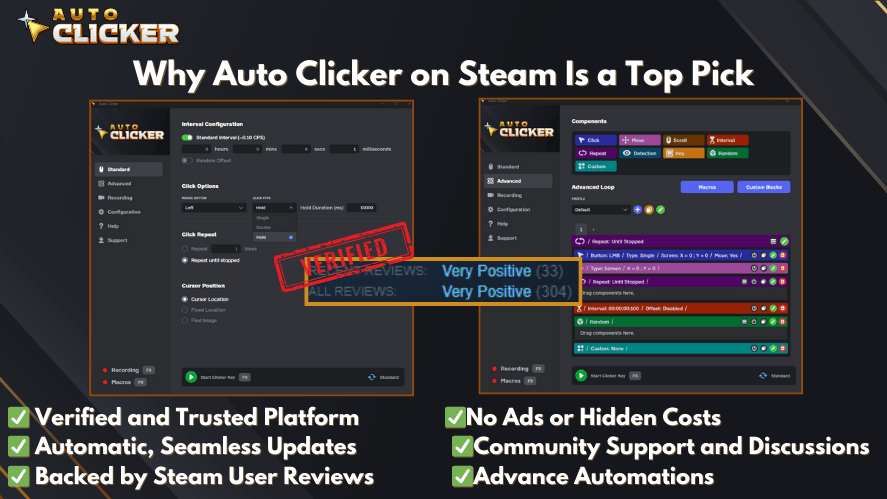
Unlike mobile apps that rely on workarounds, PC based auto clickers operate with direct access to mouse input and system processes. This allows them to deliver a much smoother and more consistent automation experience.
Steam also plays an important role here. As a trusted digital platform, it provides a secure environment for software distribution. This alone solves many of the safety concerns users face when downloading automation tools from unknown sources.
Why Steam Is a Trusted Platform for Auto Clickers
When users look for an auto clicker download, trust matters. Steam offers several advantages that mobile app stores and third party sites often cannot match.
First, Steam provides verified distribution. This means the software goes through platform checks and is less likely to contain malware. As a result, users feel more confident about auto clicker safety.
Second, Steam supports frequent updates. Developers can quickly fix bugs, improve features, and respond to user feedback. This leads to better long term stability.
Third, Steam includes reviews and community discussions. Users can see how others are using the tool and whether it meets their needs. This transparency is often missing from mobile auto clicker apps.

Because of these reasons, a Steam Auto Clicker App feels far more reliable than most phone based alternatives.
Key Benefits of Auto Clicker on Steam
Auto Clicker on Steam offers a level of control that mobile solutions simply cannot match. Each feature is designed to support real automation needs rather than basic tap repetition.
High Precision Click Control
On a PC, an auto clicker can target exact screen coordinates. This means clicks land exactly where they are supposed to, every time. For gamers and productivity users, this precision is critical.
In contrast, phone auto clicker apps often rely on fixed overlays that shift when the screen changes. This makes automation unreliable.
Custom Click Intervals and Patterns
Desktop tools allow full control over timing. Users can set exact intervals, randomize clicks, or create repeating cycles. This makes the automated click behavior feel more natural and flexible.
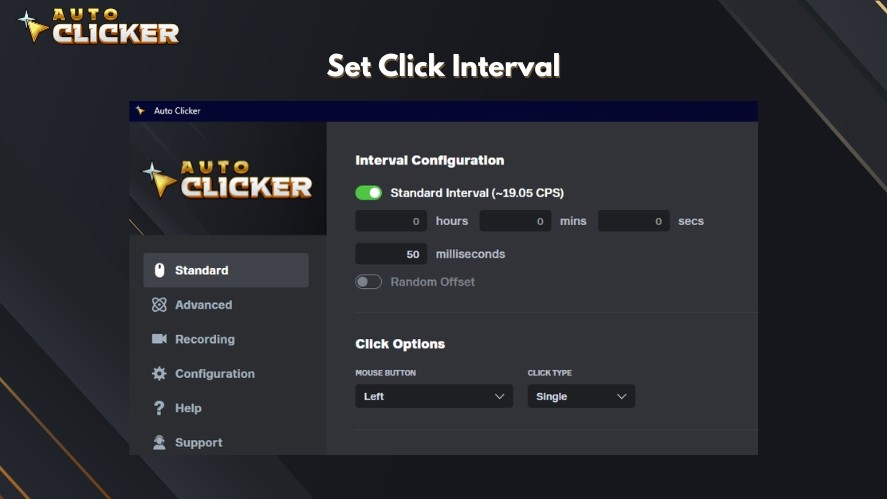
Mobile tools usually limit users to simple intervals with little variation.
Hotkeys and Toggle Modes
One of the most practical features of a desktop automatic clicker is hotkey support. With a single key press, users can start or stop automation instantly.
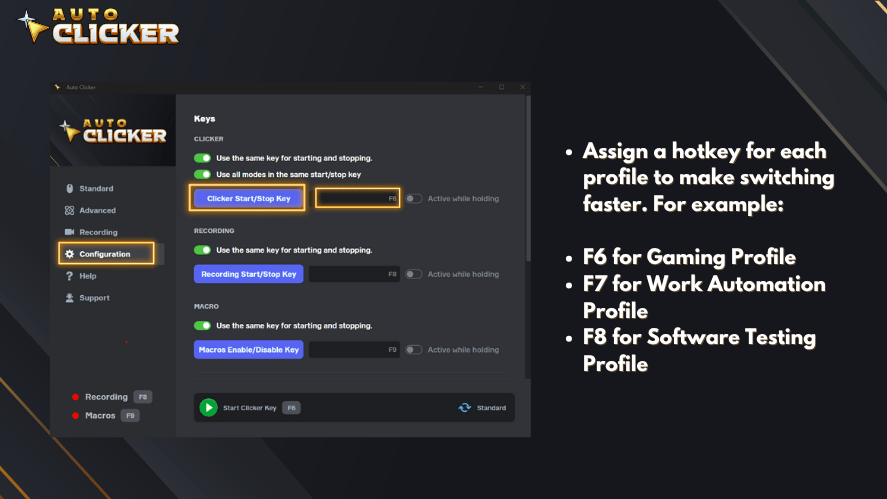
Phones lack physical keyboards, which makes this type of control difficult to implement. As a result, mobile automation often feels clumsy.
Stability for Long Sessions
Desktop systems are built for long running tasks. Auto Clicker on Steam can run for hours without interruption. Phones, on the other hand, may shut down background processes or overheat during extended use.
This difference alone makes PC automation far more dependable.
Mobile Auto Clickers vs Desktop Auto Clicker PC Tools
At this point, the comparison becomes very clear. While mobile auto clickers can handle basic tasks, desktop solutions offer a complete automation experience.
Let us break this down further.
Screen Size and Configuration Ease
PCs offer larger screens, which makes configuration easier. Users can clearly see click points, settings, and timing options.
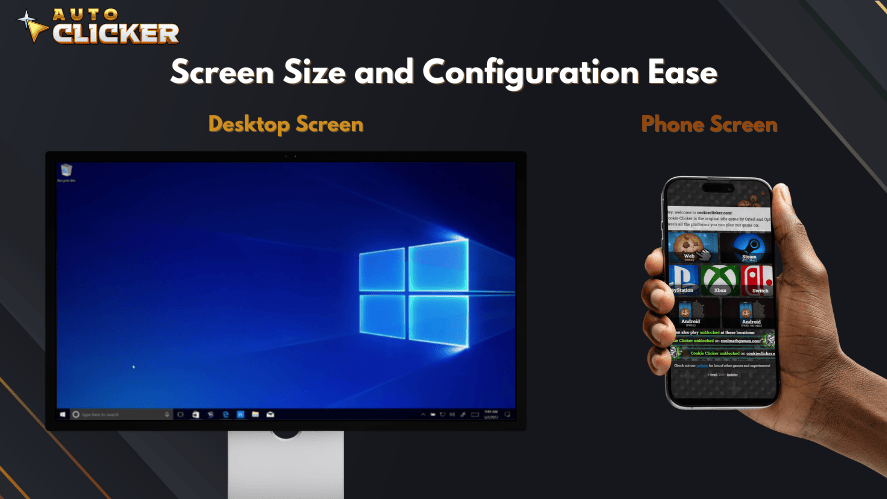
On phones, small screens make fine tuning difficult. This often leads to mistakes and frustration.
Input Devices and Control
Desktop users benefit from mouse and keyboard input. This allows precise placement and quick adjustments.
Mobile users rely entirely on touch input. This limits accuracy and speed when setting up automation.
Advanced Automation Features
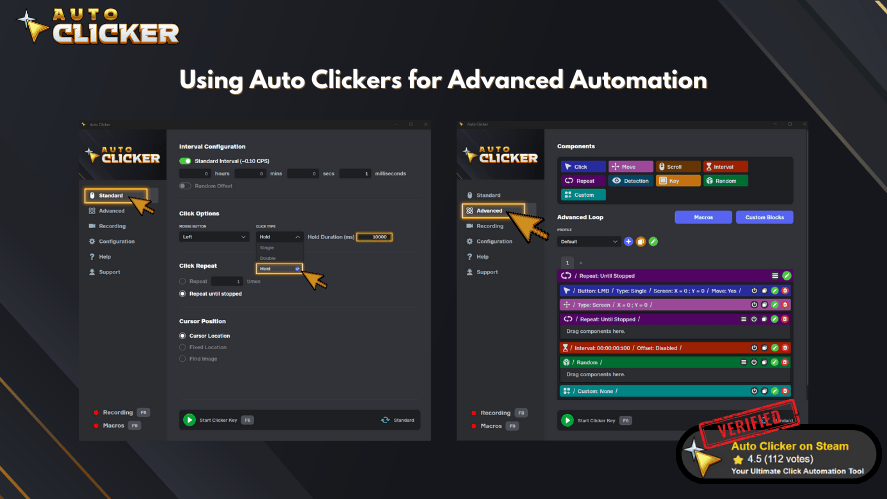
Desktop auto clicker PC tools support advanced features such as:
- Multi click sequences
- Conditional actions
- Game macros
- Integration with other software
Most phone auto clicker apps cannot offer these features due to system restrictions.
Multitasking and Performance
PCs handle multitasking far better than phones. Users can run an automated click in one window while doing other tasks.
Phones struggle with multitasking, especially when automation runs in the background. This often causes automation to stop unexpectedly.
Auto Clicker Safety Compared Across Platforms
Safety is one of the most important topics in automation.
On mobile devices, users often take risks without realizing it. Downloading an automated clicker from an unknown source can expose personal data. This includes messages, photos, and account credentials.
On PC, especially through Steam, safety standards are much higher. Users know where the software comes from and how it is maintained. This makes desktop solutions the safer option overall.
Best Auto Clicker Software Depends on the Platform
Many users ask what the best auto clicker software is. The answer depends on where and how you plan to use it.

For casual mobile tasks, a simple auto tap app may be enough. However, for gaming, productivity, or long term automation, desktop tools clearly win.
Auto Clicker on Steam fits into the category of professional grade automation. It offers precision, control, and reliability that mobile apps simply cannot deliver.
Auto Clicker Download Experience on PC vs Phone
The download experience also differs greatly between platforms.
On Phones
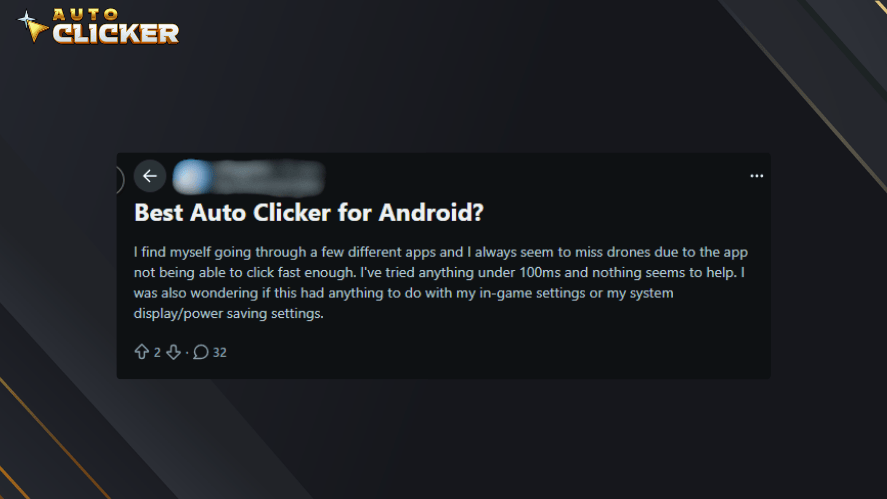
When users search for how to download an auto clicker on mobile, they often face:
- Limited app store options
- Confusing permissions
- Risky third party sites
- Poor documentation
This makes the process frustrating and sometimes unsafe.
On PC Through Steam
On Steam, the process is simple:
- Find the app
- Install it
- Start using it
Updates happen automatically, and support resources are easy to find. This smooth experience is another reason desktop tools are preferred.
Could Auto Clicker for Phone Improve in the Future?
Mobile automation is still evolving. As phones become more powerful, there is hope that automation tools will improve.
Future updates could include:
- Better accessibility APIs
- More flexible background processing
- Official automation frameworks
If these changes happen, we may eventually see a truly capable auto clicker for phone that rivals desktop tools.
Until then, mobile solutions will likely remain limited.
Staying Updated With Automation Tools
For users interested in automation, staying informed is important.
Desktop tools like Auto Clicker on Steam continue to evolve. New features, improvements, and updates can significantly change what is possible.
At the same time, mobile platforms may introduce new capabilities over time. Keeping an eye on both spaces helps users make better decisions.
Final Thoughts on Auto Clicker for Phone
So, is an auto clicker for phone possible? Yes, it is.
Is it worth it? That depends on what you need.
Mobile auto clickers can handle simple tasks. However, they are limited by system restrictions, safety concerns, and performance issues.
For serious automation, desktop tools remain the best choice. Auto Clicker on Steam offers precision, stability, and control that mobile apps cannot match.
As technology moves forward, mobile automation may improve. Until then, users who want reliable results will continue to rely on PC based solutions.

Top 5 Idle Games for Auto Clickers to Play on Steam

Auto Clicker with Random Intervals for Safety Automation

Auto Clicker Feature: What to Look for in a Great App?
About The Author
