
Manual Clicking vs Auto Clicker: What’s the Real Difference?
If you’ve ever felt your hand cramp up during a long gaming session or found yourself exhausted from clicking through repetitive tasks at work, you’ve experienced the downside of manual clicking. But how does it really compare to using an auto clicker? And more importantly, when is it actually better to automate your clicks?
In this article, we’ll break down manual clicking vs auto clicker tools, including how Auto Clicker on Steam fits into this picture. Whether you’re grinding through idle clicker games, working with software to automate repetitive tasks on your computer, or just curious about the automation of repetitive tasks, this guide is for you.
What is Manual Clicking?
Definition and Everyday Examples of Manual Clicking
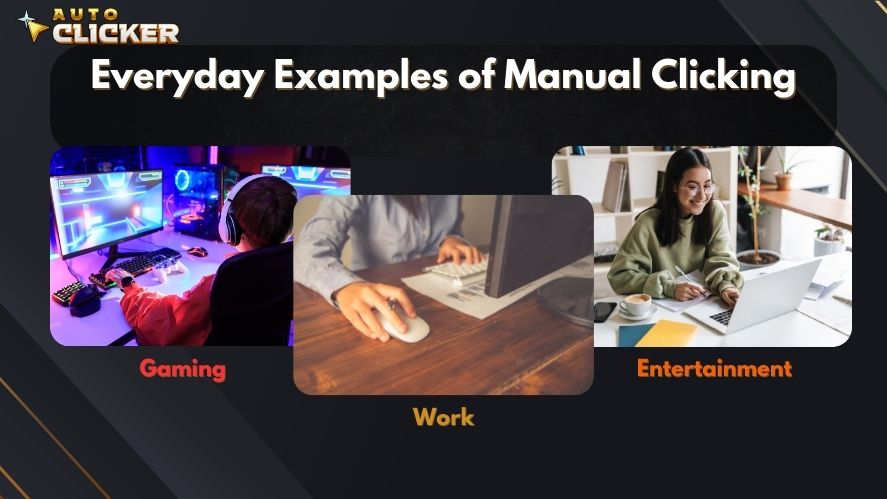
Manual clicking refers to physically pressing your mouse or keyboard buttons yourself — one click at a time. It’s the most basic input method for interacting with software and games.
You likely engage in manual clicking every day:
- In games: attacking enemies, gathering resources, or opening loot boxes.
- At work: clicking through spreadsheets, running tests, or filling out forms.
- While browsing: clicking links, buttons, or drop-down menus.
Despite being a fundamental computing action, manual clicking becomes a chore when repeated thousands of times in short periods.
Physical and Mental Limitations of Manual Clicking
When tasks demand high-frequency clicking over long periods, manual clicking reveals serious downsides:
- Physical fatigue: Clicking nonstop can lead to sore wrists, fingers, and forearms.
- Repetitive strain injuries (RSI): Prolonged clicking contributes to conditions like carpal tunnel syndrome according to the National Institute of Neurological Disorders.
- Slower response: Human reaction times vary and degrade under fatigue.
- Tediousness: Tasks become mind-numbing, especially during game grinds or large-scale form filling.
So, how do you handle repetitive tasks without burning out? That’s where automation tools like auto clickers come in.
What is an Auto Clicker?

Overview of Auto Clickers
An auto clicker is a type of software to automate repetitive tasks on your computer by simulating mouse clicks — rapidly, accurately, and endlessly, if needed.
These tools are commonly used to:
- Automate repetitive tasks in both games and work software
- Maintain consistent clicking intervals without user intervention
- Enable long-term operations (such as farming or testing) without fatigue
The best part? Most auto clickers offer adjustable settings like click speed, intervals, hotkeys, and click location. Whether you’re gaming or testing a UI, this kind of click automation can be a game-changer.
Popular tools such as GS Auto Clicker and AutoHotkey are often used to perform automated mouse click actions across many use cases.
Benefits Over Manual Clicking
Compared to manual clicking, an auto clicker offers:
- Faster clicks (as fast as 1 ms intervals)
- No fatigue – sit back while the software clicks for you
- Consistent performance – eliminates human errors
- Customization – define exactly how, where, and when to click
- Injury prevention – protects your hands from repetitive stress
Manual Clicking vs Auto Clicker – Key Differences
Let’s compare manual clicking with using an automated clicker, side-by-side:
| Feature | Manual Clicking | Auto Clicker |
|---|---|---|
| Speed | Limited by human capability | Customizable; ultra-fast |
| Consistency | Varies with user’s focus and fatigue | Perfectly consistent clicks |
| Fatigue | High; can lead to pain or injury | None; runs independently |
| Risk of Injury | High (RSI, carpal tunnel) | Eliminated |
| Use in Games | Required in competitive or skill-based situations | Ideal for grind-heavy, idle, or resource-based games |
| Efficiency | Limited to what you can click manually | Extremely high; can run for hours without supervision |
This comparison clearly shows how click automation enhances user experience by eliminating many of the frustrations tied to manual clicking.
Real-World Scenarios – When Clicking Gets Out of Hand
Gaming
Clicker games like Cookie Clicker, Clicker Heroes, or idle RPGs require endless tapping. Even classic MMOs like Runescape or farming simulators ask players to repeat actions over and over.
Using a mouse auto clicker tool gives players:
- Relief from repetitive clicks
- Better grinding efficiency
- Freedom to multitask while the game runs
Plus, competitive players use automated clickers in training or non-competitive contexts to avoid hand fatigue during long sessions.
Work and Productivity
The corporate world is no stranger to repetitive tasks. UI testers, data entry workers, and QA engineers often repeat mouse clicks thousands of times per week.
Examples include:
- Clicking through software test cycles
- Submitting forms repeatedly
- Interacting with CRMs or Excel macros
That’s why many office workers use software to automate repetitive tasks on your computer, improving speed and reducing errors. Tools like AutoIt or Pulover’s Macro Creator are popular for these use cases.
Transitioning from Manual to Auto Clicking
Common Concerns
Switching from manual clicking to a mouse auto clicker tool raises common questions:
- “Will it work in my game?” → Most likely yes, especially for clicker, idle, or farming games.
- “Is it safe to use on Steam?” → When using Auto Clicker on Steam, the answer is yes. It’s built for safety and ease of use within Steam’s environment.
Learning Curve
Don’t worry — using an automated clicker is much easier than you’d think.
Auto Clicker on Steam is designed for beginners, featuring:
- Simple installation via Steam
- Pre-set click intervals
- Hotkey support for starting/stopping without mouse input
You’ll be automating in minutes.
The Risks of Manual Clicking – Not Just Fatigue
Health Risks
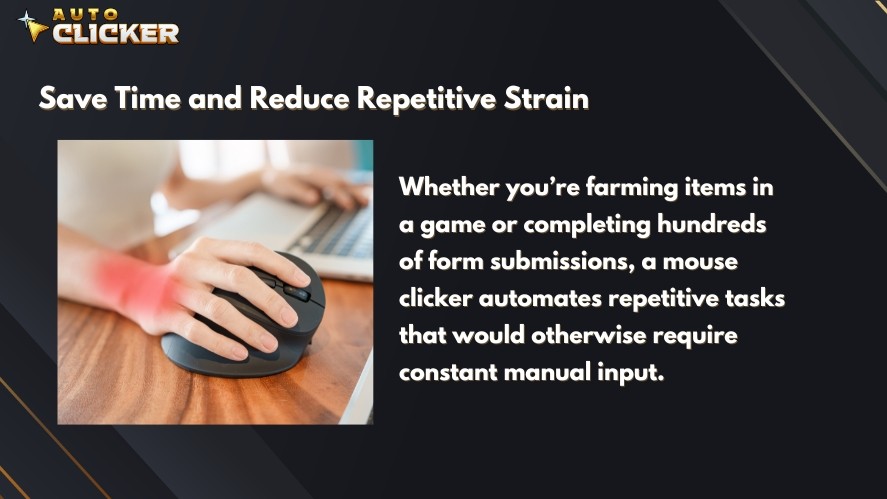
Manual clicking might seem harmless, but over time it can result in:
- Repetitive strain injury (RSI)
- Carpal tunnel syndrome
- Muscle fatigue
- Reduced long-term dexterity
This affects both gamers and professionals, reducing performance and comfort. The Mayo Clinic warns about these risks when doing tasks involving repetitive hand motions.
Mental Burnout
Beyond the physical toll, doing the same click action repeatedly causes:
- Mental exhaustion
- Lowered productivity
- Decreased enjoyment in games or tasks
Switching to click automation preserves your energy for more meaningful tasks.
Is Auto Clicking Always the Right Choice?
When Manual Clicking is Still Necessary
There are moments where manual clicking still reigns supreme:
- Competitive games: Many multiplayer games prohibit automation and detect it as cheating. Games like Valorant, League of Legends, and Fortnite use anti-cheat systems that detect macro use.
- Skill-based interactions: Timing-based games or reflex challenges need human input.
- App restrictions: Some platforms may disable or flag automated input.
Always use your auto clicker free tools responsibly and where permitted.
Auto Clicker on Steam – The Smart Alternative
Why Steam Integration Matters
Using Auto Clicker on Steam has key advantages:
- Easy installation from the Steam Store
- Automatic updates and trusted files
- No shady websites or risky downloads
- Better OS compatibility, including support for free auto clicker for Mac
Steam ensures a clean, smooth user experience.
Key Features that Set It Apart
Here’s what makes Auto Clicker on Steam stand out:
- Adjustable click intervals (down to milliseconds)
- Choose click location, type (left/right), and repeat count
- Hotkey support for hands-free control
- Lightweight design, optimized for games and productivity
- Integrates easily with Steam games and other desktop apps
Whether you’re looking for an auto clicker for free or considering a paid auto clicker, Steam delivers both security and performance.
Use Cases Specific to Auto Clicker on Steam
- Automated mouse click support in idle Steam games
- Testing and debugging Steam game UI
- Helping gamers farm in clicker games like AdVenture Capitalist or Realm Grinder
- Automate repetitive tasks in Steam-based applications or productivity tools
Ethical Considerations and Fair Use
Using a mouse auto clicker tool comes with responsibilities. Ethical usage means:
- Only using in single-player games or with permission
- Never using in competitive multiplayer games
- Enhancing productivity, not enabling unfair advantages
Auto Clicker on Steam encourages smart, responsible automation. Use it where it’s allowed, and enjoy the benefits without crossing ethical lines.
Conclusion:
To summarize:
- Manual clicking is fine for occasional tasks but leads to fatigue, injury risk, and inefficiency during long sessions or repetitive tasks.
- Auto clickers (especially Auto Clicker on Steam) provide an easy, safe, and effective alternative to manual clicking.
- Whether you’re a gamer grinding away at clicker games, a developer testing interfaces, or someone who regularly asks, “how do you handle repetitive tasks?”, switching to an auto clicker is a smart productivity move.
In short, don’t let your fingers suffer when you can automate repetitive tasks easily. Try Auto Clicker on Steam — and click smarter, not harder.

Clicks Per Second World Record: What’s the Fastest CPS Ever Achieved? (2026 Updated)

Auto Clicker Fix: Common Issues and Solutions

Mac Auto Clicker Now Available: Patch 2.0.7 Auto Clicker on Steam
About The Author
