
Auto Clicker Software for Steam Games and Workflow Automation
Many games and apps require constant clicking.
In idle games, you click to earn coins or resources. In MMORPGs, you click to farm items. And in office work, you click through forms and menus.
This can get boring fast, and it can also strain your hand and wrist. Over time, repetitive clicking slows you down and wastes energy.
This is where auto clicker software helps.
An automatic clicker can handle repeated clicks for you. Instead of clicking hundreds of times, you set the rules once and let the software do the rest.
If you want a reliable option, Auto Clicker on Steam offers a secure and customizable solution. It integrates directly with Steam and gives you full control over your click settings.
What Is Auto Clicker Software and How Does It Work
Let’s learn the definition of auto clicker software and how it works.
Definition of Auto Clicker Software
An auto clicker is a program that performs clicks for you.
It simulates human clicking at set intervals. You choose how fast it clicks and where it clicks.
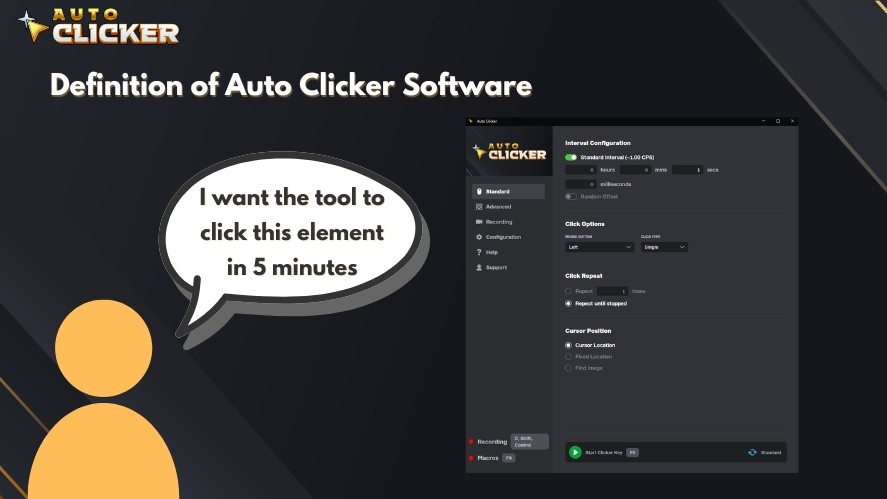
This type of auto click software works in:
- PC games
- Desktop applications
- Web browsers
Many people call it an autoclicker, mouse clicker, or automatic clicker. All terms refer to software that creates automated mouse clicks based on your settings.
How Auto Clicker Software Works
Auto clicker software uses simple rules.
First, you set the click interval settings. This controls how fast it clicks. You can choose milliseconds for rapid clicks or seconds for slower actions.
Next, you choose the click position:
- Fixed position: clicks at one exact spot on the screen
- Dynamic cursor mode: clicks wherever your mouse is
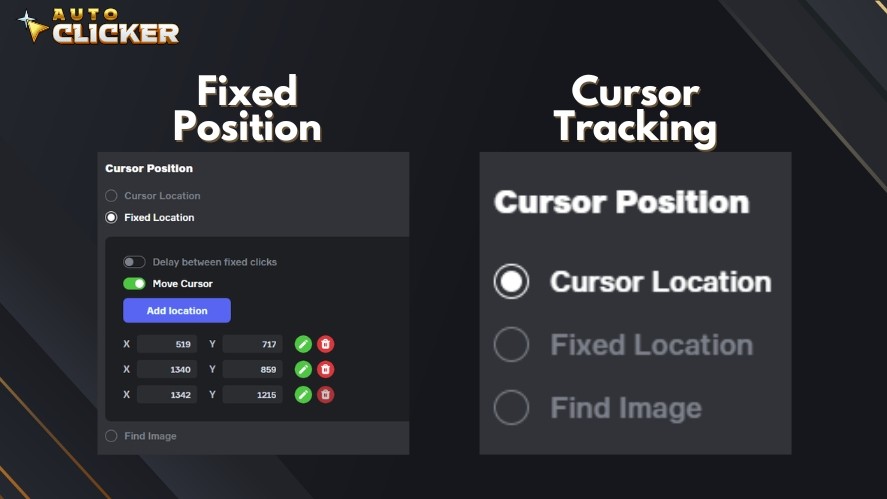
Most click automation tools also include:
- Hotkeys to start or stop instantly
- Single-click or double-click modes
- Loop options for a set number of clicks
- Infinite repeat mode
Once activated, the program handles automated mouse clicking without manual input. This simple system makes autoclick tools useful for both gaming and productivity tasks.
Common Uses of Auto Clicker Software
Auto clicker software is used in both gaming and work environments.
Gaming Applications
Many games require constant clicking. This is common in:
- Idle games
- MMORPG grinding
- Resource farming
- Click-intensive gameplay
In idle clicker games, you may need to click thousands of times to earn rewards. In MMORPGs, farming materials or leveling skills often mean repeating the same action again and again.
A good auto clicker handles these repetitive actions with steady timing. It keeps your clicks consistent and reduces hand strain during long sessions.
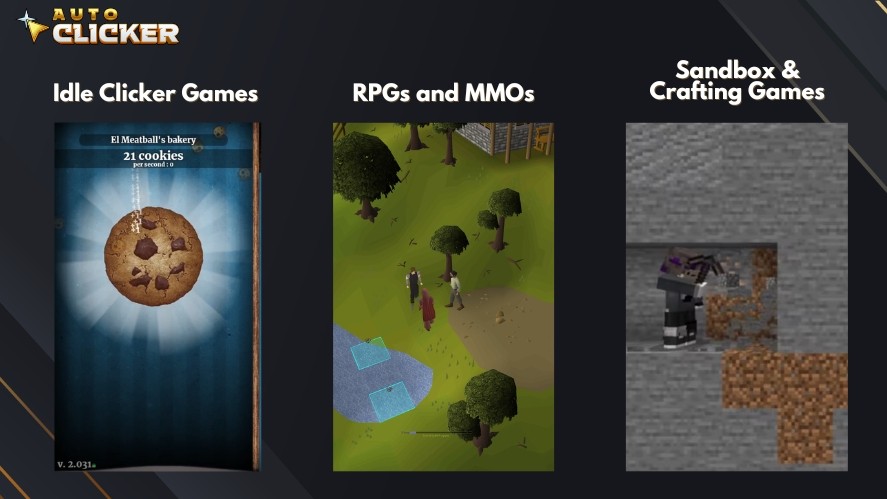
With this in mind, Auto Clicker on Steam is built for gaming optimization.
It works smoothly with many Steam games. It also offers customizable click interval settings, hotkeys, and loop options.
This gives players safe and controlled click automation inside their gaming setup. Instead of focusing on rapid clicking, you can focus on strategy and progress.
Productivity and Workflow Automation
Auto clicker software is not just for gamers. It also helps with office and technical tasks.
Common productivity uses include:
- Data entry tasks
- Repetitive form submissions
- Software testing
- Routine office workflows
For example, you may need to click through the same buttons in a system every day. An automatic clicker can automate these steps, reducing errors and saving time.
In software testing, automated mouse clicks can simulate user actions. This helps test buttons, menus, and UI responses.
Development and Testing Use Cases
Developers and testers use auto click software to automate user input. This helps simulate real user behavior without manual work.
Common testing uses include:
- Automated UI interaction to test buttons and menus
- App performance testing under repeated input
- Repetitive scenario simulation for consistent results
- Improving QA workflow efficiency
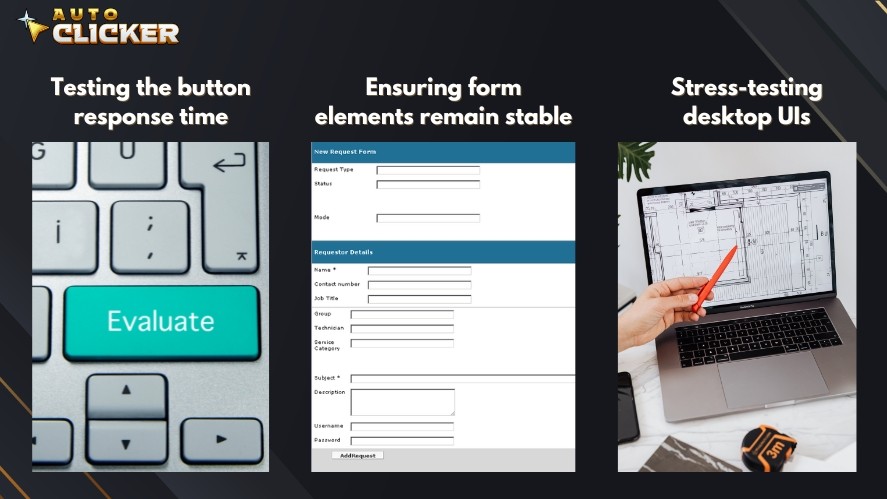
For example, testers can run automated mouse clicks thousands of times. This helps detect bugs, delays, or broken UI elements.
A professional auto clicker ensures stable and repeatable tests. This improves accuracy and saves time during development.
Accessibility Support
Auto clicker software also improves accessibility. It helps users who have limited mobility or difficulty with repeated hand movements.
Key accessibility benefits include:
- Assisting users who cannot click rapidly
- Reducing repetitive strain injuries
- Making software interaction easier and less painful
Instead of constant manual clicking, users can automate the process safely. This reduces physical stress and allows longer, more comfortable computer use.
Key Features to Look for in Auto Clicker Software
Not all auto clickers offer the same level of control. The best auto clicker software gives you precise settings and reliable performance.
Adjustable Click Speed
Click speed is one of the most important features.
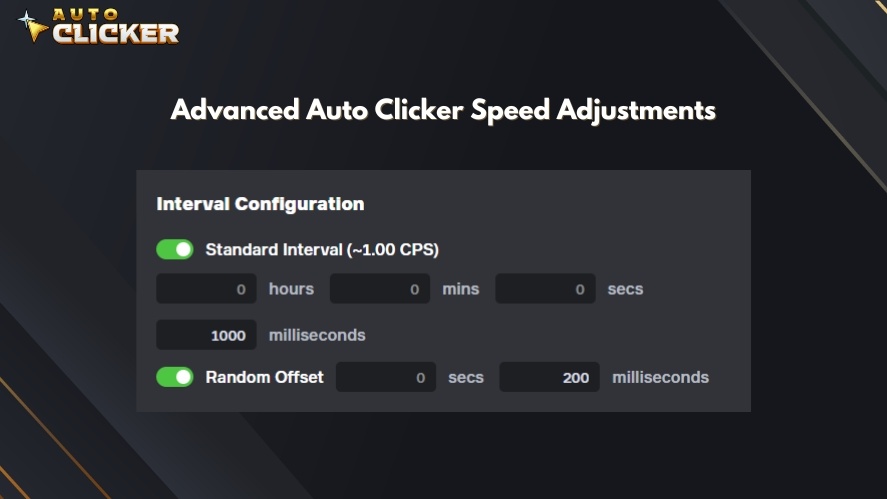
Good auto clicker software lets you control exact timing. You can set clicks in seconds or milliseconds to match the speed required for your task or game.
Precise timing improves efficiency. It also ensures stable and consistent automated mouse clicks. This is especially useful in games that require fast farming or timed actions.
Custom Click Locations
Custom click locations give you more control over automation.
Most automatic clicker tools offer two main options:
- Fixed coordinates: clicks at the same screen position every time
- Follow cursor mode: clicks wherever your mouse is
Fixed mode works well for farming resources or clicking buttons in one spot. Follow cursor mode works better when you move between different areas.
Auto Clicker on Steam supports both modes. This makes it a secure and flexible solution for gaming and digital workflows.
Hotkey Controls
Hotkeys allow you to start and stop the auto clicker instantly. This saves time and improves convenience because you do not need to switch between windows.
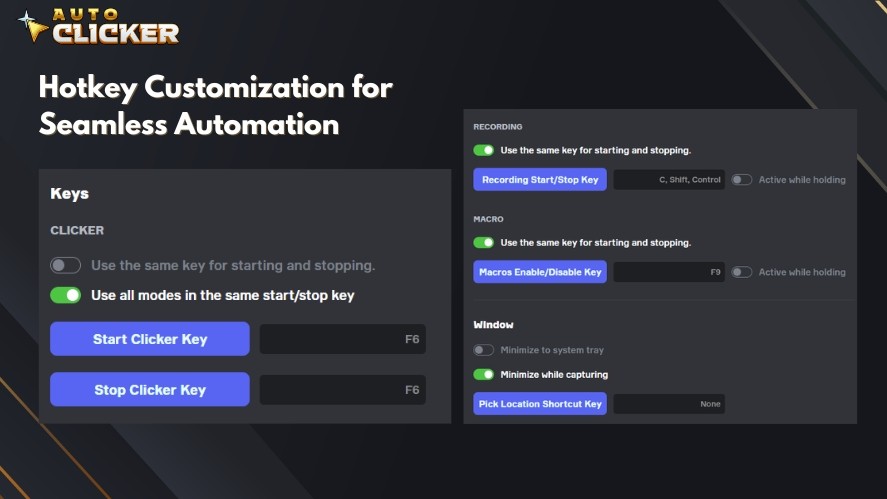
Key benefits include:
- Quick start and stop with one key
- Easy control during games or work
- Background functionality without interrupting your task
Hotkeys make automatic clicker tools faster and easier to use.
Repeat and Loop Customization
Repeat settings control how many clicks the software performs. This gives you full control over automated mouse clicks.
Common options include:
- Set a specific number of clicks
- Run clicks for a fixed duration
- Use infinite mode for continuous clicking
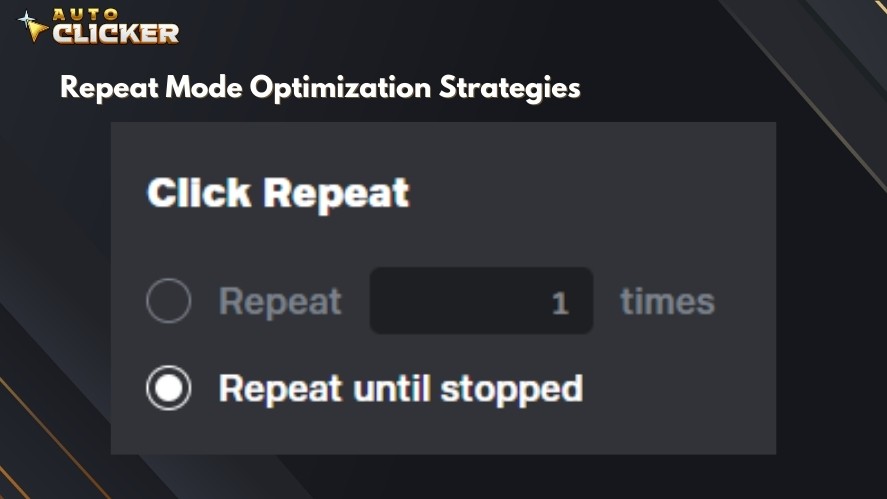
Loop customization is important for farming, testing, and repetitive workflows. It ensures accurate and predictable automation.
Lightweight Performance
Good auto click software should run without slowing your system. Lightweight performance ensures smooth operation during games and productivity tasks.
Important performance benefits include:
- Low CPU usage
- Minimal memory consumption
- Stable background operation
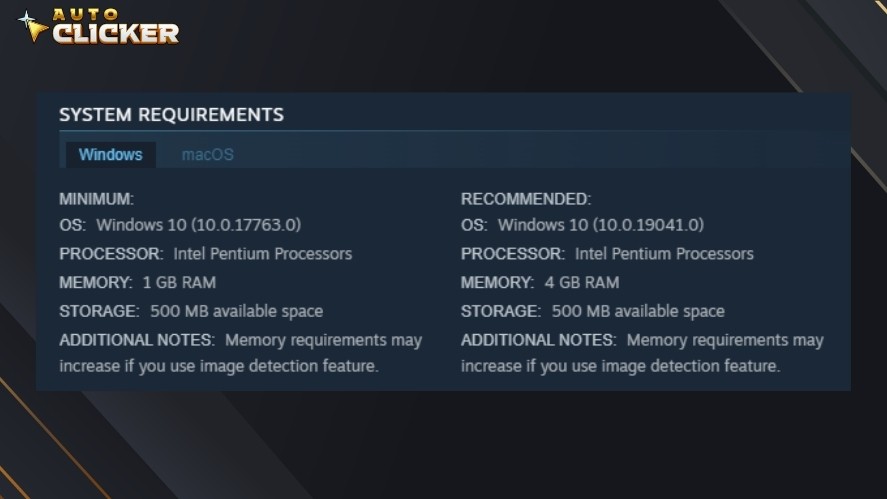
This allows the autoclicker to run for long periods without affecting system performance.
Auto Clicker on Steam combines hotkey controls, repeat customization, and lightweight performance in a user-friendly interface. It provides reliable automation while remaining easy to use for both beginners and advanced users.
Platform Availability of Auto Clicker Software
Auto clicker software is available on multiple platforms. Each platform offers different features, compatibility, and installation methods.
Windows Auto Clicker Software
Windows is the most common platform for auto clicker software.
Most automatic clicker tools are designed for Windows because of its strong support for games and applications.
Key advantages include:
- High compatibility with PC games
- Full support for desktop applications
- Wide selection of auto clicker download options
- Advanced customization and control
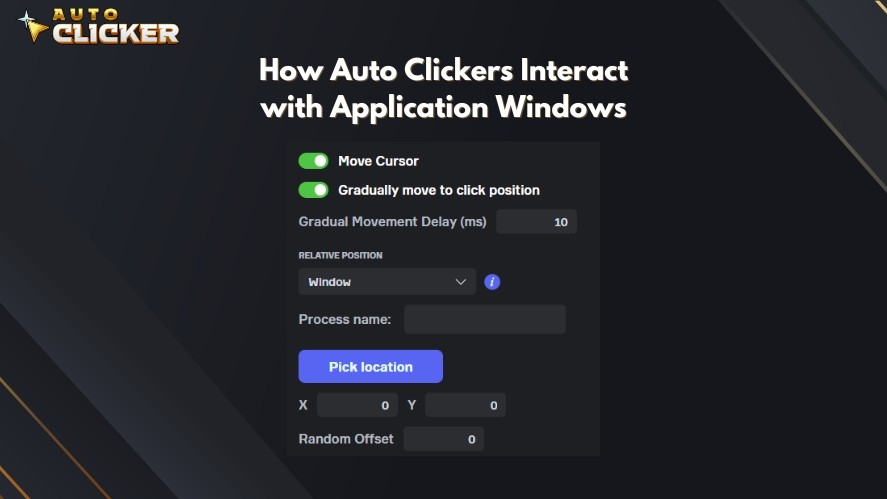
Many of the best auto clickers are built for Windows. They offer precise click interval settings, hotkeys, and repeat controls.
Auto Clicker on Steam is a strong example. It installs directly through Steam and works smoothly with Steam games and Windows apps.
This makes Windows the best platform for gaming and professional auto clicker use.
Mac Compatibility
Auto clicker software is less common on Mac because macOS has stricter system permissions. This can limit how auto click software interacts with apps and games.
Users may need to grant accessibility permissions before using an autoclicker. Some tools work well, but Mac users often have fewer options compared to Windows.
Still, automatic clicker tools can help automate tasks and improve workflow efficiency on Mac systems.
Read More: Best Auto Clicker for Mac in 2026 (Updated & Ranked)
Browser-Based Auto Clickers
Browser auto clickers work inside web browsers. They are mainly used for:
- Web automation
- Form testing
- Simple browser-based games
These tools do not require a full auto clicker download. However, they usually offer fewer features.
Limitations may include:
- Lower precision
- Limited hotkey support
- Less control over click behavior
Browser tools are useful for simple tasks but are not ideal for advanced automation.
Steam Platform Availability
Steam provides a secure and convenient way to download auto clicker software.
Steam-based tools offer several advantages:
- Easy installation and setup
- Automatic updates
- Built-in security through the Steam platform
- Community reviews and user feedback
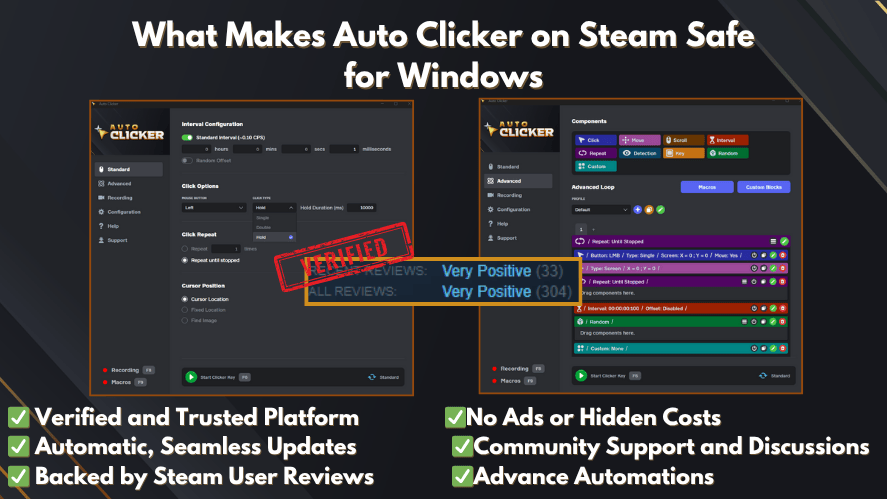
Auto Clicker on Steam is optimized specifically for Steam users. It integrates directly with your game library and provides reliable automated mouse clicks.
This makes Steam a trusted platform for users looking for the best auto clicker software for Windows and Steam environments.
Real-World Use Cases of Auto Clicker Software
Auto clicker software solves real problems in gaming, work, and testing. It helps users automate repetitive clicking and improve efficiency.
Use Case 1: Farming in Idle Games
Idle games often require constant clicking to collect resources.
For example, a player may need to click repeatedly to earn coins or upgrade systems. Doing this manually can take hours.

An automatic clicker can automate resource clicks based on your settings. This allows the game to progress without manual input.
You can also run overnight sessions. because the auto clicker continues working while you rest. This helps maximize progress and efficiency.
Use Case 2: Automating Repetitive Office Tasks
Many office workflows require repetitive clicking. Examples include:
- Clicking through internal tools
- Processing structured forms
- Navigating repetitive system steps
Auto click software can automate these workflows to reduce manual effort and speed up task completion. It also reduces human error.
Consistent automated mouse clicks ensure each step runs correctly. This improves productivity and workflow efficiency.
Use Case 3: Stress Testing a Web Application
Developers and testers use auto clickers to test software performance. They can simulate rapid user input by generating fast, repeated clicks.
This helps test:
- Button responsiveness
- UI stability under heavy input
- System performance limits
A professional auto clicker provides precise click interval settings to ensure accurate and repeatable testing conditions.
Use Case 4: Speed Optimization in Competitive Environments
Some tasks require a consistent and precise clicking speed. But human clicking speed can vary.
That’s why auto clicker software solves this problem by maintaining exact timing.
Benefits include:
- Achieving consistent click intervals
- Reducing human inconsistency
- Improving performance in click-dependent tasks
This allows users to achieve stable and optimized results without manual strain.
Benefits of Using Auto Clicker Software
One of the biggest benefits of auto clicker software is saving time.
Manual clicking takes constant attention and effort. An automatic clicker performs clicks instantly based on your settings.
This allows you to focus on more important tasks while the software runs in the background.
Auto click software also increases efficiency. It clicks at precise intervals without slowing down.
This ensures steady performance and faster task completion. You can automate long processes that would normally require hours of manual input.
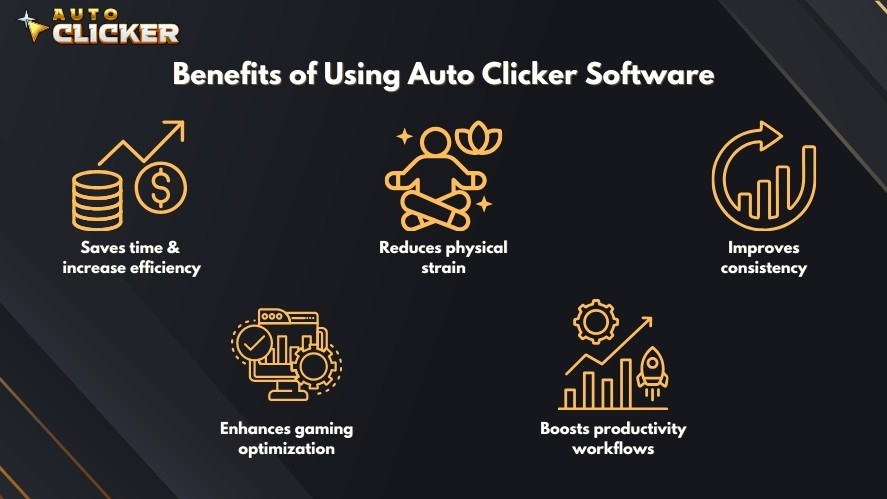
Another important benefit is reducing physical strain.
Constant clicking can cause hand fatigue and wrist discomfort. Automated mouse clicks reduce repetitive movement and allow more comfortable computer use, especially during long gaming or work sessions.
Consistency is another key advantage. Human clicking speed can vary due to fatigue or distraction.
Auto clicker software maintains exact click interval settings every time. This ensures reliable and predictable results in games, testing, and workflows.
Auto clickers also enhance gaming optimization, because many games require repetitive clicking for farming, grinding, and progression.
Auto Clicker on Steam provides precise timing, repeat controls, and easy setup. This allows players to focus on strategy and progression instead of constant manual clicking.
In productivity environments, auto clicker software boosts workflow efficiency.
It can automate data entry, form submissions, testing processes, and routine system interactions. This reduces frustration and improves overall performance.
Is Auto Clicker Software Safe to Use
Auto clicker software is safe when you use trusted tools and follow proper guidelines.
Security Considerations
The safety of auto click software depends on where you download it.
Always download auto clicker software from trusted platforms. Reliable sources help ensure the software is clean and secure.
Next, avoid unknown third-party websites. Some unofficial downloads may contain harmful files, hidden scripts, or unwanted programs.
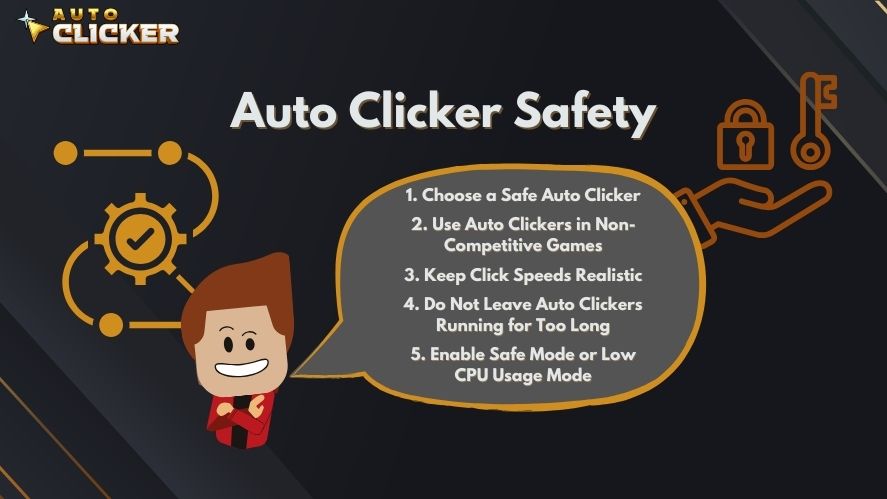
Before installing, check community reviews and ratings. Feedback from other users helps confirm if the software is safe and reliable.
Auto Clicker on Steam is a secure option because it is distributed through Steam. Steam provides built-in security, verified distribution, and transparent updates.
Game Policy Awareness
It is also important to understand the game rules before using an automatic clicker.
Some games allow click automation, especially idle or single-player games. Others may restrict automation in competitive or online environments.
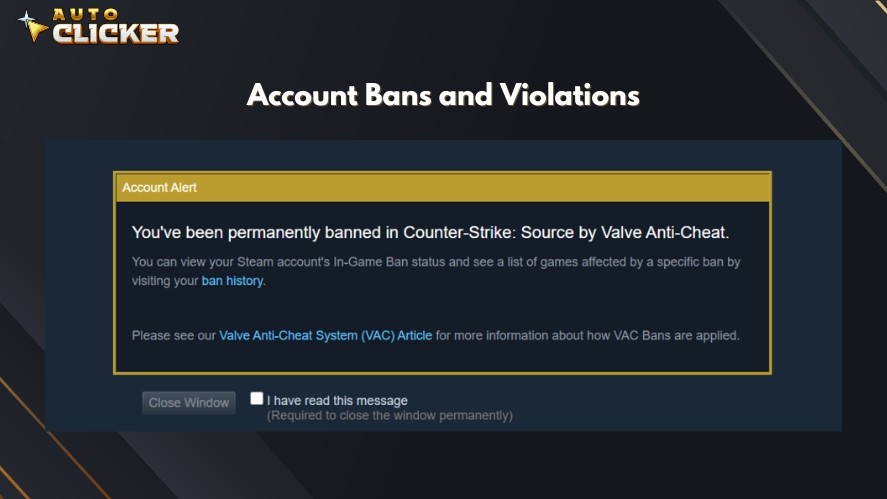
So, always review the game’s policy and ask yourself how to use auto clicker software responsibly.
When used correctly, auto clicker software is a safe and effective way to automate repetitive tasks.
How to Choose the Best Auto Clicker Software
Choosing the best auto clicker software depends on your needs and system setup.
First, define your purpose. Ask yourself if you need it for gaming or productivity.
Gaming users often need fast click interval settings and loop options. Productivity users may need stable background operation and workflow automation.
That’s why knowing your goal is the first step in learning how to choose auto clicker software.
Next, check compatibility. Make sure the automatic clicker works with your operating system and target applications.
Then, evaluate customization options. Good auto clickers should allow:
- Adjustable click speed
- Fixed or dynamic cursor position
- Hotkey controls
- Repeat count and infinite loop settings
More control means better precision and flexibility.
You should also consider performance impact. The best auto clickers run smoothly without high CPU or memory usage.
Finally, review user feedback. Community reviews help identify reliable and secure tools. Look for consistent updates and transparent support.
For Steam users, Auto Clicker on Steam offers strong customization, stable performance, and easy installation through the Steam platform.
Why Choose Auto Clicker on Steam
Auto Clicker on Steam is designed to provide secure, reliable, and easy click automation for both gaming and productivity.
Key features include:
- Seamless Steam integration with easy installation
- Designed for gamers and multitaskers
- Easy setup
- Lightweight performance with low CPU usage
- Regular updates through the Steam platform
- Community reviews and feedback for transparency
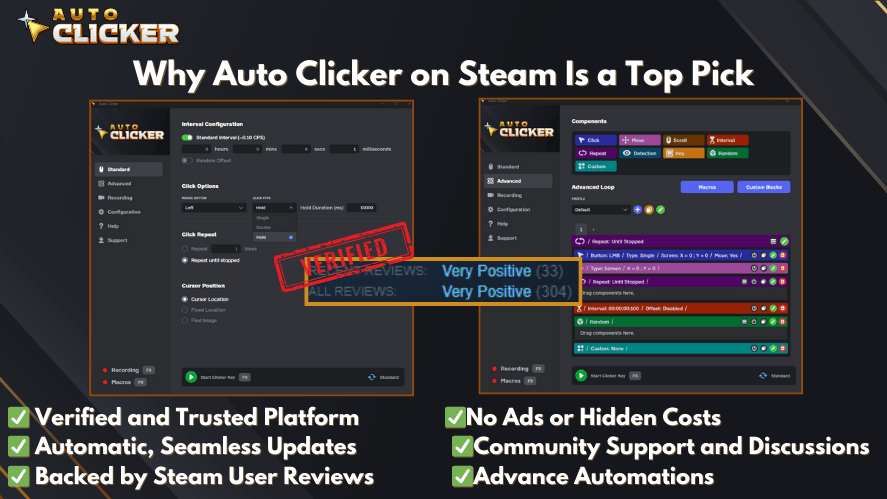
These features make it suitable for gamers, professionals, and testers. The tool delivers consistent automated mouse clicks while remaining easy to use.
With strong performance, flexible customization, and trusted distribution, Auto Clicker on Steam provides an optimized and professional auto clicker experience.
Conclusion
Auto clicker software is a tool that allows you to automate tasks in games, applications, and web environments. They help automate farming, streamline workflows, and improve efficiency.
The benefits are clear. Auto clickers save time, reduce physical strain, improve consistency, and increase productivity. They allow you to focus on strategy and meaningful work instead of repetitive clicking.
However, it is important to use auto click software responsibly. Always download from trusted platforms and follow application or game policies.
If you want a secure, customizable, and easy-to-use solution, explore Auto Clicker on Steam.

Best Auto Clicker for Android and iOS in 2026

The 7 Best Auto Clicker for Gaming in 2026 (Free and Paid)

How to Choose the Right Auto Clicker Download for Mac
About The Author
