
Time Saving Tools Every Professional Should Use in 2026
Time saving tools are helping professionals automate repetitive tasks, improve focus, and get more done in less time in 2026.
Have you ever finished a long day and felt like you were busy all day but still did not get much done? That feeling is more common than ever. Work has become faster, more digital efficiency, and often more repetitive.
At the same time, small tasks are taking up more space in our day. For example, things like repeated mouse click actions, switching between apps, or entering the same data again and again slowly drain both time and energy. Because of this, many professionals are now turning to automation tools to stay productive without burning out.
In simple terms, automation helps you do less manual work. Instead of clicking, typing, or repeating actions, tools handle those steps for you. This includes everything from marketing automation tools to workflow automation tools. Even tools like an automatic clicker or learning how to use auto clicker software can make a real difference.
So while these tools may seem small, they add up quickly. Over time, they can save hours every week.
The Cost of Repetitive Tasks in Daily Work
At first, repetitive tasks may not seem like a big problem. However, when you look closer, they take up a large part of your day.
Think about how often you:
- Click the same button over and over
- Fill out similar forms
- Test the same function repeatedly
- Perform routine actions in software or games
Each mouse click might take just a second. But when you repeat it hundreds or even thousands of times, it becomes a serious time drain.
Because of this, many professionals now use tools like auto clickers, auto mouse click systems, and mouse clicking software to reduce manual effort. For example, a windows automatic clicker can handle repeated clicking tasks while you focus on more important work.
As a result, your energy shifts from doing small tasks to solving bigger problems.
How Automation Improves Efficiency and Focus
Now that we understand the problem, the next step is looking at the solution. Automation changes how you work. Instead of doing everything manually, you set up systems that work for you.
This leads to several benefits.

First, it reduces mental fatigue. When you are not repeating the same task, your brain stays fresh longer.
Second, it improves speed. Work that once required hours can now be completed much faster, often in just minutes.
Third, it reduces mistakes. Automated systems follow rules, so there is less chance of human error.
For instance, using an automatic mouse clicker or an autoclicker mouse setup can remove the need for constant manual clicking. Similarly, tools like auto macro or click macro systems can automate longer sequences of actions.
Because of this, even simple tools like an auto clicker app can have a big impact on your daily workflow.
What Makes a Tool Truly Time Saving
Not all tools are helpful. Some actually make things more complicated. So it is important to understand what makes a tool worth using.
Automation Capabilities
First of all, a tool should reduce manual work. Whether it is workflow automation tools or a macro auto clicker, the goal is to eliminate repetition.
Ease of Use
Next, the tool should be simple to use. If it takes too long to learn, it defeats the purpose. Tools like autoclick pc software should be easy to set up and run.
Customization Options

In addition, flexibility matters. For example:
- You may want to adjust click speed
- Set hotkeys
- Control when automation starts or stops
This is especially useful when using an auto click on pc setup.
Compatibility
Also, the tool should fit into your existing workflow. Some tools work better for office tasks, while others are ideal for gaming or creative work.
Reliability
Finally, the tool must work consistently. A tool that crashes or causes errors will waste more time than it saves. This is why choosing a reliable automatic clicker or mouse clicking software is important.
Top Time Saving Tools You Should Be Using
1. Auto Clicker on Steam for Automating Repetitive Tasks
To begin with, one of the most practical time saving tools today is Auto Clicker on Steam.
This tool is designed to automate repeated clicking tasks. While many people think auto clickers are only for gaming, they are also useful for work tasks.
Key Features
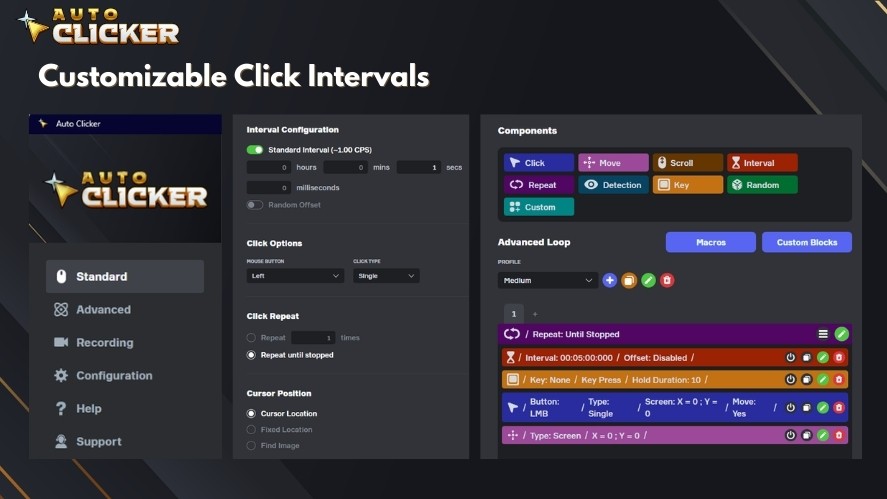
Auto Clicker on Steam includes:
- Custom click intervals
- Multi-click support
- Hotkey controls
- Easy setup
Because of these features, it works well as both an automatic clicker and a more advanced macro auto clicker.
Common Use Cases
There are many ways to use it:
- Automating data entry
- Running repetitive tests in software
- Handling idle tasks in games
For example, if your job requires constant clicking, an automatic mouse clicker can handle that while you focus on analysis or planning.
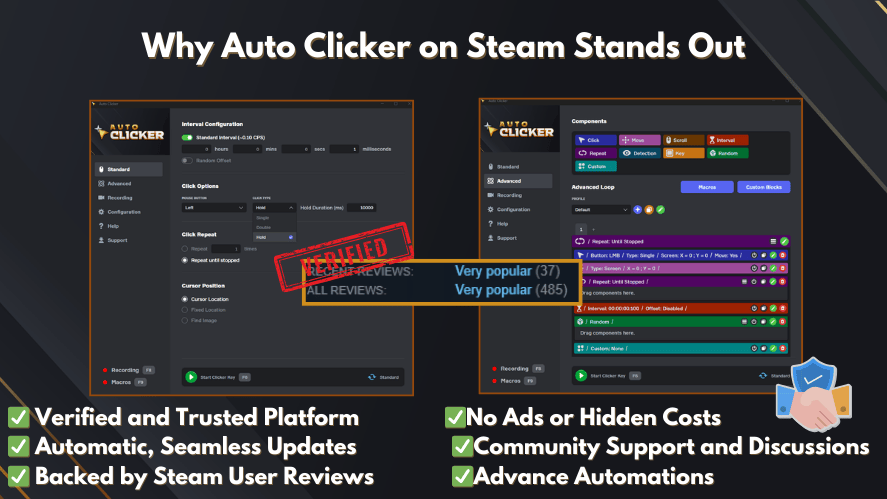
Compared to other mouse clicking software, this tool is simple, reliable, and flexible. It combines the ease of an autoclicker mouse with the power of an auto macro system.
2. Task Automation Software
Next, we have tools like Zapier and Make. These are powerful automation tools that connect different apps.

For example, they can:
- Send emails automatically
- Move data between platforms
- Trigger actions based on events
Because of this, they are widely used as marketing automation tools and workflow automation tools.
Instead of doing tasks manually, these tools handle everything in the background. Because of this, companies can work more efficiently while minimizing mistakes.
3. Project Management Tools
In addition, tools like Trello and Asana help organize tasks and projects.
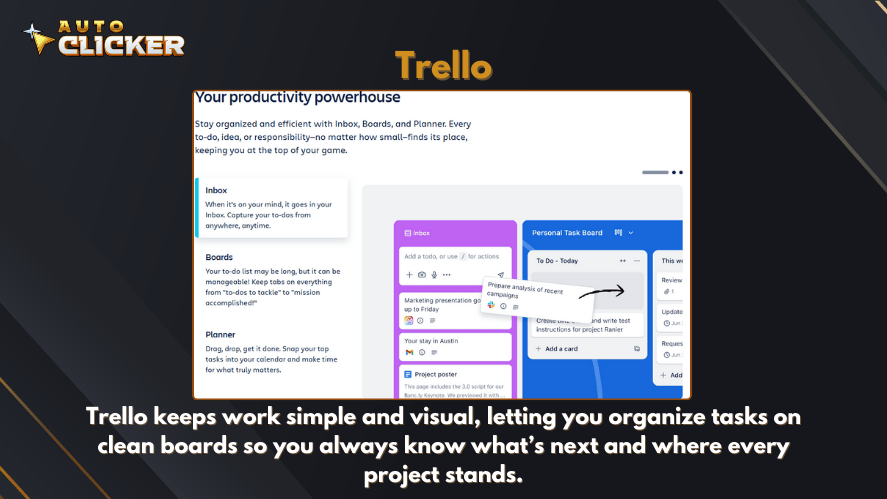
They allow you to:
- Track progress
- Assign tasks
- Manage deadlines
This reduces the time spent on coordination and improves team productivity.
4. Time Tracking Tools
After organizing your tasks, the next step is understanding how you spend your time. This is where time tracking tools like Toggl and RescueTime come in.

These tools help you:
- Track daily activity
- Identify time-wasting habits
- Improve focus and discipline
For example, you may think you only spend a few minutes on small tasks. However, tracking often reveals that these tasks take up hours each week.
Because of this insight, you can start replacing manual work with smarter solutions. This is where tools like an automatic clicker or auto clickers can support your workflow. Instead of spending time on repetitive actions, you let tools handle them.
5. Keyboard Shortcut and Macro Tools
Finally, keyboard and macro tools are another powerful way to save time. While clicking is one part of the problem, typing and repeated commands can also slow you down.
Tools like auto macro systems and click macro setups allow you to automate sequences of actions. For example, you can:
- Open multiple apps at once
- Fill in repeated text
- Execute commands with one shortcut
When combined with an auto clicker app or an autoclick pc setup, these tools create a smooth and efficient workflow.
As a result, you reduce both clicking and typing, which saves even more time.
How Auto Clicker on Steam Enhances Workplace Efficiency
Now that we have covered different tools, let’s look deeper at how Auto Clicker on Steam improves productivity.
Eliminates Repetitive Clicking Tasks
First, it removes the need for constant mouse click actions. Instead of clicking manually, the tool performs the clicks for you.
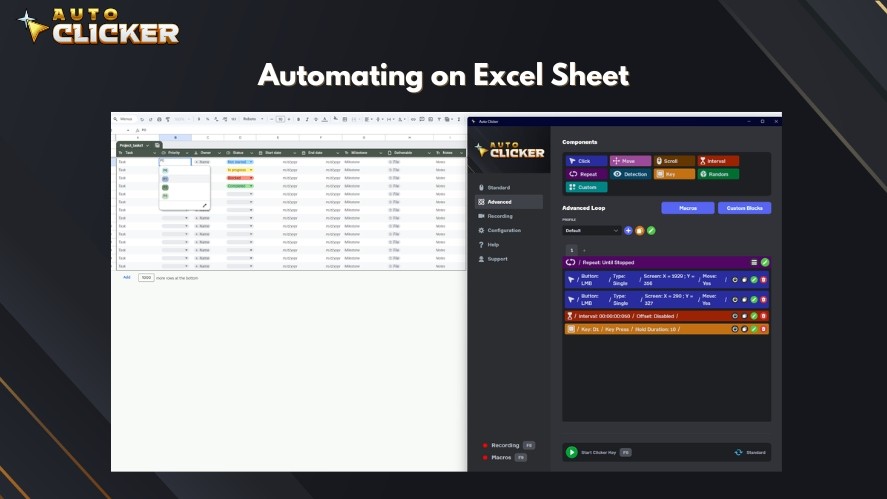
This is especially useful for:
- Data entry
- Testing software
- Repetitive system tasks
Because of this, you can focus on higher-level work instead of routine actions.
Works Across Multiple Applications and Games
Another advantage is flexibility. You can use it for both work and gaming.
For example, an auto click on pc setup can run in the background while you manage other tasks. This makes it a practical tool for many different workflows.
Saves Hours Every Week
Over time, the savings become clear. Even simple task automation can save several hours each week.
For instance, using a windows automatic clicker or automatic mouse clicker reduces the need for manual repetition. This means less effort and more output.
Lightweight and Customizable
Unlike some heavy tools, this solution is simple and efficient. It works smoothly without slowing down your system.
At the same time, it offers customization options similar to advanced mouse clicking software. You can adjust speed, set triggers, and control behavior easily.
Choosing the Right Time Saving Tools for Your Needs

Not every tool will fit every workflow. So it is important to choose based on your needs.
For Office Productivity
If you work in an office setting, focus on:
- Workflow automation tools
- Marketing automation tools
- Time tracking software
These productivity tools help reduce manual work and improve efficiency.
For Gaming Optimization
If you are a gamer or tester, consider:
- Auto clickers
- Autoclick pc tools
- Automatic clicker setups
These tools handle repetitive actions and improve performance.
For Creative Workflows
Creative professionals can benefit from:
- Auto macro tools
- Click macro systems
- Task management platforms
These tools help reduce repetitive steps and keep your workflow smooth.
Combine Tools for Better Results
In many cases, the best results come from combining tools.
For example:
- Use Zapier with project management tools
- Pair an automatic mouse clicker with macro tools
- Track results with time tracking apps
Because of this, you create a system that works together instead of relying on one solution.
Common Mistakes When Using Time Saving Tools
Even though these tools are helpful, they can cause problems if used incorrectly.
Over Automation
First, too much automation can lead to errors. If you automate everything, you may lose control over important processes.
Using Too Many Tools
Next, using too many tools at once can become confusing. Instead of saving time, you may spend more time managing tools.
Ignoring Setup and Customization
Many users do not fully set up their tools. For example, a macro auto clicker or autoclicker mouse needs proper configuration to work well.
Without this, you may not get the full benefit.
Not Exploring Features
Finally, people often use only basic features. However, many tools offer advanced options that can save even more time.
Taking a few minutes to explore settings can make a big difference.
Frequently Asked Questions
Time saving tools are software or apps that automate repetitive tasks, helping users complete work faster and with less effort.
Yes, most auto clickers are safe if downloaded from trusted sources. Always review permissions and settings before use.
To use auto clicker, set click intervals, assign hotkeys, and test it on simple tasks before applying it to complex workflows.
Some of the best include Zapier, Make, Trello, Asana, and various auto clicker app solutions for repetitive tasks.
Final Thoughts on Time Saving Tools
Time saving tools are changing how professionals work in 2026. Instead of doing everything manually, you can now rely on smart systems to handle repetitive tasks.
From advanced automation tools to simple solutions like an auto clicker app, each tool plays a role in improving productivity.
In particular, tools like Auto Clicker on Steam show how even small changes can lead to big results. Whether you are using a mouse clicking software, setting up an auto macro, or learning how to use auto clicker tools, the goal is the same.
You want to save time, reduce effort, and focus on meaningful work.
The key is to start simple. Then, as you get comfortable, you can build a system that fits your workflow.
In the end, productivity is not about doing more tasks. It is about doing the right tasks more efficiently.

10 Productivity Hacks That Actually Save Time

Automation Tools for Beginners: A Simple Guide to Getting Started

Best Productivity Tools to Use in 2026
About The Author
