
Can Apps and Games Detect Auto Clickers?
Today, many people rely on auto clickers to save time, speed up tasks, or gain an edge in certain games. But can games and apps detect auto clickers, and what happens if they do? This question has become more important as developers increase their efforts to stop cheating and automation.
Whether you use auto clickers for gaming, productivity, or testing, it is important to know how these tools work, how they are detected, and how to avoid the risks. In this guide, we will explain everything you need to know. You will also learn about tools like Auto Clicker on Steam, and how to use auto clickers safely in both games and apps.
For a deeper look at detection risks and the factors that affect whether automation gets flagged, read our Can Auto Clicker Be Detected guide.
Let’s begin by understanding what auto clickers are and why so many people use them.
What Is an Auto Clicker and Why Do People Use It?

Auto clickers are tools that simulate mouse clicks. They allow users to click thousands of times without touching the mouse. These tools can be set to click at certain times, in specific patterns, or with custom intervals.
Although they sound simple, auto clickers are powerful. Some people use them in games to save time, while others use them in work tasks that require frequent clicking. Because of their flexibility, auto clickers are popular with gamers, office workers, testers, and more.
Common Uses of Auto Clickers
Let’s look at some common ways people use auto clickers today.
In Gaming
Gamers often use auto clickers for tasks that take time or repeat often. In clicker games, progress depends on how often you click. Some examples include:
In these games, the more you click, the faster you earn rewards. Detect auto clickers can do this work for you, saving time and energy.
Other gamers use auto clickers to grind for items, complete daily tasks, or test game features.
In Productivity
Outside of gaming, many people use auto clickers to automate mouse clicks in work-related tasks. For example:
- Clicking the same button in a form
- Testing a program’s user interface
- Editing large batches of images
- Data entry work in spreadsheets
In all of these cases, an auto clicker helps remove boring, repetitive tasks.
A Look at Auto Clicker on Steam
One of the most popular tools today is Auto Clicker on Steam. It is known for being safe, simple, and powerful. Users can control how often it clicks, where it clicks, and how long it keeps clicking.
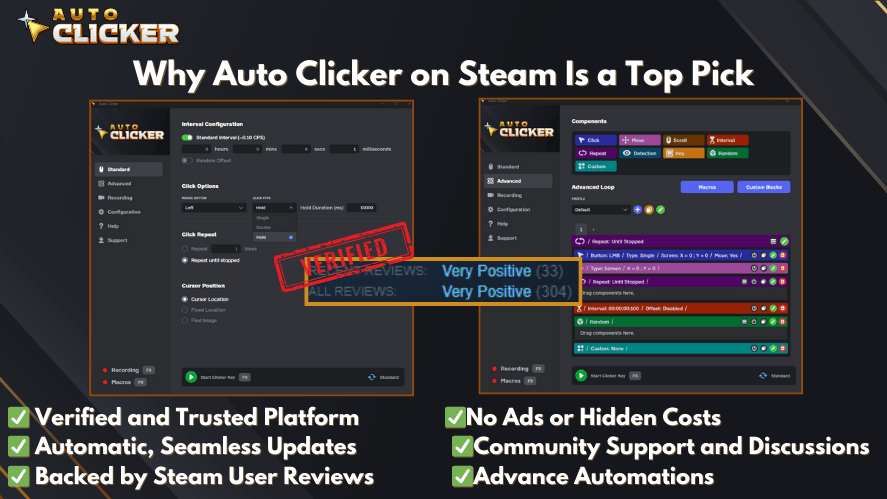
You can also save different profiles for different apps or games. This makes it easy to switch between use cases, like games and work.
Is It Legal or Safe?
Auto clickers are legal. There is no law that bans you from using them on your personal computer. However, using them in the wrong setting can bring risks.
So, is it safe to use auto clicker tools in all cases? The answer depends on where you use them. Many apps and games have rules in their terms of service. If they say that using automation tools is not allowed, breaking those rules can result in bans or other penalties.
This brings us to the next important topic: how apps and games detect these tools.
Can Games and Apps Detect Auto Clickers?
Yes, many games and apps can detect auto clickers. As more people started using these tools, developers began to fight back. This is especially true in online games, where fairness and security matter.
Let’s explore how detection works.
Some games use anti-cheat software. Others track your actions on their servers. Some even scan your computer for known tools running in the background.
Detection systems can tell the difference between human and machine behavior. If you click at perfect intervals for too long, or if your mouse is moving without stopping for hours, the system may suspect automation.
Now, let’s look at each method in more detail.
Detection Techniques Explained
Games and apps use different techniques to spot auto clickers. Some are simple, while others are highly advanced. Here are the three main methods.
Input Pattern Analysis
One of the first things that anti-cheat systems do is watch how you click. They look at the time between clicks, the position of the mouse, and how often the pattern repeats.
Human Clicks vs. Auto Clicks
When a person clicks, their actions are never perfect. There are small delays and changes in timing. For example, you might click every half-second, but the time between clicks will vary slightly.
On the other hand, an auto clicker might click every 0.500 seconds without fail. This perfect timing stands out.
If your pattern is too clean or fast, it may not seem human. Anti-cheat systems use this data to mark accounts for review.
What Happens After Detection?
Once the system suspects auto-clicking, it may flag the account. In some games, this leads to a warning. In others, you might get banned right away. This depends on how strict the game is, and how confident the system is in the detection.
To avoid this, some advanced tools include random delays to look more natural. This is a key feature in the best auto clicker software options.
Process Scanning
Some games scan the apps running on your computer while you play. If they find a known auto clicker download or tool running at the same time, they may block your account or stop the game.
How It Works
These games usually rely on built-in anti-cheat engines like:
- Easy Anti-Cheat
- BattlEye
- Vanguard (used by Valorant)
These systems look for:
Even if you are not using the auto clicker at the moment, having it open in the background can be risky.
Do Advanced Clickers Bypass This?
Some advanced clickers try to hide from detection by changing their file names, running in stealth mode, or injecting clicks at a system level. But keep in mind, game developers are also updating their tools.
So, even if a clicker works today, it might not work tomorrow.
Server-Side Monitoring
In this method, the game watches your actions from its own servers instead of your device. It looks at your click rate, game activity, and timing.
What Do They Monitor?
Here are a few things developers might track:
- Repeating clicks without breaks
- High click speed with no change
- Long sessions of activity without mouse movement
- Clicking while the game is in the background
These behaviors suggest that a bot or auto clicker is active.
If your actions match these signs, the game may take steps against your account.
This method is harder to bypass since it does not rely on scanning your system. Instead, it watches how you play.
Sample Use Cases and Risk Levels
Not all uses of auto clickers are risky. Some games and apps allow automation, while others do not. Let’s look at four common use cases and the risks involved.
Idle Clicker Games (Low Risk)
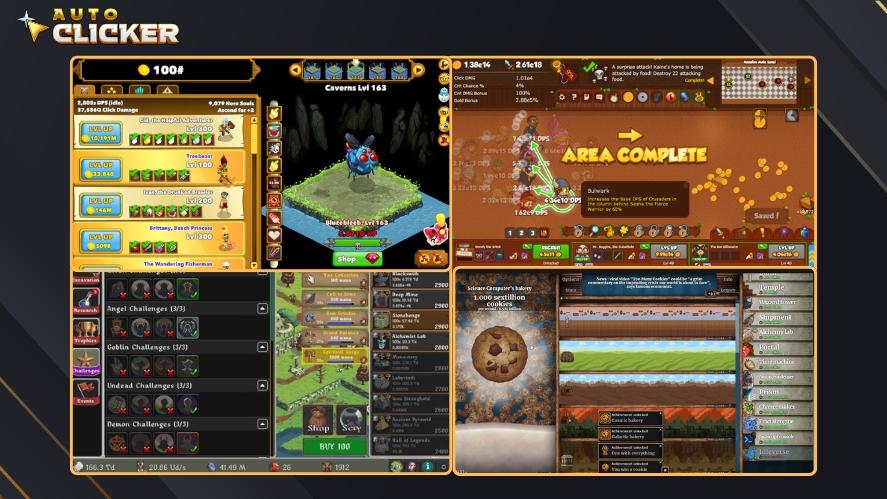
Many clicker games are made for idle or slow play. These games often support automation and sometimes even include their own auto click features.
Examples:
- Adventure Capitalist
- Cookie Clicker
- Clicker Heroes
Using tools like Auto Clicker on Steam can help you speed up progress. It also saves time when collecting rewards or triggering events.
Even though the risk is low, you should still check the game’s rules. Some developers may limit third-party tools or only allow certain types.
Competitive Multiplayer Games (High Risk)
If you play online games with ranking systems, competitive play, or player-versus-player modes, the risks are much higher.
Examples:
- Call of Duty
- Valorant
- Fortnite
- PUBG
In these games, fairness is critical. Detect auto clickers give players an unfair advantage. For example, you could use a clicker to:
- Shoot faster
- Control recoil
- Trigger skills at exact times
This is seen as cheating. If caught, your account may be banned. So, the answer to can auto clicker get you banned is yes especially in these environments.
If you care about your progress or your account, avoid automation tools in these games at all costs.
Mobile Apps or Emulators (Medium to High Risk)
Many users also use auto clickers on mobile devices or within emulators like BlueStacks or NoxPlayer. While these setups are often used for personal automation or casual gameplay, the risk still exists.
Common Use Cases:
- Automating daily logins
- Farming currency in mobile RPGs
- Repeating actions in gacha games
Most mobile games operate under freemium models. They depend on user engagement, purchases, and ad interactions. Automation may harm this business model, which is why many developers try to detect auto clickers through behavioral analysis.
Some apps can track:
- Repeated input from the same position
- High tap frequency without swipes
- Interaction while the app is not in focus
- Suspicious touch event timings
If a mobile game uses its own anti-bot systems or partners with third-party tools, users could face warnings, restricted gameplay, or bans.
When using an emulator, you may be tempted to run click scripts or assign macros. While this is easy to set up, mobile developers are aware of these tools. They may track behaviors over time, not just in real-time.
So, if you’re using an automatic clicker inside a mobile app, be sure to research whether that app allows it.
Productivity Apps (Low to No Risk)

Unlike competitive games, most productivity apps do not have any system in place to monitor or restrict click automation. If you’re using an auto clicker in:
- Microsoft Excel
- Google Chrome
- Graphic design software
- Repetitive testing environments
If you mainly automate tasks in your browser, our Auto Clickers for Chrome guide explains how Chrome-based clickers work, their limitations, and when a desktop tool may be a better choice.
You’re likely safe. These tools often focus on getting work done faster and more efficiently. Many developers understand that users want to automate mouse clicks to speed up long or manual processes.
There is no ranking, no competition, and no policy that penalizes efficiency.
For example, a software tester might use an auto clicker to stress test a user interface. A designer might use it to automate repetitive tool selections. A student might use it to help navigate long online forms.
In all of these cases, detect auto clickers serve as useful, time-saving tools. As long as they do not interfere with critical systems or violate internal IT policies, they are considered safe to use auto clicker software for these purposes.
Still, always make sure that your auto clicker is from a safe and verified source.
Consequences of Detection
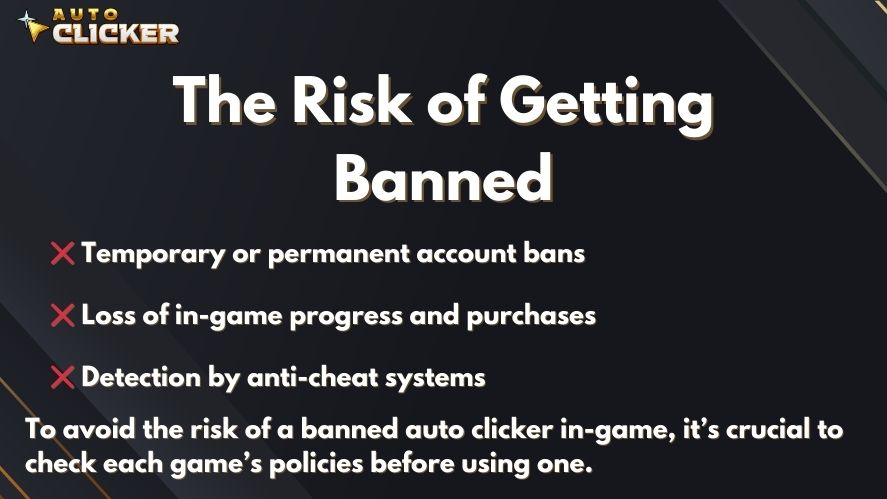
If you use an auto clicker in a restricted environment, and the app or game is able to detect it, there may be consequences. These outcomes vary depending on the type of software, the developer’s policies, and the detection method used.
Let’s look at what can happen.
1. Temporary or Permanent Bans
In online games, especially competitive ones, bans are common. Some are temporary, while others are permanent. A first-time offense might result in a warning or short suspension. Repeated use of automation could lead to a lifetime ban.
Even if you’re not directly harming other players, violating the terms of service is often enough to be banned.
2. Account Suspension
Mobile games or apps that rely on consistent engagement may suspend accounts that use automation. These suspensions may range from a few days to indefinite blocks.
Once an account is suspended, access to in-game progress, items, or purchases may be restricted.
3. Loss of Game Progress or Purchases
If your account is tied to real-money purchases or hours of grinding, being banned or suspended can result in significant loss. Most developers do not offer refunds for banned accounts.
This is especially important to remember for players using an auto clicker download in games where microtransactions are common.
4. Corrupted Updates or Compatibility Issues
Some auto clickers may interfere with app updates, especially if the clicker modifies files, injects code, or hooks into processes. This may break the app or prevent it from working correctly after an update.
Additionally, if the app starts checking for background tools in future versions, your previously safe setup may no longer work.
Tips to Stay Safe While Using Auto Clickers
Using an auto clicker does not have to be risky. With a few smart practices, you can protect your account, device, and workflow. Here are helpful tips for safe use.
Tip 1: Read the Rules
Before using an auto clicker in any game or app, check the terms of service or user agreement. Look for sections on automation, third-party tools, or cheating. Some apps allow limited automation, while others have zero tolerance.
When in doubt, look for community discussions, developer FAQs, or official forums to see what is allowed.
Tip 2: Avoid Use in Competitive or Online Multiplayer Games
If you care about your account, ranking, or reputation, don’t use auto clickers in competitive environments. These games use advanced detection systems and ban accounts without warning.
Games like Fortnite, Valorant, and Call of Duty all take automation seriously.
Tip 3: Customize Click Settings
Many detection systems look for perfectly timed clicks. To avoid this, use a tool that lets you customize click intervals. Adding small delays, randomness, or cooldowns makes your behavior more human.
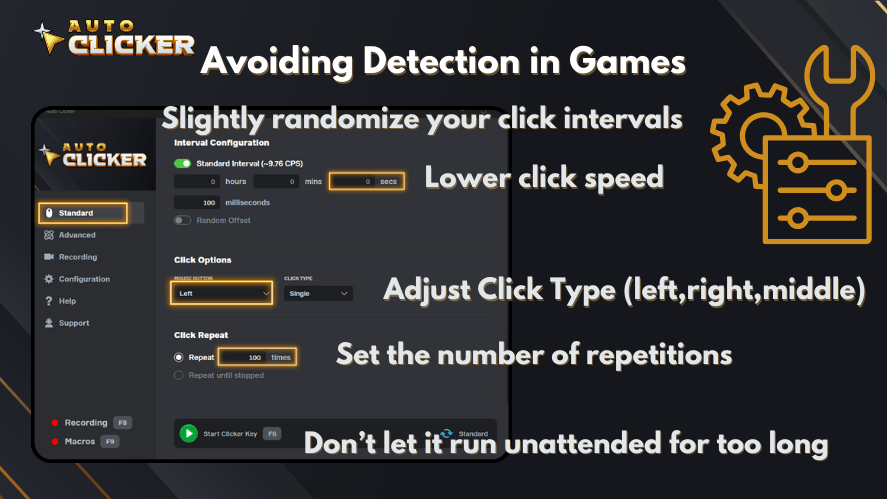
The best auto clicker software includes options for:
- Random delays
- Custom click areas
- Click loops
- Break timers
This kind of control helps you blend in with natural users.
Tip 4: Use Trusted Software
Only use auto clickers from well-known sources. Look for reviews, ratings, or official listings on platforms like Steam. Untrusted downloads may include malware or spyware, putting your device and data at risk.
Auto Clicker on Steam, for example, has earned trust because it is:
- Easy to use
- Frequently updated
- Transparent in features
- Built for both gaming and productivity
Using trusted software also reduces the risk of process detection or anti-virus conflicts.
Tip 5: Monitor App Updates
Sometimes, a game or app may not detect automation today but add detection features in a future update. Stay informed by reading update logs, community posts, or patch notes.
If detection is introduced later, stop using the tool until you understand the new rules.
Disclaimer: Know the Rules Before You Click
This article does not encourage the use of automation in games or apps that ban it. Every tool, including Auto Clicker on Steam, should be used responsibly and within allowed environments.
Using automation where it is not allowed can:
- Void warranties or agreements
- Lead to permanent account bans
- Disrupt your workflow if detection systems trigger false positives
- Risk your investment in time or money
It is your responsibility to make sure that you understand what is allowed in each app or game before using automation.
Even if a tool is marketed as safe, it may still be against the rules in some environments.
Play fair. Automate wisely.
✅ Conclusion: Automate Smart, Avoid Regret
Auto clickers are not new. They have been around for years, and they continue to grow in popularity. From clicking games to productivity tools, the ability to automate mouse clicks has changed how we interact with technology.
However, this power comes with responsibility. Many apps and games today can detect auto clickers. They use input pattern analysis, process monitoring, and server-side tracking to find users who are automating clicks.
If you’re wondering, can auto clicker get you banned? The answer is yes, especially in environments where fairness or profits are at stake.
To avoid these risks:
- Use auto clickers only where they are allowed
- Customize your settings to mimic natural behavior
- Choose safe, trusted software like Auto Clicker on Steam
- Read the rules before you start automating
In the right context, auto clickers are powerful, legal, and helpful tools. In the wrong place, they can cause problems you’ll wish you had avoided.
So the final advice is simple: know where and how to use them, and always stay informed.

Auto Clickers Compared: Best Free and Paid Tools in 2026 (Updated & Ranked)

Auto Clicker for Accessibility and Assistive Technology

Speed Clicking Games Guide: Tips, Tools, and Automation Tricks
About The Author
