
Auto Clicker for Accessibility and Assistive Technology
Auto clicker for accessibility is changing the way people interact with their computers. What used to be a simple mouse click can become a daily struggle for someone dealing with mobility challenges, hand fatigue, or limited dexterity. At the same time, even users without physical limitations often feel the strain of repetitive clicking during long workdays or gaming sessions.
So the real question is simple. Can auto clicker for accessibility make PC use easier for everyone?
The short answer is yes. However, the reason goes beyond convenience. It is about comfort, independence, and smarter interaction with technology.
Today, accessibility in digital spaces is more important than ever. People work from home, attend classes online, manage finances digitally, and spend hours gaming or creating content. Because of this shift, assistive technology tools are no longer optional extras. They are essential parts of modern computing. Tools like click automation software and hands-free computer control systems are helping people stay productive without exhausting themselves.
Among these tools, Auto Clicker on Steam stands out as a practical and secure option. It allows users to automate repetitive clicks while staying in a trusted platform environment.
Why Accessibility Tools Matter in Modern Computing
Computers were not originally designed with every user in mind. Over time, developers began improving accessibility features. Even so, many everyday tasks still require constant mouse input.
Auto clicker for accessibility addresses this gap. It reduces the need for repetitive hand movement while keeping users fully in control.
Common Challenges Faced by Users With Mobility Limitations
Many people live with mobility challenges that affect fine motor skills. Others develop temporary issues such as wrist strain, tendon pain, or joint inflammation. In both cases, repetitive clicking becomes difficult.
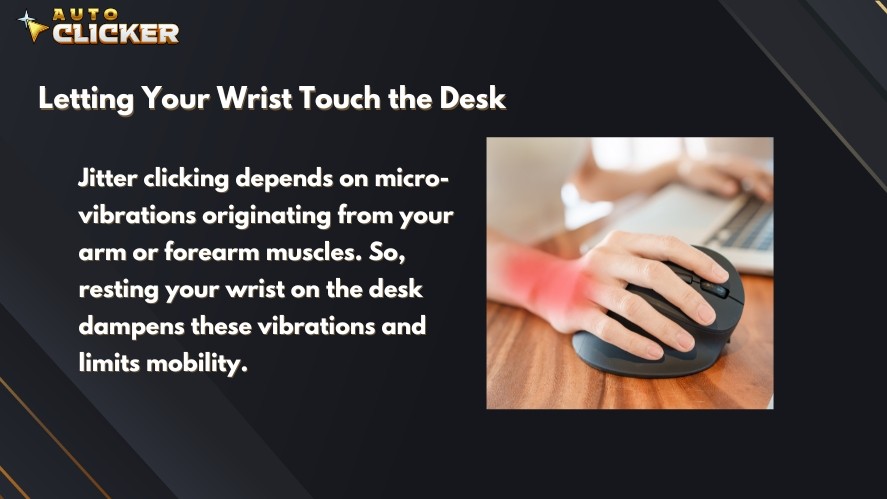
Here are some common problems users experience.
Difficulty With Repetitive Clicking
Some applications require hundreds or even thousands of clicks per session. Idle games, strategy games, spreadsheet work, and data entry are common examples. Over time, this repetition can cause discomfort or pain.
Strain From Prolonged Mouse Use
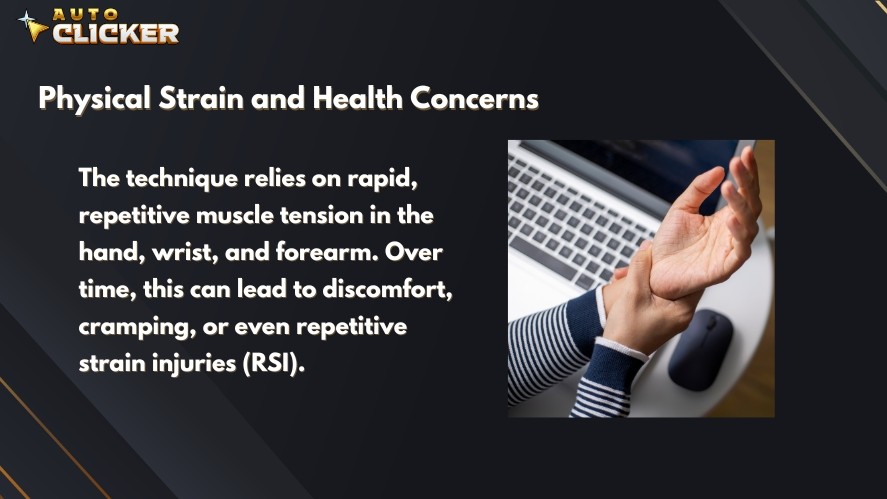
Holding a mouse for long periods may lead to repetitive strain injuries. These injuries develop slowly, which makes them easy to ignore at first. However, once pain sets in, it can limit productivity and enjoyment.
Limited Hand Dexterity
Precise actions such as double-clicking or dragging files demand steady control. Users with tremors or reduced coordination may struggle with these tasks.
Fatigue From Gaming or Office Tasks
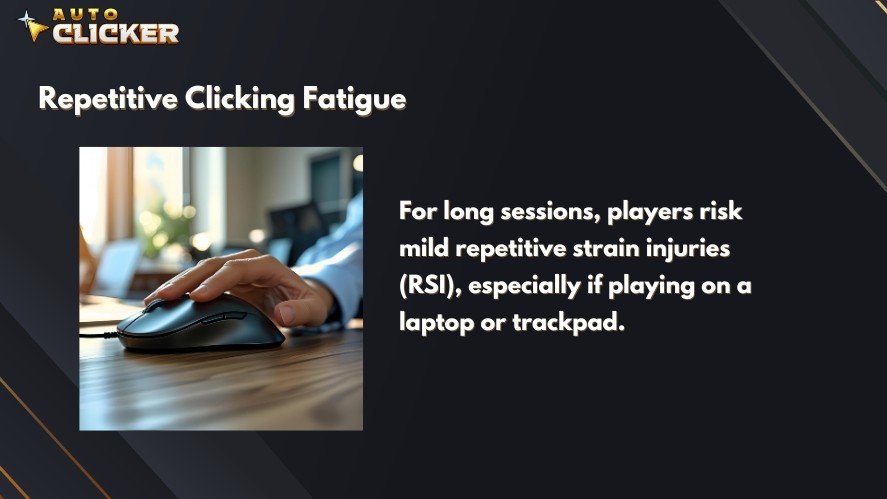
Even users without medical conditions can feel tired after hours of clicking. Fatigue reduces focus and performance. In competitive gaming or demanding office work, that matters.
Because of these challenges, accessibility automation has become more relevant. Instead of forcing users to adapt to the machine, we can allow the machine to adapt to the user.
The Role of Click Automation in Assistive Technology
Click automation software simulates mouse clicks at intervals chosen by the user. In simple terms, it performs the physical clicking so the user does not have to.
This creates automated access workflows for users who need predictable and consistent interaction. As a result, it helps assist users in maintaining independence.
With automated mouse clicks, people can:
- Reduce physical effort
- Avoid repetitive strain
- Maintain productivity
- Participate in gaming more comfortably
Because of this, automated clicking tools are becoming part of a broader accessibility automation movement. They are not shortcuts. They are practical solutions.
What Is Auto Clicker for Accessibility
Auto clicker for accessibility is a type of auto clicker software designed with comfort and customization in mind. While many auto clickers focus only on speed, accessibility-focused solutions prioritize control and ease of use.

This balance makes them suitable for both gaming and professional tasks.
How Click Automation Works
The idea behind an automatic clicker is simple. It generates automated mouse clicks based on settings chosen by the user.
Here is how it usually works.
Automated Mouse Clicks at Customizable Intervals
Users choose how often the click occurs. For example:
- Every few seconds for slow and steady interaction
- Continuous clicking for idle tasks
- Timed bursts for specific actions
Because the interval is adjustable, users can match the speed to their comfort level.
Single Click, Double Click, and Hold Click Functions
A professional auto clicker can perform:
- Left click
- Right click
- Double click
- Click and hold
This flexibility allows the tool to fit many different applications.
Adjustable Speed and Location Settings
Most auto click software also allows users to choose where clicks happen. Options may include:
- Fixed screen position
- Cursor-follow mode
- Application-specific targeting
These features support automated access workflows for users who rely on consistent patterns.
Why Auto Clicker on Steam Is Ideal for Accessibility Support
There are many tools available online. However, not all of them are safe or easy to use. Auto Clicker on Steam offers several advantages.
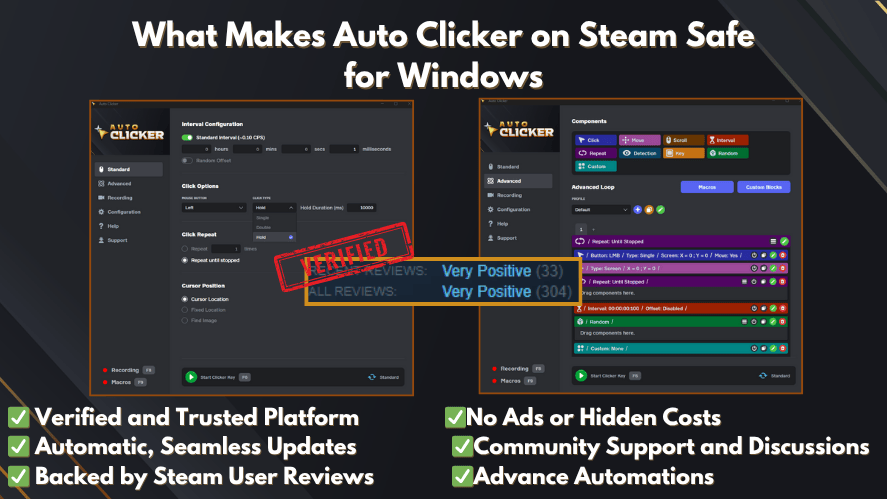
First, it is beginner friendly. The interface is clear and simple. Users do not need advanced technical knowledge.
Second, it supports custom hotkeys. With a single keyboard shortcut, users can start or stop automated mouse clicker functions. This reduces unnecessary movement and supports hands-free computer control.
Third, the auto clicker download process is secure. Because it is distributed through Steam, users avoid the risks that sometimes come with unknown websites. When people want to download auto clicker safely, platform reliability matters.
Finally, it runs lightly in the background. It does not overload system resources, which is important for both gaming and productivity.
Key Features That Make Auto Clicker for Accessibility Effective
Auto clicker for accessibility stands out because of its focus on comfort and control.
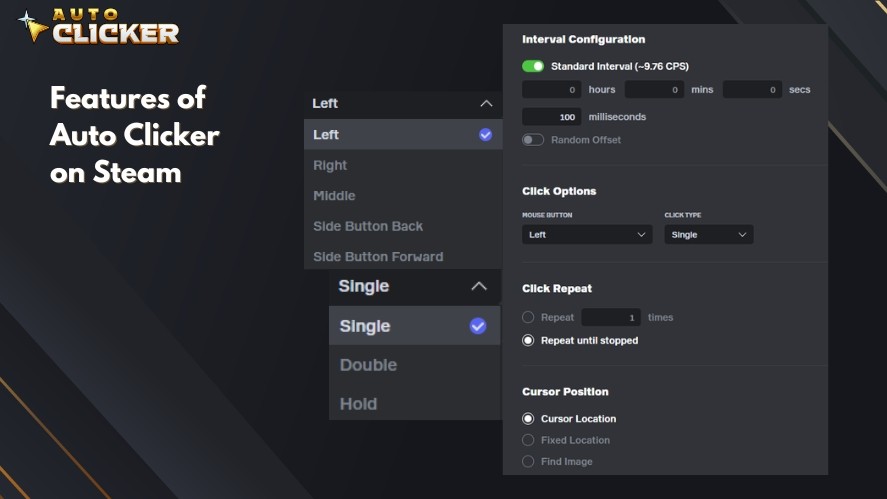
Customizable Click Intervals
Users can slow down the clicking speed for precision or increase it for efficiency. This flexibility helps prevent overexertion.
Instead of rushing, users can set a pace that feels natural.
Hotkey Activation for Minimal Movement
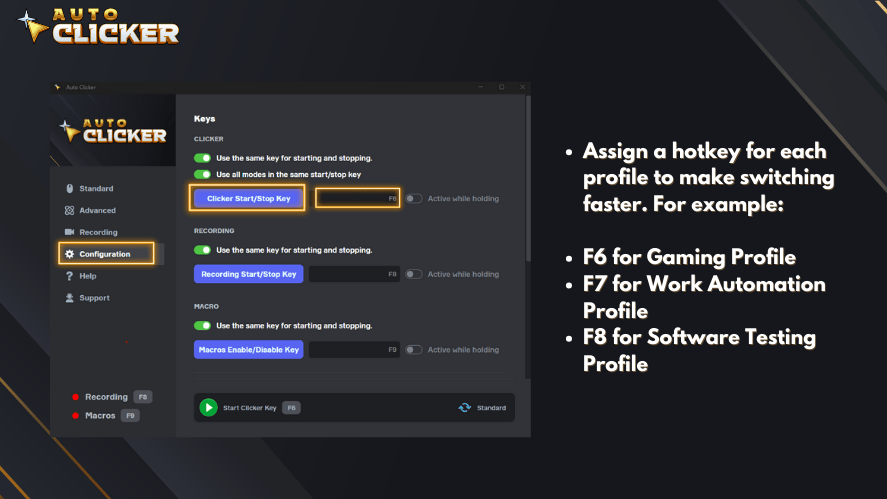
Hotkeys reduce the need to constantly move the mouse. A quick keyboard press can activate or pause the tool. For users with mobility challenges, this makes a noticeable difference.
Continuous and Targeted Clicking Modes
An automated mouse clicker may include:
- Fixed position clicking
- Cursor-follow clicking
- Targeted application clicking
These modes allow the tool to fit specific tasks without interfering with others.
Reducing Physical Fatigue and Repetitive Strain
One of the biggest benefits is comfort. By helping users automate repetitive clicks, auto clickers reduce physical strain. Over time, this may lower the risk of injury.
For many people, that alone makes the tool worthwhile.
Use Cases Beyond Accessibility
Although designed to assist users, auto click software also benefits a wider audience.
Inclusive Gaming
Games often demand constant clicking. Idle games, strategy titles, and RPG grinding sessions are common examples.
For players with mobility challenges, automation opens the door to participation. It allows them to enjoy the experience without discomfort.
At the same time, many gamers see auto clickers as productivity boosters for gamers who want smoother progression. In this way, the tool supports inclusion while also improving efficiency.
Productivity and Workflow Automation
Click automation tools also help in professional settings.
Examples include:
- Filling out repetitive forms
- Entering data into spreadsheets
- Testing user interface elements
- Supporting repetitive actions in digital art
Because of this, many users consider the best auto clicker software an everyday productivity tool, not just an accessibility feature.
How to Set Up Auto Clicker for Accessibility on Steam
Setting up the tool is straightforward.
Step 1 Download Auto Clicker on Steam
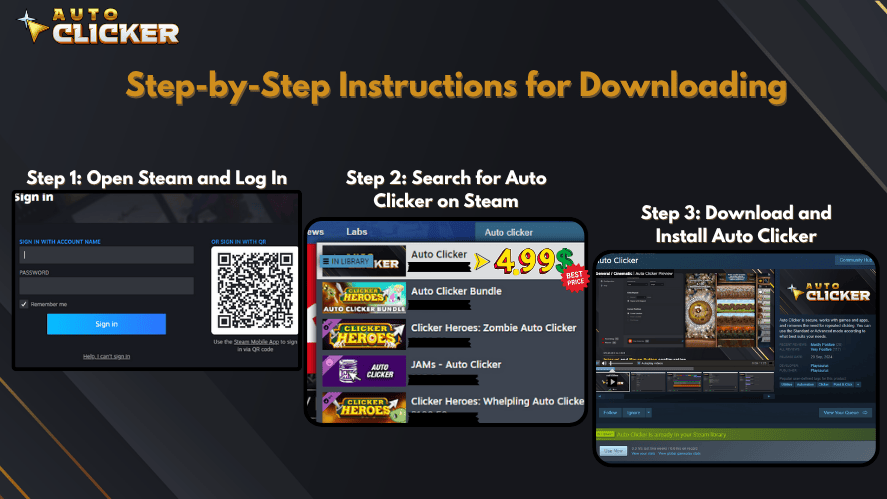
Search for it within Steam and complete the auto clicker download. Installation is handled through the platform.
Step 2 Configure Click Settings
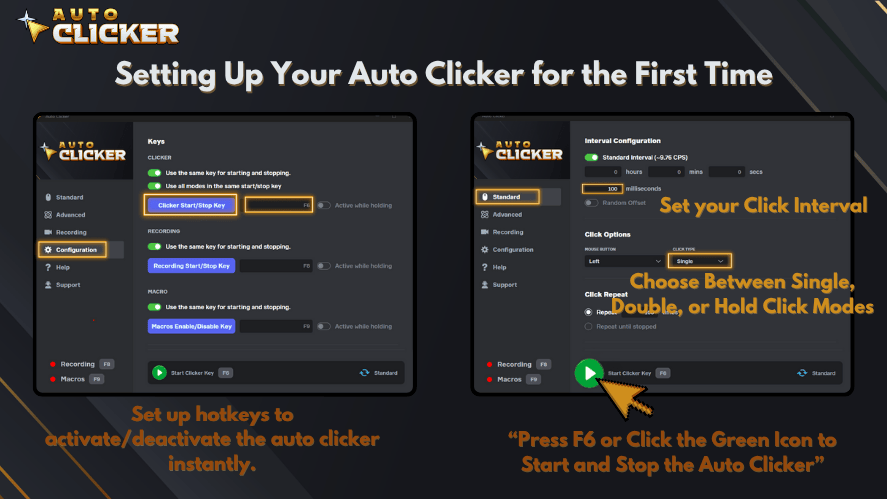
Choose the click type and interval. Start slow. You can always increase the speed later.
Step 3 Assign Hotkeys
Select keyboard shortcuts that are easy to reach. This step improves hands-free computer control.
Step 4 Test and Adjust for Comfort
Run a short test session. If needed, adjust speed, position, or timing. Save preset profiles for different tasks.
By taking time to personalize the setup, users create a comfortable and reliable experience.
How Auto Clicker on Steam Stands Out From Other Click Automation Tools
When comparing automated clicking tools, reliability matters.
Auto Clicker on Steam offers:
- Secure distribution
- Regular updates
- Community feedback
- Clear installation process
- Strong customization options
Some auto click software found online lacks transparency. In contrast, Steam provides a trusted ecosystem. That reassurance is important, especially for users looking for a professional auto clicker solution.
The Future of Accessibility and Automation Tools
Auto clicker for accessibility is part of a larger movement toward inclusive design.
As awareness grows, more developers are integrating accessibility automation into their products. We are likely to see stronger connections between automated mouse clicker systems and other assistive technology tools.
Future developments may include:
- Voice activation
- AI-based timing adjustments
- Integration with adaptive hardware
All of this points to a more inclusive digital world.
Conclusion Empowering Independence With Auto Clicker for Accessibility
Auto clicker for accessibility is more than a simple utility. It is a practical way to assist users, reduce strain, and create equal opportunities in digital spaces.
By allowing people to automate repetitive clicks, it improves comfort and supports independence. Whether someone is dealing with mobility challenges, recovering from strain, or simply looking for a smarter workflow, this type of automatic clicker can make a real difference.
Auto Clicker on Steam combines security, simplicity, and customization in one place. For anyone searching for reliable auto clicker software or exploring accessibility automation tools, it offers a strong starting point.
In the end, technology should work for people. When tools reduce barriers instead of adding them, everyone benefits.

Click Behavior in Automation: How Auto Clickers Work

Auto Clicker No Download: Pros, Cons, and Best Online Options

Top-Rated Auto Clicker Apps in 2026
About The Author
