
Auto Clicker No Download: Pros, Cons, and Best Online Options
Need an auto clicker no download option in 2026? Whether you are using a school Chromebook, a work device, or a computer with restricted installation access, browser-based auto clickers can be a quick solution.
These tools let you automate simple clicking tasks without installing software. As a result, they are useful for clicker games, basic web tasks, form testing, and temporary automation needs. However, they also come with limits, especially when it comes to privacy, advanced settings, and compatibility outside the browser.
In this updated 2026 guide, we’ll cover the pros, cons, best online options, safety tips, and when a downloadable option like Auto Clicker on Steam may be the better long-term choice.
What Is an Auto Clicker No Download?
An auto clicker without download is a tool you can use directly in your browser. No installation, no setup just open the page, configure the settings, and click away. They’re often used on Chromebooks, school computers, or work devices with download restrictions.
- Gaming: Many auto clicker games require frequent clicks to progress, making an auto clicker a must-have.
- Productivity: Automating repetitive work tasks, such as data entry or form submissions, enhances efficiency.
- Automation & Testing: Developers use auto clickers to simulate user interactions in web applications.
Unlike downloadable options such as Auto Clicker for Mac or Best Auto Clicker for Windows, a no download auto clicker runs directly in your browser, eliminating the need for installation.
Why Choose an Auto Clicker No Download Option?
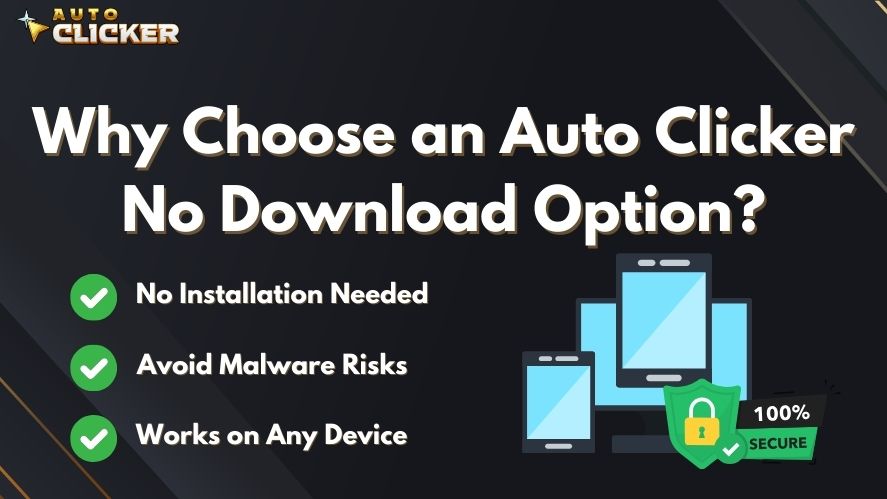
Many users prefer an auto clicker no download alternative for the following reasons:
✅ No Installation Needed
With a browser-based automatic clicker, you don’t need to install software. This is beneficial when:
- Using a school or work computer with restricted access.
- Needing a temporary solution for quick tasks.
✅ Avoid Malware Risks
Some downloadable auto clickers contain hidden malware or unwanted software. A no download auto clicker minimizes these risks.
✅ Works on Any Device
Online auto clickers can be accessed from any browser, making them ideal for both Auto Clicker for Macbook users and Windows users.
While these tools are convenient, they also have some limitations, which we’ll explore next.
Pros of Using a No-Download Auto Clicker
| Benefit | Description |
|---|---|
| ✅ No Installation Needed | Great for limited or shared devices. |
| ⚡ Quick Setup | Just load the tool and begin. |
| 🔒 Avoid Admin Rights | No need for install permissions. |
| 🌐 Works on Most Browsers | Chrome, Firefox, Edge, and even mobile in some cases. |
These tools are perfect for simple automation tasks like clicking games, form submissions, or stress tests.
Best Auto Clicker No Download Tools (Online Alternatives)
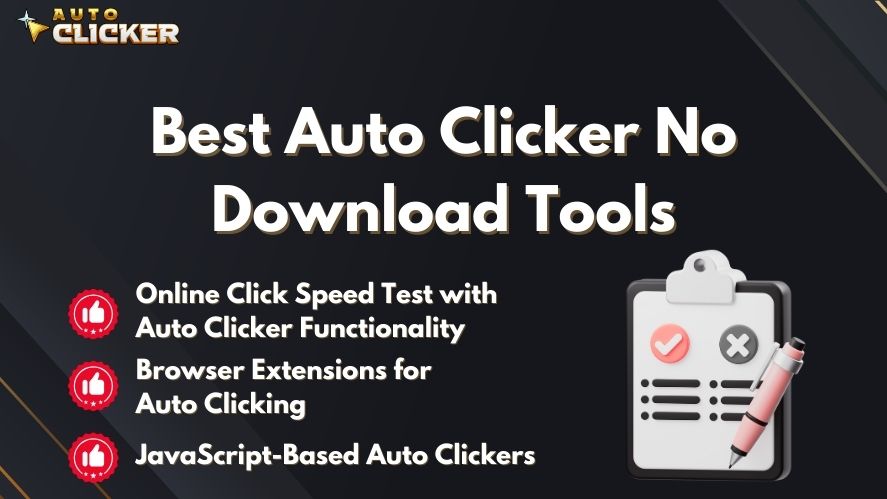
If you need an automation clicker no download, here are some top alternatives:
Online Click Speed Test with Auto Clicker Functionality
Certain click speed test websites offer built-in automatic tap features, allowing users to simulate rapid clicking without installing anything.
Pros:
✔️ No installation required ✔️ Easy to use for clicker games ✔️ Works instantly in a web browser
Cons:
❌ Limited customization
❌ Doesn’t work outside the browser
Browser Extensions for Auto Clicking
Some Chrome and Firefox extensions, like Smart Auto Clicker, offer automated clicking for web-based tasks.
Pros:
✔️ Runs directly in your browser ✔️ Customizable settings for web automation ✔️ Suitable for online tasks like CAPTCHA bypassing
Cons:
❌ Requires browser permissions (potential security risks) ❌ Not suitable for full-screen games or offline applications
JavaScript-Based Auto Clickers
Users with basic coding skills can use JavaScript to create a custom auto clicker no download that runs in a browser console.
Pros:
✔️ Fully customizable ✔️ No need for third-party software ✔️ Works on most web pages
Cons:
❌ Requires programming knowledge ❌ Not as user-friendly as ready-made tools
While these online auto clickers are useful, they have certain drawbacks.
Browser Extension vs No-Download Auto Clicker: What’s the Difference?
An auto clicker no download tool usually works directly from a website. You open the tool in your browser, adjust the settings, and start clicking without installing full desktop software. Because of this, it is useful for quick tasks, shared computers, school Chromebooks, and restricted work devices.
However, a browser extension works a little differently. It still runs inside Chrome or another browser, but users need to add it from an official extension store first. Therefore, it is not a pure no-download option. Instead, it works as a middle choice between a basic online auto clicker and a full desktop auto clicker.
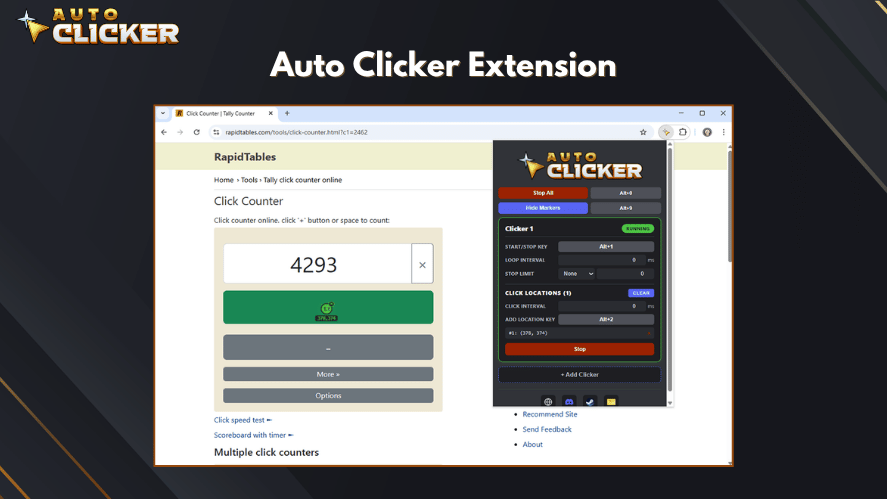
Browser extensions often provide more control than simple web-based tools. For example, they may include hotkeys, adjustable click intervals, saved settings, and fixed click locations. As a result, they can be helpful for browser-based idle games, website testing, and repeated web tasks.
Still, extensions also have limits. Most of them only work inside the browser, so they may not support desktop apps, full-screen games, or system-wide automation. In addition, some extensions may request browser permissions, so users should check reviews, permissions, and the developer’s credibility before installing one.
In short, use an auto clicker no download website if you need a fast and simple tool. However, choose a browser extension if you want more control inside the browser without installing full PC software. For long-term use, advanced settings, or desktop automation, a dedicated tool like Auto Clicker on Steam may still be the better choice.
Best Uses for an Auto Clicker No Download Tool in 2026
An auto clicker no download tool works best for simple browser-based tasks. For example, it can help with clicker games, basic web testing, form interaction, and short automation sessions.
However, it is not the best choice for every situation. If you need hotkeys, full-screen game support, advanced click intervals, or long-term automation, a downloadable tool is usually more reliable. Still, for quick use, no-download tools are useful because they work instantly.
Here are the best situations for using one:
| Use Case | Why It Works Well |
|---|---|
| School Chromebooks | No software installation is needed |
| Work computers | Useful when downloads are restricted |
| Clicker games | Helps with repeated browser clicks |
| Website testing | Can simulate basic user actions |
| Temporary tasks | Fast setup for short-term use |
In short, browser-based clickers are best for convenience. However, for serious gaming, productivity, or repeated daily use, Auto Clicker on Steam may offer better control, safety, and stability.
Use Cases: When a Web-Based Clicker Is Ideal
Browser-based auto clickers are great for:
- Students using school Chromebooks
- Employees on locked corporate machines
- Gamers who want a temporary auto-click solution
- Testers and developers conducting UI or stress tests
Limitations of Auto Clicker No Download Tools
Before choosing a no download automation clicker, consider the following limitations:
🚫 Limited Features Compared to Downloadable Auto Clickers
Browser-based tools lack advanced features found in Best Auto Clicker for Windows or Auto Clicker for Mac, such as:
- Adjustable click speeds
- Click recording and playback
- Hotkey activation
🚫 Incompatibility with Certain Applications
Online auto clickers may not work with desktop applications or full-screen auto clicker games.
🚫 Security and Privacy Risks
Some browser extensions require permissions that could compromise privacy. Always verify the credibility of online tools before use.
For a more reliable and secure experience, a downloadable auto clicker is often the better option.
Cons and Risks to Watch Out For
| Risk | Impact |
|---|---|
| ❗ Data Privacy Concerns | Some sites may collect your input data. |
| 🧪 Limited Functionality | Usually lacks advanced settings like delay intervals. |
| 🛑 Blocked on Some Sites | Can be restricted by anti-bot scripts. |
| ⚠️ Not for Heavy Use | Not ideal for complex or long-running tasks. |
Always check user reviews and privacy policies before using any online clicker tool.
Safety Tips Before Using an Auto Clicker No Download Tool in 2026
Before using an auto clicker no download tool, it is important to check if the website or extension is safe. Although browser-based tools do not require installation, they can still collect data, request permissions, or show unsafe ads.
First, use tools from websites that look trustworthy and have clear privacy information. Also, avoid any online clicker that asks for unnecessary access to your browser, account, or personal data. If a browser extension requires broad permissions, read user reviews before adding it.
In addition, avoid using auto clickers on websites or games where automation breaks the rules. Some platforms may detect repeated clicking patterns and limit your account. Therefore, always review the terms of service before using any clicking tool.
For safer use, follow these tips:
- Use trusted websites only.
- Avoid tools with too many pop-ups.
- Do not enter passwords or personal data while using unknown clickers.
- Check extension permissions carefully.
- Use online clickers only for simple, low-risk tasks.
Overall, no-download auto clickers are convenient. However, safety should still come first, especially in 2026 when browser-based tools and extensions are more common.
Auto Clicker No Download vs. Auto Clicker on Steam
If you need a reliable auto clicker, a Steam-based version may be the best alternative. Unlike random online tools, Auto Clicker on Steam offers:
- Security: Steam’s platform ensures virus-free downloads.
- Advanced Features: Adjustable speed, hotkeys, and custom clicking patterns.
- Cross-Platform Compatibility: Works on both Auto Clicker for Macbook and Windows.
Why Choose Auto Clicker on Steam Over an Online Auto Clicker?
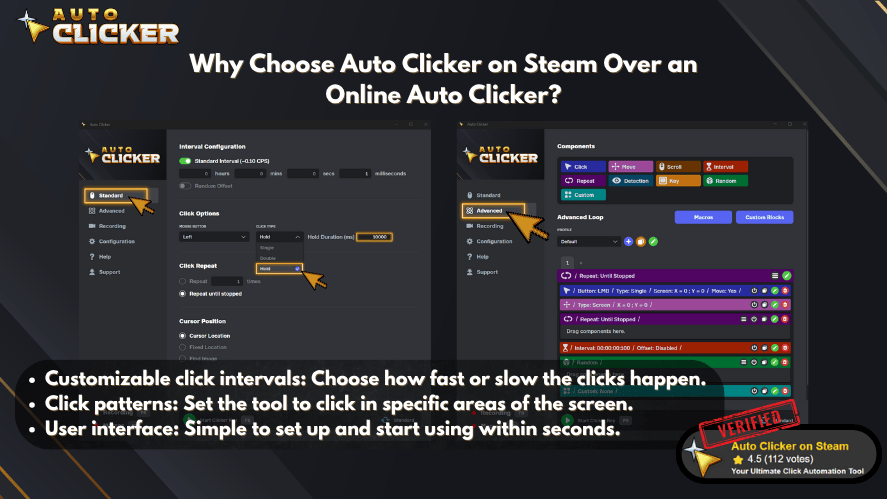
| Feature | Auto Clicker No Download | Auto Clicker on Steam |
|---|---|---|
| No Installation Required | ✅ Yes | ❌ No |
| Adjustable Click Speed | ❌ Limited | ✅ Yes |
| Works in Full-Screen Apps | ❌ No | ✅ Yes |
| Security & Reliability | ❌ Depends on tool | ✅ 100% Safe |
If you need a quick, browser-based automation clicker for simple tasks, a no download option works. However, for gaming, productivity, or long-term use, Auto Clicker on Steam is the superior choice.
Frequently Asked Questions
Yes, as long as the tool comes from a trusted and well-known website. Avoid sketchy sites and always check reviews.
Absolutely! Most browser-based auto clickers are designed for Chrome OS compatibility.
No extensions needed. Just visit the website and use the tool right away.
That depends on the game’s terms of service. Some games may flag auto-clicking as cheating.
For long-term use, Auto Clicker on Steam is a stronger option because it offers better features, safety, and reliability.
Conclusion
In 2026, an auto clicker no download tool is still a useful option for quick and simple automation. It works well for browser-based clicking, school Chromebooks, restricted work devices, and temporary tasks.
However, it is not always the best choice for advanced use. Many online clickers have limited features, weaker privacy controls, and poor compatibility with desktop apps or full-screen games. Therefore, they are best used for light tasks only.
If you need a quick solution, a no-download auto clicker can help. However, if you want better performance, stronger security, hotkeys, adjustable speed, and long-term reliability, Auto Clicker on Steam is the better option.
Final recommendation: use an auto clicker no download tool for temporary browser tasks, but choose Auto Clicker on Steam for safer and more powerful automation in 2026.
Looking for a secure and reliable auto clicker?
👉 Explore the official Auto Clicker on Steam for a safer, review-backed solution »

Auto Clicker vs TinyTask: A Complete Feature Comparison

Auto Clicker Software for Steam Games and Workflow Automation

How to Fix Mouse Movements in Auto Clicker
About The Author
