
Autoclicker for Minecraft: How to Use It for Efficient Farms
In gaming, including many clicker games, an autoclicker is a tool that automates repeated mouse clicks. Instead of clicking manually, players can use an automatic clicker to perform actions at set intervals.
In Minecraft, click automation works by simulating a mouse click while you play. This can be useful in tasks that require constant clicking, such as farming, fishing, or attacking mobs.
With the right setup, an autoclicker for Minecraft can handle these actions automatically.
Using Minecraft auto clickers offers several key benefits, including reducing repetitive grinding, enabling AFK farming, and improving efficiency and consistency.
Among other automation tools, Auto Clicker on Steam provides a reliable and flexible solution. With adjustable settings and easy setup, it works well for both beginners and experienced players looking to improve their farming systems.
Next, let’s explore the types of Minecraft farms that benefit the most from using an autoclicker.
Types of Minecraft Farms That Benefit from an Autoclicker
An autoclicker for Minecraft works best when a farm is designed to turn player actions into simple, repeatable inputs.
In many cases, the farm setup (sometimes using Redstone or block mechanics) handles the timing, while the auto clicker provides consistent input.
AFK Fish Farms
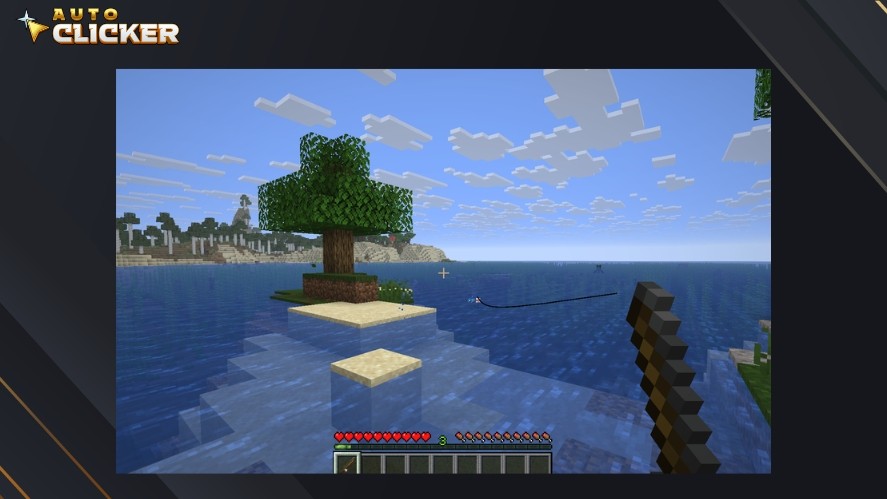
Fishing in Minecraft normally requires precise timing. You must click once to cast the rod, then click again only when the fish bites.
Because of this, a basic autoclick that spams clicks will not work and can even break the process.
This is why AFK fish farms are specially designed. These farms use specific block setups to:
- Automatically reset the fishing rod
- Handle the timing of catching fish
- Turn the process into a repeatable input (usually holding right-click)
With this setup, an automatic clicker or held input can keep the system running continuously. As a result, players can farm fish for food, enchanted books, and many other rare loot.
This turns a timing-based activity into a semi-automated system that can run while the player is AFK.
Mob Grinder Farms
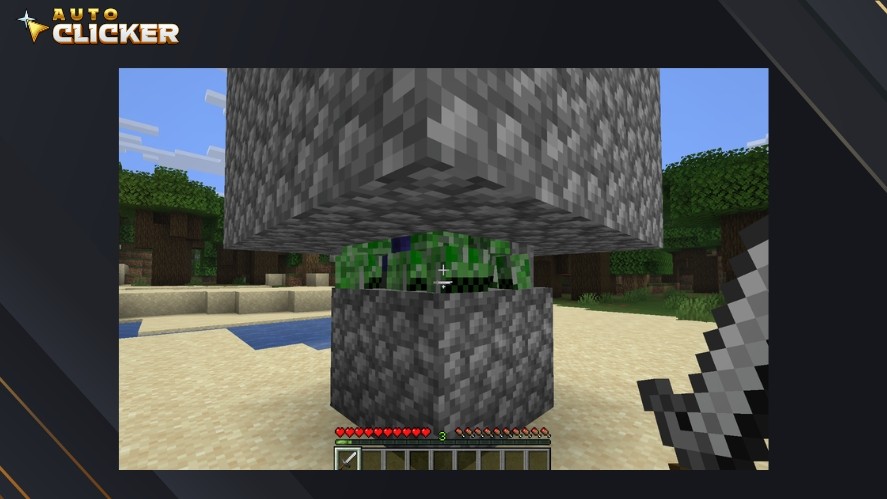
Mob grinders are one of the simplest and most effective uses for an autoclicker for Minecraft.
In these farms, mobs are funneled into a small area where the player must attack them repeatedly. Since combat relies on consistent clicking, an auto mouse click works very well here.
An autoclicker helps by delivering steady and consistent attacks. This allows players to gain XP for enchanting and loot drops from mobs.
Unlike fishing farms, mob grinders usually do not require complex timing, so the auto clicker can be used directly.
Crop Farms and Semi-Automatic Systems
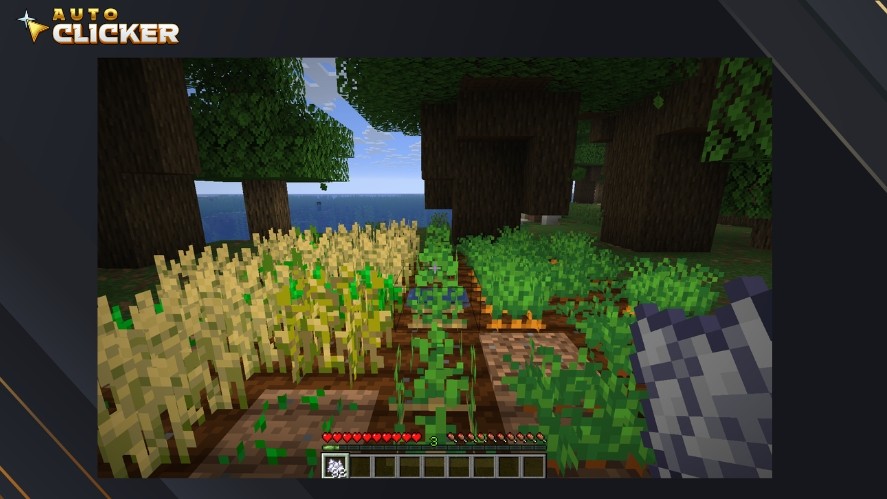
Many crop farms are only partially automated and still require player interaction. For example, you need to left-click to harvest crops, and right-click to replant or use bone meal.
An autoclicker for left and right click can automate these repeated actions.
When combined with a good farm design, this allows players to continuously harvest crops and speed up growth using bone meal.
These setups are common in semi-automatic farms where Redstone handles part of the process, and the player handles the rest.
Cobblestone and Block Farms
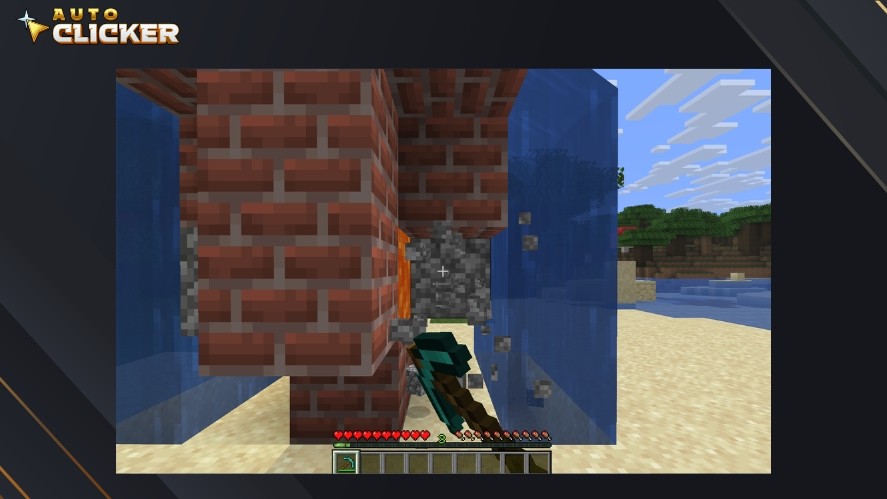
Cobblestone generators and similar farms require continuous block breaking, which normally means holding down the mouse click for long periods.
An autoclicker or auto click tool can simulate this by holding down the click input automatically.
This allows players to farm large amounts of blocks over time, stay AFK without holding the mouse, and reduce physical strain.
However, there is an important caution.
In multiplayer environments, many servers monitor autoclickers and may limit click speed or detect automated behavior.
So, always check server rules before using automation to avoid penalties.
How to Set Up an Autoclicker for Minecraft
Setting up an autoclicker for Minecraft is simple, but getting the best results depends on matching the tool with your farm setup.
Step 1: Install Auto Clicker on Steam
Start by installing a reliable auto clicker.
Auto Clicker on Steam is a trusted option because it is easy to install and simple to use. You can download it directly from Steam and set it up in just a few minutes.
Using a trusted platform also helps avoid issues that come with random auto clicker download sources.
Read More: How to Download Auto Clicker on Steam: Step-by-Step Guide
Step 2: Configure Your Click Settings
Once installed, the next step is to adjust your autoclicker settings.
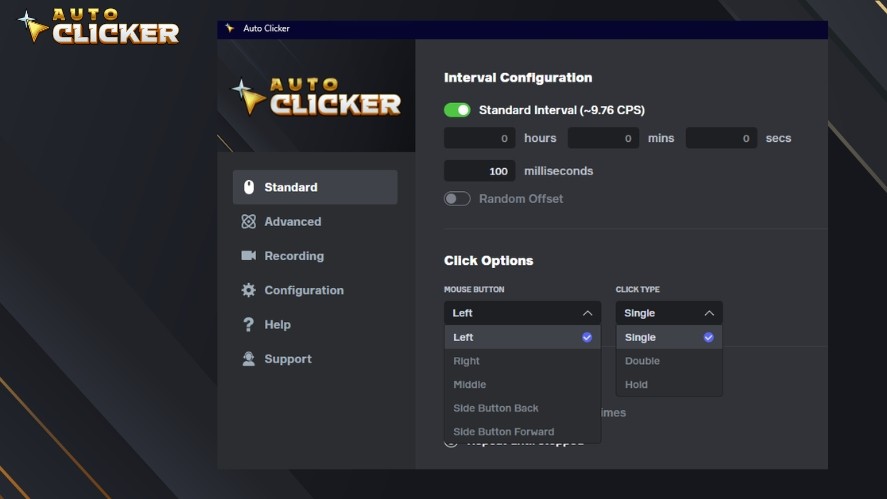
Key options include:
- Click interval: Set how fast the clicks happen. Different farms need different speeds.
- Left vs right click: Choose the correct mouse button based on your farm:
- Right-click: fishing, placing items
- Left-click: attacking mobs, breaking blocks
- Click type: Select between single, double, and hold.
These settings control how your automatic clicker behaves in-game.
Step 3: Align Your In-Game Setup
The auto click will only work correctly if your in-game setup is aligned with your farm. So, make sure to:
- Position your cursor on the correct block or target
- Stand in the right location for your farm design
- Match your setup with the farm mechanics
You should also consider windowed mode vs fullscreen.
Some systems handle input more reliably in windowed mode, especially when running an autoclick PC setup in the background.
Step 4: Test the Autoclicker for Minecraft and Fine-Tune
Before leaving your farm running, always test your setup. Start with a short session and check:
- If clicks are too fast (over-clicking can break farm mechanics)
- If the farm responds correctly to each mouse click
- If timing matches the farm type
Then, adjust your settings as needed. Testing helps you avoid mistakes and ensures stable performance during longer sessions.
With the right setup, your autoclicker for Minecraft can run smoothly and improve farm efficiency without constant manual input.
Read More: Auto Clicker for Minecraft AFK: Tips for Safe and Responsible Use
Best Autoclicker Settings for Minecraft Farms
Using the right settings is key to making an autoclicker for Minecraft work efficiently. Different farms require different click speeds and timing, so there is no one-size-fits-all setup.
Recommended CPS for Different Farms
- Fishing farms (1–3 clicks per second): Fishing requires timing, not speed. In AFK fish farm setups, slow and steady input works best.
- Mob farms (5–10 clicks per second): For combat, a moderate auto click speed is ideal. This ensures consistent hits without overloading the game or triggering detection systems.
- Crop farms (2–6 CPS): Crop farms depend on the design. A balanced autoclick speed works best for harvesting and replanting without missing actions.
Using Delays and Intervals Effectively
Click speed alone is not enough. Proper timing between actions is just as important.
When setting up your automatic clicker, consider adding small delays between clicks to match in-game actions.
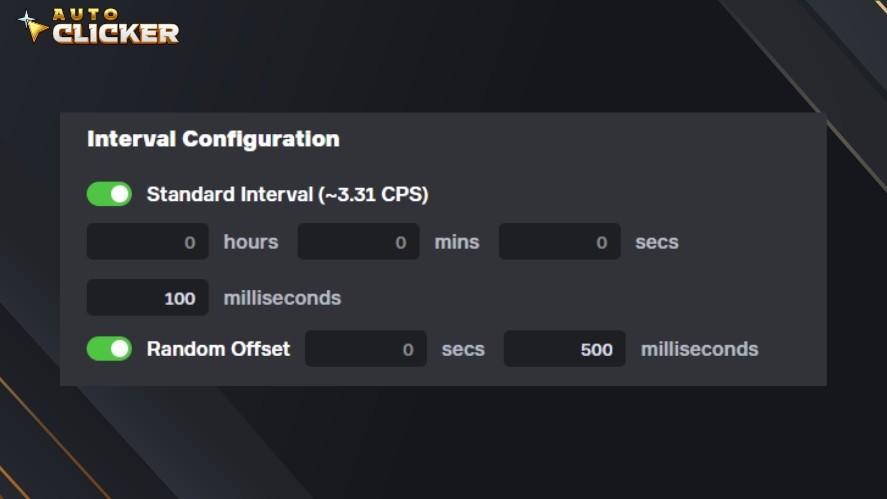
Next, slow down clicks for farms that require processing time (like fishing or crop updates). And finally, avoid extremely fast auto mouse click settings that can break mechanics
A stable and controlled interval will always perform better than maximum speed.
Setting Hotkeys for Control
Hotkeys make it easier to control your autoclicker during gameplay.
You should assign a simple key to start and stop the auto clicker. By default, F6 is the hotkey to start and stop Auto Clicker on Steam.
Hotkeys give you full control without needing to exit the game or change settings mid-session.
Why Auto Clicker on Steam Stands Out
Auto Clicker on Steam offers features that make it a strong choice for Minecraft automation. It offers:
- Precision control for accurate click timing
- Custom timing settings to match different farm types
- Beginner-friendly interface for quick setup
These features make it easier to fine-tune your autoclicker for Minecraft and get consistent results across different farming setups.
Is Using an Autoclicker for Minecraft Allowed
Whether an autoclicker for Minecraft is allowed depends on where and how you use it. The rules are very different between single-player and multiplayer environments.
Single-Player and Private Worlds
In single-player or private worlds, using an auto clicker for Minecraft is generally safe.
There are no restrictions from the game itself, so you can freely use auto click or autoclick tools. It’s also ideal for testing farms and automation setups
This makes single-player the best place to experiment with Minecraft auto clickers and optimize your farms without risk.
Multiplayer Servers and Online Play
In multiplayer, the situation is very different. Many servers have rules that restrict or ban auto clickers.
This is especially true for competitive or survival servers where automation can give players an advantage.
Possible consequences include:
- CPS limits (clicks per second restrictions)
- Anti-cheat detection that flags automated behavior
- Temporary or permanent bans
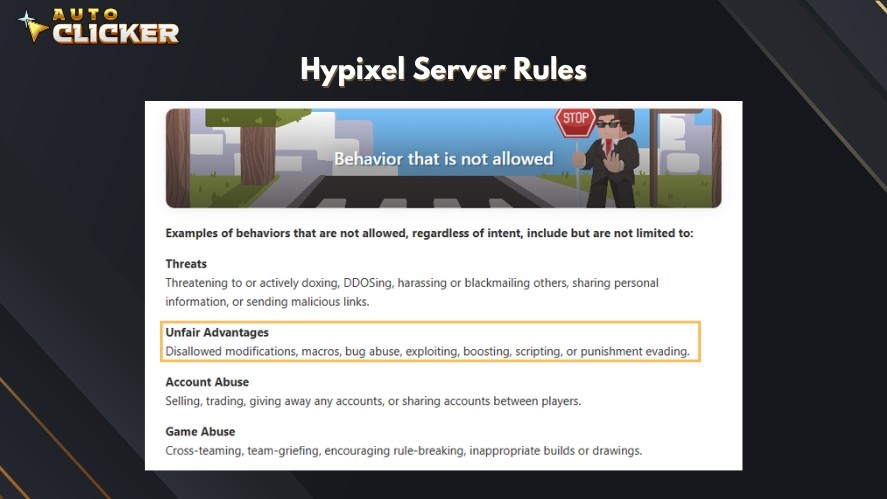
Some servers may allow limited use of an automatic clicker, while others completely block it. Rules vary depending on the server.
Because of this, always check server rules before using an autoclicker. Using an auto clicker for Minecraft responsibly helps you avoid penalties and ensures fair gameplay for everyone.
Important Disclaimer for Auto Clicker on Steam
Auto Clicker on Steam is a general-purpose automation tool intended for productivity and convenience.
By using Auto Clicker on Steam, users agree that:
- They are fully responsible for how the software is used in any game, including Minecraft
- They must comply with all game rules, server policies, and terms of service
- The tool is not designed to bypass game restrictions or provide unfair advantages
Auto Clicker on Steam and its developers are not liable for any consequences resulting from misuse, including but not limited to:
- Account suspensions
- Temporary or permanent bans
- Loss of in-game progress or data
We strongly encourage users to check server rules before using an autoclicker, use reasonable and human-like settings, and limit usage to permitted environments.
Tips to Maximize Efficiency with an Autoclicker
To get the best results from an autoclicker for Minecraft, you need more than just the best auto clicker for Minecraft itself. The farm design and setup play a big role in overall efficiency.
First, try to combine your auto clicker with redstone or semi-automatic systems.
These farm designs handle timing and mechanics, while the autoclicker provides consistent input. This creates a more stable and efficient setup.
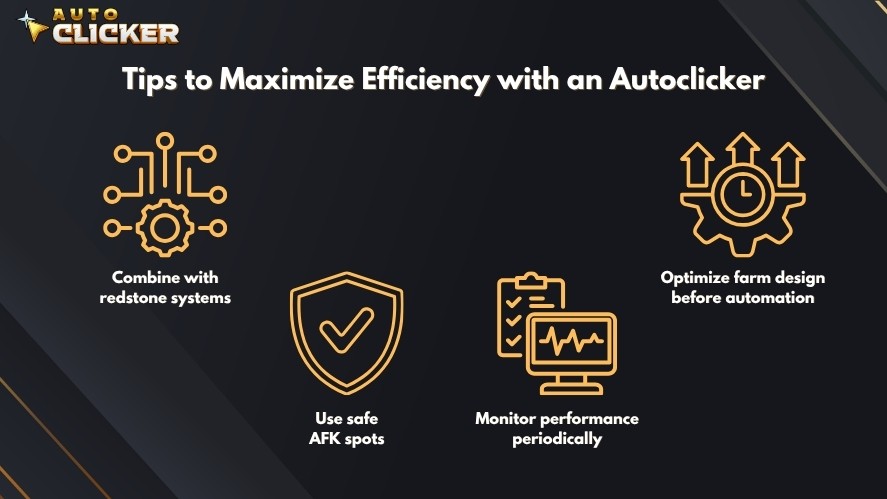
It is also important to optimize your farm before adding automation.
A poorly designed farm will not perform well, even with an autoclick running. Fix layout issues and improve flow first, then use automation to boost output.
You should also make sure your character is placed in a safe AFK spot.
This helps prevent damage from mobs or interruptions during long sessions. A stable position ensures your auto mouse click keeps working without problems.
Finally, check your farm from time to time.
Monitoring performance helps you catch issues early, such as missed clicks, lag, or broken mechanics. Even simple automation works best with occasional supervision.
Common Mistakes to Avoid
While using an autoclicker is simple, a few common mistakes can reduce efficiency or cause problems.
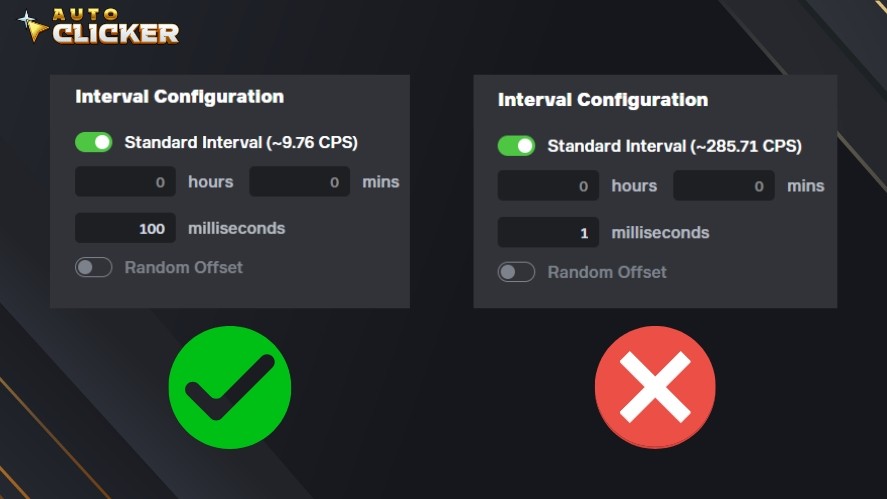
One of the biggest mistakes is setting the click speed too high.
Very fast auto click settings can break farm mechanics, especially in systems that require timing. In multiplayer, this can also trigger anti-cheat systems.
Another common issue is ignoring server rules.
Many multiplayer servers do not allow auto clickers, or they limit how they can be used. Using automation without checking the rules can lead to penalties or bans.
Misaligning your cursor is another problem.
If your mouse click is not positioned correctly, the farm will not function as intended. Even small misplacements can stop the entire system.
Lastly, leaving automation running unattended for too long can cause issues.
Unexpected events like disconnections, full inventories, or farm errors can interrupt the process. It is always a good idea to check in periodically to make sure everything is still working correctly.
Why Use Auto Clicker on Steam for Minecraft
A good autoclicker for Minecraft should be reliable, easy to use, and flexible enough to match different farm setups.
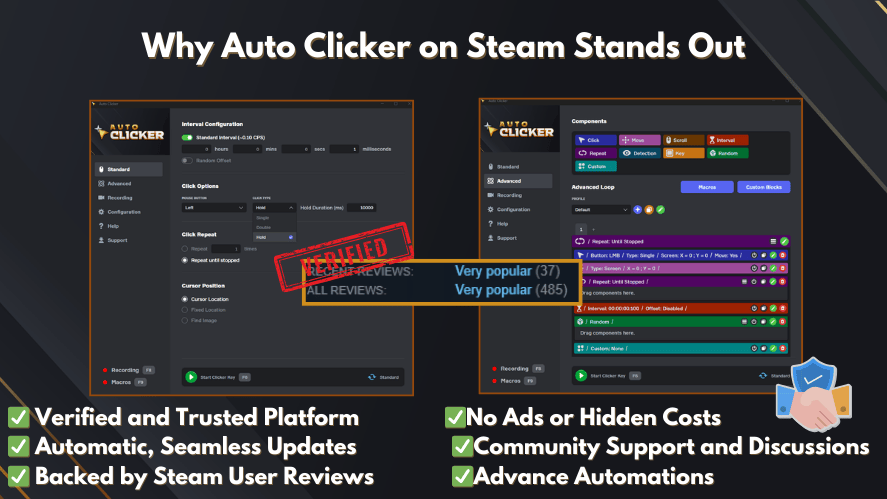
Auto Clicker on Steam offers balanced features for both beginners and experienced players, including:
- Secure and trusted platform for safer installation
- Highly customizable click intervals for different farm types
- Supports both left and right click automation
- Hotkey controls for quick start and stop
- Works for gaming and productivity tasks
- Simple setup with a beginner-friendly interface
- Advanced control options for precise automation
With these features, it provides a stable and flexible way to improve your auto click setup in Minecraft.
Conclusion
Using an autoclicker for Minecraft can greatly improve farming efficiency when applied correctly.
By reducing manual effort, an auto clicker allows players to save time and focus on building, exploring, or optimizing their farms.
However, responsible use is important.
Rules can vary between single-player and multiplayer environments, so it is always important to follow server guidelines and use reasonable settings.
For players looking for a reliable and flexible solution, Auto Clicker on Steam stands out as one of the best Minecraft autoclickers.
With simple setup and customizable features, it can support both beginners and experienced players in improving their Minecraft farming workflows.

The 7 Best Auto Clicker for Gaming in 2026 (Free and Paid)

Auto Clicker App for Clicker Games: Play Faster, Click Less

Jitter Click Test Tips for Gamers and Click Speed Enthusiasts
About The Author
