
Auto Clickers Compared: Best Free and Paid Tools in 2026 (Updated & Ranked)
Looking for a 2026-ready breakdown of auto clickers compared by price, features, and reliability? Whether you’re a gamer grinding idle rewards, a developer testing software interfaces, or someone simply tired of repetitive clicking tasks, auto clickers can save you time, effort, and even reduce physical strain.
This article has been fully updated for 2026 to reflect the latest tools, security expectations, and platform support, so you can confidently choose the right auto clicker for your setup. We’ll explore the best free auto clicker options available today, look at premium tools like Auto Clicker on Steam, and break down which option makes the most sense based on your needs.
As automation becomes more essential in gaming and productivity workflows, knowing which tool offers the right blend of power, speed, and simplicity can make a huge difference. Let’s start with the basics.
What Are Auto Clickers and Why Use Them?

An auto clicker is a software tool that automates mouse clicks at a user-defined interval. It’s designed to simulate real user clicks, helping with tasks that involve frequent clicking or interaction with digital buttons or screens.
Whether you’re farming in clicker games or automating tedious online form filling, auto clickers can be game-changers.
Common Use Cases:
- Gaming: Especially in idle games or games requiring grind mechanics. Auto clickers help players keep progress going without actively clicking.
- Productivity: Automate form submissions, data entry, or routine tasks in work environments.
- Testing & QA: Developers and testers use them to simulate repetitive actions during user interface or stress testing.
By automating mouse actions, these tools reduce the wear and tear on your hand and wrist while drastically improving task speed.
Key Features Users Look For

When evaluating auto clickers, here are the features that often make or break the user experience:
1. Click Speed and Interval Control
Being able to set how fast and how often clicks happen is essential. Most auto clickers allow this, but the level of customization varies.
2. Hotkey Customization
A global hotkey lets users start and stop the clicker from anywhere, even in full-screen games. Some tools let you remap keys to avoid interference.
3. Compatibility
Operating system support matters. Many tools work on Windows, but if you’re looking for a free auto clicker for Mac, compatibility is key.
4. User Interface and Ease of Use
Is the software beginner-friendly? Is it clean, modern, and responsive? Tools like OP Auto Clicker and GS Auto Clicker are simple, but may lack polish.
5. Advanced Options
Paid versions usually offer advanced automation like:
If you’re looking for full control, this is often the feature gap that separates auto clicker free options from paid ones.
Free Auto Clickers – What You Get at No Cost
Many users searching for an auto clicker for free are simply looking for a no-hassle tool to get the job done. The good news? There are many solid free auto clickers compared out there in 2026.
Whether you’re on Windows or looking for a free auto clicker for Mac, the free landscape is broad. However, it does come with trade-offs.
Pros of Free Auto Clickers:
- Lightweight and small install size
- Zero cost
- Simple to use – ideal for casual users or light use
Cons of Free Auto Clickers:
- Limited features (no macros, no smart triggers)
- Outdated user interfaces
- Potential risks from downloading unverified software
- Lack of official support or updates
Let’s take a look at the most well-known tools in this space.
Top Free Auto Clicker Tools Compared
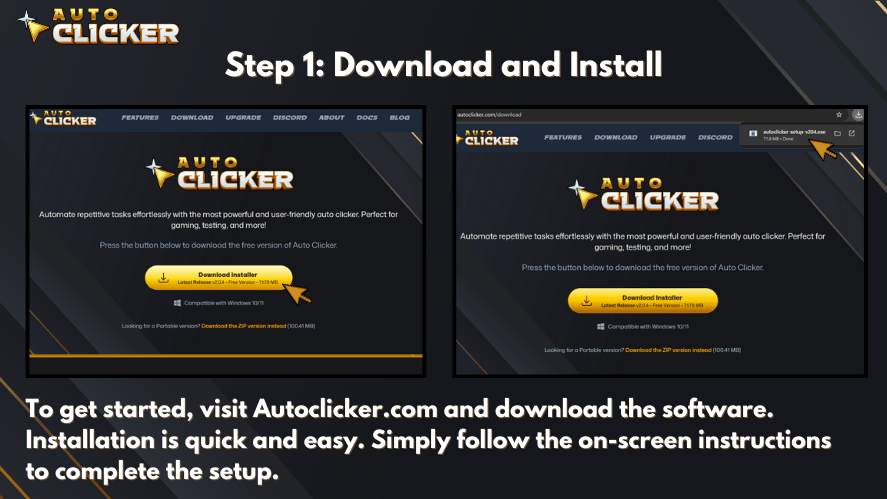
Here’s a head-to-head look at the most popular free auto click tools available right now.
| Tool Name | Features | OS Support | Pros | Cons |
|---|---|---|---|---|
| Autoclicker.com (Free) | Basic click speed/interval, simple UI | Windows | Easy download, fast setup | Limited customization |
| OP Auto Clicker | Set click intervals, choose click location | Windows | Trusted, lightweight | No scripting features |
| GS Auto Clicker | Hotkey to toggle clicks, clean interface | Windows | No install, very simple | Dated visuals, no support |
| Free Mac Auto Clicker | Timed clicks, left/right click options | Mac | Best auto clicker mac free tool | No updates, UI is basic |
OP Auto Clicker: Still a Fan Favorite
OP Auto Clicker is one of the most searched tools in this space. It allows custom delay intervals and supports click-at-cursor or fixed-point options. While it lacks macros, it’s still a go-to for many.
GS Auto Clicker: The Classic
GS Auto Clicker remains a reliable choice. It hasn’t seen many updates in years but still functions well for basic tasks. You can assign a hotkey, set delays, and let it click in the background.
Free Auto Clicker for Mac
If you’re on macOS, your best options include free auto clicker mac variants like Auto Clicker Mac Free or tools from Github. While more limited than Windows tools, they still work for basic needs.
Paid Auto Clickers – Are They Worth It?
While many users are happy with a free auto clicker, there’s a growing audience that needs more powerful tools — and that’s where paid auto clickers come into play.
Here’s what you typically get when you decide to invest:
Advantages of Paid Auto Clickers:
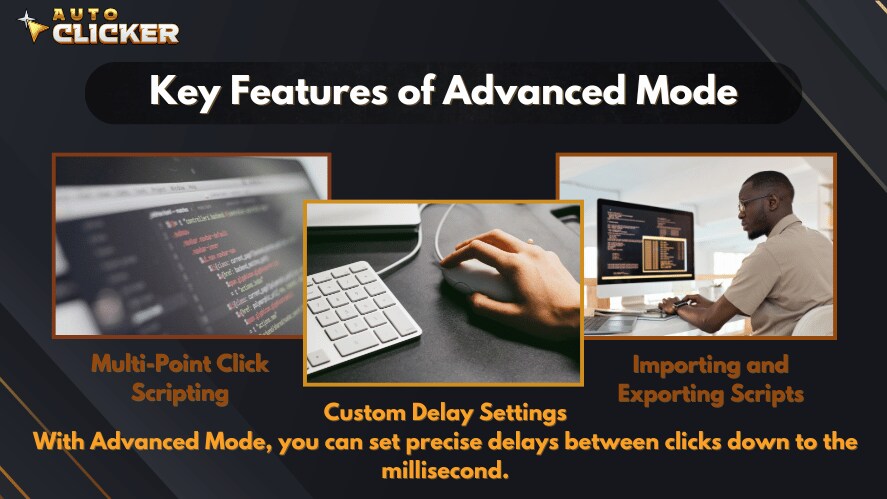
- Advanced features like:
- Loop macros
- Smart clicking logic
- Pixel scanning and trigger actions
- Modern interfaces designed for ease of use
- Regular updates and bug fixes
- Reliable support if something breaks
- Security through platforms like Steam, reducing malware risks
Auto Clicker on Steam – Premium Automation for 2026 Users
One of the standout paid auto clicker options in 2026 is Auto Clicker on Steam. It has become a go-to for gamers and productivity users alike due to its robust set of features and trusted distribution.
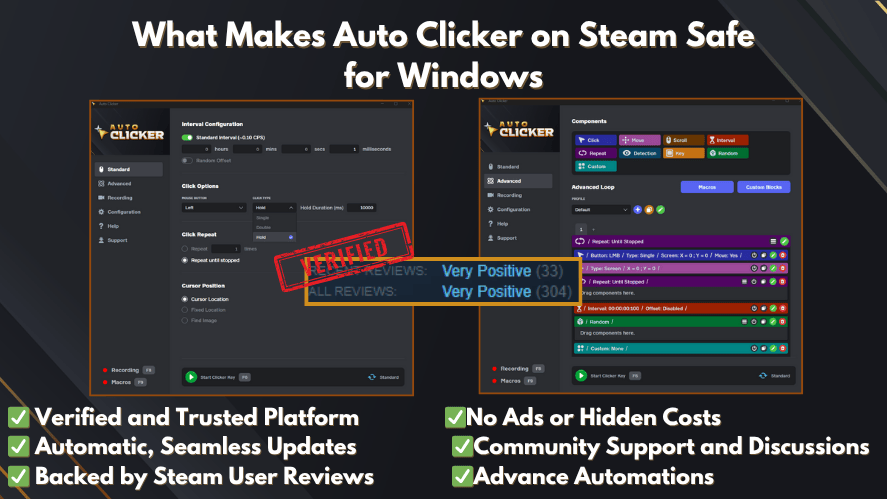
Key Features:
- Custom click intervals, loop timers, and delays
- Multiple click types (single, double, right-click)
- Click patterns for more complex tasks
- Supports background clicking in full-screen games
- Clean, user-friendly UI built for performance
Why It Stands Out:
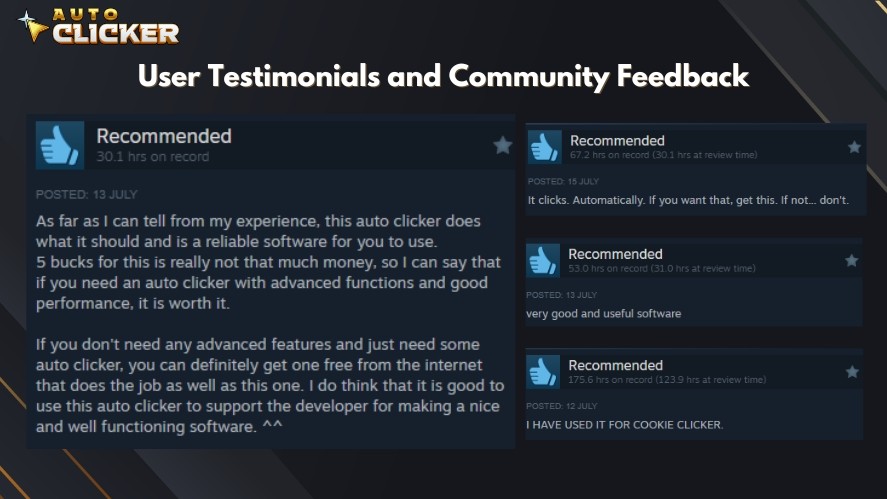
- Distributed via Steam, ensuring the installer is malware-free
- One-time affordable cost (no subscriptions)
- Optimized for gaming — works well even with overlays or anti-cheat systems
- Active developer updates and patch notes
- Thousands of positive user reviews
If you’ve tried a free auto clicker but found it lacking in speed or flexibility, this tool offers a significant upgrade.
What’s New in 2026 for Auto Clickers?
The core idea of auto clickers hasn’t changed, but expectations in 2026 are higher:
- More focus on security:
Users are far more cautious about downloading random EXE files. Tools distributed through trusted platforms like Steam are now preferred over unknown third-party download sites. - Better gaming compatibility:
Many players use auto clickers with modern games, overlays, and launchers. Tools that handle full-screen games, borderless windows, and background clicking smoothly stand out in 2026. - Improved Mac support (but still behind Windows):
macOS users still have fewer options than Windows users, but more cross-platform tools and open-source projects are appearing, especially for simple automation. - User experience matters more:
In 2026, users expect clean interfaces, quick setup, and clear documentation. Clunky UIs with confusing settings are less tolerated, even for free tools.
If you’re reviewing auto clickers compared in 2026, you’ll see that security, platform support, and ease of use are now just as important as click speed or macro options.
Free vs. Paid Auto Clickers Compared – Feature-by-Feature Comparison
To give you a clearer picture of how auto clickers compared across free and paid versions, let’s break things down by key features. This comparison will help you quickly identify what matters most based on your specific needs.
| Feature | Free Auto Clickers | Paid Auto Clickers (e.g., Auto Clicker on Steam) |
|---|---|---|
| Click Customization | Basic settings: interval speed, location, type | Advanced controls: sequences, macros, smart targets |
| UI & UX | Basic and sometimes outdated | Modern, intuitive, user-friendly |
| Game Compatibility | Works for some games, limited background click support | Optimized for full-screen and Steam games |
| Hotkey Control | Often limited or basic | Fully customizable, global shortcuts |
| Macro Support | Usually not included | Built-in macro recording and execution |
| Support & Updates | Rare or none | Active support, regular patches and upgrades |
| Security & Safety | Can be risky; many downloads are unverified | Safe and trusted via Steam or official sources |
| Price | 100% free | Low one-time cost (e.g., $2–$5) |
Verdict:
If you only need basic functionality and you’re okay with a simple interface, then going with a free auto clicker might be enough. But if you care about reliability, gaming support, or advanced automation, a paid auto clicker like the one on Steam is easily worth the small investment.
How to Choose the Right Auto Clicker for You
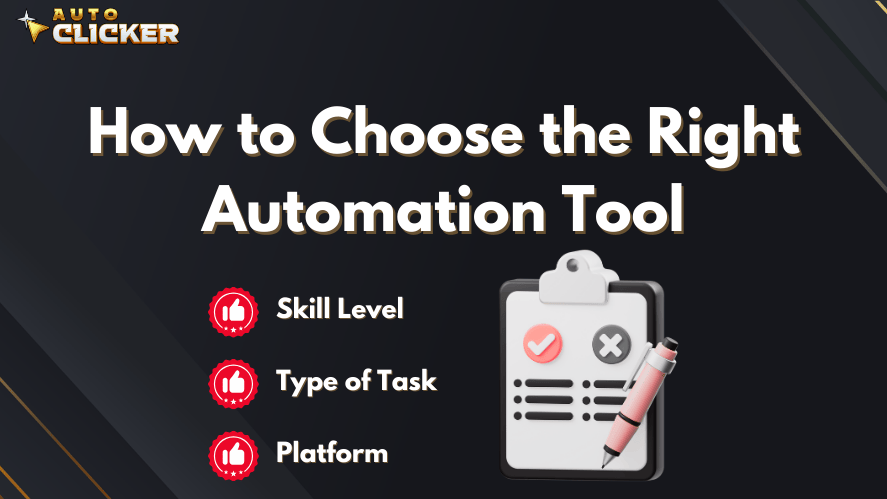
With so many tools out there and all the auto clickers compared in this guide, how do you pick the right one?
Let’s walk through a few points to consider:
1. Define Your Use Case
Are you:
- A gamer looking to automate clicks in idle or repetitive tasks?
- A developer testing UI buttons in an application?
- Someone trying to save time during data entry or daily online tasks?
If your tasks are basic, you’ll likely be happy with a free auto click tool. But more complex tasks like testing scripts, automation patterns, or game integrations will require a tool like Auto Clicker on Steam.
2. Platform Matters: Windows or macOS?
- For Windows users, most options work well. Tools like OP Auto Clicker, GS Auto Clicker, and Auto Clicker on Steam are optimized for this OS.
- If you’re on macOS, finding a free auto clicker for Mac can be harder. Tools such as auto clicker mac free, free mac auto clicker, and free auto clicker mac exist, but they usually offer fewer features than their Windows counterparts.
3. Check Compatibility with Your Software or Game
Some games block external tools, so having a clicker that works in background mode or with overlays can be crucial. The Auto Clicker on Steam shines here since it’s built to work well in gaming environments, including within Steam itself.
4. Look at the Features You Really Need
Ask yourself:
- Do I need macro support?
- Will I be using hotkeys?
- Is click targeting important for me?
- Do I want to save settings or scripts?
If the answer to any of those is “yes,” then free tools might fall short. Paid tools tend to offer:
- Recording capabilities
- Click chaining
- Smart delays
- Pixel detection
5. Security and Download Source
Avoid downloading software from shady or unverified sites. Many so-called “free” tools come bundled with adware or worse.
When you’re looking to download free auto clicker tools, always check:
- Is the site trusted?
- Are there active reviews?
- Does the file seem bloated or trigger warnings?
Or better yet, get tools from official platforms like Steam, especially for a paid auto clicker.
Conclusion
When it comes to getting the most out of mouse automation, having the right tool makes all the difference. Throughout this guide, we’ve seen auto clickers compared from every angle — free, paid, simple, and advanced.
Key Takeaways:
- Free auto clickers like OP Auto Clicker and GS Auto Clicker are great entry-level tools. They’re easy to use and handle basic tasks well.
- Mac users have fewer options, but tools like free mac auto clicker or auto clicker mac free still offer enough for lightweight automation.
- Paid auto clickers, especially Auto Clicker on Steam, bring advanced features like click patterns, macro support, Steam integration, and better support — all at an affordable one-time price.
- In 2026, the feature gap between auto click for free tools and paid ones is even more noticeable if you care about control, security, and long-term reliability.
So, who should pay?
If you’re just curious or only need clicks for a simple idle game, a free auto clicker will likely serve you well. But if you’re serious about automation, or you want seamless performance in games or work tasks, investing in a paid auto clicker will save you time and hassle.
Call to Action
Looking to upgrade your click automation in 2026? Check out Auto Clicker on Steam and see the difference for yourself. It’s secure, customizable, and trusted by thousands of users a strong choice if you’re ready to go beyond the basics.

Auto Clicker vs Other Clicking Tools: Best Automation Tool in 2026

Auto Key Presser: The Best Way to Automate Keyboard Inputs

Top 5 Signs an Auto Clicker Might Be Malware
About The Author
