
How to Click Faster for Gaming and Productivity
How to click faster is something many people want to learn, whether they are gaming, working, or just trying to save time. Have you ever felt like your clicks are too slow during a match or while doing repetitive tasks? You are not alone. Many users look for ways to improve their clicking speed without hurting their hands or losing control.
In this guide, you will learn simple and practical ways to improve your clicking speed. We will look at both manual techniques and smarter tools like an auto clicker. By the end, you will know what works best for your situation.
Why Clicking Speed Matters
Before jumping into techniques, it helps to understand why clicking speed is important. It is not just about being fast. It is also about being consistent and efficient.
Gaming Performance
First of all, clicking speed plays a big role in gaming. In fast games like FPS or Minecraft PvP, your mouse click speed can decide whether you win or lose. The faster you click, the quicker you can react.
For example, many players use jitter clicking to increase their clicks per second. This gives them a strong edge in combat situations.
Also, in idle and clicker games, faster clicking helps you progress quicker. This is where tools like an auto clicker for games become very useful.
Productivity and Work Tasks
Next, clicking speed matters in everyday work. If your job involves repeated actions like data entry or testing software, slow clicking can waste a lot of time.
Instead of doing the same task again and again, many people use a free auto clicker or an auto clicker for PC to handle repetitive work. This saves time and reduces effort.
Competitive Advantage
Finally, clicking speed is often measured in CPS, or clicks per second. A higher CPS means:
- Faster actions
- Better control
- More efficiency
However, speed alone is not enough. You also need consistency. That is why both manual skill and automation matter.
How to Click Faster Manually
Now let’s focus on manual methods. These are useful when you need full control, especially in games.
Improve Your Clicking Technique
Your technique is the most important factor when learning how to click faster. There are several methods you can try.
Let’s start with one of the most popular methods.
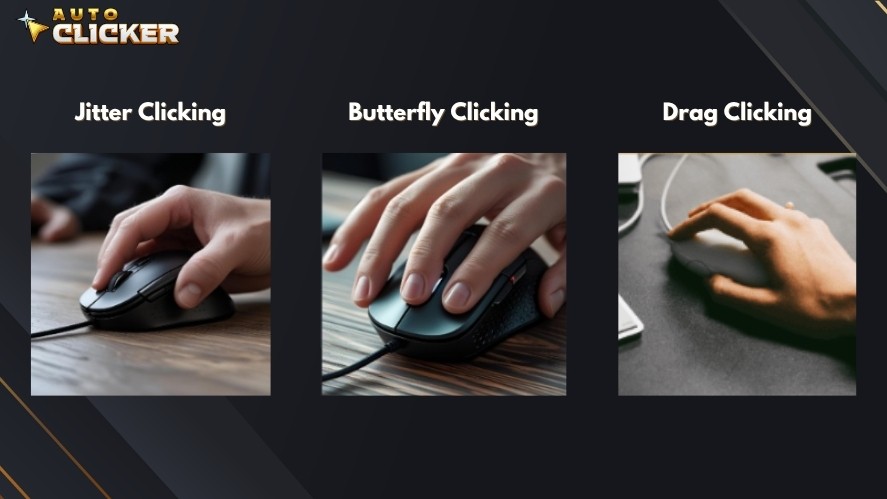
What is jitter click? It is a way of clicking where you create small vibrations in your hand to click faster. Many gamers use this method to boost their CPS.
So, what is jitter clicking in simple terms? It means using controlled tension in your arm to produce rapid clicks.
If you are wondering how to jitter click, follow these steps:
- Hold your mouse firmly
- Keep your finger relaxed but ready
- Slightly tense your arm
- Let your finger vibrate on the button
Some people also ask, how do you jitter click without getting tired? The answer is practice and control. Do not overstrain your muscles.
You can test your speed using tools like jitter click test. These tools help you track your progress.
Pros:
- High CPS
- Great for competitive gaming
Cons:
- Can cause fatigue
- Hard to maintain for long periods
Next, we have butterfly clicking. This method uses two fingers instead of one.
You alternate between your fingers to click faster. Because of this, your CPS can increase without too much strain.
Pros:
- Faster than normal clicking
- Less tiring than jitter clicking
Cons:
- Takes time to learn
- Not allowed in some games
Another advanced method is drag clicking. Here, you drag your finger across the mouse button to create multiple clicks.
This method can produce very high CPS. However, it depends heavily on your mouse.
Pros:
- Very high speed
Cons:
- Needs specific hardware
- Not always consistent
Because of this, many users search for the best mouse to jitter click or drag click. A good mouse makes a big difference.
Optimize Your Mouse Settings
Even with good technique, poor settings can slow you down. So, let’s fix that.
Adjust DPI and Sensitivity
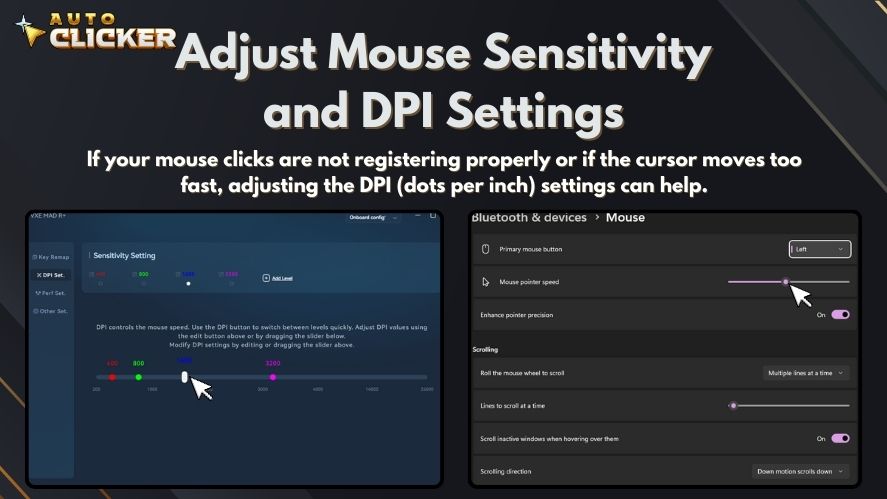
First, adjust your DPI. DPI controls how fast your cursor moves.
- High DPI means faster movement
- Low DPI gives more control
Try different settings until you find what feels right.
Reduce Input Lag
Next, reduce any delay between your click and the action on screen.
You can do this by:
- Using a wired mouse
- Closing background apps
- Keeping your system updated
Use the Right Mouse
A regular mouse may not handle fast clicking well. A gaming mouse is usually better.
Look for:
- High polling rate
- Strong build quality
- Fast response time
Choosing the best mouse to jitter click can improve both speed and comfort.
Practice Methods to Increase CPS
Practice is key if you want to improve.
Use Online Tools
Start with tools like:
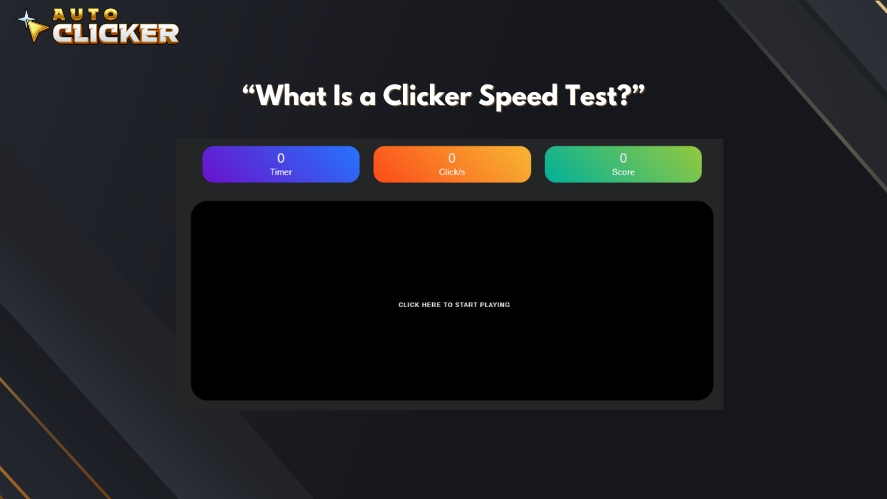
These help you measure your CPS and track improvement.
Do Finger Exercises
Simple exercises can help:
- Tap your fingers quickly on a desk
- Stretch your hands before sessions
This builds strength and control over time.
Focus on Consistency
Many beginners focus only on speed. However, consistency matters more.
It is better to maintain steady clicks than to have short bursts of speed.
Limitations of Manual Clicking
While manual methods work, they are not perfect. There are some clear limits.
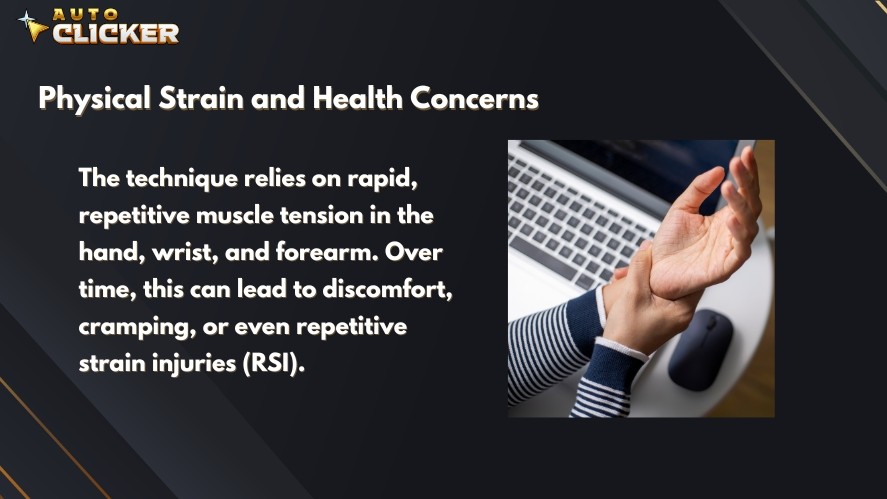
Physical Strain
First, fast clicking can put stress on your hand. Techniques like jitter clicking can feel tiring after a while.
Risk of Injury
Over time, too much strain can lead to problems like wrist pain or repetitive strain injuries.
Inconsistent Performance
Even skilled users cannot maintain the same speed all the time. Your performance may drop during long sessions.
Not Practical for Repetitive Tasks
Finally, manual clicking is not ideal for tasks that require thousands of clicks. It takes too much time and effort.
This is where automation becomes the smarter choice.
The Smart Way How to Click Faster Using Auto Clicker on Steam
At some point, manual clicking reaches its limit. This is where automation becomes useful. If you are serious about learning how to click faster, using an auto clicker can save time and effort.
What Is Auto Clicker on Steam
An auto clicker is a tool that performs clicks for you. Instead of clicking manually, the software does it automatically at a set speed.
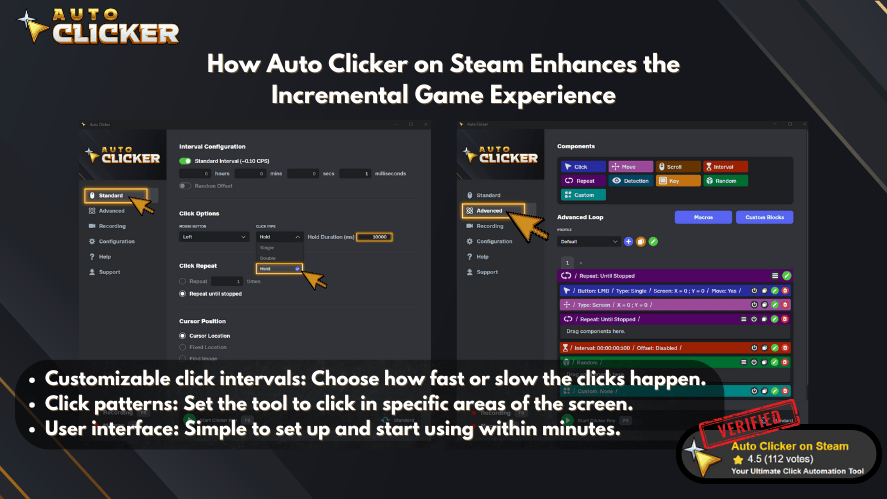
So, what makes it useful? It works as an automated click solution that can handle repetitive tasks with ease. Many people use an automatic clicker for both gaming and productivity.
On platforms like Steam, you can find tools designed for smooth performance and simple setup. These tools are especially helpful in games that require constant clicking.
Key Features That Improve Clicking Speed
Auto clickers are powerful because they give you full control over your clicking behavior.
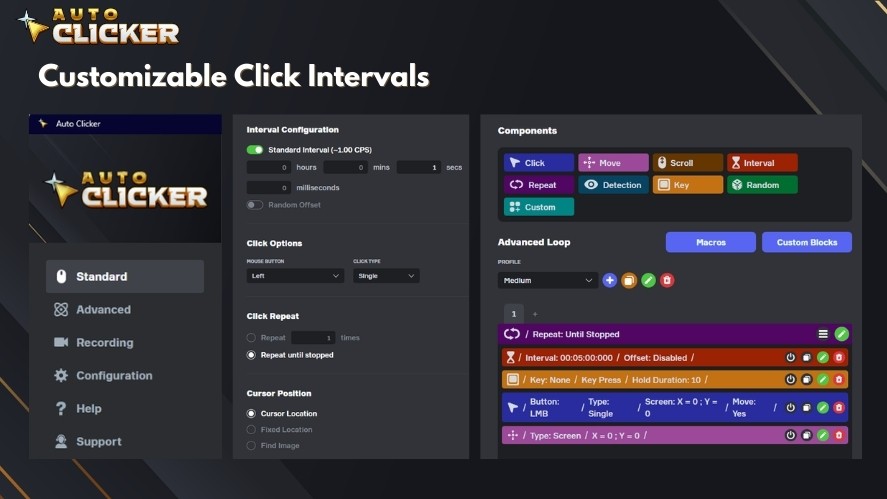
You can set how fast the clicks happen. Some tools allow millisecond precision. This means your clicks can be much faster than any human speed.
Custom Hotkeys
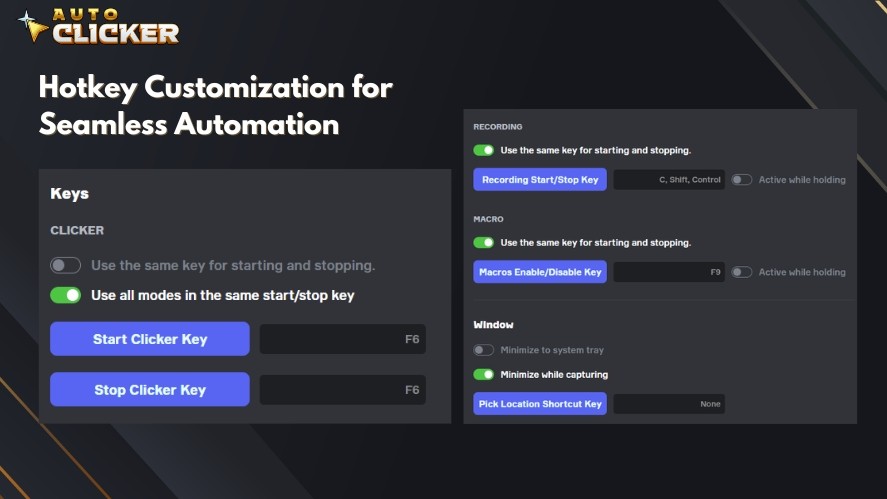
You can assign keys to start and stop the clicking. This makes it easy to control without interrupting your workflow.
Continuous or Timed Clicking
You can choose:
- Continuous clicking
- Clicking at set intervals
This flexibility is useful for different tasks.
Multi Click Support
Some tools allow multiple clicks at once. This increases efficiency even more.
Because of these features, tools like auto clickers and automatic clicker software are widely used.
How to Set Up Auto Clicker on Steam
Setting up an auto clicker for PC is simple. You can get started in a few steps.
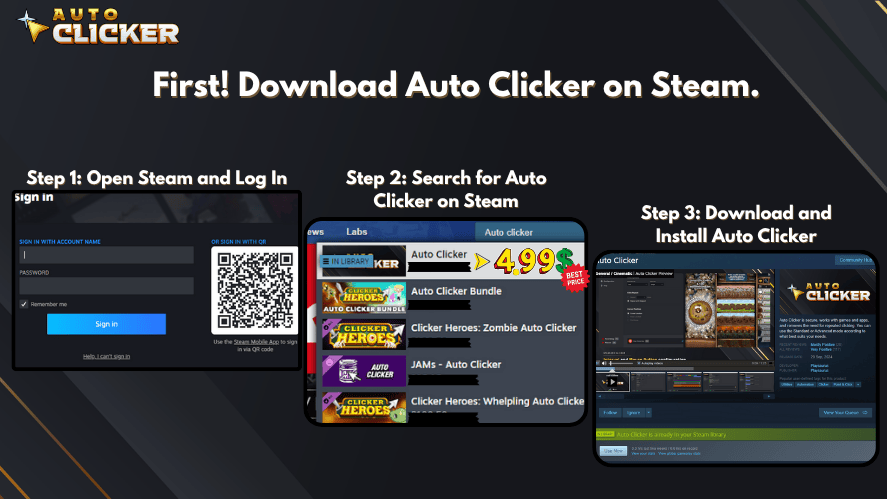
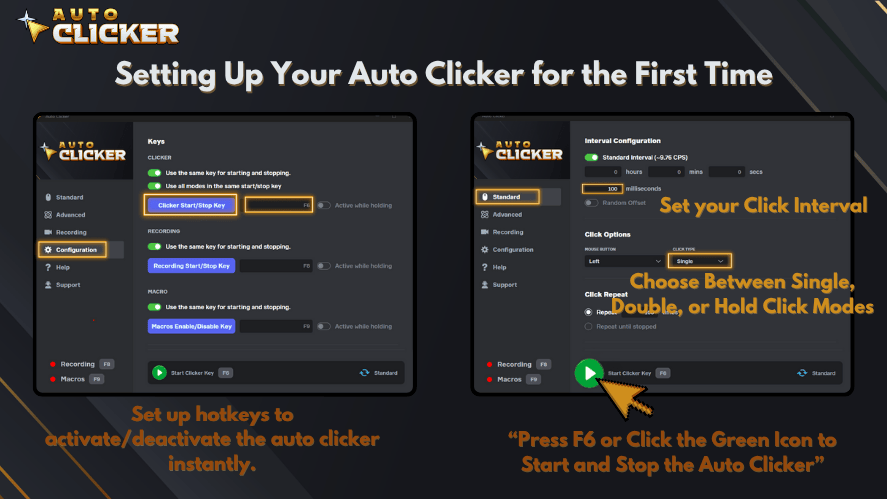
- Download and install Search for a trusted auto clicker download from Steam or a reliable source.
- Configure click speed Set your desired interval. Faster intervals mean higher CPS.
- Assign hotkeys Choose keys that are easy to press.
- Start automation Turn it on and let the tool handle the clicks.
After setup, you can adjust settings anytime to match your needs.
Use Cases for Faster Clicking
Auto clickers are useful in many situations. Let’s look at a few.
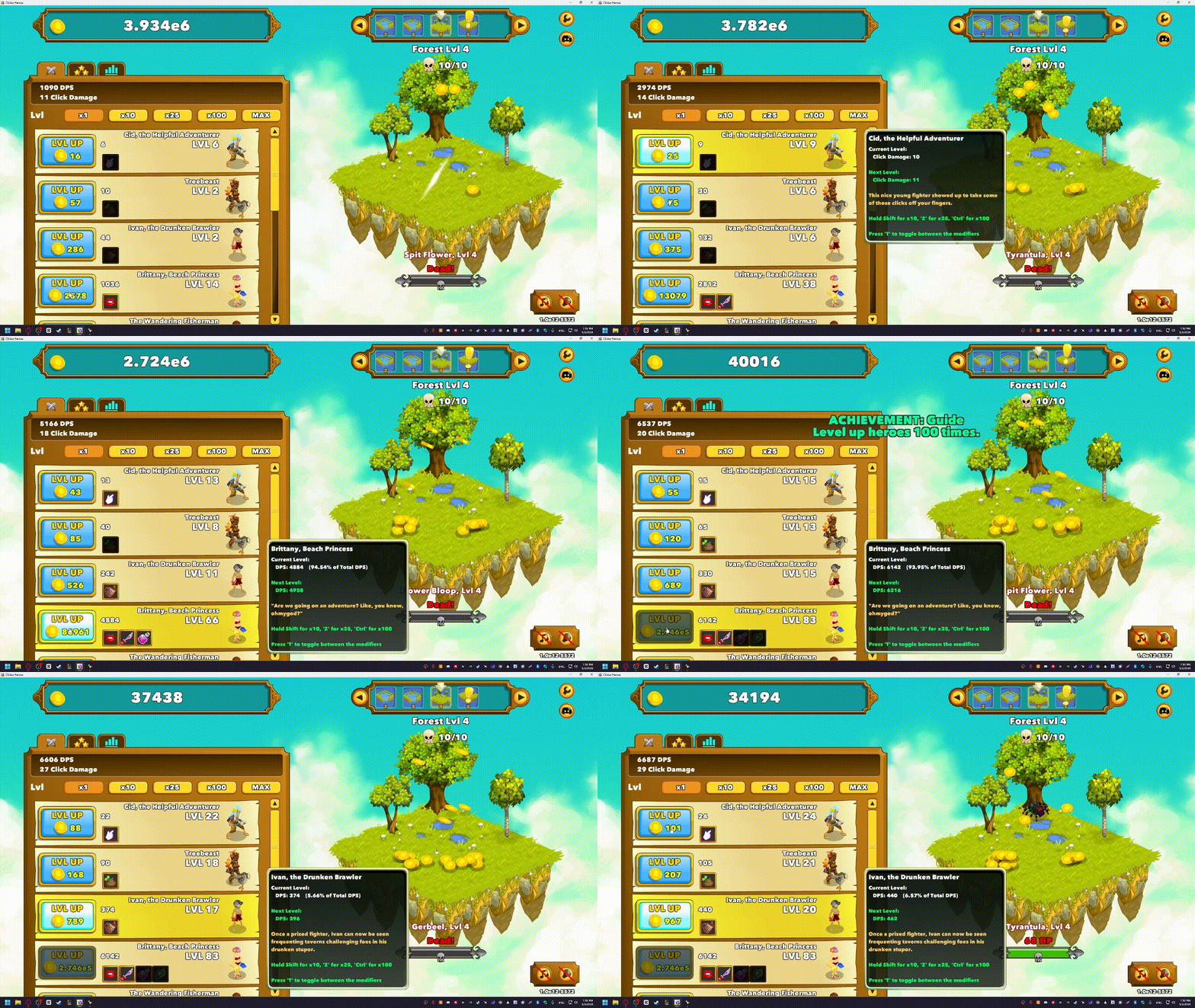
In games, especially idle or incremental ones, constant clicking is required. Instead of clicking manually, an auto clicker for games can handle it.
This helps with:
- Resource farming
- Level progression
- Repetitive actions
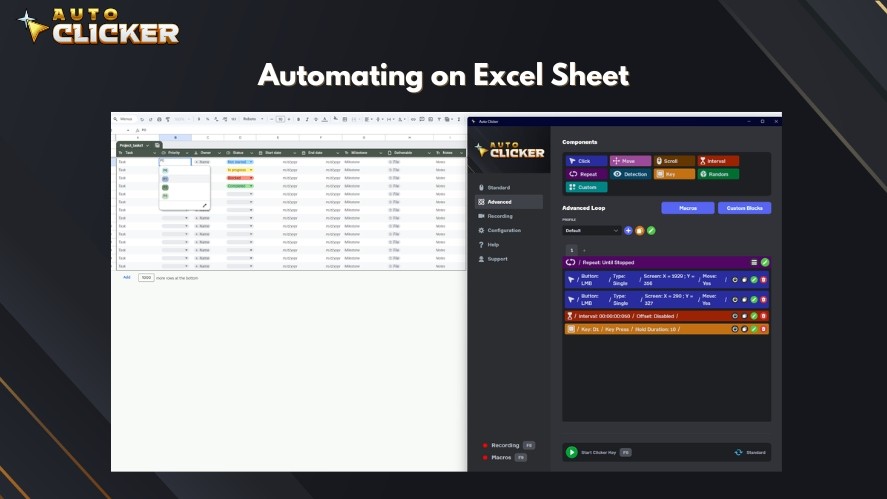
Auto clickers are also helpful at work. For example:
- Data entry
- Software testing
- Repeating UI actions
Using a free auto clicker can save hours of work.
Auto Clicker vs Manual Clicking Which Is Better
Now that we have covered both methods, let’s compare them.
| Feature | Manual Clicking | Auto Clicker |
|---|---|---|
| Speed (CPS) | 5 to 15 CPS (depends on skill) | Very high and consistent |
| Consistency | Can vary over time | Fully consistent |
| Effort Required | High effort | Very low effort |
| Risk of Fatigue | High with long use | No physical strain |
| Accuracy | Depends on user | Highly precise |
| Best Use Case | Competitive gaming | Repetitive tasks and idle games |
| Learning Curve | Takes time and practice | Easy to set up and use |
| Flexibility | Limited by human ability | Fully customizable settings |
Speed
Manual clicking usually reaches around 5 to 15 CPS. Skilled users can go higher with jitter clicking.
In contrast, an automated click tool can click much faster and maintain that speed without slowing down.
Accuracy and Consistency
Manual clicking can vary. Your speed may drop over time.
Auto clickers stay consistent. Every click happens exactly as set.
Effort
Manual clicking requires effort and focus. Over time, this can be tiring.
Automation removes that effort. Once set up, it works on its own.
When to Use Each
Manual clicking is better when:
- Skill matters
- Rules do not allow automation
Auto clickers are better when:
- Tasks are repetitive
- Speed and consistency are needed
In many cases, the best approach is to use both when appropriate.
Tips to Click Faster Without Damaging Your Hand
Improving speed is important, but health should come first. Here are some simple tips to stay safe.
Take Breaks
Do not click continuously for long periods. Short breaks help your muscles recover.
Maintain Proper Posture
Keep your wrist straight and supported. Avoid awkward angles while using your mouse.
Use Ergonomic Equipment
A comfortable mouse can reduce strain. Look for designs that support your hand naturally.
Switch to Automation When Needed
If a task feels repetitive, use an auto clicker instead of pushing your limits. This reduces stress on your hand.
Common Mistakes When Trying to Click Faster
Many people make small mistakes that slow their progress. Let’s go over them.
Overstraining Fingers
Trying too hard can lead to pain and fatigue. It is better to build speed gradually.
Ignoring Mouse Settings
Even small setting changes can make a big difference. Do not overlook this step.
Using Unreliable Tools
Not all tools are safe. Always choose a trusted auto clicker download.
Not Improving Workflow
Sometimes the issue is not speed. It is how the task is done. Look for ways to simplify your process.
FAQs About How to Click Faster
The fastest way to learn how to click faster is to combine good technique with practice. Methods like jitter clicking and butterfly clicking can improve your CPS. At the same time, using an auto clicker helps with repetitive tasks where manual speed is not practical.
Jitter clicking is a technique where you create small vibrations in your hand to click faster. While it can increase your CPS, it may cause fatigue if done for long periods. It is important to take breaks and avoid overstraining your hand.
If you are asking how do you jitter click, start by holding your mouse firmly and relaxing your finger. Then slightly tense your arm to create controlled vibrations. Practice slowly at first and use a jitter click test to track your progress.
A good CPS depends on the game. For most players, 6 to 10 CPS is average. Advanced players using jitter clicking or butterfly clicking can reach 10 to 15 CPS or more.
It depends on the game. Some games allow an auto clicker for games, especially idle or clicker games. However, competitive games may ban automated click tools. Always check the game rules before using one.
Conclusion How to Click Faster the Smart Way
Learning how to click faster is not just about speed. It is about working smarter.
Manual techniques like jitter click, butterfly clicking, and drag clicking can help you improve your CPS. They are useful in gaming and situations where control matters.
However, they come with limits. They can cause fatigue and are not ideal for long or repetitive tasks.
This is why tools like an auto clicker, automatic clicker, or auto clicker for PC are so helpful. They provide speed, consistency, and ease of use.
In the end, the best solution is balance. Use manual skills when needed, and switch to automation when tasks become repetitive.
If you want the fastest and easiest way to improve your clicking, using an auto clicker for games or productivity tasks is a smart move.

Jitter Clicking: What It Is and How to Master It
Manual Clicking vs Auto Clicker: What’s the Real Difference?

Auto Clicker with Random Intervals for Safety Automation
About The Author
