
Manual Clicking vs Auto Clicker: What’s the Real Difference?
Manual Clicking is something almost every computer user does every day. Whether you are playing games, filling out forms, testing software, or browsing online, clicking is one of the most basic actions on a computer. However, when clicking becomes repetitive, it can quickly become tiring, slow, and uncomfortable.
That is why many users compare manual clicking with auto clicker tools. Instead of pressing the mouse button thousands of times by hand, an auto clicker can repeat those clicks for you. As a result, it can save time, reduce hand strain, and make repetitive tasks easier to manage.
In this updated 2026 guide, we will explain the real difference between manual clicking and auto clicker tools. We will also cover when manual clicking is still better, when automation makes more sense, and how Auto Clicker on Steam fits into the discussion.
What is Manual Clicking?
Definition and Everyday Examples of Manual Clicking
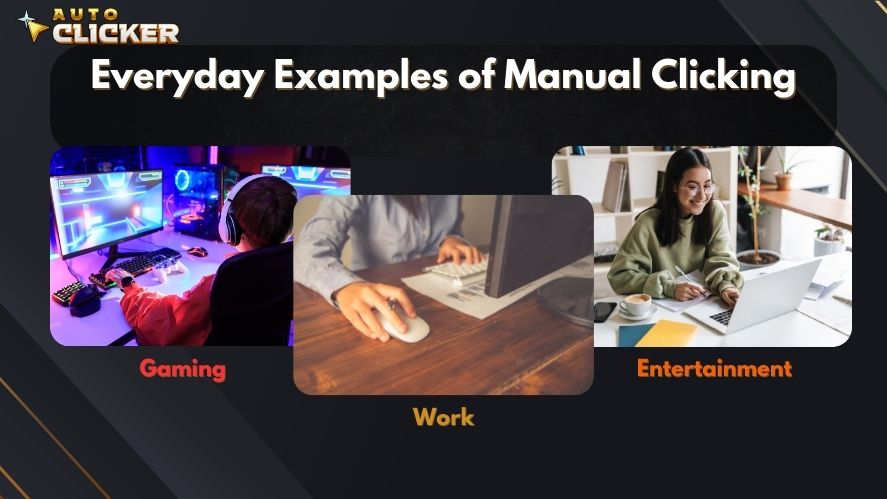
Manual clicking means pressing your mouse button, trackpad, or keyboard key by yourself. In other words, every click comes directly from your hand.
This is the normal way people interact with computers. For example, you use manual clicking when you open apps, select files, press buttons, play games, or browse websites. Because it feels natural, most people do not think about it until the task becomes repetitive.
Everyday Examples of Manual Clicking
You probably use manual clicking in many situations, such as:
- Clicking enemies or collecting rewards in games
- Opening links, menus, and buttons while browsing
- Filling out forms at work
- Testing buttons in software
- Moving through spreadsheets or dashboards
- Repeating actions in idle games or farming games
At first, these actions may feel simple. However, when the same click must be repeated hundreds or thousands of times, manual clicking can become frustrating.
The Limits of Manual Clicking
Manual clicking is useful, but it has clear limits. Since humans get tired, clicking speed and accuracy can drop over time. Because of this, repetitive clicking can affect both comfort and performance.
Physical Fatigue
One of the biggest problems with manual clicking is hand fatigue. When you click nonstop, your fingers, wrist, and forearm can become sore. Over time, this can make long gaming sessions or work tasks uncomfortable.
In addition, repetitive clicking may increase the risk of strain. This is especially true if you use poor posture, grip the mouse too tightly, or click for long periods without breaks.
Slower Performance
Manual clicking also depends on your reaction time. Even if you click quickly, your speed is still limited by human ability. Moreover, once you get tired, your clicking becomes slower and less consistent.
For casual tasks, this is not a big issue. However, for repetitive work, testing, or idle games, slow clicking can waste a lot of time.
Mental Burnout
Manual clicking can also become boring. When a task requires the same action again and again, it can feel draining. As a result, your focus may drop, and the task may take longer than expected.
For this reason, many users look for automation tools when clicking becomes too repetitive.
What is an Auto Clicker?

Overview of Auto Clickers
An auto clicker is a type of software to automate repetitive tasks on your computer by simulating mouse clicks — rapidly, accurately, and endlessly, if needed.
These tools are commonly used to:
- Automate repetitive tasks in both games and work software
- Maintain consistent clicking intervals without user intervention
- Enable long-term operations (such as farming or testing) without fatigue
The best part? Most auto clickers offer adjustable settings like click speed, intervals, hotkeys, and click location. Whether you’re gaming or testing a UI, this kind of click automation can be a game-changer.
Popular tools such as GS Auto Clicker and AutoHotkey are often used to perform automated mouse click actions across many use cases.
Benefits Over Manual Clicking
Compared to manual clicking, an auto clicker offers:
- Faster clicks (as fast as 1 ms intervals)
- No fatigue – sit back while the software clicks for you
- Consistent performance – eliminates human errors
- Customization – define exactly how, where, and when to click
- Injury prevention – protects your hands from repetitive stress
Manual Clicking vs Auto Clicker – Key Differences
Manual clicking and auto clickers both perform the same basic action. However, the way they work is very different.
| Feature | Manual Clicking | Auto Clicker |
|---|---|---|
| Speed | Limited by human clicking ability | Adjustable and much faster |
| Consistency | Can change due to fatigue | Repeats clicks at a steady interval |
| Effort | Requires constant hand movement | Runs automatically after setup |
| Fatigue | Can cause tired hands or wrist pain | Reduces physical effort |
| Accuracy | Depends on focus and hand control | Can repeat the same click location |
| Best Use | Skill-based tasks and normal computer use | Repetitive tasks and idle clicking |
| Risk | Higher chance of strain during long sessions | Lower strain, but must be used responsibly |
| Control | Full human control | Automated control based on settings |
As you can see, manual clicking gives you direct control. However, an auto clicker offers better speed, consistency, and comfort for repetitive tasks.shows how click automation enhances user experience by eliminating many of the frustrations tied to manual clicking.
When Manual Clicking Is Better
Although automation is useful, manual clicking is still the better choice in many situations. In fact, some tasks require human control, timing, and judgment.
Competitive Games
Manual clicking is usually required in competitive games. Games like shooters, MOBAs, and ranked multiplayer titles often prohibit automation. Therefore, using an auto clicker in these games can be considered cheating.
For example, games with anti-cheat systems may detect macros or automated clicking. As a result, using an auto clicker in the wrong place can lead to warnings, restrictions, or account penalties.
Skill-Based Gameplay
Some games are designed around timing, reflexes, and hand control. In these cases, manual clicking is part of the challenge. If you automate those actions, the gameplay may lose its purpose.
Therefore, manual clicking is still best for:
- Reaction-based games
- Competitive multiplayer games
- Rhythm games
- Timing challenges
- Precision tasks
Tasks That Need Human Judgment
Manual clicking is also better when you need to think before every action. For example, choosing the right file, reviewing information, or making decisions should not always be automated.
In short, manual clicking is best when accuracy, judgment, or fair play matters.
When an Auto Clicker Is Better
An auto clicker is better when the task is repetitive, predictable, and allowed. Instead of wasting energy on the same click over and over, you can automate the process and focus on something more important.
Idle and Clicker Games
Clicker games are one of the most common reasons people use auto clickers. Games like Cookie Clicker, Clicker Heroes, and other idle games often involve repeated clicking to earn points, resources, or upgrades.
Because these games can require thousands of clicks, manual clicking can quickly become tiring. However, with an auto clicker, players can reduce hand strain and keep progress moving more smoothly.
Productivity Tasks
Auto clickers can also help with basic productivity work. For example, some workers use automation for repetitive software actions, button testing, or simple data entry workflows.
This can be useful for:
- Repeating the same button click
- Testing software interfaces
- Moving through simple forms
- Running repeated actions in desktop apps
- Reducing time spent on low-value tasks
However, it is still important to check company rules before using automation tools at work.
Software Testing
Auto clickers can help testers repeat the same click action many times. For example, a QA tester may need to test whether a button works after repeated clicks. Instead of doing this manually, an auto clicker can repeat the action consistently.
As a result, testing becomes faster and more controlled.
Real-World Scenarios – When Clicking Gets Out of Hand
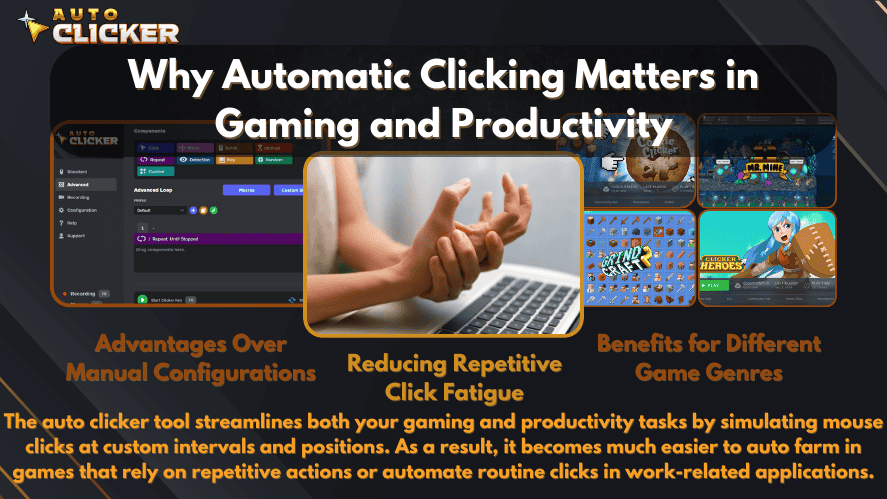
Gaming
Clicker games like Cookie Clicker, Clicker Heroes, or idle RPGs require endless tapping. Even classic MMOs like Runescape or farming simulators ask players to repeat actions over and over.
Using a mouse auto clicker tool gives players:
- Relief from repetitive clicks
- Better grinding efficiency
- Freedom to multitask while the game runs
Plus, competitive players use automated clickers in training or non-competitive contexts to avoid hand fatigue during long sessions.
Work and Productivity
The corporate world is no stranger to repetitive tasks. UI testers, data entry workers, and QA engineers often repeat mouse clicks thousands of times per week.
Examples include:
- Clicking through software test cycles
- Submitting forms repeatedly
- Interacting with CRMs or Excel macros
That’s why many office workers use software to automate repetitive tasks on your computer, improving speed and reducing errors. Tools like AutoIt or Pulover’s Macro Creator are popular for these use cases.
Transitioning from Manual to Auto Clicking
Common Concerns
Switching from manual clicking to a mouse auto clicker tool raises common questions:
- “Will it work in my game?” → Most likely yes, especially for clicker, idle, or farming games.
- “Is it safe to use on Steam?” → When using Auto Clicker on Steam, the answer is yes. It’s built for safety and ease of use within Steam’s environment.
Learning Curve
Don’t worry — using an automated clicker is much easier than you’d think.
Auto Clicker on Steam is designed for beginners, featuring:
- Simple installation via Steam
- Pre-set click intervals
- Hotkey support for starting/stopping without mouse input
You’ll be automating in minutes.
The Risks of Manual Clicking – Not Just Fatigue
Manual clicking may seem harmless. However, doing it too much can cause discomfort. This is especially true for gamers, office workers, and software testers who click for long periods.
Health Risks
Manual clicking might seem harmless, but over time it can result in:
- Repetitive strain injury (RSI)
- Carpal tunnel syndrome
- Muscle fatigue
- Reduced long-term dexterity
This affects both gamers and professionals, reducing performance and comfort. The Mayo Clinic warns about these risks when doing tasks involving repetitive hand motions.
Mental Burnout
Beyond the physical toll, doing the same click action repeatedly causes:
- Mental exhaustion
- Lowered productivity
- Decreased enjoyment in games or tasks
Switching to click automation preserves your energy for more meaningful tasks.
Why Automation Can Help
An auto clicker can reduce the need for constant hand movement. Therefore, it may help users avoid unnecessary strain during repetitive tasks.
However, automation is not a replacement for healthy computer habits. You should still use proper posture, take breaks, and keep your mouse setup comfortable.
Is Auto Clicking Always the Right Choice?
When Manual Clicking is Still Necessary
There are moments where manual clicking still reigns supreme:
- Competitive games: Many multiplayer games prohibit automation and detect it as cheating. Games like Valorant, League of Legends, and Fortnite use anti-cheat systems that detect macro use.
- Skill-based interactions: Timing-based games or reflex challenges need human input.
- App restrictions: Some platforms may disable or flag automated input.
Always use your auto clicker free tools responsibly and where permitted.
Auto Clicker on Steam: A Safer Option for Automation
If you want a cleaner and more trusted option, Auto Clicker on Steam is worth considering. Many users download free auto clickers from random websites. However, that can be risky because some downloads may include unwanted software, ads, or unsafe files.
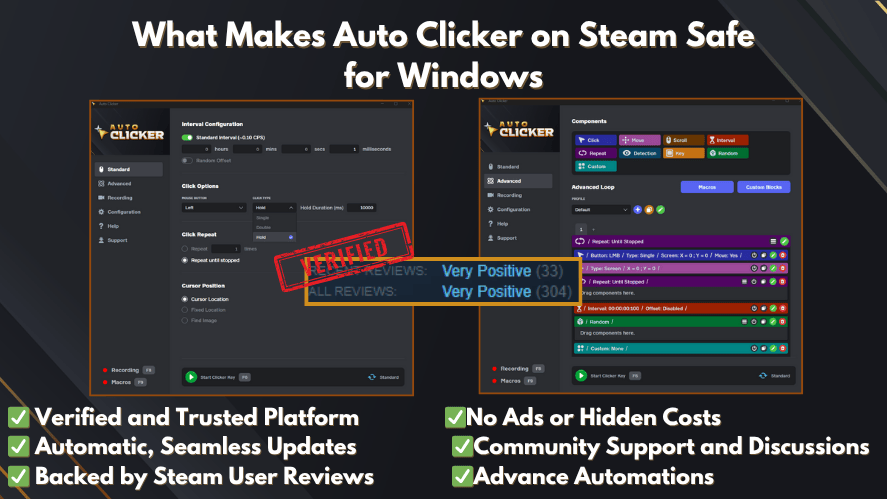
By contrast, using Auto Clicker on Steam gives users a more familiar platform for installation and updates.
Why Steam Integration Matters
Using Auto Clicker on Steam has key advantages:
- Easy installation from the Steam Store
- Automatic updates and trusted files
- No shady websites or risky downloads
- A more beginner-friendly setup
- Better OS compatibility, including support for free auto clicker for Mac
Because of this, it can be a smart choice for users who want simple click automation without downloading tools from unknown websites.
Key Features that Set It Apart
Here’s what makes Auto Clicker on Steam stand out:
- Adjustable click intervals (down to milliseconds)
- Choose click location, type (left/right), and repeat count
- Hotkey support for hands-free control
- Lightweight design, optimized for games and productivity
- Integrates easily with Steam games and other desktop apps
Whether you’re looking for an auto clicker for free or considering a paid auto clicker, Steam delivers both security and performance.
Use Cases Specific to Auto Clicker on Steam
- Automated mouse click support in idle Steam games
- Testing and debugging Steam game UI
- Helping gamers farm in clicker games like Clicker Heroes or Cookie Clicker
- Automate repetitive tasks in Steam-based applications or productivity tools
Key Features to Look For in an Auto Clicker
Before choosing an auto clicker, check the features carefully. A good auto clicker should be simple, safe, and flexible.
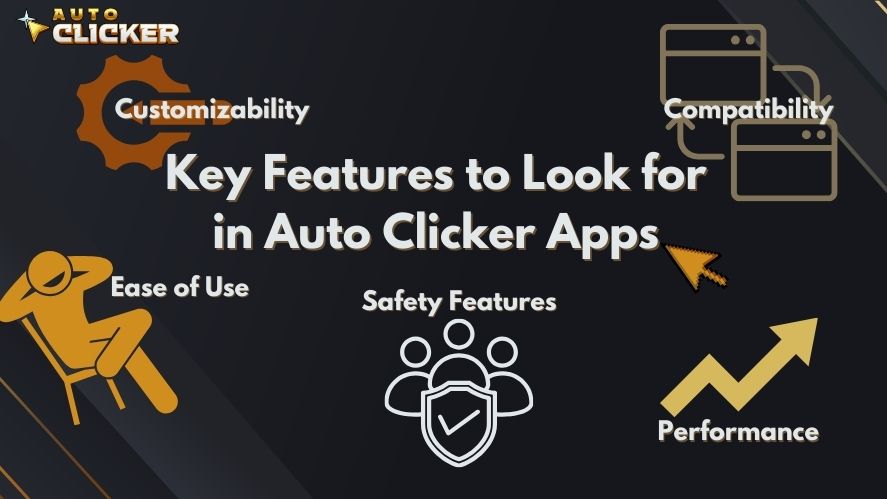
Important Features
Look for features such as:
- Adjustable click speed
- Click interval settings
- Left-click and right-click options
- Hotkey support
- Repeat count control
- Fixed click location
- Start and stop controls
- Lightweight performance
These features help you control how the auto clicker works. As a result, you can match the tool to your task instead of using one default setting for everything.
Ethical Use: When Auto Clicking Is Allowed
Auto clickers can be helpful, but they should be used fairly. Before using one, always check the rules of the game, app, or platform.
Use Auto Clickers Responsibly
A good rule is to use auto clickers only when:
- The game allows automation
- The task is single-player or non-competitive
- You are not gaining an unfair advantage over other players
- The software or workplace rules allow it
- You understand the possible risks
On the other hand, avoid using auto clickers in competitive multiplayer games, ranked matches, or apps that ban automated input.
By using automation responsibly, you can enjoy the benefits without crossing fair-use boundaries.
Manual Clicking vs Auto Clicker: Which One Should You Choose?
The best choice depends on the task.
Choose manual clicking when you need full control, fast judgment, or fair competitive gameplay. It is still the best option for normal computer use, skill-based games, and actions that require decision-making.
However, choose an auto clicker when the task is repetitive, predictable, and allowed. It can save time, reduce hand fatigue, and improve consistency.
Quick Recommendation
Use manual clicking for:
- Competitive games
- Skill-based gameplay
- Important decisions
- One-time tasks
- Tasks that require human judgment
Use an auto clicker for:
- Idle games
- Repetitive clicking
- Software testing
- Simple productivity workflows
- Long grinding sessions
- Allowed automation tasks
FAQs About Manual Clicking and Auto Clickers
Manual clicking means pressing your mouse, trackpad, or keyboard button by hand. It is the normal way people interact with games, apps, websites, and software.
Manual clicking is better when you need control, timing, and judgment. However, an auto clicker is better for repetitive tasks that do not require constant human input.
Yes, manual clicking can cause hand, wrist, or finger pain if done for long periods. Therefore, it is important to take breaks and avoid repetitive strain.
The main benefit of an auto clicker is that it automates repetitive clicks. As a result, it can save time, reduce fatigue, and keep clicks consistent.
It depends on where you use it. In competitive multiplayer games, it may be considered cheating. However, in single-player idle games or approved productivity tasks, it may be allowed.
Conclusion:
Manual Clicking is useful for normal computer use, skill-based games, and tasks that need human judgment. However, it can become tiring when you repeat the same action for long periods.
On the other hand, an auto clicker is designed for repetitive clicking. It can save time, reduce hand strain, and keep clicks consistent. Because of this, it is especially useful for idle games, software testing, and simple productivity tasks.
Still, auto clicking is not always the right choice. You should avoid using it in competitive games or platforms that do not allow automation. Instead, use it responsibly in approved situations where it makes your work or gameplay easier.
In short, manual clicking gives you control, while auto clickers give you speed and comfort. If repetitive clicking is slowing you down, Auto Clicker on Steam can be a smart way to click faster, reduce fatigue, and work more efficiently in 2026.

Using Auto Clicker for Non-Gaming Applications in 2026 (Updated Guide)

Mouse Clicker: What It Is, How It Works, and Why You Might Need One

Clicks Per Second World Record: What’s the Fastest CPS Ever Achieved? (2026 Updated)
About The Author
