
Is an Auto Clicker for Freelancers Worth It?
Modern freelancers rarely work with just one tool or one client at a time.
A typical day might involve switching between project management apps, design software, browsers, CMS dashboards, and communication platforms, all while trying to hit deadlines and stay responsive.
As freelance platforms grow and client expectations increase, the amount of repetitive, low-value work has quietly expanded alongside actual billable tasks.
This is where automation starts to matter.
Freelancers today are expected to deliver more output across more platforms, often without increasing their working hours.
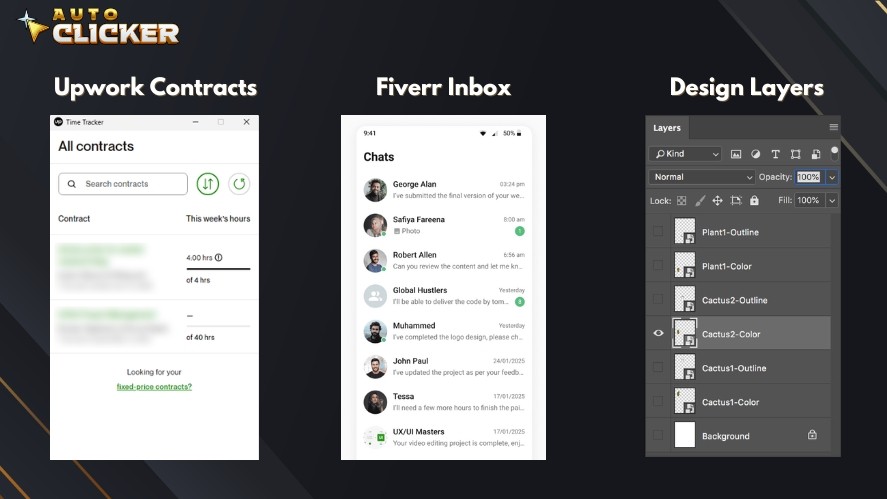
Automation tools have become a natural response to this pressure, helping reduce administrative overhead and repetitive manual actions that drain focus and energy.
Among these tools, the auto clicker for freelancers has emerged as a simple but surprisingly useful addition to a freelancer’s digital toolkit.
An auto clicker is not about cutting corners or pretending to work. Used correctly, it can remove unnecessary friction from legitimate workflows, allowing freelancers to spend more time on creative, strategic, or problem-solving tasks.
This article explores what auto clickers actually do, how freelancers use them productively, and where ethical boundaries clearly exist, so automation remains a support system rather than a liability.
What Is an Auto Clicker and How Does It Work?
An auto clicker is a type of mouse clicking software designed to simulate repeated mouse clicks automatically.
Instead of manually clicking the same spot over and over, the auto clicking software performs automated clicks at a defined speed, location, and duration.
Most Windows automatic clickers allow users to control intervals, mouse buttons, and repetition counts, making them flexible enough for a wide range of desktop tasks.
A simple example is a designer working through a folder of 100 images that all need to be selected, confirmed, or renamed using the same on-screen action.
Rather than physically clicking the same button hundreds of times, an auto clicking mouse can handle the repetition consistently and without fatigue.
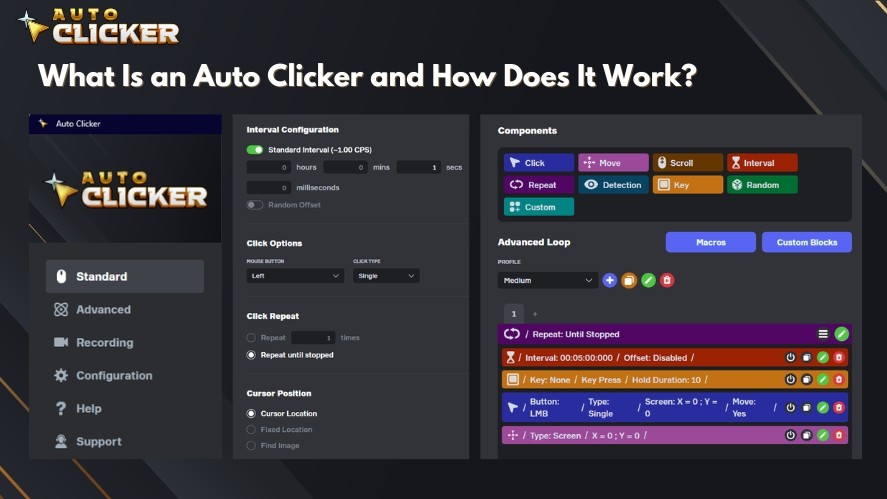
This reduces strain, speeds up the process, and minimizes human error caused by distraction or tiredness.
Beyond basic clicking, freelancers use automatic mouse clicker tools to:
- Test UI elements across different screen sizes
- Repeatedly submit or navigate through web forms during QA checks
- Handle routine desktop interactions that don’t require decision-making
Outside of professional use, auto clickers are also common in idle games or sandbox testing environments, where repeated input is part of the design rather than the work itself.
At its core, an automatic clicker is about efficiency. When used responsibly, it turns repetitive input into a background task, freeing mental bandwidth for work that actually requires human judgment.
Read More: Auto Clicker for Mac: Do These Apps Really Work?
Why Freelancers Are Looking for Auto Clickers
For freelancers, time directly translates to income. Every minute spent on repetitive manual actions cuts into margins without adding real value to the work.
As workloads scale and clients expect faster turnaround, many freelancers start looking for simple automation to remove friction from their daily workflows.
Common reasons freelancers turn to safe auto clickers include:
- Reducing repetitive strain from constant mouse clicking during long work sessions
- Speeding up routine tasks that require identical interactions across multiple screens
- Maintaining focus by eliminating low-attention mechanical actions
- Improving efficiency without changing core tools or learning complex scripts
Different freelance roles feel this pain in different ways:
- QA testers repeat the same actions dozens or hundreds of times to reproduce bugs or verify fixes
- Designers handle batch exports, confirmations, or asset management tasks with identical clicks
- Virtual assistants manage form submissions, CMS publishing flows, and admin dashboards
- Developers stress-test interfaces or validate user flows through repeated UI interactions
In these scenarios, an autoclick PC isn’t replacing skill or judgment; it simply removes mechanical repetition so freelancers can spend more time on meaningful, billable work.
The Risks of Misuse on Freelance Platforms
While auto clickers can be useful productivity tools, they also carry clear risks when used irresponsibly.
Some freelancers are tempted to use automation to manipulate time-tracking systems on platforms like Upwork or similar marketplaces.
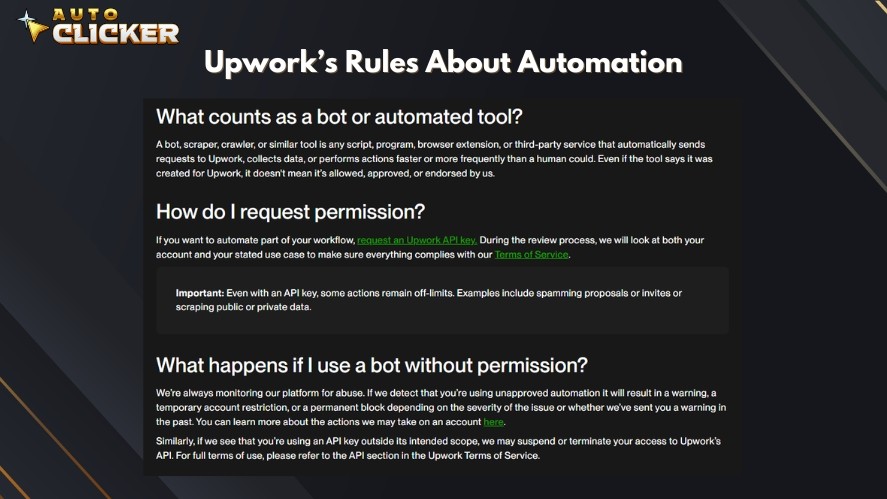
These platforms typically rely on a combination of mouse and keyboard activity, periodic screenshots, and activity levels to verify that work is actually being done during logged hours.
Any attempt to use automated clicking or key activity to simulate presence without real work is unethical and violates most freelance platform rules.
This kind of misuse can lead to account suspension, loss of earnings, or permanent bans, damaging long-term credibility far more than it helps in the short term.
Using auto clickers to falsify work activity violates most freelance platform rules. Auto Clicker on Steam does NOT condone or support misuse. Use responsibly and ethically.
Myth vs. Reality: Auto Clickers in the Freelance World
Auto clickers often get a bad reputation, mostly because they’re misunderstood.
Many people associate them purely with cheating or shady shortcuts, but the reality is far more nuanced, especially in professional freelance workflows.
| Myth | Reality |
|---|---|
| Auto clickers are only for cheating | They can be used for legitimate productivity gains |
| All automation violates platform rules | Only deceptive automation does |
| Auto clickers are hard to set up | Auto Clicker on Steam is beginner-friendly |
| They’re unsafe to download | Auto Clicker on Steam is a trusted Steam-verified app |
In short, automatic key clickers themselves aren’t the problem; it’s how they’re used that matters.
Legit Use Cases: How Freelancers Can Use Auto Clickers Productively
When used responsibly, auto clickers can quietly remove friction from daily freelance work without crossing ethical boundaries.
The key is using them to support your workflow, not to misrepresent effort or output.
Some practical, legitimate use cases include:
- Auto-scrolling or clicking through large PDF datasets, such as reviewing long reports, documentation, or test logs, where interaction is repetitive but necessary.
- Repetitive CMS tasks, like approving posts, toggling settings, checking boxes, or navigating predictable admin panels.
- Rapidly clicking through A/B test variants to validate layouts, button states, or UI behavior across versions.
- Combining auto clickers with other automation tools, such as scripts, macros, or platforms like Zapier, to create simple automation stacks without writing complex code.
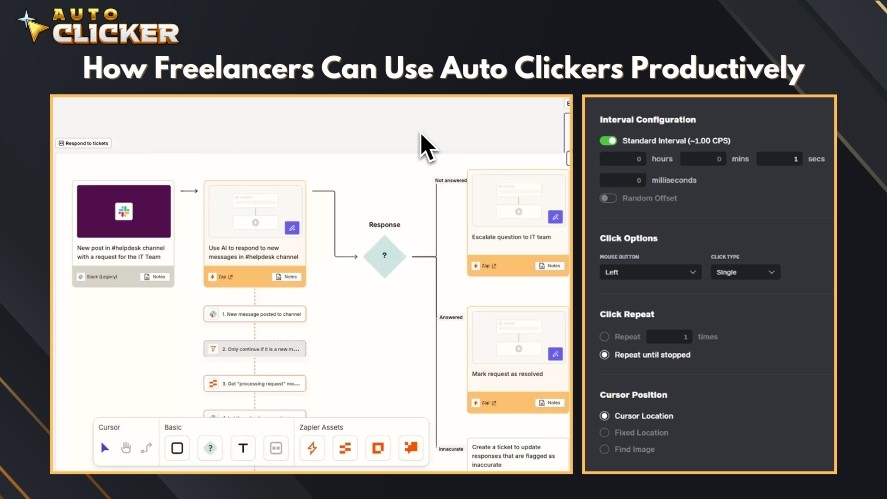
Used this way, an autoclicker mouse becomes a small but effective productivity tool.
It saves time, reduces fatigue, and helps freelancers focus on the parts of their work that actually require expertise and decision-making.
Why Auto Clicker on Steam Is the Ideal Auto Clicker For Freelancers
Auto Clicker on Steam is built to balance simplicity, power, and trust.
Here are the tool’s features that cover both basic and advanced needs while remaining easy to control:
- Simple, beginner-friendly interface that lets you start automating clicks without a learning curve
- Fully customizable click interval, mouse button selection, repeat count, and looping patterns
- Image detection support for automating clicks based on on-screen elements
- Steam-verified distribution, ensuring secure downloads, automatic updates, and visible user reviews
- Lightweight performance that runs smoothly in the background without slowing down your system
- Transparent operation, with no hidden tracking, background scripts, or unexpected behavior
- Active community and ongoing updates, keeping the tool reliable and up to date over time
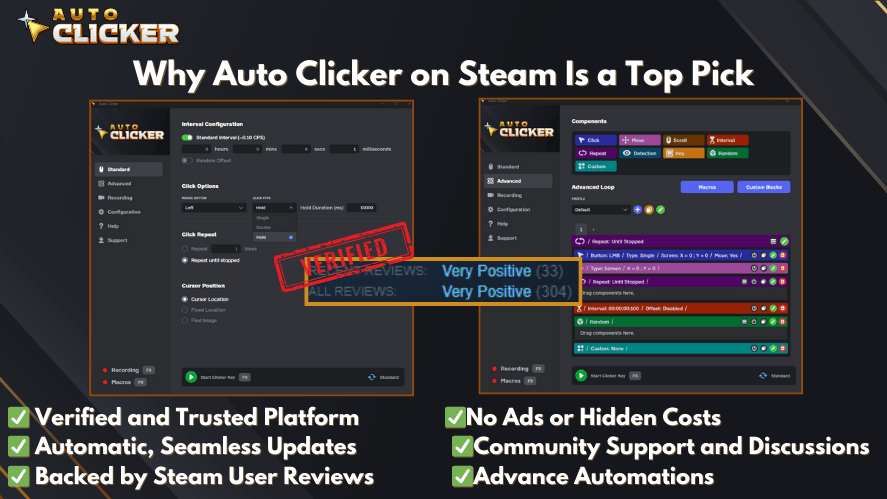
Together, these features make Auto Clicker on Steam a safe, flexible clicking tool that freelancers can confidently integrate into their everyday productivity workflows.
Tips for Safe and Ethical Use
Automation is most effective when it’s used responsibly.
Auto clickers should support your workflow, not distort how your work is measured or perceived. So, always use automation for your own efficiency, never to mislead clients, platforms, or tracking systems.
If you work on platforms with active time tracking, such as Upwork’s desktop app, it’s best to avoid using auto clickers on PC during tracked sessions altogether.
When automation is part of how you deliver work, transparency goes a long way. It lets clients know how you streamline repetitive steps helps build trust rather than erode it.
Before running any automated clicking sequence, test your settings carefully to avoid unintended actions, especially in productivity tools or admin panels.
Finally, consider pairing an auto mouse clicker with other non-deceptive tools like keyboard shortcuts, macros, or task managers.
When combined thoughtfully, these tools can form a powerful productivity stack that saves time without compromising ethics or professionalism.
Auto Clicker For Freelancers vs Other Automation Tools
| Tool | Best For | Limitations |
|---|---|---|
| Auto Clicker on Steam | Mouse automation, easy setup | No scripting, limited keyboard support |
| AutoHotkey | Full automation (keyboard + mouse) | Requires scripting knowledge |
| Macro Recorder | Task recording | Bulkier and can slow down system |
| Zapier | Web-based automation | Not suitable for desktop mouse tasks |
FAQ: Auto Clickers for Freelancers
Upwork auto clicker or Fiverr is technically possible, but highly discouraged. It violates most platforms’ rules and could get your account banned.
Not by itself. Auto Clicker on Steam is a general-purpose tool. Issues arise only from misuse, such as running it during tracked sessions or using it to falsify work activity.
No, Auto Clicker on Steam is fully code-free and relies on simple configuration options like intervals, loops, and click positions.
Yes, as long as the automation is used for your own workflow and doesn’t mislead clients or platforms about the work being performed.
Use Automation to Assist, Not Deceive
Automation tools can be powerful allies for freelancers when used responsibly.
Auto clicker for freelancers helps eliminate repetitive, low-value actions, allowing you to focus on creative thinking, problem-solving, and delivering better results to clients.
However, misuse can seriously damage your credibility and business. Ethical, transparent use is not just safer, it’s more sustainable in the long run.
If you’re looking for a simple, secure way to automate repetitive mouse tasks without crossing ethical lines, Auto Clicker on Steam is a practical option worth exploring.
Used correctly, an auto clicker safe can become a smart productivity tool that supports your work instead of putting it at risk.

Click Behavior in Automation: How Auto Clickers Work
Schedule Mouse Clicks with Auto Clicker on Steam

Top Auto Clicker Apps: Free vs Paid
About The Author
