
Top Auto Clicker Apps: Free vs Paid
Top Auto Clicker apps remain useful in 2026 for users who want to automate repetitive mouse clicks for gaming, productivity, accessibility, and daily computer tasks. However, one common question still comes up: should you use a free autoclicker or invest in a paid autoclicker?
In 2026, many users compare free and paid options through software reviews, gaming communities, and discussions on platforms like autoclicker Reddit. As a result, it can be difficult to know which tool is safe, reliable, and worth using. Free autoclickers are often simple and easy to access, while paid autoclickers usually provide stronger security, better updates, and more advanced features.
In this guide, we’ll compare the Top AutoClicker apps, including both free and paid options. We’ll also look at features, performance, safety, and user experience so you can choose the best autoclicker for your needs in 2026.
If you are comparing specific tools, our AutoClicker vs GS Auto Clicker guide breaks down the differences in features, usability, and performance.
What is an Auto Clicker?
An automation clicker is a software tool that automates mouse clicks, allowing users to perform repeated clicking without manually pressing their mouse button. These tools are widely used for various purposes, including:
- Gaming – Autoclickers help in games that require constant clicking, such as idle games or Roblox.
- Repetitive Tasks – Automate actions like form submissions, data entry, or software testing.
- Productivity – Reduce strain from continuous clicking in work applications.
- Accessibility Assistance – Helps individuals with motor disabilities perform repetitive mouse actions.
While both free and paid autoclickers serve the same fundamental purpose, they differ in reliability, security, and advanced features. Therefore, let’s explore the key differences before choosing the best option.
Free Auto Clicker Apps: Pros and Cons
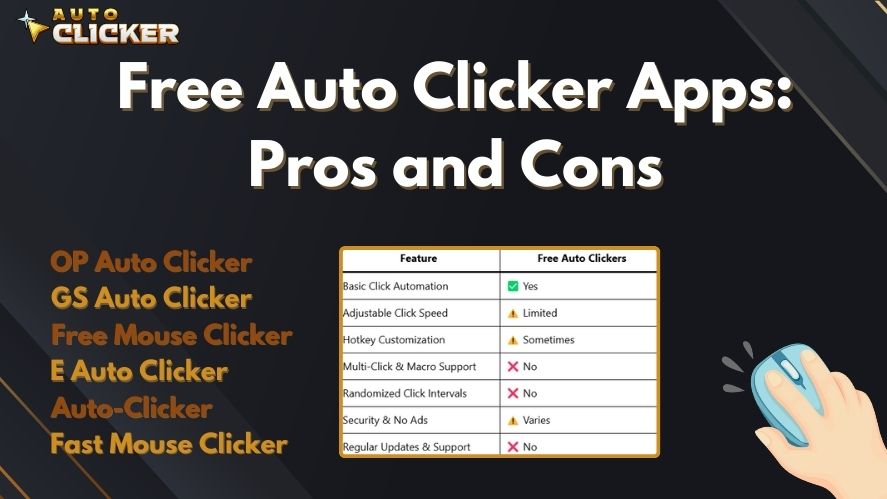
✅ Pros of Free Auto Clickers
- Completely Free – No cost involved, making it accessible for everyone.
- Basic Click Automation – Suitable for casual users who need simple clicking functions.
- Lightweight and Easy to Use – Free autoclickers are often small in size and require minimal setup.
- Popular Free Options Available – Many well-known free autoclickers are widely used and trusted.
❌ Cons of Free Auto Clickers
- Limited Features – Free versions usually lack advanced settings like scripting, random intervals, and macro support.
- Potential Security Risks – Some free tools contain ads, malware, or require excessive permissions.
- Lack of Support & Updates – Free tools may stop receiving updates, leading to bugs and compatibility issues.
Popular Free Auto Clickers
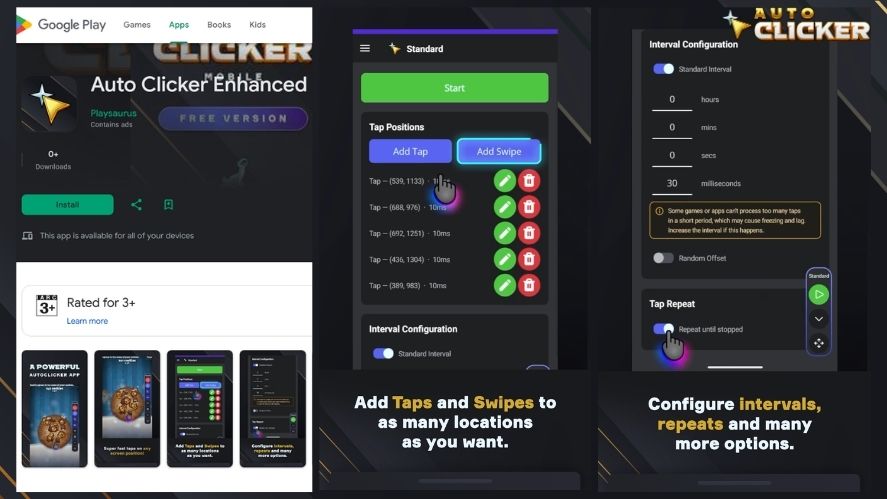
- Auto Clicker Enhanced by Playsaurus – A free official Android option for phones and tablets running Android 10 or newer. It provides essential automation features for repetitive taps and other basic tasks without requiring root access. Get Auto Clicker Enhanced — Free
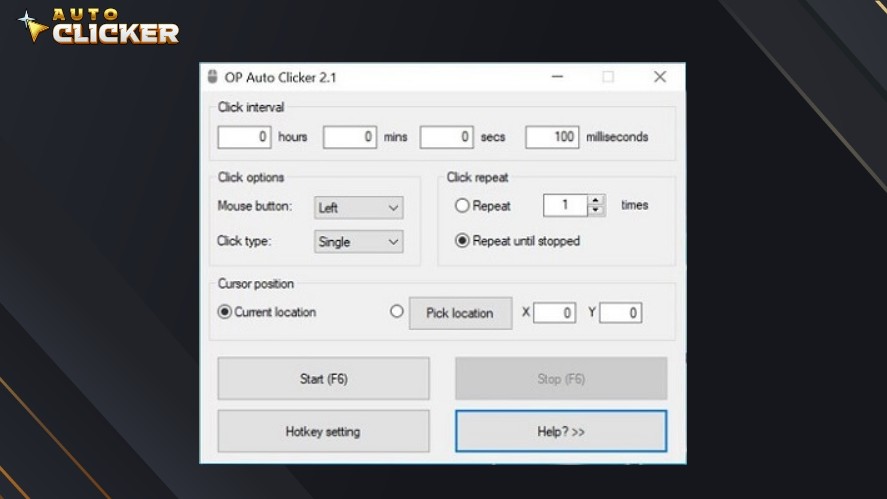
- OP Auto Clicker – A simple, lightweight tool with basic automation features.
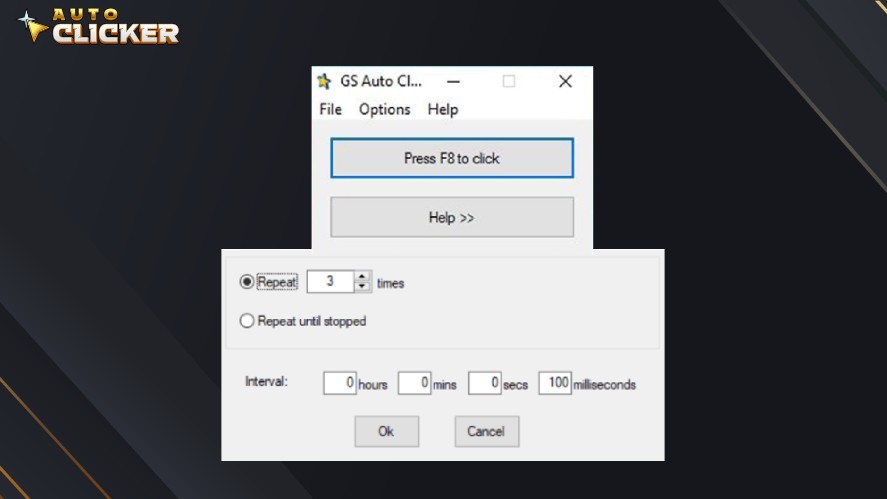
- GS Auto Clicker – One of the most downloaded free automation clicker, available on multiple platforms.
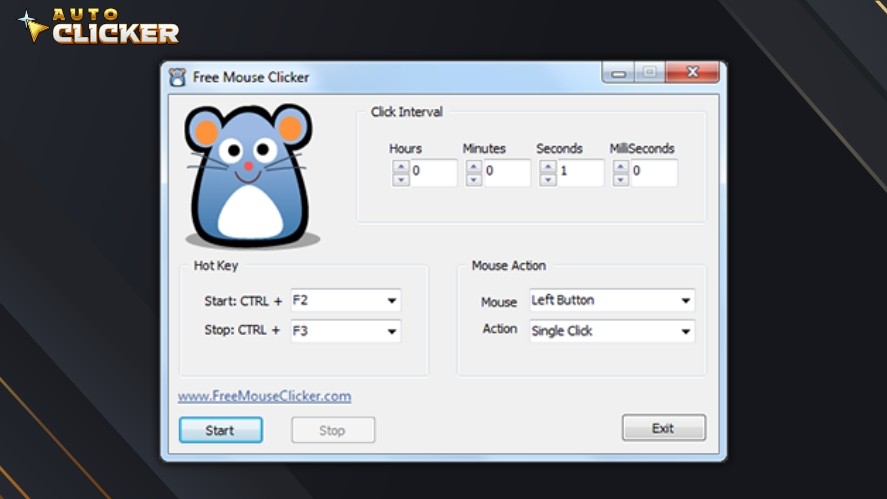
- Free Mouse Clicker – Provides basic clicking automation without advanced options.
Paid Auto Clicker Apps: Pros and Cons
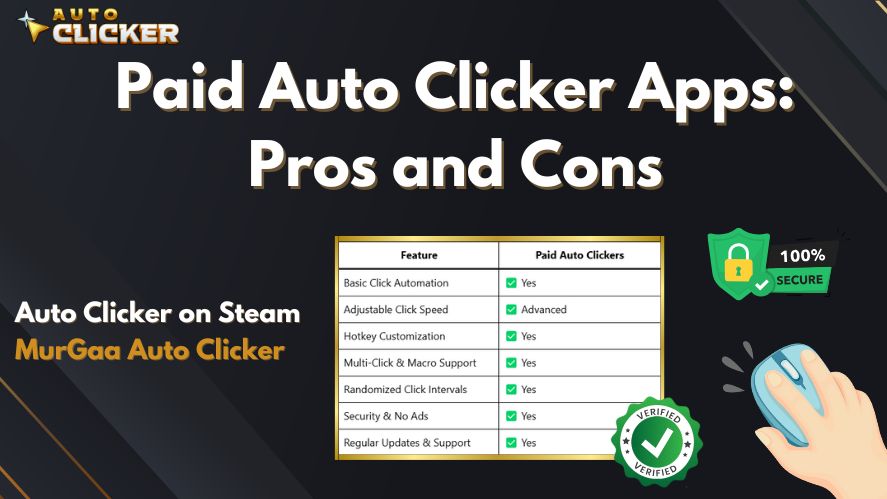
✅ Pros of Paid Auto Clickers
- Advanced Features – Includes customizable click sequences, multi-click functions, and hotkey controls.
- Better Reliability – Fewer crashes and better performance than free alternatives.
- Secure & Ad-Free – No annoying ads or hidden malware risks.
- Dedicated Support & Updates – Developers provide regular updates and customer support.
❌ Cons of Paid Auto Clickers
- Costs Money – Paid autoclickers require a one-time payment or a subscription.
- May Be Overkill for Casual Users – If you only need basic clicking, a paid automation clicker might be unnecessary.
Popular Paid Auto Clickers
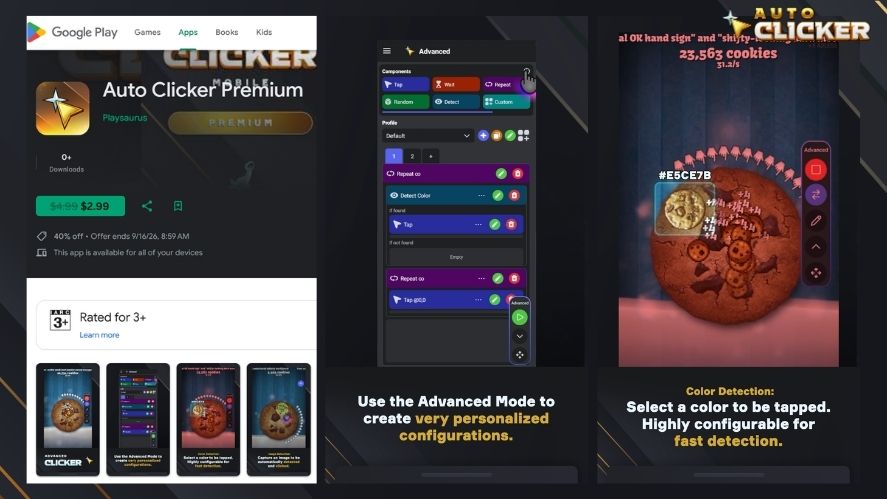
- Auto Clicker Premium by Playsaurus – The paid Android option for users who need more advanced automation features on a phone or tablet. It is available through Google Play for supported Android devices. Get Auto Clicker Premium — Paid
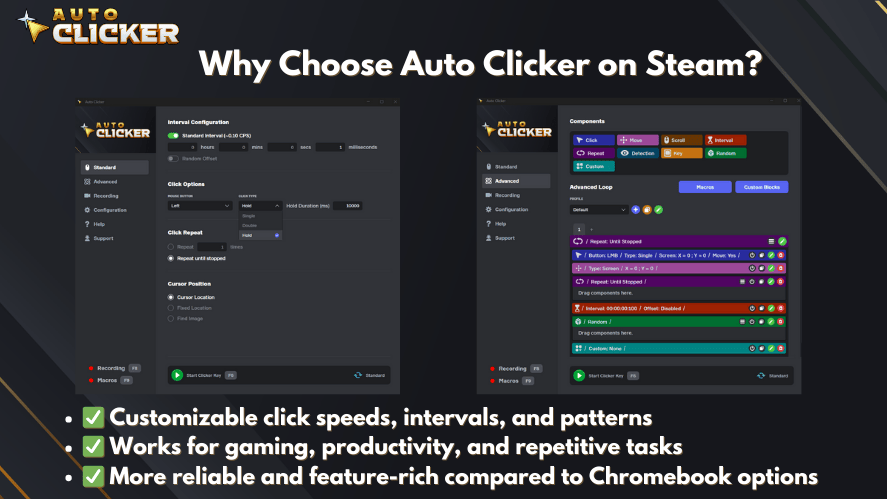
- Auto Clicker on Steam – One of the best autoclickers with premium features for gamers and professionals.
Feature Comparison: Free vs Paid Auto Clickers
| Feature | Free Auto Clickers | Paid Auto Clickers |
|---|---|---|
| Basic Click Automation | ✅ Yes | ✅ Yes |
| Adjustable Click Speed | ✅ Usually | ✅ Yes |
| Advanced Automation | ⚠️ Varies by app | ✅ More commonly available |
| Multi-Step Automation | ⚠️ Limited or varies | ✅ More advanced |
| Randomized Intervals | ⚠️ Available in some apps | ✅ Commonly available |
| Security | ⚠️ Depends on download source | ✅ Depends on download source |
| Updates & Support | ⚠️ Varies by developer | ✅ Usually stronger |
Free does not always mean limited or unsafe. For example, AutoClicker Enhanced is an official Playsaurus Android release distributed through Google Play. Paid versions generally become more useful when you need advanced automation capabilities rather than only basic repetitive actions.
Who Should Choose Free vs Paid Auto Clickers?
Go Free If:
- You mainly need straightforward repetitive automation.
- You want to try an autoclicker before paying for additional features.
- You use Android and the features available in Auto Clicker Enhanced meet your needs.
- You prefer an official free option from a verified source.
Go Paid If:
- You need more advanced automation capabilities.
- You want additional controls and features beyond basic automation.
- You use Android and need the additional capabilities offered by Auto Clicker Premium.
- You regularly use automation for more complex gaming, testing, or productivity tasks.
How to Choose the Best Top Auto Clicker in 2026
Mobile users can also read our Auto Clicker for Phone guide to learn how phone-based autoclickers work and whether they are worth using. Some users only need simple click automation for casual tasks, while others need advanced settings for gaming, testing, or productivity.
First, check if the autoclicker is easy to use. A good tool should have simple controls, clear settings, and hotkey support. This makes it easier to start and stop clicking without confusion.
Next, look at the available features. Basic users may only need adjustable click speed and repeat settings. However, advanced users may want macro support, random click intervals, multi-click options, and saved profiles.
Security is also important. Always download autoclickers from trusted sources, official websites, or reliable platforms. In addition, avoid unknown download pages that show too many ads or ask for unnecessary permissions.
Finally, consider updates and support. A regularly updated autoclicker is usually more reliable because it can work better with newer systems and fix bugs over time.
Common Mistakes to Avoid When Using an Auto Clicker
Autoclickers can save time, but using them the wrong way can cause problems. Therefore, it is important to avoid common mistakes before running any click automation tool.
One common mistake is downloading from unsafe websites. Some free autoclicker downloads may include ads, unwanted software, or malware. Because of this, users should always choose trusted sources and scan files before installing them.
Another mistake is setting the click speed too high. While fast clicking may seem better, it can cause errors, crashes, or unwanted actions. Instead, start with a slower setting and adjust it based on your task.
Users should also avoid ignoring game or platform rules. Some games allow autoclickers for casual use, while others may restrict automation. As a result, checking the rules first can help prevent account issues.
Finally, do not use an autoclicker without testing it. Before using it on an important task, test the settings in a safe area. This helps you avoid accidental clicks, wrong inputs, or repeated actions you did not intend.
Top Auto Clicker Recommendations (Free & Paid)
Best Free Auto Clickers
- Auto Clicker Enhanced by Playsaurus – An official free Android option for users who need straightforward automation on supported phones and tablets.
- OP Auto Clicker – A simple autoclicker with customizable intervals and hotkeys.
- GS Auto Clicker – A popular free option known for straightforward controls.
- Free Mouse Clicker – A lightweight tool for basic clicking automation.
- E Auto Clicker – A simple tool for repetitive clicking tasks.
- Fast Mouse Clicker – Designed for users who need high-speed repeated clicks.
Best Paid Auto Clickers
- Auto Clicker Premium by Playsaurus – A paid Android option for users who need more advanced mobile automation.
- Auto Clicker on Steam – A powerful desktop automation tool for gamers and professionals.
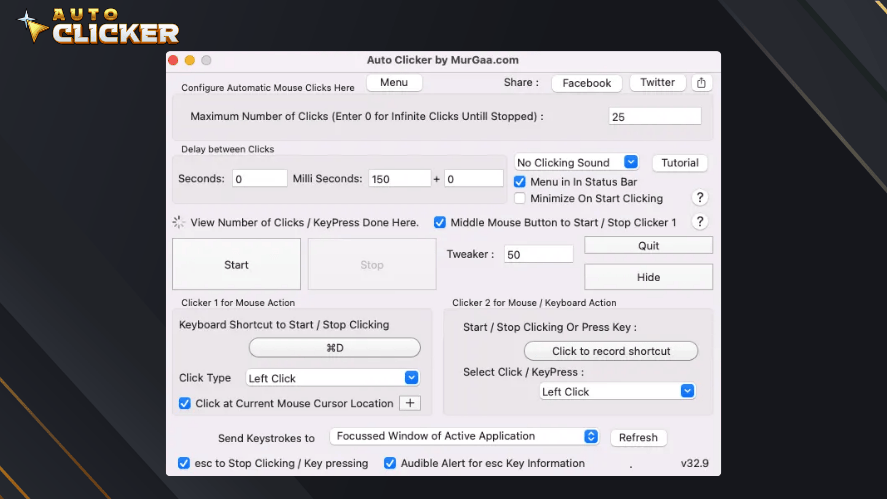
- MurGaa Auto Clicker – An option for Mac users who need click automation.
How to Download an Auto Clicker
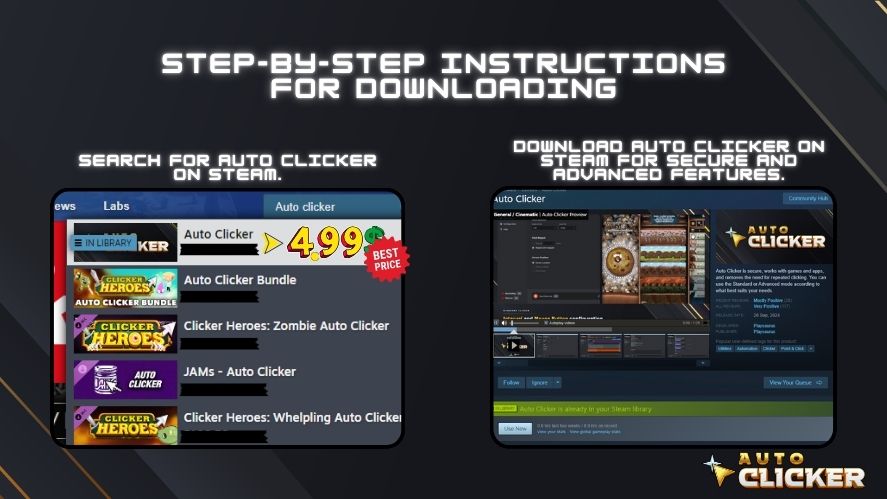
In most cases, downloading an automation clicker is straightforward. However, safety should always come first. However, you should only download from trusted sources to avoid malware risks.
Steps to Download a Safe Auto Clicker:
- Download from the official developer website or a trusted platform such as Google Play, Steam, or Microsoft Store.
- Confirm that you are viewing the correct developer and product before installing.
- Avoid suspicious ads, unofficial APK files, and unknown download websites.
- Scan downloaded desktop installers with your security software when appropriate.
- Test your automation settings before using them for an important task.
For Android, users can visit the official Auto Clicker download page or use the official Google Play listings for Auto Clicker Enhanced and Auto Clicker Premium.
FAQs
The best Top Auto Clicker app depends on your needs. Free tools are good for basic clicking, while paid tools offer better features, updates, and support.
Some are safe, but only download from trusted sources. Also, scan files before installing to avoid malware or unwanted software.
Yes, if you need advanced settings, better security, and regular updates. However, free tools are enough for simple clicking tasks.
Yes, especially for idle or clicker games. However, always check the game rules because some online games do not allow automation.
Look for safe downloads, adjustable click speed, hotkeys, regular updates, and easy controls.
Conclusion
Choosing between a free and paid autoclicker in 2026 depends on your device, budget, and the level of automation you need.
For Android users, Auto Clicker Enhanced by Playsaurus provides an official free option for supported phones and tablets. Users who need additional automation capabilities can instead choose Auto Clicker Premium, the paid Android version available through Google Play.
Desktop users can continue considering options such as Auto Clicker on Steam, while other free tools may still work well for straightforward tasks.
Ultimately, the best choice is not simply free versus paid. Consider the features you need, your platform, the developer behind the software, and whether you are downloading it from an official source.

Auto Clicker Steam: The Ultimate Tool for Gamers and Productivity

Autoclicker for Cookie Clicker: Which One Works Best?

Automatic Clicking Made Easy with Auto Clicker on Steam
About The Author
