
Auto Clicker Safety: How to Use Auto Clickers Without Risk
Auto Clicker Safety is more important than ever in 2026 as automation tools continue to grow in popularity. Many users rely on auto clickers for gaming, work, and everyday tasks, but one question still comes up: are they safe to use?
This updated 2026 guide explains how auto clicker safety works, the risks to avoid, and the best practices to follow. While these tools can save time and effort, improper use can lead to account bans, malware risks, or system issues.
By the end of this guide, you’ll know how to use auto clickers safely and confidently without putting your device or accounts at risk.
What Is Auto Clicker Safety, and Why Does It Matter?
Understanding Auto Clicker Safety and Their Purpose
Auto clickers are software tools that simulate mouse clicks. They are designed to make repetitive tasks easier by clicking automatically for you. This eliminates the need to click manually, saving time and reducing physical strain.
For example, an automatic clicker can be used to click repeatedly in a game to collect resources, grind levels, or complete repetitive actions. They’re also helpful in productivity tasks like data entry, where repeated clicks are required.
Many tools, such as op auto clicker, offer advanced features like customizing click speed, interval settings, and patterns. However, auto clicker safety should be a priority, as improper use or downloading unverified tools can lead to risks.
Common Uses of Auto Clickers
Auto clickers are widely used for various purposes. Below are some examples:
- Gaming Automation Gamers often use auto clickers to farm resources, grind levels, or complete tedious tasks in their favorite games. Tools like op auto clicker are popular for speeding up repetitive gameplay.
- Workplace Productivity Auto clickers can help with tasks such as filling forms, submitting repeated actions in software, or managing repetitive workflows. They’re ideal for automating tasks that involve clicking the same buttons repeatedly.
- Software Testing Developers and testers use auto clickers to simulate user interactions during testing phases. This allows them to focus on analyzing performance instead of manually clicking.
- Accessibility For individuals with disabilities, tools like automated mouse click programs can simplify tasks by reducing the need for physical effort.
Auto clickers are easy to use, and tools like Auto Clicker on Steam have earned trust for their reliability and safety. However, using them without understanding the risks can lead to serious problems.
The Risks of Ignoring Auto Clicker Safety
Risk of Account Bans in Games or Apps
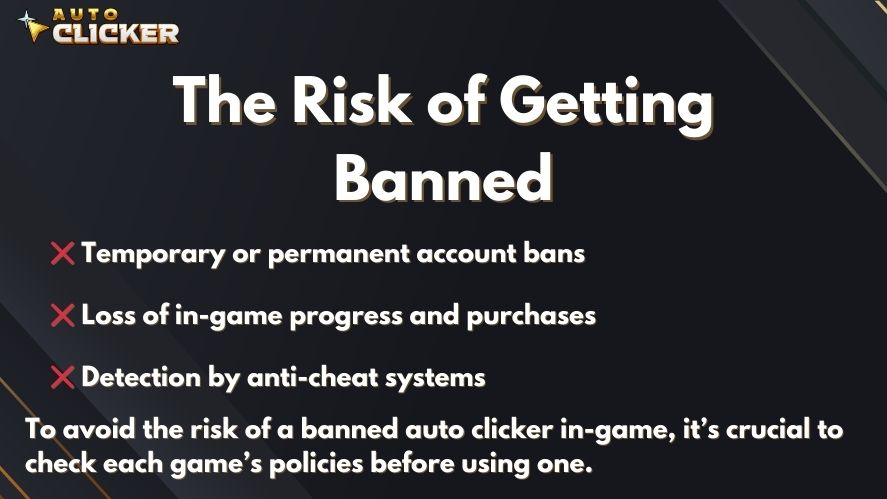
Many games and applications strictly prohibit automation tools. Using an auto clicker to gain an advantage in a game may violate their rules, resulting in account bans. Popular multiplayer games often have anti-cheat systems to detect tools like automated clickers, which could lead to losing access to your account.
| Risk | What Can Happen | How to Avoid It |
|---|---|---|
| Account Bans | Your game or app account may be suspended or permanently banned | Always check Terms of Service before using an auto clicker |
| Malware & Viruses | Harmful software can steal data or damage your system | Download only from trusted sources and scan files with antivirus |
| Poor Software Performance | System crashes, lag, or conflicts with other apps | Use verified and well-reviewed tools |
| Detection by Systems | Unnatural clicking patterns can trigger anti-cheat detection | Use realistic click intervals and avoid extreme speeds |
| Data Privacy Issues | Personal data may be tracked or leaked | Avoid unknown tools and check permissions before installing |
Before using an automatic clicker, always check the game or app’s Terms of Service to ensure it is allowed.
Malware and Security Dangers
Downloading an auto clicker from untrustworthy sources is risky. Some websites may offer free tools that are bundled with malware, spyware, or viruses. These malicious programs can steal your data, damage your system, or compromise your privacy.
For instance, searching for an auto clicker download on an unreliable website could result in installing harmful software. To avoid this, choose trusted options like Auto Clicker on Steam, which are verified for safety and free from malware.
Compatibility Problems with Poorly Made Tools
Not all auto clickers are created equal. Some tools are poorly coded and may cause your system to crash or interfere with other software. These issues can lead to frustration and even data loss. Choosing a reliable and tested tool like Auto Clicker on Steam ensures better compatibility and performance.
Overuse and Ethical Concerns
Using auto clickers excessively in gaming or work can create problems. In games, over-reliance on tools like E Auto Clicker may take the fun out of playing. In workplaces, using automation tools without proper disclosure could raise questions about ethics and fairness.
How to Prioritize Auto Clicker Safety
To avoid risks, you need to take the right steps while using auto clickers. Here’s how to stay safe:
Choose a Trusted Auto Clicker
Always choose a trusted tool, such as Auto Clicker on Steam. This tool is verified and trusted by the Steam community. Using a reputable product reduces the risk of malware and ensures a smooth experience.
Check the Rules Before Using Auto Clickers
Whether you’re playing a game or using an app, always check the Terms of Service first. Some platforms have strict rules against tools that automate actions. If auto clickers like GS Auto Clicker are prohibited, using them could lead to bans or penalties.
Use Antivirus Software to Scan Downloads
Before running an automatic clicker, scan the file with an antivirus tool to make sure it’s safe. This step is crucial for protecting your device from malware or spyware.
Configure Click Settings Responsibly
Set reasonable click intervals to avoid detection. For instance, configuring an automated click every few seconds is safer than setting it to click hundreds of times per second. This helps your usage mimic natural behavior and reduces the chance that security systems flag your activity.
Test the Auto Clicker Before Full Use

Before using the tool extensively, test it in a safe and controlled environment. This helps you ensure compatibility with your system and identify any potential problems.
Key Features That Make Auto Clicker on Steam Safe
Auto Clicker on Steam is one of the most reliable tools available. Here’s what makes it stand out:

Verified and Safe Software
This auto clicker is verified by Steam, which ensures that it’s free from malware and security risks. If you’re concerned about auto clicker safety, this is one of the best choices available.
Customizable and User-Friendly Settings
Auto Clicker on Steam allows users to customize click patterns, intervals, and triggers. This flexibility ensures the tool meets the needs of gamers, professionals, and anyone else who uses it.
Regular Updates and Active Support
The developers behind Auto Clicker on Steam provide regular updates to fix bugs and maintain compatibility with modern systems. These updates help users avoid crashes and other issues.
Community Support on Steam
Steam has a large and active community of auto clicker users. If you have questions about mouse click automation, you can find answers and tips from other users. This makes it easier to use the tool safely and effectively.
Tips to Use Auto Clickers Responsibly
Here are a few final tips for staying safe while using auto clickers:
- Limit Usage: Avoid overusing auto clickers, especially in competitive environments like gaming. Use them only when necessary.
- Monitor Performance: Keep an eye on how the tool performs. If it behaves strangely or causes system issues, stop using it immediately.
- Update Regularly: Always download the latest version of your auto clicker, such as Auto Clicker on Steam, to ensure you have access to updated security features.
- FAQ: Auto Clicker Safety
FAQ: Auto Clicker Safety
Yes, auto clickers are safe if you:
Download from trusted sources
Use them responsibly
Follow platform rules
Unsafe downloads and misuse are the real risks.
Yes, especially in games or apps that prohibit automation.
Always check the Terms of Service before using one.
The safest option is a verified tool like Auto Clicker on Steam, as its developers actively review and maintain it on a secure platform.
Yes, if downloaded from unknown websites.
Avoid random download links and always scan files before installing.
No, auto clickers are not illegal.
However, using them in ways that violate platform rules can result in penalties like bans.
Conclusion: Stay Safe While Using Auto Clickers
Auto Clicker Safety is crucial to avoid risks like malware, account bans, or system issues. By choosing trusted tools like Auto Clicker on Steam, scanning downloads, and using responsible settings, you can automate tasks safely and efficiently.
For more insights, check out Auto Clicker Feature: What to Look for in a Great App? to learn about key features to consider. If you’re looking for mobile options, Best Auto Clicker for Android and iOS in 2025 reviews the top tools for smartphones. Lastly, explore Auto Clicker Apps: How They Work and Why You Might Need One to understand their functionality and benefits.
Want a safer and smoother automation experience?
Start with a trusted solution and apply the tips in this guide to get the best results without risking your account or device.

Schedule Mouse Clicks with Auto Clicker on Steam

Using Auto Clicker for Non-Gaming Applications in 2026 (Updated Guide)

How to Automate Repetitive Tasks on Your Computer
About The Author
