
Auto Clickers Ranked for Gamers and Productivity Users
Auto clickers ranked among the most useful tools today are helping both gamers and professionals save time, reduce effort, and improve results. But why are so many people using them now?
An auto clicker is a simple tool that automates mouse clicks. Instead of clicking repeatedly, the software does it for you. Because of this, it has become popular in idle games, repetitive tasks, testing environments, and even office workflows.
At the same time, user needs are changing. Gamers often ask how fast can you click and try to achieve faster clicks in 1 second to stay competitive. Meanwhile, professionals rely on automated mouse click systems to speed up tasks like data entry and UI testing.
However, not every automatic clicker delivers the same results. Some tools are fast but unsafe. Others are safe but lack useful features. That is why this guide focuses on auto clickers ranked based on real factors like speed, safety, features, and ease of use.
As you read, you will also notice why Auto Clicker on Steam is becoming a strong choice for both beginners and advanced users.
What Makes a Great Auto Clicker

Before choosing a tool, it helps to understand what actually makes a good one. While many auto clickers look similar at first, the differences become clear once you start using them.
Speed and Click Accuracy
To begin with, speed is one of the main reasons people use an auto clicker. Many users want to test how fast can you click, but manual clicking has limits.
A good clicking tool should offer:
- High clicks per second without lag
- Stable performance over long periods
- Adjustable click interval for better control
- Accurate clicks that register every time
Because of this, users can reach faster clicks in 1 second while keeping the system stable. In games, this can improve performance. In productivity tasks, it reduces time spent on repetitive actions.
Even more important, consistency matters. A tool that clicks fast but misses inputs is not reliable.
Safety and Detection Avoidance
Next, safety is just as important as speed. Many users overlook this, especially when searching for an auto clicker download online.
A reliable automated clicker should include:
- Built-in auto clicker safety features
- Clean and verified installation files
- Low detection risk in supported environments
If you are learning how to download an auto clicker, always choose trusted sources. Unknown downloads can contain harmful files or cause system issues.
Also, in gaming, some tools can trigger detection systems. Because of this, it is important to use tools designed with safe usage in mind.
Features and Customization
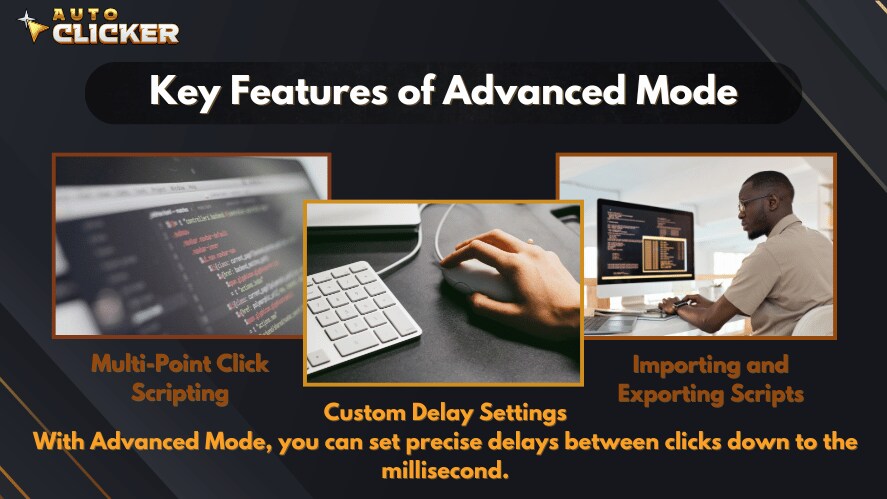
After that, features can make a big difference in how useful a tool is. While basic tools only perform simple clicks, advanced ones allow full control.
Look for features such as:
- Hotkeys for quick start and stop
- Flexible click interval settings
- Multiple click patterns
- Macro support for automated click sequences
With these options, users can create detailed automated mouse click setups. For example, instead of repeating one click, you can automate a full sequence of actions.
As a result, these tools are not just for gaming. They are also powerful for productivity and workflow automation.
Ease of Use and Compatibility
At the same time, ease of use should not be ignored. A tool can have great features but still be hard to use.
The best auto clicker for windows should provide:
- A clean and simple interface
- Quick installation process
- Support for auto clicker for windows 11
- Lightweight performance
Many users also look for a free auto clicker for windows to get started. This is helpful for beginners who want to test features before using advanced tools.
In short, a good auto clicker pc tool should work smoothly without requiring technical knowledge.
Auto Clickers Ranked Top 5 Tools Compared
Now that you know what to look for, let’s go through the main list of auto clickers ranked based on performance, safety, and usability.
| Tool Name | Best For | Key Feature | Ease of Use |
|---|---|---|---|
| Auto Clicker on Steam | All users | Advanced automation | Easy |
| OP Auto Clicker | Beginners | Simple setup | Very Easy |
| GS Auto Clicker | Quick tasks | One-key use | Easy |
| Fast Auto Clicker | Speed | High CPS | Medium |
| Macro Recorder | Advanced users | Scripting | Hard |
1. Auto Clicker on Steam Best Overall Auto Clicker
To start, Auto Clicker on Steam takes the top position. It offers a strong balance between power and simplicity.
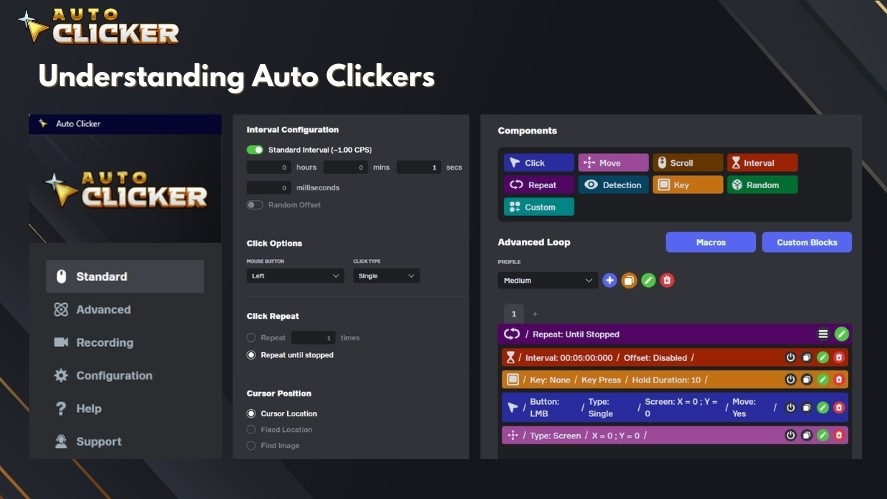
One major advantage is its integration with Steam. This means users can install and manage it through a trusted platform instead of relying on random auto clicker download sites.
Key features include:
- Advanced profile and macro support
- Adjustable click interval for precise control
- Clean and modern interface
- Regular updates and improvements
- Strong focus on auto clicker safety
Because of these features, it works well for both gaming and productivity. Gamers benefit from stable performance, while professionals can automate complex workflows.
Another reason it stands out is reliability. Unlike many tools, it is actively maintained. This reduces bugs and improves long-term use.
2. OP Auto Clicker Best for Simplicity
Next, OP Auto Clicker is one of the most popular tools for beginners.
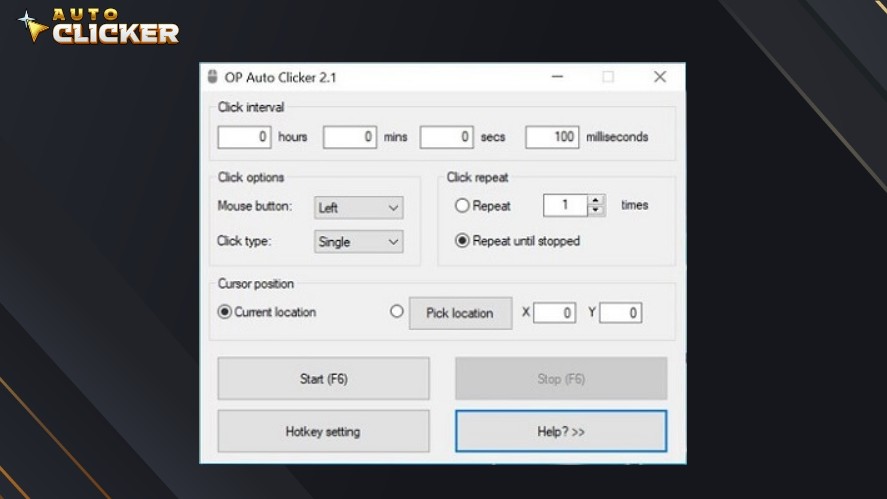
It is known for being a free auto clicker for windows that is easy to set up and use. Even first-time users can start within minutes.
Main advantages include:
- Simple and clean interface
- Lightweight and fast
- Easy click interval adjustments
However, it does have limitations. It lacks advanced features like scripting or detailed automation. Because of this, it is best suited for basic tasks rather than complex mouse click automation.
Still, for users who just need a simple automatic clicker, it remains a strong choice.
3. GS Auto Clicker Best for Quick Setup
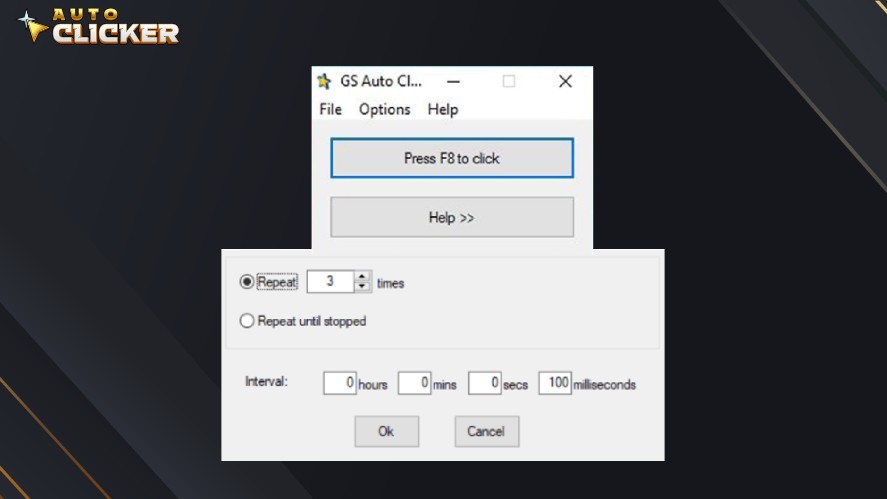
GS Auto Clicker is another widely used auto clicker for windows. It is especially useful for users who want something quick and simple.
Its main strengths are:
- Fast installation
- One-key activation
- Reliable basic clicking
Because of its simplicity, it is a good option for users who do not want to deal with settings or customization.
However, it is less flexible compared to other tools. It does not support advanced automated clicker setups or detailed workflows.
So while it works well for basic needs, it may not be enough for more demanding users.
4. Free Mouse Clicker Best for Simple High Speed Clicking
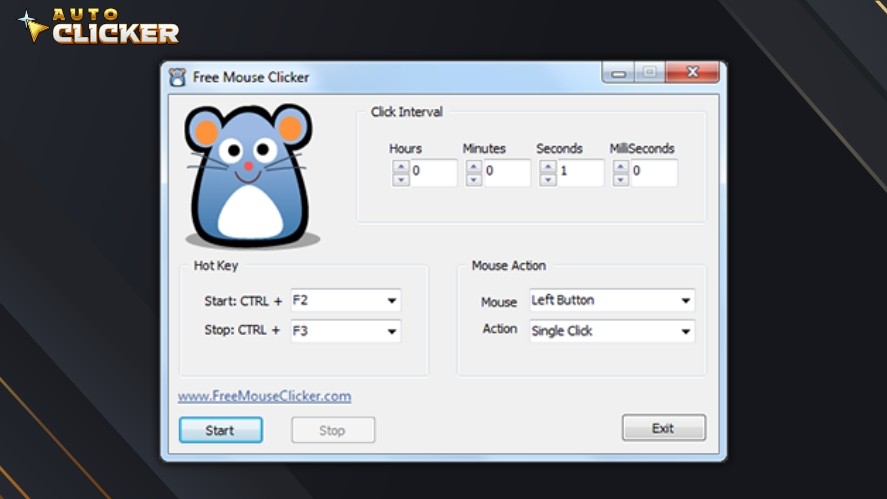
For users who want fast and straightforward automation, Free Mouse Clicker is a practical option.
It is commonly used for basic tasks and idle games where repeated clicking is needed. Many users also try it when testing how fast can you click or aiming for faster clicks in 1 second.
Key benefits include:
- Consistent clicks at user-defined speed
- Adjustable click interval for better control
- Lightweight and easy to run on most systems
Because of its simple design, it is easy to set up and use right away. You can choose where to click and how often, without dealing with complex settings.
However, it is important to understand its limits. It does not offer advanced features or strong auto clicker safety tools. It also does not include anti-detection features.
For that reason, it is best used for basic automation tasks rather than competitive or sensitive environments.
5. E Auto Clicker Best for Basic Automation on Windows
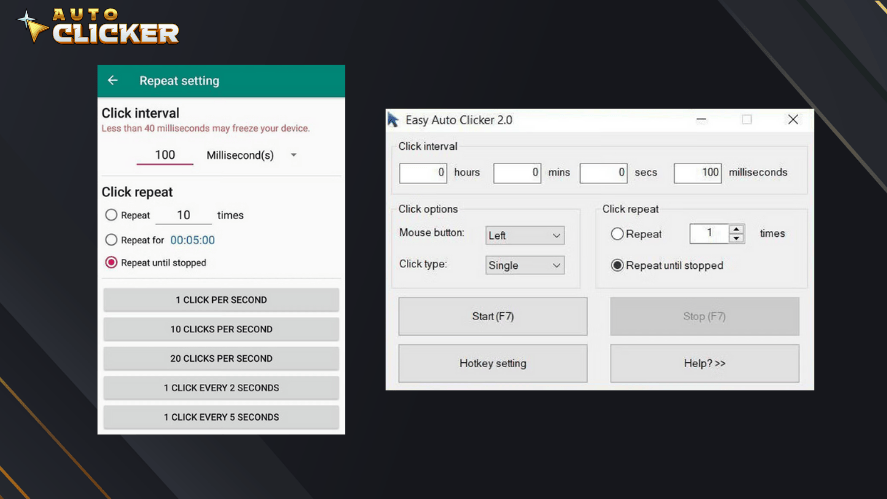
E Auto Clicker is another simple tool built for users who need reliable and repeatable clicking without extra complexity.
It focuses on delivering stable automated click performance for everyday use.
Key features include:
- Easy setup with a clean interface
- Adjustable click interval settings
- Support for continuous clicking
- Works well as an auto clicker for windows systems
Because of this, it is suitable for tasks like repetitive clicking, simple testing, or routine automation. It fits well for users who want a basic automatic clicker without learning advanced tools.
At the same time, it has some limitations. It does not support scripting or advanced mouse click automation workflows. It is also not designed for complex automation needs.
So while it is reliable for simple use cases, more advanced users may need a more feature-rich automated clicker.
Why Auto Clicker on Steam Stands Out
Among all auto clickers ranked in this guide, Auto Clicker on Steam stands out as the most balanced option.
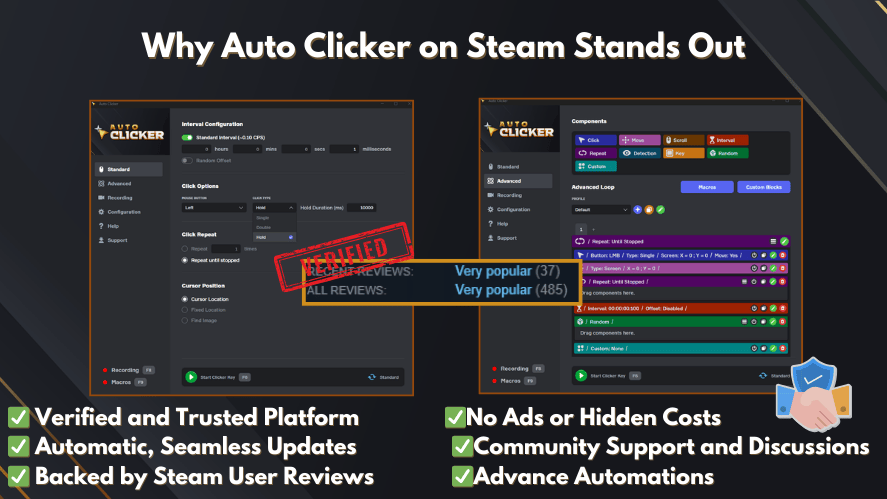
First, it is hosted on a trusted platform. This reduces the risks often linked to random auto clicker download sources. For users wondering how to download an auto clicker safely, this is a major advantage.
Next, it offers regular updates. Unlike many tools that are abandoned over time, this one continues to improve. As a result, users get better performance and fewer issues.
Another key point is balance. Some tools focus only on speed, while others focus only on features. This one does both well. You can adjust click interval settings, create automation profiles, and still maintain smooth performance.
Also, it is suitable for many use cases. Gamers can use it to improve efficiency in games, while professionals can rely on it for automated mouse click workflows.
Because of all these reasons, it remains a strong choice for both beginners and experienced users.
How to Choose the Right Auto Clicker for Your Needs
Choosing the right auto clicker pc depends on how you plan to use it. While all tools perform automated click actions, the best choice varies by user.
For Gaming
If your main focus is gaming, then performance and safety should come first.

Look for:
- High clicks per second
- Stable automated clicker behavior
- Low detection risk
- Consistent performance over time
Many gamers also try to reach faster clicks in 1 second. While speed is important, stability matters just as much. A tool that crashes or misses clicks will not help in the long run.
For Productivity
On the other hand, productivity users need different features.
Focus on:
- Reliable automated mouse click functions
- Workflow automation support
- Long session stability
- Easy customization
For example, tasks like data entry, testing, or repetitive navigation can be handled through mouse click automation. This saves time and reduces manual effort.
For Beginners vs Advanced Users
Your experience level also plays a role.
If you are a beginner:
- Choose a simple automatic clicker
- Look for clean design and easy controls
- Try tools like OP Auto Clicker
If you are more advanced:
- Look for scripting and macro features
- Choose tools that support automated clicker customization
- Consider options like Macro Recorder or Steam-based tools
By matching the tool to your skill level, you can get better results without frustration.
Common Mistakes When Using Auto Clickers
Even the best auto clickers ranked can cause problems if used the wrong way. Many users make simple mistakes that affect performance or safety.
Here are some common ones to avoid:
Using Extremely High Speed Without Control
It may be tempting to push limits and test how fast can you click. However, extremely high speeds can cause issues.
For example:
- Some systems may lag
- Clicks may not register properly
- Applications may behave unpredictably
Instead, adjust the click interval carefully for stable performance.
Ignoring Auto Clicker Safety
Another common mistake is ignoring auto clicker safety. Many users download tools without checking the source.
This can lead to:
- Malware or unwanted programs
- System slowdowns
- Security risks
Always choose trusted platforms when looking for an auto clicker download.
Using the Wrong Tool for the Task
Not every tool fits every situation. A fast tool may not be ideal for complex automation. At the same time, a complex tool may be unnecessary for simple tasks.
Because of this, it is important to match the tool to your needs.
Overusing Automation
While automation is helpful, overusing it can create problems. In some environments, excessive automated click use may cause errors or detection issues.
So it is best to use these tools responsibly and with purpose.
Frequently Asked Questions
The best auto clicker for windows depends on your use case. For most users, Auto Clicker on Steam offers strong performance and safety. For beginners, OP Auto Clicker is a simple option.
To learn how to download an auto clicker safely, always use trusted platforms like official websites or Steam. Avoid unknown sources to reduce security risks.
Yes, some games restrict automated click tools. That is why using tools with auto clicker safety features and avoiding competitive misuse is important.
Some tools can reach extremely high speeds, allowing faster clicks in 1 second than manual clicking. However, performance depends on system limits and settings.
Conclusion
In this guide on auto clickers ranked, we explored some of the most popular tools available today. Each one offers unique strengths, from simple setups to advanced automation features.
Tools like OP Auto Clicker and GS Auto Clicker are great for beginners. Fast Auto Clicker is ideal for speed-focused users. Macro Recorder provides deep control for advanced workflows.
However, Auto Clicker on Steam stands out as the most balanced option. It combines speed, safety, and flexibility in one place. Because of this, it works well for both gaming and productivity.
In the end, the right auto clicker depends on your goals. Whether you want faster clicks in 1 second or better workflow automation, there is a tool that fits your needs.
If you are looking for a reliable and safe solution, Auto Clicker on Steam is a great place to start. Choose the tool that fits your needs and start automating smarter today.

Best Auto Clicker for Android and iOS in 2026

Best Auto Clicker Settings to Maximize Efficiency

Auto Clickers Compared: Best Free and Paid Tools in 2026 (Updated & Ranked)
About The Author
