
Top-Rated Auto Clicker Apps in 2026
Auto clickers are software tools designed to simulate mouse clicks automatically. They allow users to perform repetitive clicking actions without manual input.
Due to this flexibility, auto clickers are widely used across various scenarios: gaming, software testing, data entry, and productivity automation.
Across all these use cases, the real power of an auto clicker comes from customizable click intervals. It allows users to control how fast clicks happen, from human-like pacing to extremely rapid sequences.
The goal of this article is to help you understand what separates average tools from top-rated auto clickers. It also guides you toward the most reliable options based on features, safety, performance, and real-world usability.
For a broader comparison across gaming and productivity use cases, see our Auto Clickers Ranked guide.
What Makes an Auto Clicker “Top-Rated”?
Not all auto clickers are created equal. A top-rated auto clicker stands out by balancing power, safety, and ease of use rather than just raw clicking speed.
Key Criteria for Rating Top-Rated Auto Clickers
Auto clickers are typically rated on several core factors, including:
- Customization Features: A good auto clicker lets users adjust click speed, repeat count, click type, and target location. This makes it easier to handle different tasks.
- User Interface: A simple and clean interface speeds up setup and reduces mistakes. This is important for users who start and stop automation often.
- Performance Under Load: Reliable auto clickers run smoothly during long sessions. They should not freeze, lag, or miss clicks, even when other apps are open.
- Resource Usage: Lightweight tools use less CPU and memory. This helps keep the system fast during extended use.
- Security (No Malware/Adware): Trusted auto clickers come from reliable sources. They avoid intrusive ads, hidden processes, and unsafe downloads.
Community Ratings and Reviews
User feedback plays a major role in identifying the best auto clicker software.
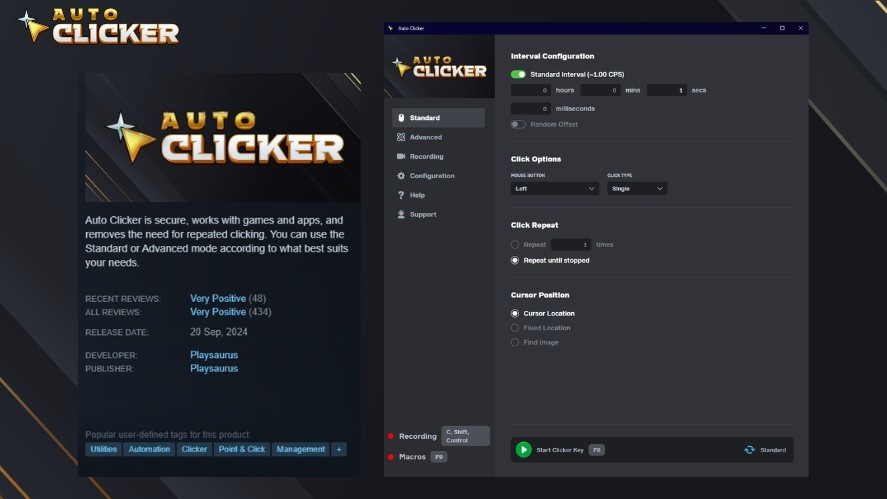
Reviews from platforms like Steam, GitHub, Reddit, and productivity blogs often highlight long-term reliability, ease of setup, and trustworthiness.
Top-rated auto clickers are known for stable performance, clear behavior, and frequent updates. On the other hand, poorly rated tools often suffer from bugs, outdated design, or security risks.
Role of Custom Intervals in Automation
Custom click intervals are what separate basic auto clickers from advanced automation tools.
Being able to control timing down to milliseconds allows users to fine-tune behavior for specific tasks and measure how fast can you click accurately.
In gaming, precise intervals can optimize idle mechanics or grinding efficiency. In software testing, consistent timing ensures repeatable results when triggering UI actions.
Even in productivity workflows, proper interval control helps prevent system overloads or accidental misclicks.
When milliseconds matter, interval customization becomes the defining feature of a truly top-rated auto clicker.
Understanding Customizable Click Intervals
Click interval control is what separates basic auto clickers from truly powerful automation tools. Let’s learn the differences between each click interval mode and the use cases.
Fixed vs. Dynamic Click Intervals
Fixed intervals trigger clicks at a constant, predictable rate, such as every 100 or 500 milliseconds. This approach is ideal for tasks that require consistency, like software testing or controlled data entry.
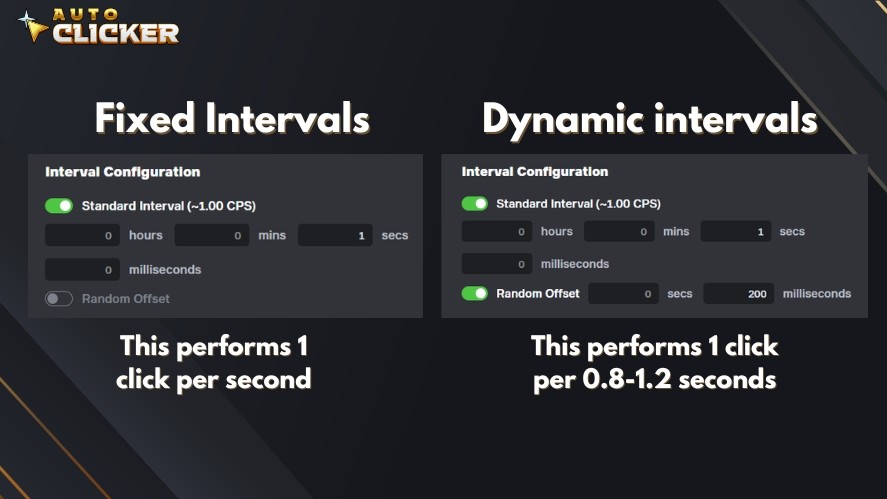
Dynamic intervals, on the other hand, introduce variation between clicks. By randomizing or adjusting timing within a defined range, these intervals better simulate human interaction.
This is especially useful in gaming scenarios or environments with anti-bot detection, where perfectly uniform clicks can appear unnatural.
Use Cases That Require Interval Control
Here are the use cases that require interval control:
- Time-sensitive Game Mechanics: Accurate intervals improve efficiency in idle games, MMOs, and clicker-based systems where timing impacts rewards.
- Software Test Automation: Controlled delays allow UI elements to load properly, reducing false test failures.
- Preventing System Overloads: Slower or adaptive intervals lower CPU strain and help avoid freezes during long sessions.
- Workflow Automation in Productivity Apps: Tuned intervals keep automation smooth in design, editing, and office tools by matching software response times.
In these cases, proper interval control improves reliability, performance, and overall results.
Top-Rated Auto Clicker Tools in 2026
Several auto clicker tools stand out in 2026 for stability, safety, and ease of use. Below are the most trusted options, broken down by features, strengths, and ideal users.
1. Auto Clicker on Steam (Flagship Tool)
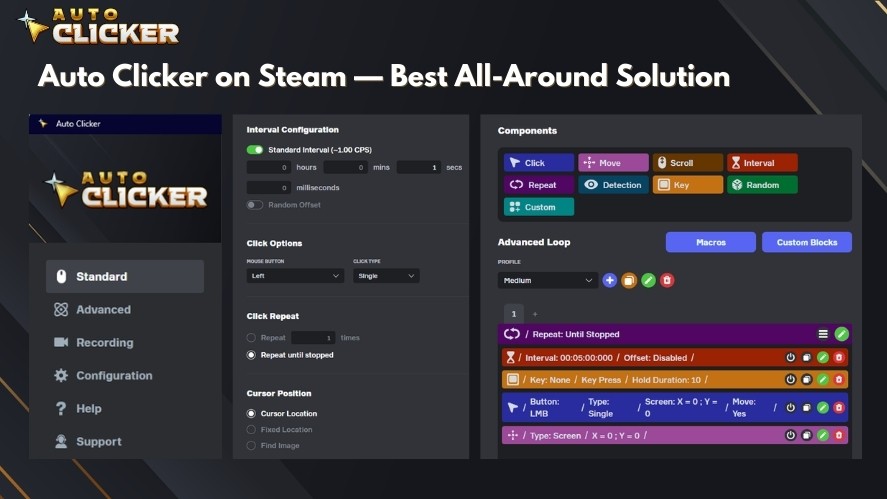
Auto Clicker on Steam is one of the highest-rated tools in its category. It is widely trusted thanks to its stable performance and active user base.
Key Features:
- Flexible click interval customization
- Hotkey binding for quick start and stop
- Loop and repeat settings for long sessions
Ideal Use Cases:
- Idle and incremental games
- MMO grinding tasks
- Repetitive desktop actions that require stability over time
Steam users often praise its reliability and simple setup. In addition, many reviews highlight consistent behavior during long sessions.
2. OP Auto Clicker
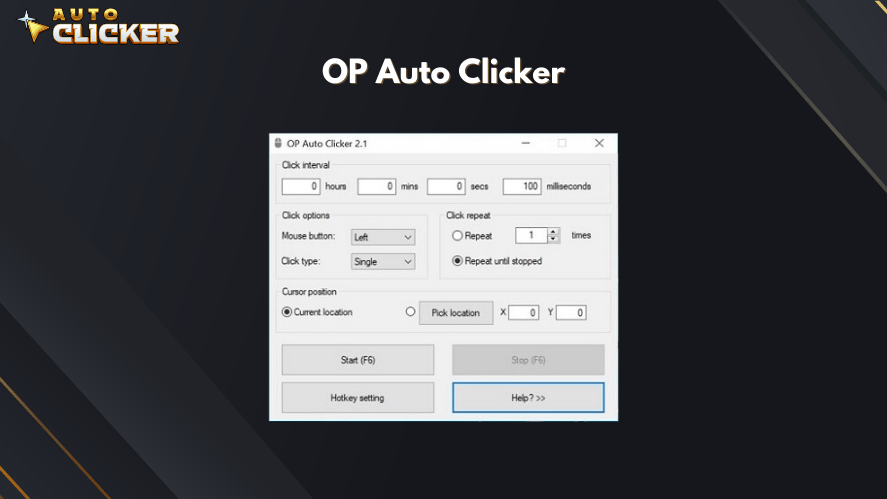
OP Auto Clicker is well known for its precise timing controls and lightweight design.
Key Features:
- Custom click intervals with millisecond-level accuracy
- Simple, no-frills interface
- Easy setup for beginners
While easy to use, it offers fewer advanced automation options compared to macro-based tools.
3. GS Auto Clicker
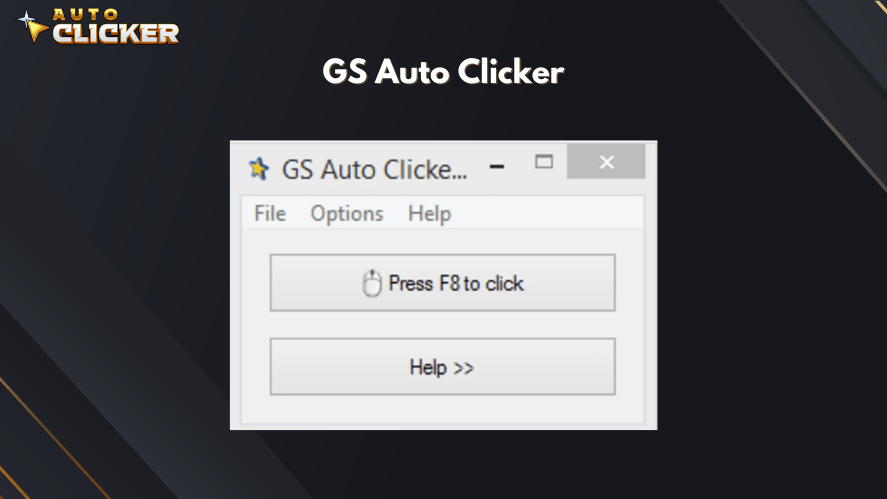
GS Auto Clicker remains a popular entry-level option for users new to automation.
Key Features:
- Beginner-friendly interface
- Stable and reliable for basic clicking tasks
- Minimal configuration required
Its interval range and customization options are more limited, making it less suitable for advanced workflows.
4. Free Auto Clicker by SourceForge
AutoClicker by SourceForge appeals to users who value transparency and efficiency.
Key Features:
- Lightweight and fast
- No ads or bundled software
- Suitable for simple scripting workflows
While the tool is flexible, it has a less intuitive interface and requires more manual setup compared to commercial tools.
5. AutoHotKey + Custom Scripts (For Developers)
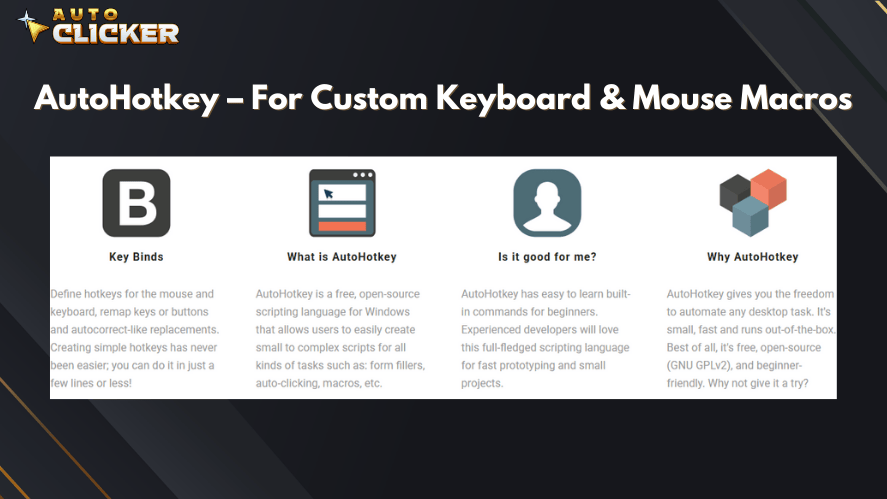
For technically skilled users, AutoHotKey offers unmatched control.
Key Features:
- Full control over logic, timing, loops, and conditions
- Can automate far more than mouse clicks
- Ideal for custom workflows and testing environments
Although AutoHotkey is strong for deep automation, it requires scripting knowledge and setup time, making it less accessible for casual users.
Why Auto Clicker on Steam Leads the Pack
Among dozens of automation tools available today, Auto Clicker on Steam stands out as a balanced solution that combines ease of use, reliability, and powerful customization.
Here are the reasons why Auto Clicker on Steam stands out as one of the best auto clicker tools.
Native Steam Integration
Being distributed directly through Steam gives Auto Clicker a clear trust advantage and simplifies how to download an auto clicker safely.
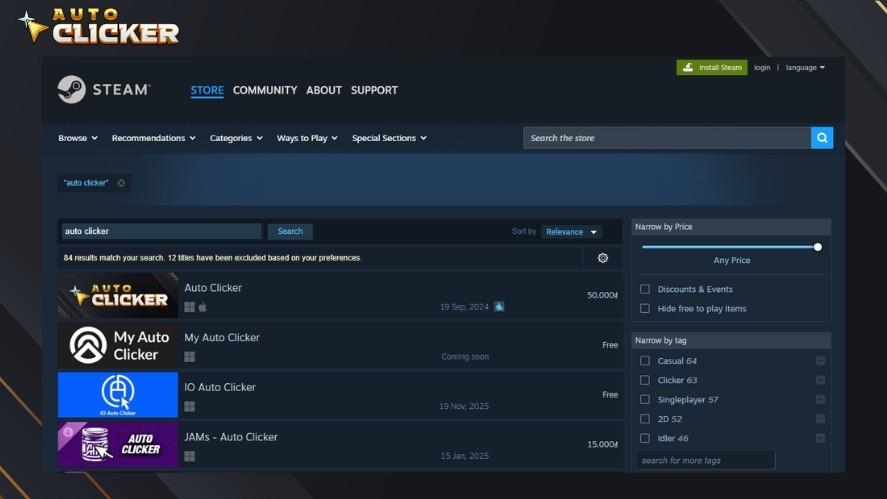
Installation is simple, updates happen automatically, and access is tied to a Steam account.
This setup also lowers the risk of malware or bundled adware that often comes with third-party downloads.
Powerful Click Interval Features
Auto Clicker on Steam gives users precise control over click timing. Intervals can be set down to the millisecond, with support for delayed starts and custom repeat settings.
This makes the tool suitable for both quick tasks and long automation sessions. With it, users get strong accuracy without needing complex scripts.
Lightweight and Lag-Free
Despite its feature set, the tool is highly optimized and runs quietly in the background.
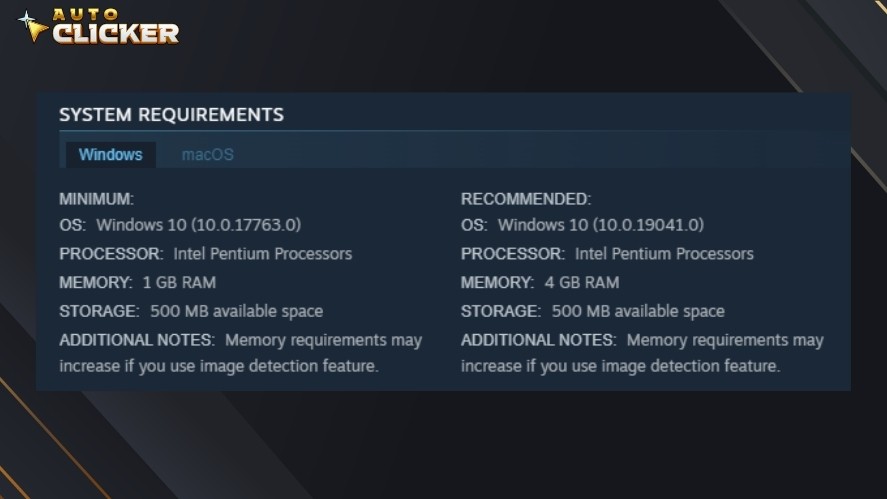
It uses very few system resources, so games, design tools, and productivity apps continue to run smoothly, even during long use.
Real User Testimonials
User feedback on Steam consistently highlights stability, simplicity, and reliability.
Many reviews praise how easy the tool is to set up compared to other auto clickers, with frequent mentions of smooth performance and dependable hotkey controls.
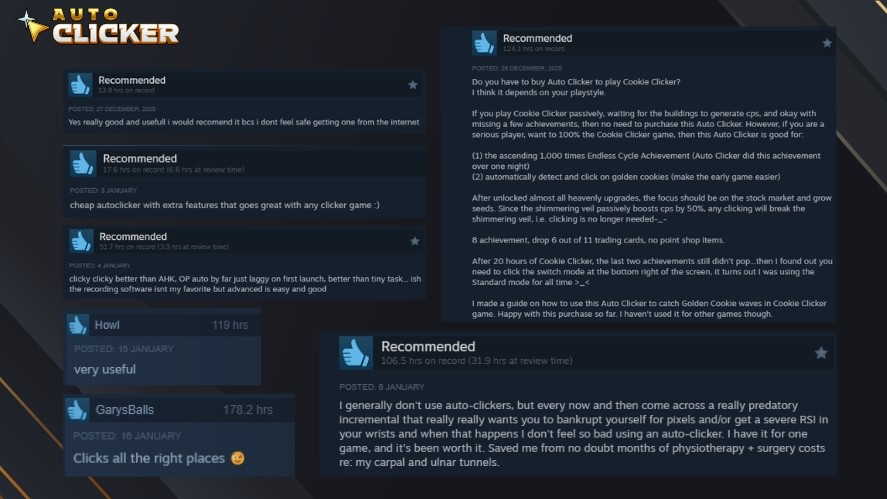
The high number of positive reviews and five-star ratings reinforces its reputation as a trusted auto clicker.
How to Choose the Right Auto Clicker
Not all auto clickers are built for the same purpose. So, choosing the right one depends on how you plan to use automated clicking in your daily workflow or gaming sessions.
Match Features to Your Use Case
Gamers should look for tools that support dynamic or randomized click intervals.
These settings help simulate human behavior, reduce detection risks, and adapt to time-sensitive mechanics in click-heavy games.
Office workers and productivity users benefit most from automatic clickers with a simple interface. Easy setup and clear controls make these tools practical for daily tasks.
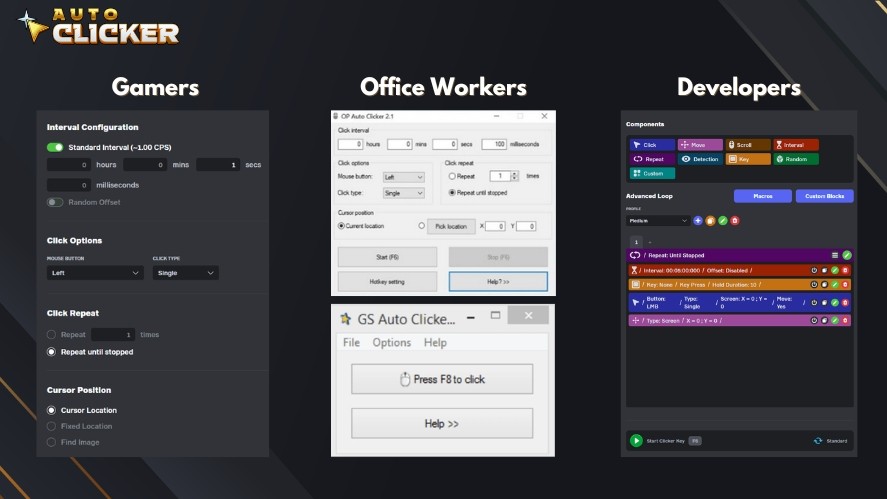
Basic features are often enough. On and off buttons, hotkeys, and simple interval settings work well for form filling, repetitive data entry, and routine software actions.
On the other hand, developers and power users often need deeper control. They often require scripting, conditional loops, and efficient resource usage.
These advanced features support complex automation and long test runs without slowing down the system.
Safety and Malware Concerns
One of the biggest risks with auto clicker safety software is unsafe downloads. Many free tools found on random websites may bundle adware, trackers, or even malicious code.
To stay safe, avoid unknown download sources, read user reviews, and verify whether the tool is actively maintained.
Steam-based auto clickers are generally more secure because they go through platform-level checks and use Steam’s update and distribution system.
This reduces the risk of hidden malware while ensuring the software stays up to date.
Bonus Tips for Using Top-Rated Auto Clickers Effectively
Using an auto clicker PC correctly can make a big difference in performance, safety, and long-term reliability.
A few smart adjustments can help you get better results without unnecessary risks.
Avoid Getting Banned in Games
Before using any automated clicker, always check the game’s terms of service.
Many online and competitive games strictly prohibit automation tools. So, using them can result in temporary or permanent bans.
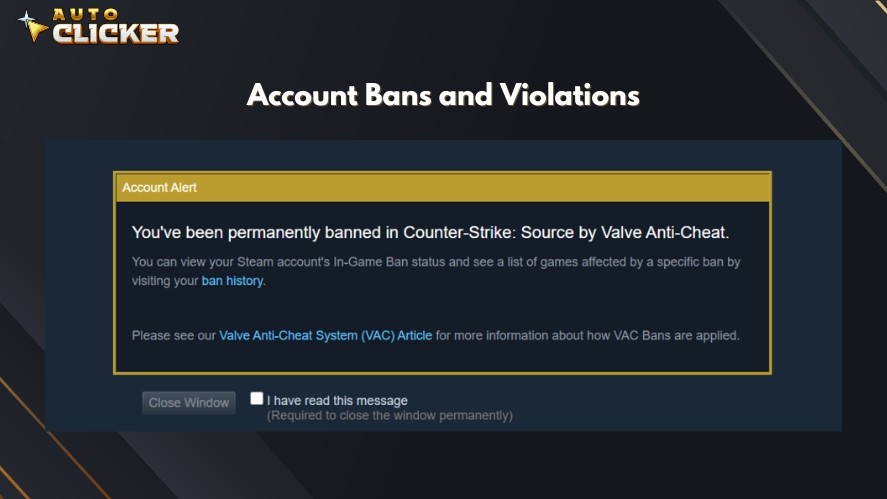
Auto clickers are safest in single-player games, idle clickers, or offline modes where automation does not affect other players.
When in doubt, use mouse click automation ethically and avoid competitive or ranked environments.
Reduce CPU Load with Smart Settings
Running extremely fast click intervals for long periods can put unnecessary strain on your system.
For long-term tasks, increase the click interval slightly to reduce CPU usage while still maintaining efficiency.
Limiting click frequency helps prevent system slowdowns, overheating, and software instability, especially when running automated mouse clicks in the background.
Combine With Other Automation Tools
Auto clickers become even more powerful when paired with other automation tools.
Combining them with AutoHotKey scripts, task schedulers, or macro software allows you to automate entire workflows, not just clicks.
These power combinations are ideal for advanced users who want full control over timing, logic, and multi-step automation across different applications.
Frequently Asked Questions
Auto Clicker on Steam is one of the safest options for Windows users looking for an auto clicker for Windows 11. Tools on Steam go through platform checks, receive regular updates, and are reviewed by real users. Open-source auto clickers can also be safe, but only when downloaded from official and trusted sources.
It depends on the game’s rules. Many online and competitive games do not allow automated clicks and may issue bans.
Several free tools offer adjustable click intervals. OP Auto Clicker and Auto Clicker on Steam are popular choices.
It works with most Windows games and applications. However, compatibility depends on how the game handles input and whether automation is allowed.
Yes, the risk is higher when downloading from unofficial websites. To stay safe, use trusted platforms like Steam or well-known open-source repositories only.
Conclusion
Auto clickers have grown beyond basic clicking tools. Today, they support gaming, productivity, testing, and workflow automation.
With features like customizable click intervals, hotkey controls, and loop settings, a top-rated auto clicker can save time, reduce repetitive strain, and improve overall efficiency.
Choosing the right tool comes down to reliability, ease of use, performance, and security.
Among the available options, Auto Clicker on Steam stands out as a strong all-around choice.
It offers precise interval control, a clean interface, and lightweight performance. Being part of Steam’s ecosystem also adds an extra layer of trust and safety.
If you want a free auto clicker for Windows and reliable tool that is easy to use, Auto Clicker on Steam is a solid option.

Auto Clicker for Accessibility and Assistive Technology
Click Intervals: Customize Timing with Auto Clicker

Top Auto Clicker Apps: Free vs Paid
About The Author
