
Auto Clickers for Chrome Everything You Need to Know
Auto Clickers for Chrome are becoming more popular as people look for faster ways to handle repetitive tasks online. Have you ever found yourself clicking the same button again and again while filling out forms or playing a browser game? If so, you already know how tiring and time-consuming it can be.
Over time, constant clicking can slow you down and even affect your focus. This is especially true for users who spend hours inside their browser, whether for work, testing, or gaming. Because of this, many people turn to tools like an automatic clicker to make things easier.
So, what exactly do these tools do? In simple terms, an auto clicker for chrome automates your mouse clicks inside the browser. Instead of clicking manually, the tool does it for you at a set interval. As a result, you save time and reduce effort.
In this guide, you will learn how these tools work, where they are useful, and what their limits are. You will also see when it makes sense to switch to a more powerful auto clicker software.
What Are Auto Clickers for Chrome
Simple Definition
Auto Clickers for Chrome are browser-based tools, usually extensions, that automate clicking actions inside Chrome tabs. Unlike a full auto clicker for pc, these tools only work within the browser.
In other words, they cannot control apps outside Chrome. Still, for many users, that is enough.
How They Work
Most auto clicker extension for chrome tools are very simple to use. First, you install the extension. Then, you select where you want the clicks to happen. After that, you set the speed or interval.
Once everything is set, the tool performs automated mouse clicks for you.
Because of this, tasks that normally take minutes can be done in seconds.
Common Use Cases
Now let’s look at where these tools are often used.
- Form filling Repeatedly clicking submit buttons or checkboxes becomes much easier
- Idle browser games Many games require constant clicking to progress. An autoclicker handles this automatically
- Web testing Developers use these tools to test buttons and user actions
- Simple automation tasks Clicking ads, refreshing pages, or triggering actions repeatedly
At this point, it is clear that a free auto clicker for chrome can be very helpful for basic needs.
Where They Fall Short
However, there is a catch. These tools are limited.
For example, they cannot replace a windows auto clicker or a full auto click for windows tool. They also lack advanced controls.
Because of this, many users eventually look for something more powerful.
Popular Auto Clicker Extensions for Chrome
There are many tools available today. Some are simple, while others try to offer more features. Below are a few commonly used options.
Auto Clicker Extension (Featured Tool)
The Auto Clicker Extension for Chrome stands out as one of the most practical and easy-to-use tools for browser automation. You can install it directly from the Chrome Web Store here:
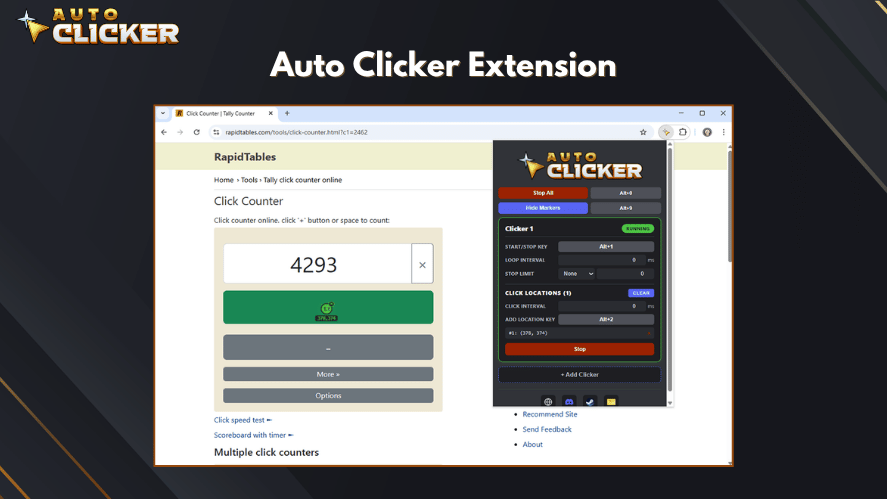
What makes this tool different is that it works like a built-in version of a full autoclicker, similar to what you might expect from an auto clicker for pc, but designed specifically for Chrome.
Key Features
- Built directly for Chrome with no extra setup
- Easy start and stop controls with hotkeys
- Adjustable click intervals for precise timing
- Ability to set click locations on the screen
- Clean interface that is beginner-friendly
Because of these features, it works well for both simple and slightly advanced tasks inside the browser.
Why It Stands Out
Unlike many basic tools, this auto clicker extension for chrome offers more control and flexibility. In fact, it feels closer to a lightweight version of a professional auto clicker.
It is especially useful if you:
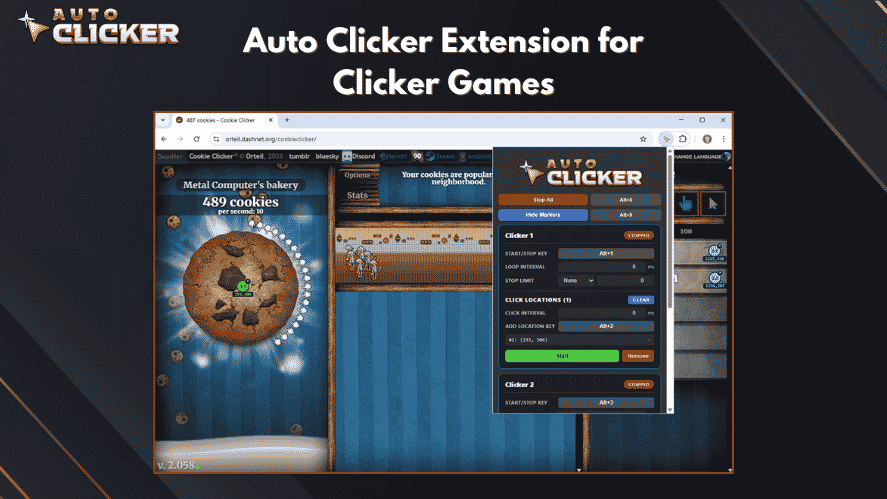
- Play browser-based idle or clicker games
- Need repeated clicks for web tasks
- Want a reliable automatic clicker without installing desktop software
Real Use Example
As shown in the image above, the tool allows you to:
- Set hotkeys like Alt+1 to start or stop
- Define exact click positions
- Run continuous clicks with zero delay
Because of this, it can handle tasks that most free auto clicker for chrome tools struggle with.
Important Note
While this extension is powerful, it is still limited to Chrome. So, if you need system-wide automation like an auto clicker windows 11 or auto click for pc, you may still want to consider a desktop solution.
GS Auto Clicker Extension
GS Auto Clicker is widely known as an auto clicker for pc, but similar versions or alternatives exist for Chrome.
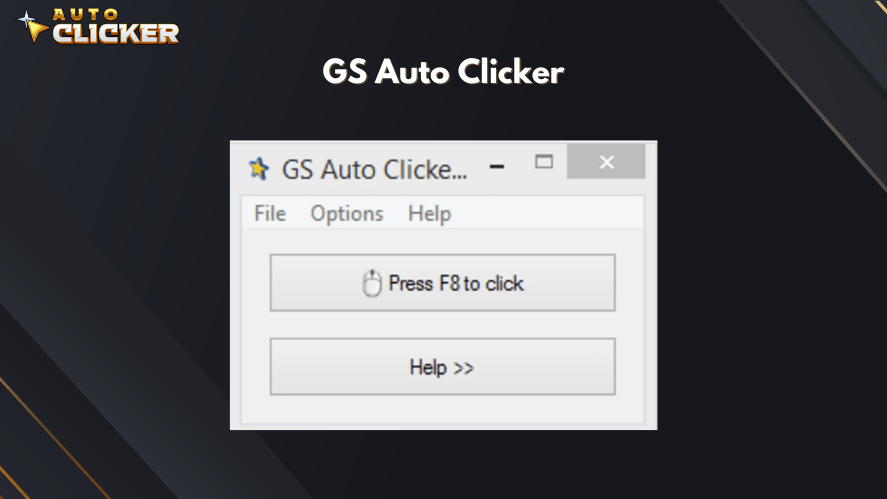
It is often used by beginners because it is easy to understand.
What it offers:
- Basic click automation
- Simple interface
- Quick setup
What to keep in mind:
- Limited browser integration
- Not ideal for advanced tasks
- Works better as a desktop mouse clicker
So while it is useful, it may not be the best auto clicker for pc if you need more control.
Auto Clicker Chrome Extension
This is one of the most direct solutions if you only want something inside your browser.
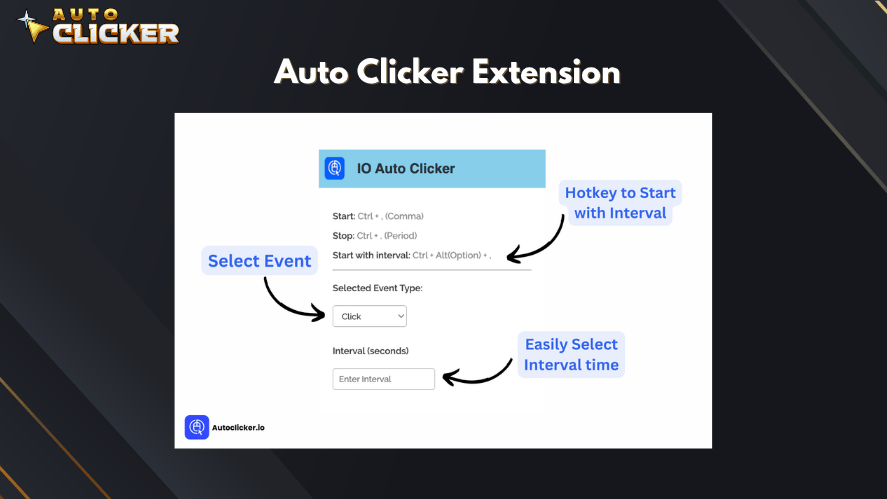
Features:
- Lightweight and fast
- Easy to install
- Works directly in Chrome tabs
Because of its simplicity, it is often considered one of the good auto clickers for casual users.
Limitations:
- Limited customization
- No advanced scripting
- Cannot handle complex workflows
So while it works well, it is not a professional auto clicker.
OP Auto Clicker
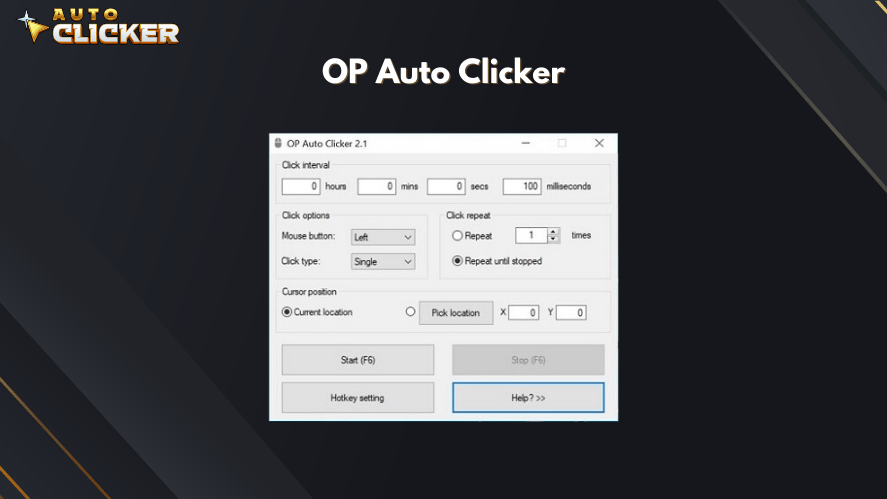
OP Auto Clicker is not a Chrome extension, but it is still worth mentioning. Many users run it alongside Chrome.
It is often listed among the best auto clicker software tools available.
Features:
- Adjustable click speed
- Works across applications
- Reliable performance
However, it does not directly interact with web elements inside Chrome. So, it works more like a general auto click software.
Auto Clicker Pro Extension
These extensions focus on quick tasks.
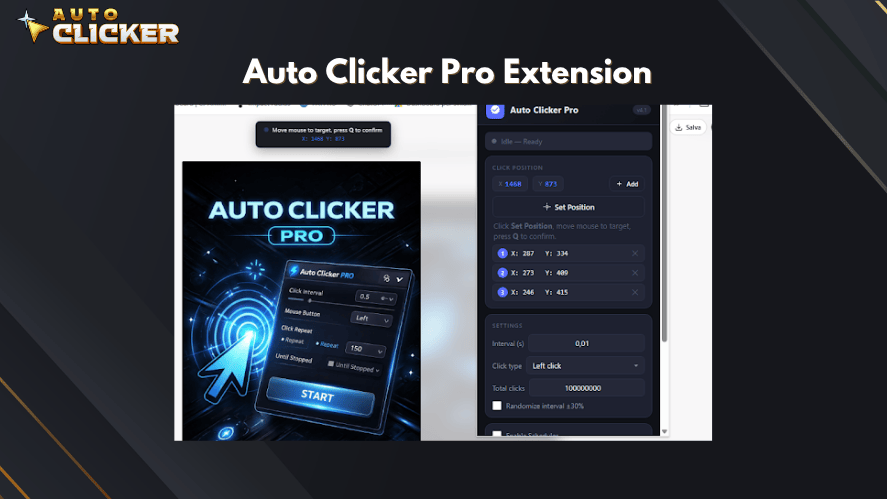
What they do well:
- Fast setup
- Simple controls
- Good for repetitive clicks
However, there are some downsides.
- Often limited to one tab
- Limited click patterns
- Permissions may raise security concerns
Because of this, users should be careful when they download auto clicker extensions from unknown sources.
Limitations of Chrome Auto Clickers
At first, Chrome tools seem perfect. However, after some use, their limits become clear.
Browser Only
The biggest issue is scope. A auto clicker for chrome os or Chrome extension cannot:
- Control desktop apps
- Work in games outside the browser
- Act as a full auto clicker windows 11 solution
So if you need more than browser automation, these tools will not be enough.
Limited Features
Most Chrome tools do not offer:
- Advanced timing controls
- Multi-step actions
- Smart automation
Because of this, they cannot compete with a best auto clicker for windows tool.
Performance Problems
As tasks become heavier, problems can appear.
For example:
- Tabs may slow down
- Chrome may crash
- Memory usage increases
This is especially true when using multiple extensions at once.
Security Risks
Another important point is safety.
Some extensions ask for permissions to:
- Read your browsing data
- Change website content
So before you download auto clicker tools, always check reviews and ratings.
Why Auto Clicker on Steam Is a Better Alternative
As useful as browser tools are, they are not always enough. So, what happens when you need more control, better performance, or system-wide automation? This is where a full autoclicker from a trusted platform like Steam becomes a better choice.
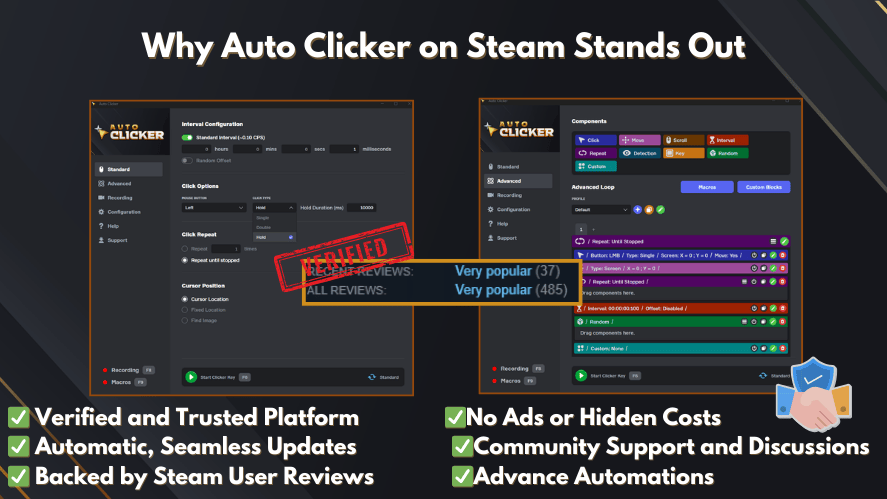
Unlike a Chrome extension, this type of tool works across your entire system. Because of that, it opens up many more possibilities.
Works Beyond Chrome Across All Applications
First of all, a Steam-based auto clicker for pc windows 11 is not limited to your browser.
It can work with:
- Desktop software
- Games
- Multiple windows at the same time
So instead of being stuck inside one tab, you can automate tasks anywhere. This makes it a true auto click for pc solution.
In comparison, even the best auto clicker for chrome cannot match this level of flexibility.
Advanced Customization and Control
Next, let’s talk about control.
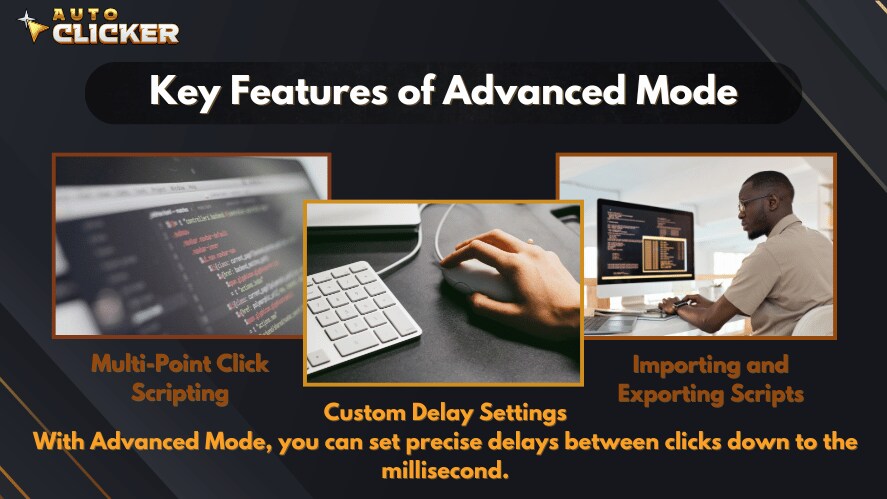
A full auto click software gives you many options, such as:
- Setting exact click intervals
- Creating multi-click patterns
- Using hotkeys to start and stop actions
- Targeting specific screen areas
Because of these features, it becomes easier to handle both simple and complex tasks.
This is why many users consider these tools among the best auto clickers available today.
Optimized for Gaming and Productivity
Now, think about long sessions. For example, idle games, MMO grinding, or repeated workflows.
A Chrome extension may struggle here. However, a full automatic clicker is built for this.
It can:
- Run for hours without slowing down
- Handle repeated actions smoothly
- Support gaming and work at the same time
Because of this, many users looking for the best auto clicker for pc or best auto clicker for windows choose system-wide tools instead.
Reliable Performance and Stability
Another key benefit is stability.
Unlike browser tools, a dedicated auto clicker software:
- Does not depend on Chrome
- Will not crash due to tabs
- Uses system resources more efficiently
So if you need something reliable, especially for long sessions, this makes a big difference.
This is also why many people prefer a trusted auto clicker download from platforms like Steam instead of random websites.
Safe and Trusted Platform
Finally, safety matters.
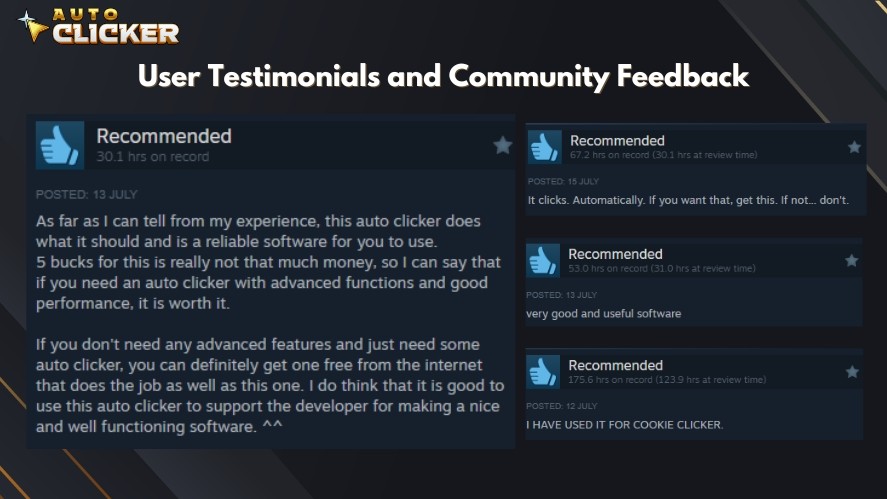
When you download auto clicker tools from unknown sources, there is always some risk. However, platforms like Steam provide:
- Verified software
- Regular updates
- User reviews and feedback
Because of this, users feel more confident using these tools compared to unknown extensions.
Chrome Extensions vs Steam Auto Clicker
Now that we have looked at both options, let’s compare them side by side.
| Feature | Chrome Auto Clicker | Steam Auto Clicker |
|---|---|---|
| Scope | Browser only | System-wide |
| Features | Basic | Advanced |
| Performance | Limited | Strong and stable |
| Flexibility | Low | High |
| Best For | Quick tasks | Gaming and productivity |
As you can see, both have their place. However, they serve different needs.
When Should You Use a Chrome Auto Clicker
Even with their limits, Chrome tools are still useful.
You should use a free auto clicker for chrome when:
- You only need simple automation
- Your work is inside a browser
- You want something quick and easy
- You do not need advanced features
For example, clicking through forms or running a simple autoclick task in a browser game.
In these cases, a Chrome extension is more than enough.
When to Upgrade to a Full Auto Clicker Tool
At some point, you may need more power. That is when upgrading makes sense.
You should consider a full auto clicker software if:
- You need automation across apps
- You run long sessions or heavy tasks
- You want better control and accuracy
- You need a true auto clicker windows 11 or auto clicker for windows 11 solution
Also, if you are searching for terms like:
- auto clicker windows
- auto clicker download
- best auto clicker software
Then you are likely ready for a more advanced tool.
FAQ: Auto Clickers for Chrome
Auto Clickers for Chrome are used to automate repetitive clicking tasks inside a browser. They are commonly used for form submissions, idle games, and basic web testing. As a result, they help save time and reduce manual effort.
A free auto clicker for chrome can be safe if you download it from trusted sources like the Chrome Web Store. However, you should always check reviews and permissions before installing any extension.
The best auto clicker for pc depends on your needs. For basic browser tasks, Chrome extensions work well. However, for advanced automation, many users prefer full auto clicker software with more features and control.
Yes, you can use an auto clicker for windows 11 to automate clicks across your system. Unlike browser tools, these programs work with desktop apps, games, and multiple windows.
A Chrome-based autoclicker works only inside browser tabs. In contrast, a desktop tool or windows auto clicker works across your entire system. Because of this, desktop tools offer more flexibility and better performance.
Conclusion
Auto Clickers for Chrome are a great starting point. They are simple, easy to use, and helpful for basic tasks inside your browser.
However, they do have clear limits. They cannot match the power, flexibility, and performance of a full auto clicker designed for system-wide use.
So, if your needs are simple, a Chrome extension can do the job. However, if you want better control, smoother performance, and the ability to automate across your entire system, then a full auto clicker for PC is the better choice.
For the best experience, try Auto Clicker on Steam. It gives you stronger control, smoother performance, customizable settings, and a more complete setup for repetitive clicking tasks. However, if you want to start with a limited version first, you can visit AutoClicker.com and test the basic tool before moving to the full experience.
In the end, it all comes down to what you need. Start simple if you want. Then, upgrade when you are ready.

Using Auto Clicker for Non-Gaming Applications in 2026 (Updated Guide)

Auto Clicker App: How Customizable Profiles Enhance Automation
Advanced Auto Clicker Settings You’re Not Using But Should
About The Author
