
Auto Clicker App for Games That Is Safe and Reliable
Have you ever felt tired of clicking over and over again just to make progress in a game? An auto clicker app for games can help solve that problem. It lets you automate clicks so you can focus more on enjoying the game instead of repeating the same action again and again.
In many modern games, especially grind-heavy ones, players often deal with long hours of repetitive tasks. Because of this, tools like an auto clicker for gaming have become more popular. However, not all tools are safe, and not all of them work the same way. So it is important to understand how they work and how to use them properly.
In this guide, you will learn what an auto clicker is, why safety matters, and what features to look for. You will also see how to use one without putting your account or system at risk.
What Is an Auto Clicker App for Games

An auto clicker app for games is a simple tool that clicks for you. Instead of pressing your mouse or tapping your screen, the app does it automatically based on the settings you choose.
At first, this might sound like a small feature. However, in games that require thousands of clicks, it can make a big difference.
Definition of Auto Clickers in Gaming
An auto clicker works by simulating mouse input. In other words, it acts like a real player clicking on the screen. Many players call it different names such as:
- auto clicker for gaming
- mouse auto clicker tool
- auto click mouse for gaming
While the terms may vary, they all do the same job. They help reduce manual effort.
Common Use Cases
Now let’s look at where auto clickers are most useful.
Idle and Incremental Games First, there are clicker games and idle clicker games. These games are built around constant clicking. Because of that, using an auto click tool can help you progress faster without wearing out your hand.
MMO Grinding Next, in large online games, players often repeat the same tasks. This is where game automation becomes helpful. For example, farming resources or leveling skills can take hours. An auto clicker can handle those actions while you focus on other things.
Repetitive Farming Tasks In addition, crafting and gathering materials are common tasks that require repeated clicks. With an auto click mouse for gaming, these actions become easier and more consistent.
Why Gamers Use Click Automation
There are several reasons why players turn to automation tools.
First, it saves time. Instead of spending hours clicking, the tool handles it for you. Second, it reduces physical strain. Constant clicking can cause discomfort in your hand or wrist. Finally, it improves consistency. An auto clicker performs actions at a steady rate, which can be useful in many games.
Because of these benefits, more players are exploring automation game tools to improve their experience.
Why Safety Matters When Using an Auto Clicker for Games
Even though auto clickers are helpful, they are not always safe. In fact, choosing the wrong tool can cause serious problems.
Risks of Unsafe Tools
To begin with, many free tools online are not trustworthy. Searching for how to get auto clicker may lead you to unsafe websites.
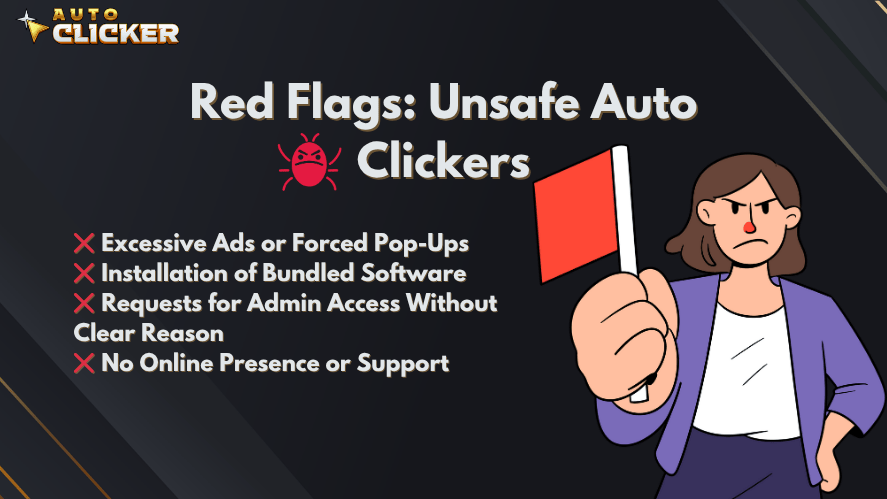
Here are the most common risks:
Malware and Spyware Some tools labeled as auto clicker for games free may contain harmful software. This can damage your system or steal your data.
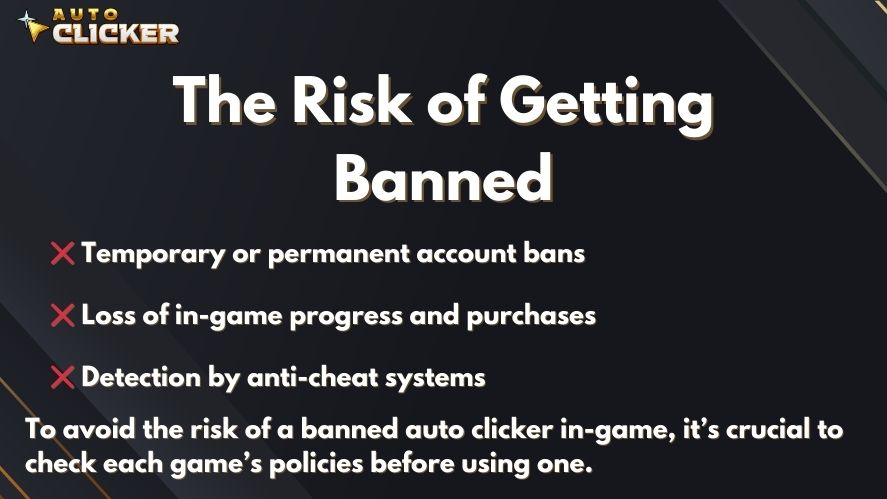
Account Bans In some games, using automation can break the rules. If detected, your account may be suspended or banned.
Hidden Background Activity Certain tools run processes that you cannot see. These may collect data or slow down your system.
Trusted vs Risky Software
So how do you tell the difference?
A safe auto clicker app for games usually has:
- Clear documentation
- Positive user reviews
- Regular updates
On the other hand, risky tools often:
- Come from unknown sources
- Lack user feedback
- Include extra unwanted software
Importance of Platform Trust
Because of these risks, where you download the tool matters a lot. For example, using Auto Clicker on Steam for gaming is often safer. Steam checks software before listing it, which reduces the chance of harmful files.
As a result, choosing a trusted platform can make a big difference in your overall safety.
Key Features of a Safe Auto Clicker App for Games
Not every auto clicker works the same way. Some are basic, while others offer advanced features. Because of this, knowing the right features to check is important

No Malware or Hidden Processes
First and most important, the tool should be clean. A trustworthy mouse auto clicker tool should install cleanly without bundling additional software
Also, it should not run hidden processes in the background. You should always know what the tool is doing.
Customizable Click Settings
Next, flexibility is key. A good auto clicker for gaming should let you adjust:
- Click speed
- Click location
- Hotkeys
This allows you to match the tool to your game. At the same time, it helps create more natural clicking patterns.
Low Detection Risk
Another important feature is how the tool behaves. If clicks are too fast or too perfect, they may look suspicious.
That is why some tools include options like:
- Randomized interval settings
- Variable click timing
These settings make the behavior feel more human.
Lightweight and Performance Friendly
In addition, the tool should not slow down your system. A well-designed auto click mouse for gaming uses very little CPU.
This means you can run it alongside your game without lag or crashes.
Regular Updates and Support
Finally, a good tool is updated often. Developers should fix bugs and improve compatibility with new games.
Active support is also a good sign. It shows that the tool is maintained and reliable.
You might still be wondering how to tell the difference between a safe and risky tool. Here is a quick comparison to make things clearer.
| Feature | Safe Auto Clicker | Risky Auto Clicker |
|---|---|---|
| Source | Steam or official site | Unknown websites |
| Security | No malware | Possible spyware |
| Updates | Regular updates | Rare or none |
| Performance | Lightweight | Can slow system |
This simple comparison makes it easier to choose a safe auto clicker app for games without risking your account or device.
Why Auto Clicker on Steam Is a Safe Choice
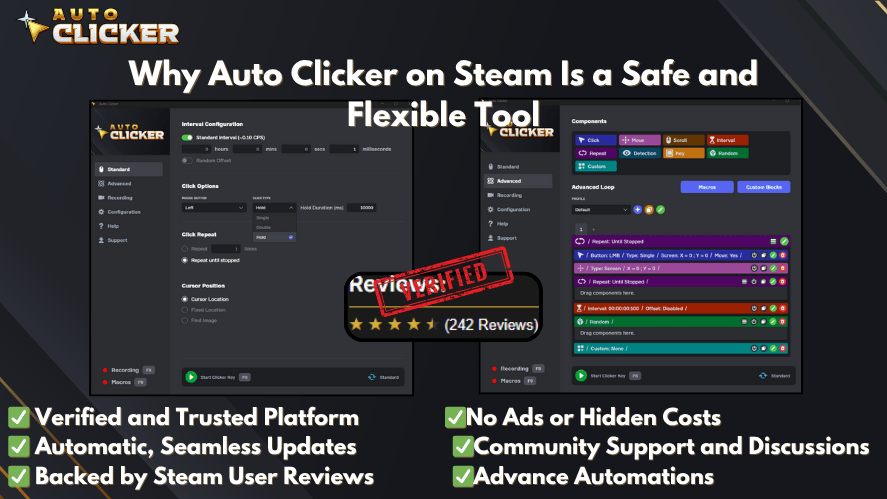
When it comes to choosing a reliable tool, platform matters. While many users search for auto clicker for games free, not all sources are safe. This is where Steam stands out.
Trusted Platform Distribution
Steam is known for its secure ecosystem. Every tool or software listed goes through a review process. Because of this, downloading an Auto Clicker on Steam for gaming lowers the risk of malware.
In addition, Steam provides automatic updates. So you do not need to search for new versions or patches on random websites.
Designed for Gamers
Another reason Steam tools are a good choice is that they are built with gamers in mind. Unlike generic tools, these are made for real gameplay scenarios.
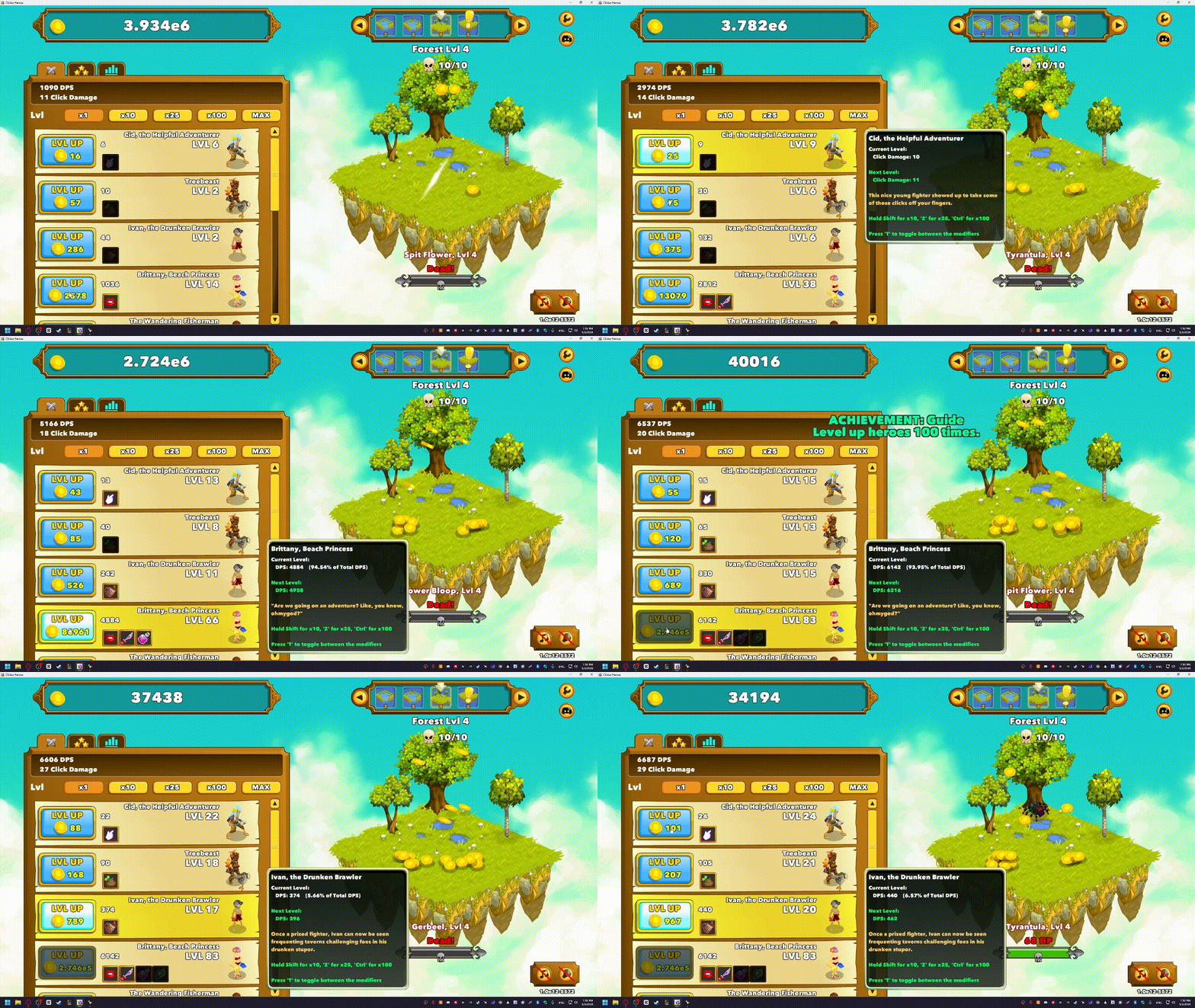
For example, many tools support common use cases like:
- Idle progression
- Resource farming
- Repetitive clicking tasks
Because of that, using an auto clicker app for games from Steam feels more natural and easier to set up.
Customization and Control
A good tool should give you control without making things complicated. Steam-based auto clickers often include simple interfaces that are easy to understand.
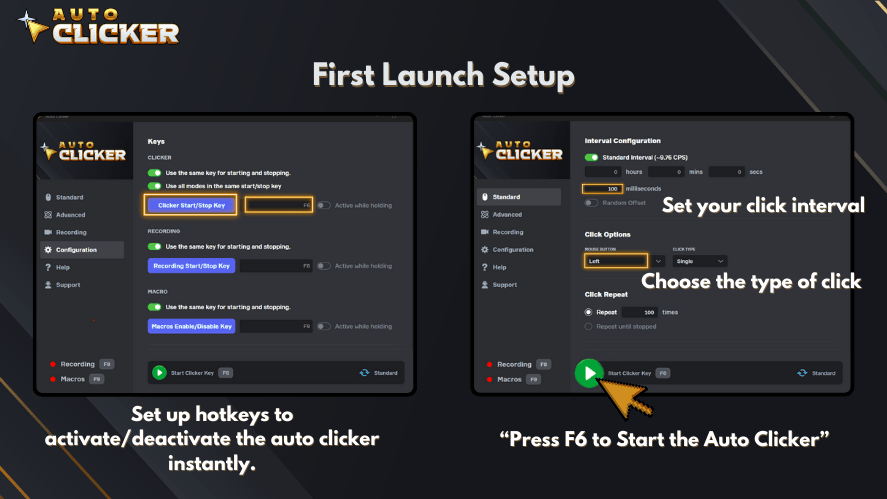
You can quickly adjust:
- Click intervals
- Key bindings
- Click positions
As a result, even beginners who are learning how to use auto clicker tools can get started without confusion.
Community Feedback and Transparency
One of the biggest advantages of Steam is its community. Before downloading, you can read reviews and check ratings.
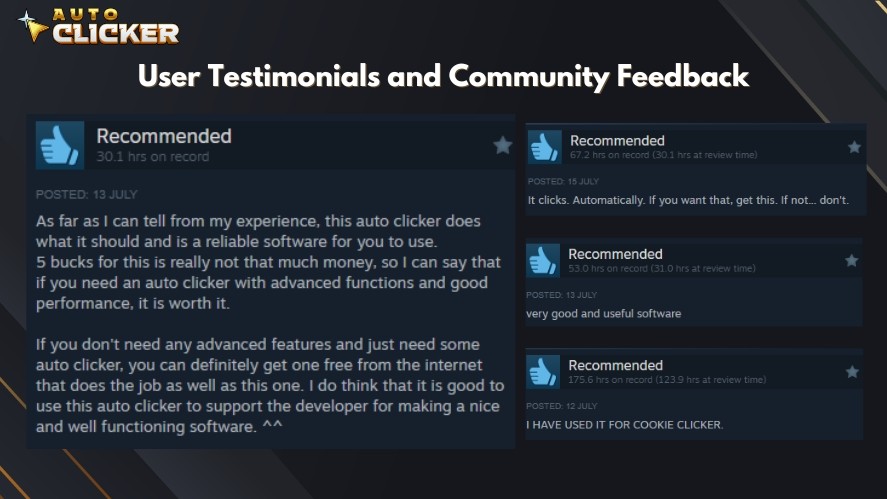
This helps answer questions like:
- Is the tool safe?
- Does it work as expected?
- Are there any issues?
So instead of guessing, you can rely on real user feedback.
How to Use an Auto Clicker for Games Safely
Even if you choose a safe tool, how you use it still matters. Poor usage can lead to problems.
Check Game Rules First
Before anything else, review the game’s terms of service. Some games allow automation, while others do not.
If you are unsure how do you get auto clicker tools to work safely in a specific game, always start by checking the rules.
Avoid Competitive Modes
Next, stay away from ranked or competitive gameplay. Using automation in these modes can give an unfair advantage.
Instead, use your auto clicker for gaming in:
- Single player modes
- Idle systems
- Non competitive environments
Use Realistic Settings
It might be tempting to set very fast click speeds. However, this can look unnatural.
So try to keep your settings realistic. For example:
- Use moderate click intervals
- Avoid perfect timing patterns
- Add slight variation if possible
This makes your auto click behavior less noticeable.
Monitor Performance
Finally, keep an eye on your system. A good mouse auto clicker tool should not cause lag or crashes.
If you notice issues, adjust your settings or close unnecessary programs.
Common Mistakes to Avoid When Using Auto Clickers
Many users run into trouble because of simple mistakes. The good news is that these are easy to avoid once you know them.
Downloading from Unknown Sources
Searching for how to get auto clicker often leads to random download sites. This is risky.
Instead, stick to trusted platforms. This reduces the chance of malware.
Using Extreme Click Speeds
Very fast clicking may seem efficient, but it can cause problems. It may trigger detection systems or even break game mechanics.
So it is better to use balanced settings.
Ignoring Game Policies
Some players skip reading the rules. This can lead to penalties.
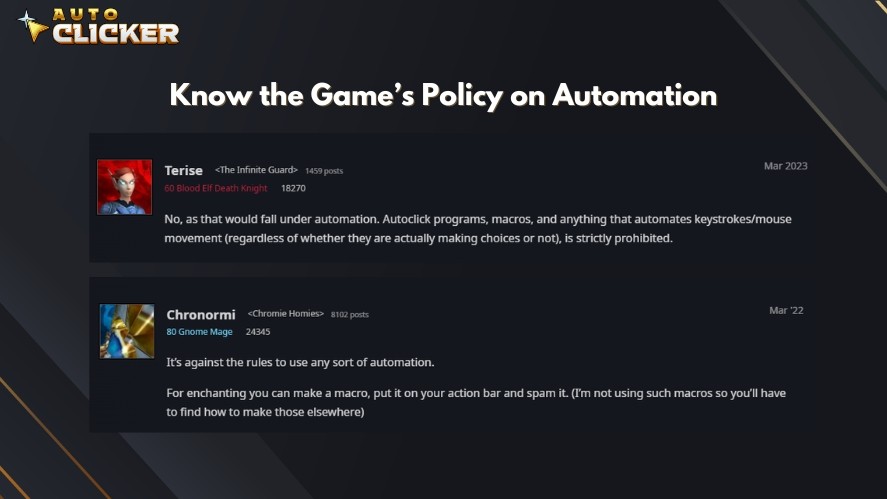
Always make sure your use of game automation is allowed in the game you are playing.
Overusing Automation
Automation is meant to help, not replace gameplay completely.
If you rely too much on it, you may lose the fun and challenge of the game.
Best Use Cases for an Auto Clicker App for Games
Now that you understand how to use these tools safely, let’s look at where they work best.
Idle and Incremental Games
Auto clickers are perfect for:
- clicker games
- idle clicker games
- best idle clicker games
These games often require constant clicking, so automation fits naturally.
Resource Farming
In many games, collecting resources takes time. Using an auto clicker app for games can make this process smoother.
Crafting and Grinding
Crafting systems often involve repeated actions. With an auto click mouse for gaming, you can handle these tasks more easily.
Casual and Non Competitive Play
Automation works best when there is no competition involved. For example:
- Single player games
- Relaxed gameplay modes
- Background progression systems
This way, you avoid risks while still enjoying the benefits.
Exploring Fun Game Styles
If you enjoy fun clicker games or want to try clicker games free, auto clickers can enhance the experience.
They allow you to focus on strategy and progression instead of constant clicking.
FAQ About Auto Clicker App for Games
The best auto clicker app for games is one that is safe, lightweight, and customizable. Tools available on trusted platforms like Auto Clicker on Steam for gaming are often more reliable.
Yes, but it depends on the tool and the game rules. Always use a trusted source and avoid competitive modes.
If you are searching for how to get auto clicker, download only from verified platforms like Steam or official developer websites.
You can install an auto clicker by downloading it from a trusted platform, then setting up click intervals and hotkeys.
To learn how to use auto clicker, start by setting a moderate click speed, assign a hotkey, and test it in a safe environment before using it in a game.
Final Thoughts Choosing the Right Auto Clicker for Games
Choosing the right auto clicker app for games is not just about convenience. Instead, it is about safety, control, and reliability.
A good tool should be clean, customizable, and easy to use. More importantly, it should come from a trusted source, especially when you plan to use it for gaming. That is why many players prefer Auto Clicker on Steam for safer access, simple setup, and reliable gaming-focused features.
At the same time, responsible usage is still important. Always respect game rules, avoid unfair advantages, and keep your settings realistic. This way, you can enjoy smoother gameplay without creating problems for your account or device.
In the end, an auto clicker should improve your gaming experience, not make it risky. When used correctly, it can save time, reduce effort, and make repetitive tasks much more enjoyable.
For the best experience, try Auto Clicker on Steam as your main option. However, you can also visit AutoClicker.com as another helpful way to learn more about auto clicker tools and find a reliable option for repetitive clicking tasks.

Auto Clicker App: How Customizable Profiles Enhance Automation

Top Auto Clicker Apps: Free vs Paid

Best Click Interval Settings for Games: Key Tips for Gamers
About The Author
