
Best Idle Clicker Games to Play Using Auto Clicker on Steam
If you’re an idle clicker fan looking to take your gameplay to the next level, combining your favorite games with an auto clicker can completely transform your experience. From crushing repetitive tasks to unlocking insane progress overnight, there’s a reason automation is so popular in this genre. But how does it work? What are the best tools and games to get started with?
In this guide, we’ll break down everything you need to know from choosing the best auto clicker for idle games, to showcasing the most addictive idle clicker titles on Steam. We’ll also walk you through how to install and configure a clicker tool, and why this small addition can supercharge your efficiency, save your fingers, and even improve your in-game strategy.
Why Auto Clicker Is a Must-Have for Idle Clicker Games
The charm of idle clicker games lies in their simplicity click, upgrade, wait, repeat. However, as you progress, the number of required clicks and time investment increases dramatically. That’s where an auto clicker comes in.
1. Click Automation Improves Efficiency in Idle Clicker Games
Using an auto clicker boosts gameplay by performing thousands of clicks per minute, allowing you to farm resources, level up, or trigger in-game events that would otherwise require long, tedious effort.
Whether you’re trying to pop golden cookies in Cookie Clicker or upgrade your heroes in Clicker Heroes, automating these actions can mean the difference between stalling out and scaling up fast.
2. Avoid Repetitive Strain with an Auto Clicker
Let’s be honest clicking non-stop for hours is rough on your hands. Players often report wrist strain or finger fatigue. A free auto clicker or a keyboard auto clicker solves this, letting your system handle the grind.

Many gamers on auto clicker Reddit forums even say they use automation for comfort, not just progression. It’s a quality-of-life upgrade that makes idle clicker games more enjoyable.
3. Customizable Click Settings for Any Idle Clicker Games
Advanced auto clickers let you control:
- Click interval (milliseconds between clicks)
- Click type (left, right, middle)
- Hotkeys to start/stop clicking
- Click location (fixed point or dynamic movement)
This flexibility is key. Games like NGU Idle and Realm Grinder have different areas where you want to click at different times. A tool like GS Auto Clicker or Fast Mouse Clicker lets you fine-tune every action.
4. Reliable Tools on Steam and Beyond
Though Steam doesn’t host auto clickers directly, there are many lightweight tools that pair perfectly with Steam games:
- Auto Clicker on Steam
- OP Auto Clicker
- GS Auto Clicker
- E Auto Clicker
- Auto-Clicker
- Free Mouse Clicker
- Fast Mouse Clicker
You can even find a clicking auto clicker designed just for idle games, complete with features like random click intervals to mimic human behavior.
Top Idle Clicker Games to Play with Auto Clicker on Steam
Let’s break down the top idle clicker games where an auto clicker makes a huge difference.
1. Cookie Clicker

Cookie Clicker is the granddaddy of all idle games. The goal? Bake cookies by clicking and unlocking upgrades that bake even more cookies. Simple, yet addictive.
Best automation targets:
- Big Cookie: Automate the main clicker for max production
- Golden Cookies: Use a timed clicker to catch bonuses
- Upgrades/Buildings: Auto-purchase items as soon as you have the currency
Auto Clicker on Steam is widely used for this game. Set it to click 15–20 times per second on the big cookie and watch your bank explode.
2. Clicker Heroes

In Clicker Heroes, you lead a team of heroes through stages filled with monsters, gaining gold and unlocking upgrades. It combines idle clicking with light RPG mechanics.
Use an auto clicker to:
- Boost DPS by automating enemy hits
- Activate skills faster
- Automate boss fights during high HP levels
Set Auto Clicker on Steam with a small delay (100ms) and focus on boss waves. Players often use a keyboard auto clicker for activating special skills as well.
3. NGU Idle
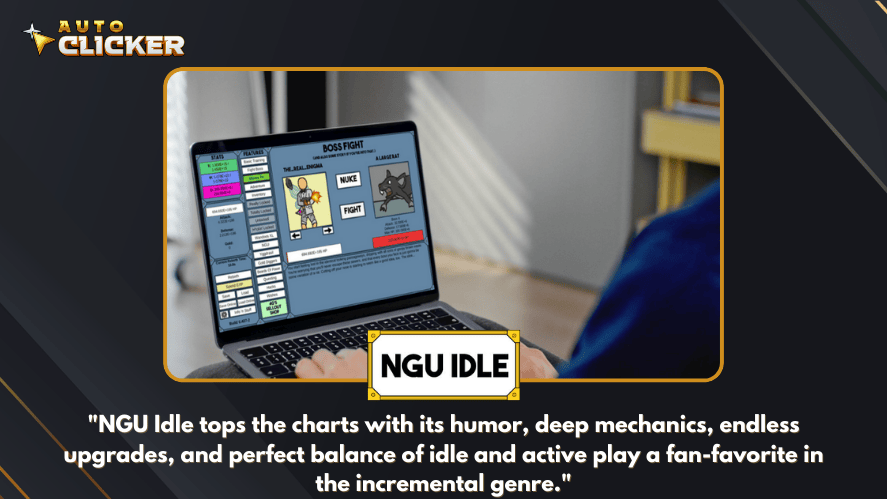
NGU Idle (“Numbers Go Up”) offers deep progression, story, humor, and mechanics. It’s one of the most community-recommended idle games on auto clicker Reddit.
Where to automate:
- Training/Adventure: Use automation to level up while away
- Energy Allocation: Clicks to rebalance or apply energy modules
- Inventory: Automate upgrades and item crafting
Auto clicker tools that track specific UI coordinates are very effective here. Auto key clicker also helps in triggering adventure or rebirths.
4. Realm Grinder
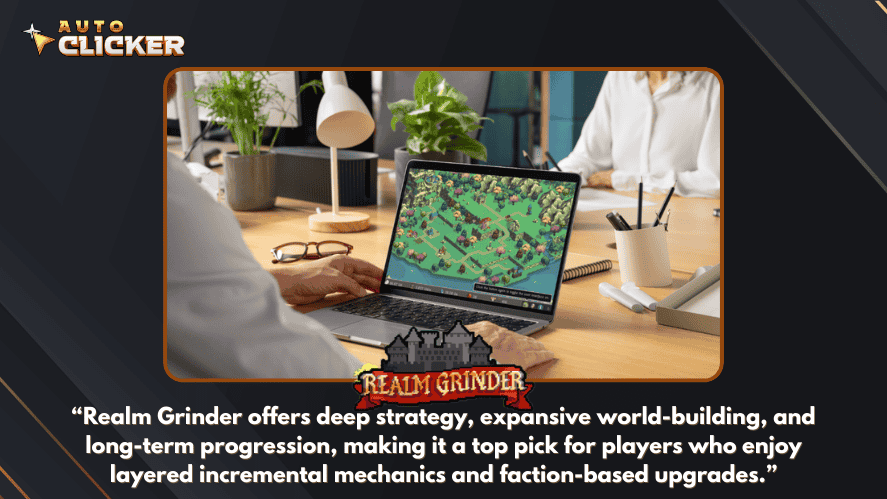
Realm Grinder takes a strategic approach. You align with factions and make decisions that affect income, upgrades, and long-term strategies.
Why use an auto clicker?
- Helps with building upgrades and spell casting
- Optimizes income per second during long sessions
- Automates click-heavy builds like Elf or Goblin strategies
Combine Auto Clicker on Steam with a macro system to time clicks perfectly with mana regen.
5. AdVenture Capitalist
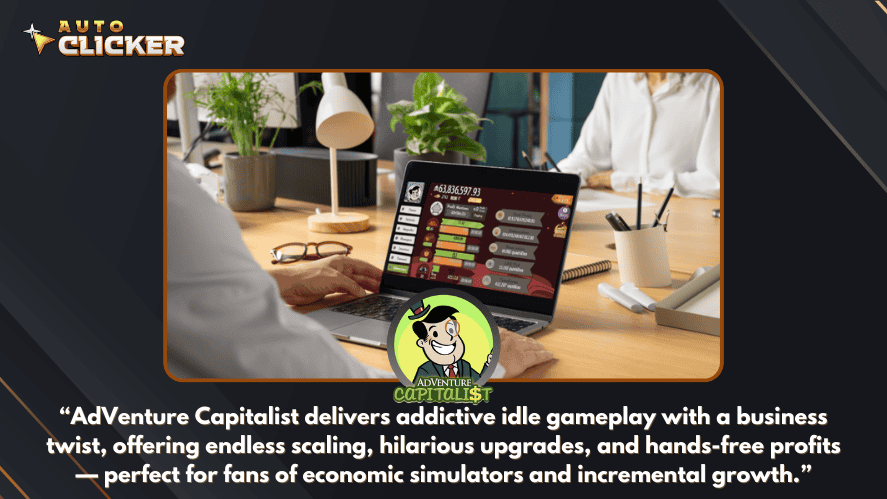
Love money? This one’s for you. AdVenture Capitalist turns you into a billionaire by clicking to invest in lemonade stands and global ventures.
Automate these:
- Clicking profits
- Upgrading assets
- Buying managers faster
Auto clicker can set up intervals of 1–2 seconds to simulate natural investment pace. Auto clicker app for games can even work if you’re playing on a touchscreen-enabled PC.
Honorable Mentions:
While the above are the top picks, don’t sleep on these gems:
- Idle Slayer: Side-scrolling pixel idle with heavy automation potential
- Melvor Idle: Inspired by RuneScape with idle combat and skilling
These games respond well to tools like auto clicker for crazy games depending on their interface.
How to Use Auto Clicker on Steam with Idle Games
Ready to get started? Here’s how to use an auto clicker for idle games with your favorite Steam titles.
How to Use Auto Clicker on Steam with Idle Games by RalphStep-by-Step Setup
- Auto Clicker Download
Visit a trusted source for tools like Auto Clicker on Steam. Be cautious of malware only download from the developer’s official page or well-reviewed tech forums. - Install the Software
Most clickers are portable (no installation required). Just unzip and launch the .exe file. - Configure Click Settings
- Set interval (e.g., 30ms for fast clicks, 200ms for slower ones)
- Choose click button: left/right/middle
- Decide click repeat mode: until stopped or specific count
- Set Hotkeys
Use keyboard shortcuts (like F6 or F9) to start or stop clicking instantly. - Target the Click Area
Lock the clicker to a specific area on the game window. Some tools offer “mouse recording” or “location selection.” - Start the Game
Open your idle clicker game on Steam. Once in the target area, hit your hotkey and watch the magic happen.
Pro Tips
- Use Auto Clicker for PC that allows click limiters to avoid over-clicking.
- Try auto key clicker options if your game responds better to keyboard inputs.
- Consider pairing your auto clicker with macro software for advanced loops.
- Backup your save data. Not every game handles automation cleanly.
- Test in short sessions before leaving your system running overnight.
Video Demo: Auto Clicker in Action with Top Idle Clicker Games
Seeing an auto clicker in action can help you understand how to use it effectively with your favorite idle clicker titles. We created a short demo video that walks through the setup process and shows automation working live in one of the most popular idle games on Steam: Clicker Heroes by Playsaurus.
What’s in the Video Demo?
The demo walks you through:
- Installing Auto Clicker on Steam on a Windows PC
- Configuring click intervals and hotkeys
- Launching Clicker Heroes and setting up auto attacks
- Using auto keys to trigger special hero abilities
- How auto clicker boosts DPS and stage clearing speed
You’ll also learn how to set click areas, use smart timing, and avoid common mistakes like clicking too fast and causing game lag.
Featured Games in the Video
- Clicker Heroes: Hero progression and boss fights
- Cookie Clicker: Big cookie automation and golden cookie catching
- NGU Idle: Auto energy allocation and stat grinding
These games were chosen because they’re extremely responsive to click automation and showcase different automation strategies.
Watch the Standard Mode Demo
You can watch the video on YouTube or download it directly from our blog’s media section. The full walkthrough is under 6 minutes and gives you all the visual cues you need to get started.
Link: Auto Clicker for Idle Games – Standard Mode Demo
Watch the Advance Mode Demo
Link: Auto Clicker for Idle Games – Advance Mode Demo
Tips for Safe and Effective Use
While automation can greatly enhance your idle clicker gameplay, using an auto clicker for games comes with a few important considerations.
1. Avoiding Bans in Online/Semi-Online Idle Clicker Games
Some idle clicker games have online leaderboards or partially connected systems. While most offline idle games won’t care if you use automation, others might.
Do this to stay safe:
- Check the game’s terms of service before using automation
- Use slower click intervals (250–1000ms) to simulate human behavior
- Avoid automation in multiplayer or competitive settings
For example, using an auto clicker app for games in something like Melvor Idle, which has cloud sync, is usually fine but enabling auto scripts in a semi-online RPG idle might get flagged.
2. Use Trusted Auto Clicker Tools Only
Stick to well-known tools like:
- Auto Clicker on Steam
- OP Auto Clicker
- GS Auto Clicker
- E Auto Clicker
- Auto-Clicker
- Free Mouse Clicker
- Fast Mouse Clicker
Avoid sketchy tools promising “extreme” automation or requiring strange permissions. Always scan downloads and double-check community recommendations the auto clicker Reddit community is a great place to verify safety.
3. Customize Settings for Each Idle Clicker Games
Each idle clicker game has different pacing. For example:
- Fast games like Cookie Clicker work best with 20–100ms intervals.
- Strategic games like Realm Grinder benefit from slower clicks with specific timing (e.g., spell cycles every 10 seconds).
- Adventure-based games like Clicker Heroes respond better to alternating mouse and keyboard inputs.
Experiment with your auto clicker settings. Try combining a keyboard auto clicker with a mouse clicker for advanced setups.
4. Save and Backup Your Progress
Some idle games don’t autosave regularly, especially when automation is used. Always:
- Export your save before running long clicker sessions
- Avoid using autosave blockers or mods that interfere with saving
- Run shorter test sessions before doing overnight automation
This simple habit can prevent lost progress, especially when testing new auto clicker for pc tools.
Conclusion: Idle Clicker Games + Auto Clicker = Next-Level Fun
Let’s recap what we’ve covered in this guide:
- Idle clicker games are built for automation — it’s what makes them shine.
- An auto clicker lets you skip the grind, avoid physical strain, and push your game progress faster than manual clicking ever could.
- Tools like OP Auto Clicker, GS Auto Clicker, and Speed Auto Clicker are great options — each with customizable settings for click intervals, hotkeys, and location targeting.
- We explored top games on Steam including Cookie Clicker, Clicker Heroes, NGU Idle, Realm Grinder, and AdVenture Capitalist — all of which become more powerful with automation.
- The video demo walks you through setting up an auto clicker for idle games, showing real results in just minutes.
Call to Action
Ready to experience idle clicker gaming on a whole new level?
Here’s your next step:
- Download a trusted auto clicker from a reliable site (like OP Auto Clicker or GS Auto Clicker)
- Pick one of the Steam games featured in this guide
- Set up your clicker, configure your settings, and let automation take over
Whether you’re optimizing cookie production, managing fantasy empires, or leveling up heroes in battle, an auto clicker lets you enjoy more of the game with less of the grind.

Best Auto Clicker for Windows in 2026 (Updated & Ranked)

Auto Clicker Latest Version – Best Download for 2026

Are Auto Clickers Allowed in Games?
About The Author
