
Free Auto Clicker: Top 5 Tools You Can Use Right Now
Have you ever needed a free auto clicker for gaming, repetitive tasks, or simple mouse automation but did not know which tool to trust? In 2026, many users still look for auto clickers for Roblox-style games, idle games, click speed testing, office tasks, and basic productivity.
However, not every free auto clicker is safe, updated, or easy to use. Some tools are simple and beginner-friendly, while others offer more control for advanced users. Because of that, it is important to choose a tool that fits your purpose instead of downloading the first option you see.
In this guide, we’ll explain what a free auto clicker does, when it is useful, and which tools are worth trying. Then, we’ll compare the top 5 free auto clicker tools you can use right now. Finally, we’ll explain why Auto Clicker on Steam is a stronger option for users who want a safer and more trusted setup.
What Is a Free Auto Clicker and Why Use One?

A free auto clicker is a software tool designed to simulate mouse clicks automatically. These tools are incredibly versatile and can be used across various scenarios:
Definition and Core Functionality
Auto clickers are automation tools that simulate mouse input without any physical interaction. For instance, you can set specific intervals, choose different click types such as left, right, or double, define repetition counts, and assign a custom hotkey. Most auto clicker free versions are lightweight and allow for customizations such as cursor position, click speed, and loop actions.
Use Cases: Gaming, Repetitive Tasks, Productivity
- Gaming: Tools like a free auto clicker for Roblox are especially popular. Games that involve grinding or farming benefit immensely from these tools.
- Productivity: Automate boring, repetitive tasks like data entry, testing apps, or auto-refreshing pages.
- Click Speed Testing: Curious about faster clicks in 1 second? These tools help track, test, and improve performance.
Legal and Safe Usage Considerations
While using an automatic clicker can make life easier, always use it responsibly. Some online games or platforms prohibit automation and using it could result in bans. Also, ensure you’re downloading from trusted sources to avoid malware.
Top 5 Free Auto Clicker Tools in 2026
Here are the top free auto clicker tools you can use in 2026. Each tool has different strengths, so the best option depends on what you need. For example, some tools are better for beginners, while others are better for speed testing or more flexible clicking settings.
1. Autoclicker.com (Recommended)
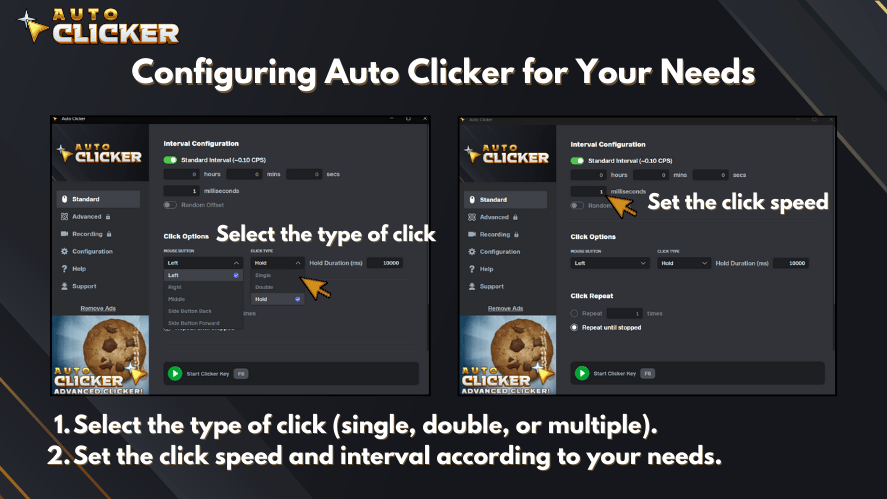
Autoclicker.com is a strong choice if you want a simple and clean free auto clicker for everyday use. It is easy to understand, quick to set up, and useful for both gaming and basic productivity tasks.
Best for: Beginners, gamers, and users who want a simple setup.
Pros:
- Easy to use
- Clean interface
- Custom click intervals
- Hotkey support
- Good for basic mouse click automation
Cons:
- Best suited for simple automation
- May not include advanced scripting features
Why it is useful:
Autoclicker.com is a good option if you want a free auto clicker that works without a complicated setup. Because it focuses on simple clicking controls, it is a practical choice for users who want fast results.
2. GS Auto Clicker
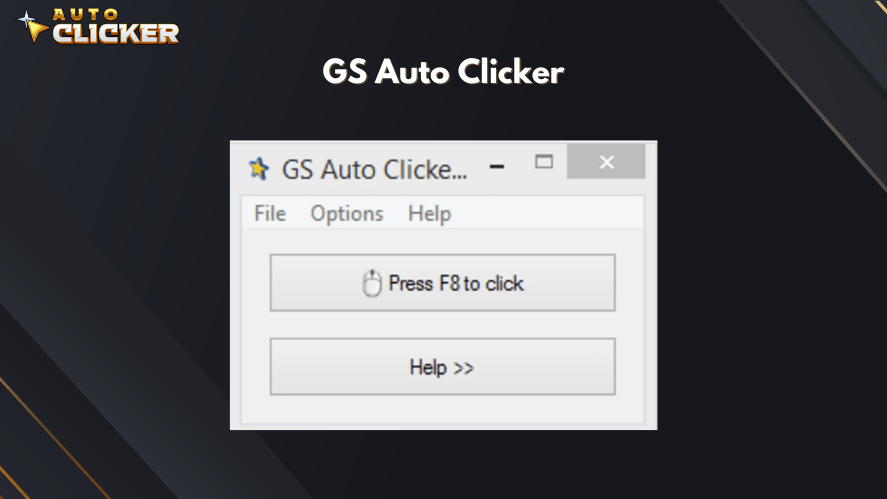
GS Auto Clicker is one of the most beginner-friendly auto clicker tools. It is lightweight, simple, and easy to use, which makes it a good choice for users who only need basic repeated clicking.
Best for: First-time users and simple clicking tasks.
Pros:
- Very easy to use
- Lightweight software
- Good for basic tasks
- Works well on older computers
Cons:
- Limited features
- Not ideal for advanced automation
Why it is useful:
GS Auto Clicker is best for users who do not want too many settings. Instead, it gives you a basic way to automate mouse clicks quickly.
3. OP Auto Clicker
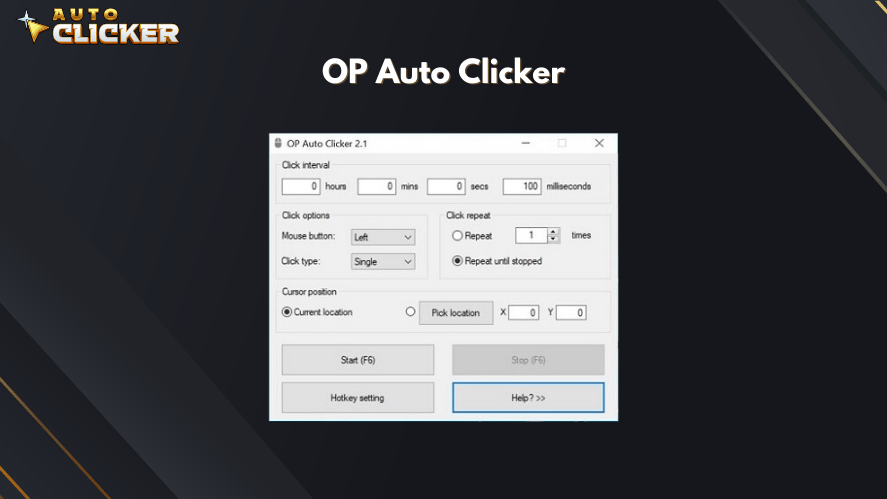
OP Auto Clicker is a popular choice for users who want more control over click settings. Unlike very basic tools, it lets you choose click locations, intervals, and repeat options more carefully.
Best for: Users who want more control and flexible clicking options.
Pros:
- Adjustable click intervals
- Fixed or current cursor position
- Hotkey support
- Flexible settings
- Good for gaming and task automation
Cons:
- May feel confusing for beginners
- Some versions may vary depending on where you download them
Why it is useful:
OP Auto Clicker is useful if you need more than a basic start-and-stop clicker. However, you should download it only from a trusted source to avoid unsafe copies.
4. Free Mouse Clicker
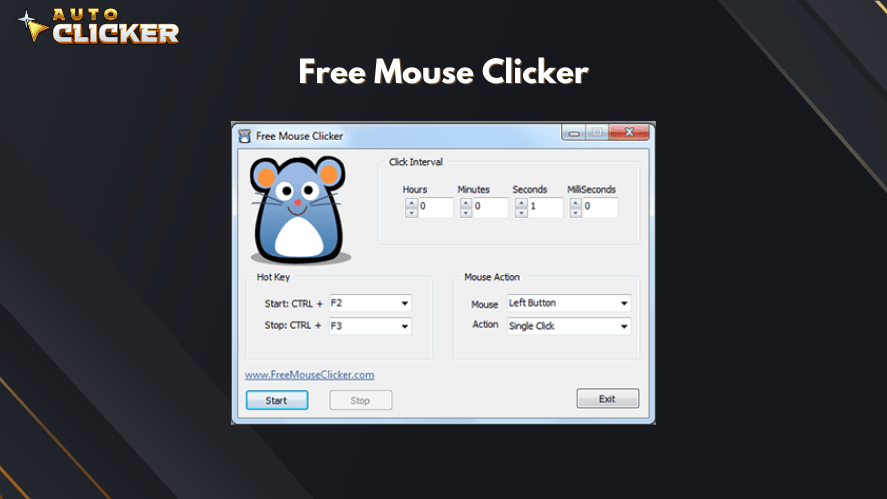
Free Mouse Clicker is another simple option for users who want basic clicking automation. It is useful for office tasks, browser actions, and other repeated clicking needs.
Best for: Simple productivity tasks and repeated browser actions.
Pros:
- Simple click speed control
- Supports different click types
- Easy to understand
- Good for basic repetitive tasks
Cons:
- Older-looking interface
- Limited advanced features
Why it is useful:
Free Mouse Clicker is a practical tool for users who want something simple. In addition, it works well for people who do not need complex automation settings.
5. Fast Mouse Clicker
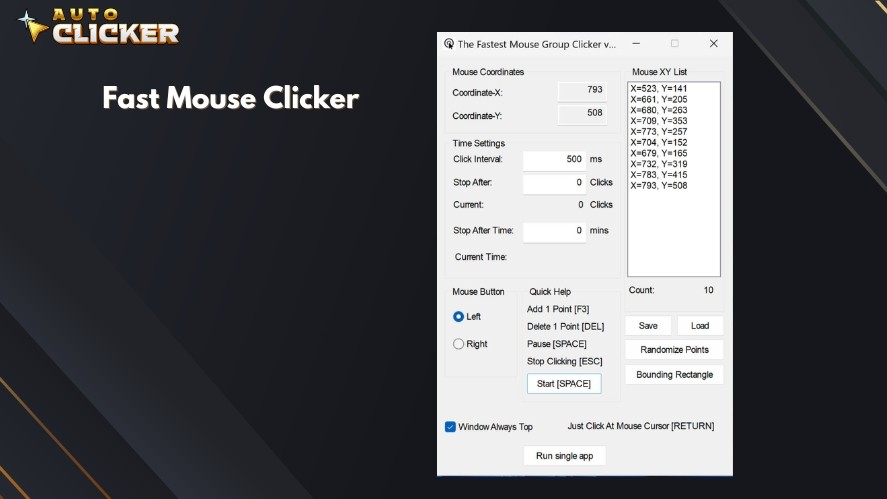
Fast Mouse Clicker is designed for users who care most about speed. It can perform very fast clicks, which makes it useful for click speed testing and certain repeated tasks.
Best for: Click speed testing and high-speed clicking.
Pros:
- Very fast clicking
- Lightweight tool
- Good for speed tests
- Simple function
Cons:
- Not beginner-friendly
- Limited interface
- Not ideal for careful or slow clicking tasks
Why it is useful:
Fast Mouse Clicker is best when speed matters more than design or extra features. However, because it clicks very quickly, users should test the settings carefully before using it on important tasks.
How to Choose the Right Free Auto Clicker for Your Needs
Choosing the right free auto clicker depends on how you plan to use it. Before downloading any tool, think about your main goal. For example, a gamer may need hotkeys and fast click settings, while an office user may only need a simple repeated click action.
Here’s what you should consider:
Feature Comparison
| Feature | Autoclicker.com | GS Auto Clicker | OP Auto Clicker | Free Mouse Clicker | Fast Mouse Clicker |
|---|---|---|---|---|---|
| Hotkey Customization | ✅ | ✅ | ✅ | ✅ | ✅ |
| UI Simplicity | ✅ | ✅ | ❌ | ✅ | ❌ |
| Installation Needed | ✅ | ✅ | ✅ | ✅ | ✅ |
| Advanced Automation | ❌ | ❌ | ❌ | ❌ | ❌ |
| OS Compatibility | Windows | Windows | Windows | Windows | Windows |
Gaming vs Productivity Preferences
- Gamers: Go for Autoclicker.com or OP Auto Clicker. Both are smooth, reliable, and fast.
- Productivity Seekers: Try GS Auto Clicker or Free Mouse Clicker. Lightweight and easy to set up.
Community Reviews and Updates
- Autoclicker.com and OP Auto Clicker have strong communities and consistent updates.
- Always check recent reviews to avoid outdated or unsafe tools.
Why Auto Clicker on Steam Stands Out
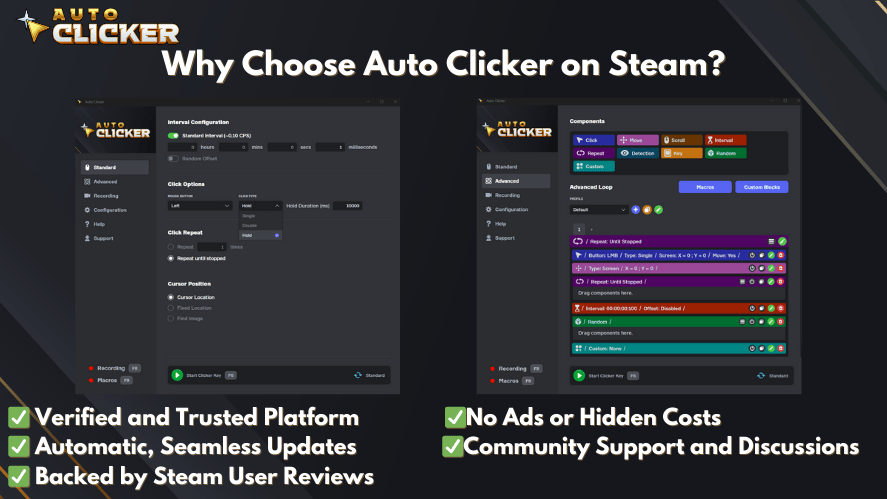
Steam’s version of Auto Clicker brings a new level of trust and integration for PC users.
Seamless Integration with Steam Games
Auto Clicker on Steam integrates smoothly with games, especially for idle or resource-collection genres like Cookie Clicker, Adventure Capitalist, Clicker Heroes or even free auto clicker for Roblox.
Frequent Updates and Community Feedback
Because it’s hosted on Steam, you benefit from:
- Active developer support
- Community bug reports and feature requests
- Steam achievements integration (in some versions)
Secure Install via Steam Platform
Are you worried about viruses or fake downloads? Thankfully, Steam ensures a safe installation process, complete with zero third-party ads or installers.
Developer-Backed Documentation
Additionally, it includes full tutorials on mouse click automation, setting up hotkeys, configuring click rates, and much more. As a result, it’s great for beginners and advanced users alike.
Safety Tips Before Downloading a Free Auto Clicker
Before downloading any free auto clicker, safety should come first. Many auto clicker tools are simple and helpful, but unsafe copies can appear on random websites. Because of this, you should take a few extra steps before installing anything.
Use these safety tips:
- Download only from trusted websites or official platforms.
- Avoid installers that ask you to add extra programs.
- Check recent user reviews when possible.
- Scan downloaded files with your security software.
- Avoid tools that require unnecessary permissions.
- Be careful when using auto clickers in online games.
In addition, do not use an auto clicker to cheat, spam, or break platform rules. A free auto clicker should help with simple automation, not create unfair or unsafe behavior.
FAQ: Free Auto Clicker
The best free auto clicker depends on your needs. Autoclicker.com is good for simple use, GS Auto Clicker is good for beginners, and OP Auto Clicker is better for users who want more control.
A free auto clicker can be safe if you download it from a trusted source. However, avoid unknown websites, fake download buttons, and installers that include extra programs.
Yes, you can use a free auto clicker for some games, especially idle or clicker games. However, some online games do not allow automation, so always check the rules first.
Auto Clicker on Steam can be a better option for users who want a trusted platform, easier installation, and update support. However, free tools may still be useful for basic tasks.
Look for hotkey support, click interval control, repeat options, a simple interface, and a safe download source.
Final Thoughts
A free auto clicker can be useful for gaming, productivity, click speed testing, and simple repetitive tasks. However, the best tool depends on your needs.
For a simple and clean option, Autoclicker.com is a strong choice. For beginners, GS Auto Clicker is easy to understand. Meanwhile, OP Auto Clicker gives more control, Free Mouse Clicker works well for basic productivity, and Fast Mouse Clicker is best for speed testing.
In 2026, safety also matters more than ever. Therefore, you should download auto clickers only from trusted sources and avoid suspicious installers. Also, always check the rules of any game or platform before using automation.
If you want a more trusted PC option, Auto Clicker on Steam is worth considering because it offers a safer and more familiar setup for Steam users.

Can Auto clickers Get You Banned on Roblox? Explained

How to Choose the Right Auto Clicker Download for Mac

Auto Clicker vs Other Clicking Tools: Best Automation Tool in 2026
About The Author
