
Why Auto Clicker on Steam is the Safest Auto Clicker Available
In today’s digital age, users are constantly seeking the safest auto clicker for tasks that require repetitive mouse inputs whether it’s for gaming, productivity, software testing, or simple automation. But the common concern persists: Are auto clickers safe? Can they get you banned in games? Do they contain malware?
The demand for automation tools like auto clickers has grown rapidly, especially in areas like:
- Grinding or farming in video games
- Automating mouse clicks for online tasks or work
- Running continuous UI testing and software development tools
However, not all auto clickers are built the same. In fact, many downloadable tools online come with hidden malware, privacy risks, or are flagged by antivirus software. This is where Auto Clicker on Steam stands out not just as a functional tool, but as the most safe auto clicker available on a trusted platform.
In this guide, we’ll explain what makes an auto clicker safe, why Auto Clicker Steam stands out as the best choice, and how you can download auto clicker tools safely without compromising your system, account, or data.
What Makes an Auto Clicker “Safe”?
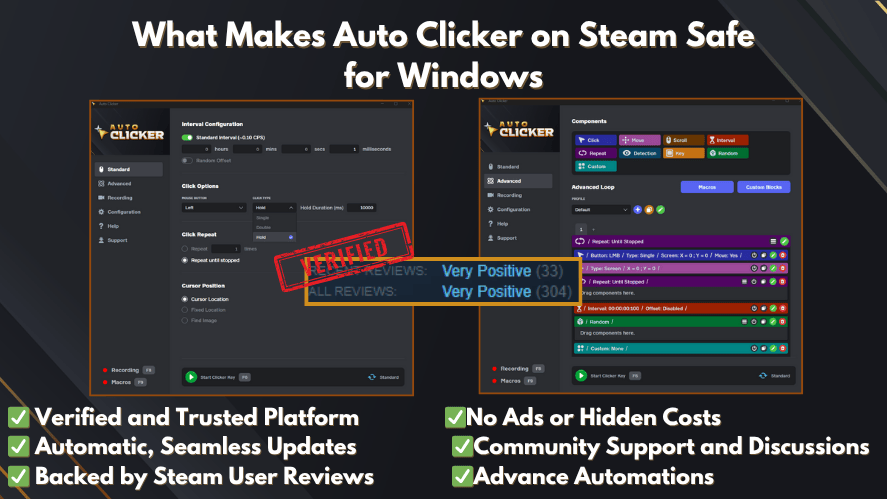
To determine the safest auto clicker, you need to understand what safety in this context really means. There are several dimensions to safety:
- System-level protection (e.g., malware-free software)
- Platform compliance (e.g., gaming TOS compliance)
- User privacy and data security
- Transparent, ethical development practices
Let’s break it down further.
System-Level Safety
The first red flag with many free auto clickers found online is their origin. Many of them are hosted on shady third-party sites or forums that don’t vet uploads. These tools often come with:
- Bundled spyware or adware
- Intrusive permissions
- Unsecure installers
- Background processes that leak data
In contrast, Auto Clicker on Steam is hosted on a platform known for its strict vetting process. Valve ensures that the software distributed via Steam does not contain malware or unauthorized background processes, making it an inherently auto clicker safe option.

Even antivirus software tends to flag unknown executables from unverified sources. Many “free auto clickers” trigger antivirus alerts not because they are doing something dangerous (though many are), but because they lack the verified publisher status that platforms like Steam enforce.
Bottom Line: If you’re wondering is Auto Clicker on Steam safe? — the answer is yes. It’s reviewed and monitored by the Steam community and Valve’s internal checks, ensuring it meets high safety standards.
Platform and Game Safety
Many users download auto clickers specifically for use in video games. However, this raises a serious question: Will using an auto clicker get you banned?
The truth is: not all auto clickers are equal when it comes to platform safety.
Most online multiplayer games deploy anti-cheat software like Easy Anti-Cheat (EAC), BattlEye, or Valve Anti-Cheat (VAC). These systems monitor input behavior and may flag erratic or high-speed clicks as suspicious.
Unsafe or aggressive clickers can get you banned, especially in games where automated inputs are prohibited.
Auto Clicker Steam, however, is less likely to cause such issues if used responsibly. Here’s why:
- It doesn’t interfere with game code or inject memory scripts
- It operates as a standalone click automation tool
- You can set custom intervals and delays to mimic human-like clicks
So, while no auto clicker is 100% “ban-proof,” using a safe auto clicker like the one on Steam with reasonable settings greatly reduces your risk.
User Experience & Transparency
Unsafe tools often come with:
- Poorly designed or hidden user interfaces
- Unclear settings that users don’t understand
- Lack of documentation or support
In contrast, the Auto Clicker Steam tool features:
- A clean, user-friendly UI
- Transparent settings (click speed, delay, duration, key binds)
- No ads, no nagware, no “premium” upsells
This aligns with best practices for a free and safe auto clicker — clear, controlled, and trustworthy behavior that respects the user.
Why Auto Clicker on Steam Is the Safest Choice
Let’s look at the key factors that position Auto Clicker on Steam as the safest auto clicker available today.
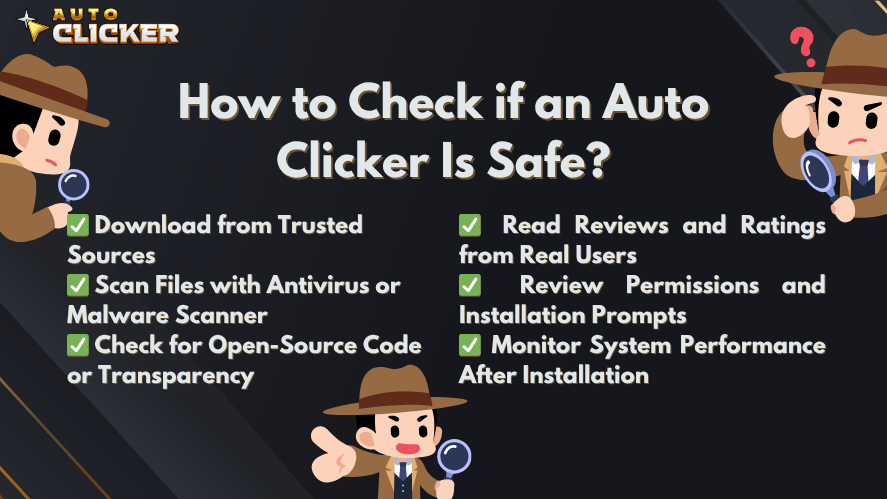
Verified on Steam – A Trusted Platform
Steam isn’t just for games anymore it now supports a wide range of software and tools. What makes Steam a trusted distribution platform is:
- Verified developer accounts
- Community feedback systems
- Frequent patch and update logs
- Easy uninstall processes
Unlike some random executable from an obscure website, downloading an automatic clicker from Steam ensures you’re getting a verified, secure, and supported application.
If you’re wondering how to download auto clicker software that won’t harm your PC, the best answer is: use Auto Clicker on Steam.
No Malware or Ads
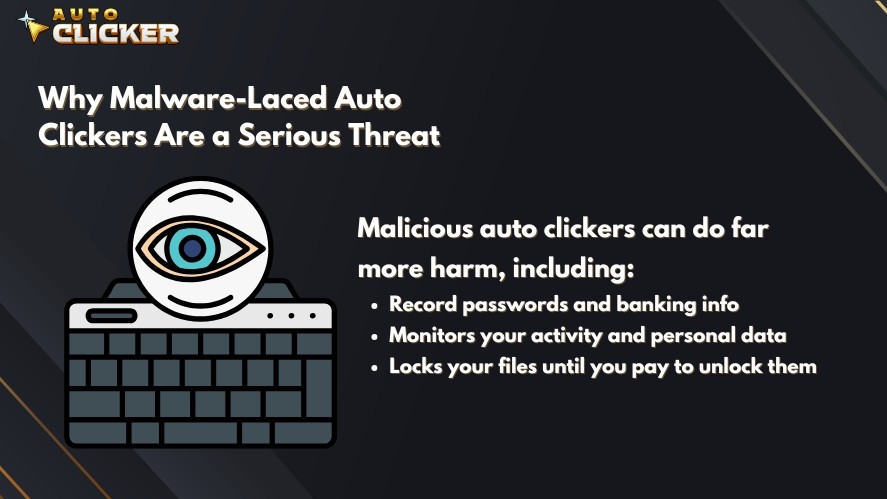
One of the biggest benefits of the Steam ecosystem is that it doesn’t allow intrusive ads, malware, or third-party bundling. That means:
- No annoying pop-ups or bloatware
- No tracking scripts embedded in the installer
- No sneaky toolbar installations or search hijackers
When you download auto clicker tools from unverified sources, you’re gambling with your device’s security. Malware like automated mouse click loggers or ransomware has been discovered in free clicker tools available outside legitimate platforms.
By contrast, the Auto Clicker Steam version is streamlined, focused, and clean from the first install to daily use.
Regular Updates and Community Feedback

A major issue with many free tools is abandonware once published, they receive no support or bug fixes. This leads to outdated software that:
- Breaks on new Windows versions
- Causes input lags or crashes
- Becomes incompatible with anti-virus updates
Steam developers often release frequent patches, incorporate user suggestions, and actively engage with users via community forums.
The feedback loop is a key part of maintaining auto clicker safety, especially as Windows, games, and browsers evolve.
Local Settings, No Data Harvesting
Another often-overlooked safety issue is data privacy. Some free tools harvest user behavior, mouse patterns, or even sync your clicks to cloud services often without permission.
Auto Clicker on Steam stores everything locally:
- No account sign-up required
- No cloud syncing
- No telemetry tracking in the background
This makes it a free and safe auto clicker for privacy-focused users who don’t want their data going anywhere.
Safe Use Tips for Auto Clickers in Games and Productivity

Even with the safest auto clicker, how you use the tool matters. Let’s go over best practices to avoid bans and ensure optimal productivity.
Avoiding Bans: Best Practices in Gaming
If you’re using a mouse clicker in games, especially online ones, it’s important to avoid abuse.
Do’s:
- Use clickers for simple grinding in solo or casual games
- Set realistic intervals (100ms–300ms) to mimic human clicks
- Monitor the application while it runs — avoid AFK behavior
Don’ts:
- Don’t use auto clickers in competitive ranked modes
- Don’t exploit bugs or macros that break game balance
- Avoid ultra-high CPS (Clicks Per Second) that trigger cheat detectors
By following these steps, you ensure that even with an automatic clicker, your gaming experience remains safe.
Safe Automation in Workflows
Auto clickers are also valuable in workplaces for tasks like:
- Data entry automation
- Web testing
- Refreshing dashboards
- Kiosk or retail screen automation
In professional environments, the key is reliability. The best auto clicker software should not crash during long sessions, and should provide configurable delays and triggers.
Auto Clicker on Steam offers exactly this — a safe auto clicker with precision control.
Customization for Safe Intervals
One of the key safety features of Steam’s clicker is click interval control.
Rather than being locked to predefined speeds, you can:
- Set delays between clicks
- Choose between left, right, or middle button input
- Define hotkeys to toggle automation safely
This ensures you can automate mouse clicks at safe speeds, avoiding hardware strain or software misfires.
How Auto Clicker on Steam Compares to Other Tools
Let’s now look at how Auto Clicker Steam performs versus other popular tools found online.
Comparison With Free Auto Clickers
Many users search for:
While there are hundreds of “free” clickers online, they fall short in:
| Feature | Free Auto Clickers | Auto Clicker Steam |
|---|---|---|
| Safe from Malware | ❌ Often bundled with junkware | ✅ Verified through Steam |
| Regular Updates | ❌ Rarely updated | ✅ Frequent Steam patches |
| User Support | ❌ Non-existent | ✅ Steam community and reviews |
| Platform Trust | ❌ Unknown sources | ✅ From Valve ecosystem |
If your goal is a safe auto clicker, the trade-off in speed or extra features is well worth the peace of mind and system integrity that comes with Auto Clicker Steam.
Why Safety Is More Important Than Speed or Features
Some tools advertise ultra-fast click speeds (like 1000 clicks/sec), but these raise red flags:
- Unnatural click patterns = ban risk
- Overheating or damaging your mouse
- System resource overuse
A true best auto clicker for windows is one that balances performance with compliance. Auto Clicker on Steam provides just that — robust performance with security and safety as a priority.
Conclusion: Choose a Safe and Reliable Automation Tool
With the increasing need for automation in both gaming and work, having access to the safest auto clicker is more essential than ever.
Auto Clicker on Steam checks every box:
- ✅ Verified and reviewed on a trusted platform
- ✅ No malware, ads, or data collection
- ✅ Updated regularly for performance and safety
- ✅ Customizable and beginner-friendly
Whether you’re a gamer, a developer, or a productivity enthusiast, don’t take risks by downloading unknown tools. Instead, download auto clicker software from a platform you trust — Steam.
So if you’re still wondering how to download an auto clicker safely or what is the best auto clicker for Windows, your answer is simple:
👉 Go to Steam, search for Auto Clicker, and install the safest automation tool available today.

How to Auto Farm in Games Using Auto Clicker on Steam

Can Auto clickers Get You Banned on Roblox? Explained

Excel Auto Clicker Guide for Automating Repetitive Tasks
About The Author
