
Incremental Games Are Better with Auto Clicker
Incremental games are fun because every click, upgrade, and milestone gives players a clear sense of progress. However, as the game moves forward, repeated clicking can become tiring. That is why many players use Auto Clicker on Steam to reduce hand fatigue, save time, and make the experience more enjoyable.
At first, clicking manually feels satisfying. You earn coins, unlock upgrades, and watch your numbers grow. However, after hundreds or thousands of clicks, the same action can feel more like work than fun. As a result, an auto clicker becomes a helpful tool for players who want to focus more on strategy and less on repetitive input.
In this updated 2026 guide, we will explain why incremental games work so well with auto clickers, how Auto Clicker on Steam improves gameplay, and which popular games benefit the most from click automation.
The Rise of Incremental Games

Over the past decade, incremental games have exploded in popularity. These are also known as idle games, clicker games, or progression games. Players perform simple actions to earn points or currency, which can then be reinvested to automate or accelerate progress.
At first glance, these games may seem too basic. But the moment you start playing, you get hooked. Each click pushes you forward. Every upgrade brings a sense of achievement. Unlocking milestones fuels a cycle of progress that keeps you coming back.
One reason why these games are so loved is that they appeal to both casual players and hardcore optimizers. Some players enjoy checking in a few times a day. Others create elaborate strategies to maximize their earnings every second.
However, once you spend a few hours in one of these games, you realize one common issue: clicking fatigue. The game demands hundreds, sometimes thousands, of clicks to progress at a reasonable speed. That’s when players start looking for tools like Auto Clicker on Steam, which can save time and effort without taking away the fun.
What Are Incremental Games?
An incremental game is a genre where players make progress by repeating simple tasks like clicking or tapping. Over time, these actions result in larger rewards, which can be used to unlock upgrades that boost efficiency. Eventually, most of the progress becomes automated.
This genre includes several subtypes:
- Incremental idle games that keep running and earning progress even while you’re away from the screen.
- Incremental clicker games, where tapping or clicking directly generates in-game rewards.
- Browser incremental games that can be played instantly without downloading.
- Mobile incremental games, especially popular on Android and iOS.
- Incremental games online, which may include multiplayer or cloud sync features.
Examples of Popular Incremental Games
Here are a few well-known games that define the genre:
- Cookie Clicker – A well-known game where clicking helps you produce cookies and expand your bakery.
- Adventure Capitalist – A game about investing and automating profit.
- Realm Grinder – A fantasy-themed incremental game with deep strategy.
- NGU Idle – Short for “Numbers Go Up,” known for humor and depth.
- Clicker Heroes – Slay monsters by clicking, then upgrade your heroes.
These are often included in any list of incremental games or incremental games list across gaming forums and blogs.
Why People Love Them

Players enjoy incremental games because they offer constant progress. Even small actions can lead to bigger rewards over time.
Simple Gameplay With Clear Rewards
Most incremental games are easy to understand. You click, earn, upgrade, and repeat. However, the reward loop becomes more satisfying as numbers grow.
For example, one click may earn only a small amount at the start. Later, upgrades can multiply that value many times. As a result, players feel steady improvement.
Relaxing and Low-Pressure Progression
Unlike competitive games, incremental games usually do not require fast reactions or stressful decision-making. Instead, players can enjoy steady progress at their own pace.
Because of this, incremental games are perfect for relaxing, multitasking, or playing in the background.
Strategy and Optimization
Although the gameplay looks simple, many incremental games include deep strategy. Players often need to decide which upgrades to buy, when to reset progress, and how to maximize long-term gains.
Therefore, the fun is not only about clicking. It is also about planning the best path forward.
The Problem: Clicking Fatigue
Even though clicking is part of the fun, it can also become tiring. Many incremental games require repeated clicks during the early game, special events, boss fights, or resource farming.
At first, this may not seem like a problem. However, after long sessions, repeated clicking can cause discomfort.
Why Manual Clicking Becomes a Chore
Manual clicking can become frustrating because it may lead to:
- Finger fatigue
- Wrist discomfort
- Slower progress
- Repetitive strain
- Less focus on strategy
- Lower enjoyment during long sessions
Because of this, many players start looking for a way to automate simple clicking tasks without removing the core fun of the game.
The Role of Auto Clickers in Incremental Games
As players advance, clicking manually becomes less fun and more of a chore. Especially in incremental clicker games, your progress may depend on clicking hundreds of times in a short window. Doing this by hand can lead to fatigue or even physical strain.
That’s where an auto clicker becomes essential. It mimics mouse clicks automatically, letting you focus on strategy rather than physical input.
When to Use Auto Clickers
Here are common use cases:
- Grinding for in-game currency
- Farming resources during events
- Unlocking passive upgrades faster
- Automating repetitive tasks that don’t require attention
In online forums like incremental games reddit and r/incremental games, players often share tips on when and how to use auto clickers effectively.
What Is Auto Clicker on Steam?
Auto Clicker on Steam is a click automation tool that allows users to simulate mouse clicks at custom intervals. It can be useful for idle games, clicker games, productivity tasks, testing, and other repetitive workflows.
Because it is available through Steam, it is easier to install and manage compared to random auto clicker downloads from unknown websites.
You can use it for:
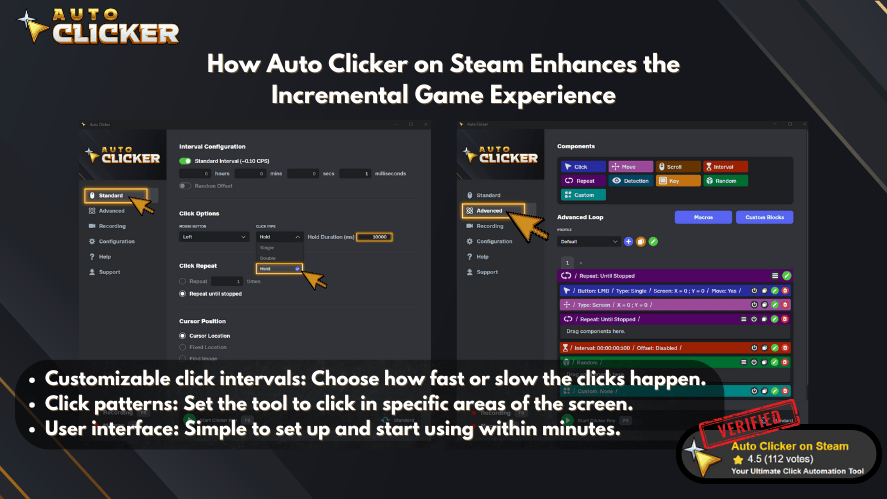
It also avoids common risks associated with unofficial downloads.
Why It’s a Game-Changer
- Reduces hand fatigue: No more cramps from endless clicking.
- Boosts game efficiency: Let your computer handle the grind.
- Supports multitasking: Focus on work or watch videos while the game runs.
- Saves time: Automate early-game grinds and focus on planning upgrades.
This makes it especially useful in games that have slow progression without automation early on.
How Auto Clicker on Steam Improves Incremental Games
Auto Clicker on Steam can make incremental games more comfortable and efficient. However, the biggest benefit is not just speed. It is also about reducing unnecessary effort.
Reduces Hand Fatigue
Repeated clicking can become uncomfortable during long sessions. However, an auto clicker can handle the most repetitive actions for you.
As a result, you can play longer without constantly stressing your fingers or wrist.
Saves Time During Early Progression
Many incremental games start slowly. During the early stages, players often click repeatedly to build their first upgrades.
An auto clicker can help speed up this early grind. Therefore, players can reach the more strategic parts of the game faster.
Makes Grinding Easier
Some games require farming resources, defeating repeated enemies, or collecting rewards many times. Instead of doing this manually, players can automate simple clicking patterns.
Because of this, grinding feels less tiring and more manageable.
Lets Players Focus on Strategy
Incremental games become more interesting when players start optimizing builds, upgrades, resets, and resource paths. However, constant clicking can distract from that strategy.
With an auto clicker, players can focus more on planning and less on repetitive actions.
Top Incremental Games That Work Perfectly with Auto Clicker on Steam
Here’s a quick rundown of popular titles and how they benefit from an auto clicker:
1. Clicker Heroes

- Best setup: Set interval to match DPS window
- Ideal for farming experience and collecting currency in the starting stages.
Download ➡️ Clicker Heroes
2. Cookie Clicker

- Best setup: Set clicks to 10 per second on the cookie itself
- Benefits: Helps speed up Golden Cookie events and initial resource gain
Download ➡️ Cookie Clicker
3. NGU Idle
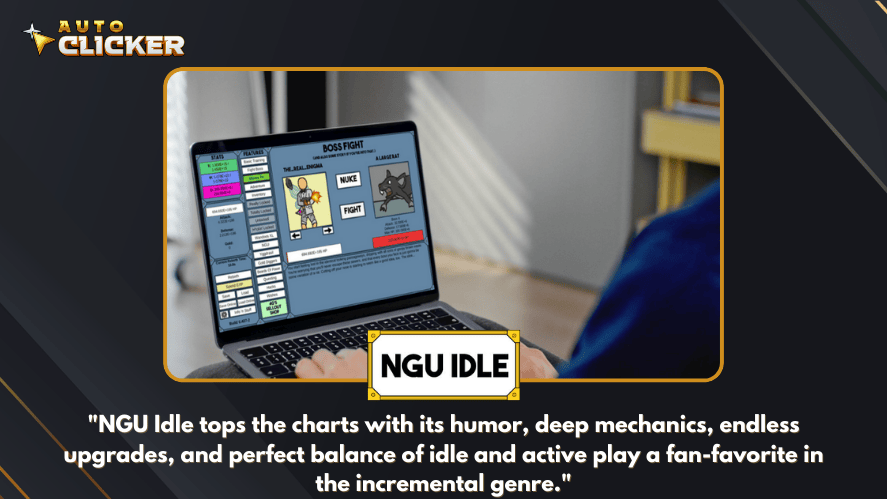
- Best setup: Automate energy/magic allocation with single-click intervals
- Benefits: Smooths out the grind-heavy early stages
Download ➡️ NGU Idle
4. Idle Slayer
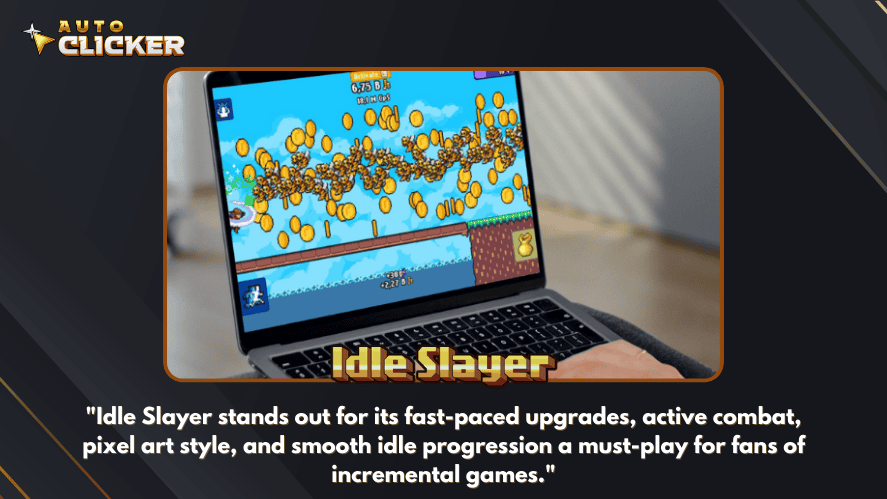
- Best setup: Auto-click enemies while collecting passive rewards
- Benefits: Great for farming while you’re away from keyboard
Download ➡️ Idle Slayer
5. Trimps

- Best setup: Auto attack or gather based on resource needs
- Benefits: Lets players focus on deeper strategic elements
Download ➡️ Trimps
These are often included in the best incremental games discussions across Steam, Reddit, and gaming communities.
Auto Clicker Use Cases in Incremental Games
Different players use auto clickers in different ways. However, most use cases fall into a few common categories.
| Use Case | How Auto Clicker Helps |
|---|---|
| Early-game clicking | Speeds up the slow starting phase |
| Resource farming | Automates repeated clicks for currency or materials |
| Boss fights | Helps maintain steady clicking during active battles |
| Event grinding | Reduces effort during time-limited events |
| Upgrade interaction | Makes repeated menu clicks easier |
| Long sessions | Reduces fatigue during extended play |
Because incremental games often reward consistency, auto clickers can make gameplay smoother and more comfortable.
Auto Clicker on Steam vs Random Auto Clicker Downloads
Some players may wonder why they should use Auto Clicker on Steam instead of downloading a free tool from another website.
The answer is simple: convenience and trust matter.
| Feature | Auto Clicker on Steam | Random Auto Clicker Downloads |
| Installation | Through Steam | Usually from third-party websites |
| Updates | Easier to manage through Steam | May be outdated |
| Safety | More convenient and familiar platform | Depends on the source |
| Community | Steam reviews and feedback | Often limited |
| Setup | Beginner-friendly | Varies by tool |
| Risk | Lower risk than unknown downloads | Higher risk if source is unclear |
Although many auto clickers exist, downloading from unknown websites can be risky. Therefore, Steam can be a better choice for players who want a cleaner setup.
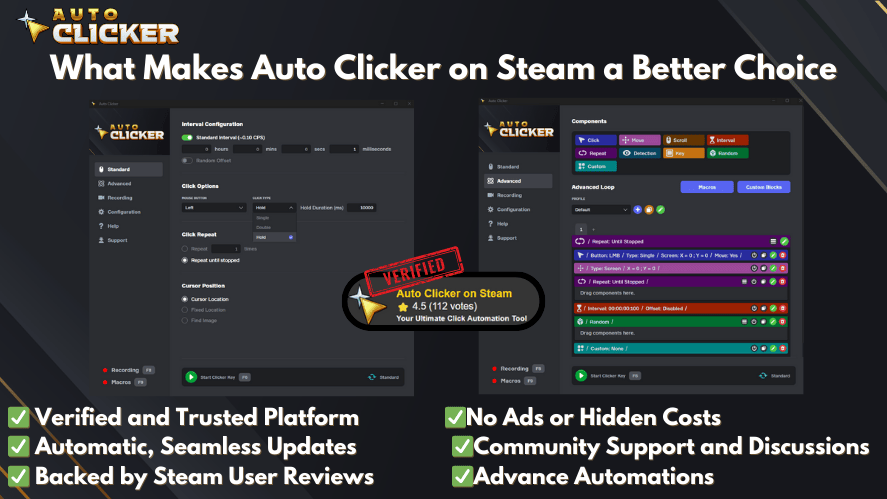
What Makes Auto Clicker on Steam a Better Choice Than Other Options?
A Safer and Smarter Choice
You might wonder why not just use a free auto clicker from the internet. Here’s why Auto Clicker on Steam is the better option:
- Security: Steam verification means it’s free of malware
- Updates: Regular improvements and bug fixes
- Support: Access to community feedback and FAQs
- Integration: Works smoothly with most Windows-based games
- No shady ads: Unlike many auto clicker download sites
In contrast, many browser-based tools or non-Steam downloads may contain ads, trackers, or even viruses.
Tips for Using Auto Clicker Safely in Incremental Games
Auto clickers can improve the experience, but they should still be used responsibly. Before using one, make sure the game allows automation.
Safe Use Tips
Follow these tips:
- Use auto clickers mainly in single-player or idle games
- Avoid competitive multiplayer games
- Check the game rules before automating
- Use reasonable click speeds
- Do not run automation endlessly without checking performance
- Save or back up progress when possible
- Test settings before using them for long sessions
Because every game has different rules, responsible use is important.
Common Mistakes to Avoid
Using an auto clicker is simple, but mistakes can still happen.
Setting the Click Speed Too High
Very fast click speeds may cause lag, missed clicks, or unstable game behavior. Therefore, start with moderate speeds and adjust slowly.
Using Auto Clickers in the Wrong Games
Do not use auto clickers in competitive games or games with strict anti-cheat rules. Even if the tool is safe, the game may still treat automation as a violation.
Forgetting to Stop the Clicker
Always set a hotkey and test it before starting. Otherwise, the clicker may keep running longer than intended.
Ignoring Game Balance
Auto clickers should make repetitive clicking more comfortable. However, if they remove all interaction, the game may become less fun. Therefore, use automation in a way that improves the experience instead of replacing it completely.
Are Incremental Games Still Fun With an Auto Clicker?
Yes, incremental games can still be fun with an auto clicker. In fact, many players enjoy them more because they can focus on the decisions that matter.
The auto clicker handles repetitive clicking, while the player still manages upgrades, builds, resets, and goals. As a result, the game remains strategic but becomes less physically tiring.
However, balance is important. If you automate everything too aggressively, the game may feel less rewarding. Therefore, use an auto clicker as a support tool, not as a complete replacement for playing.
FAQs About Incremental Games and Auto Clickers
Incremental games are games where players make progress through repeated actions, upgrades, and long-term growth. They are also called idle games, clicker games, or progression games.
Incremental games are popular because they offer constant progress, simple gameplay, and satisfying rewards. In addition, they are easy to play in short sessions.
Yes, auto clickers work well with many incremental games because the genre often includes repeated clicking. As a result, automation can reduce fatigue and improve comfort.
It is usually safer in single-player or idle games, but you should always check the game rules first. Avoid using auto clickers in competitive multiplayer games.
Auto Clicker on Steam is a strong option because it is easy to install through Steam and works well for repetitive clicking tasks.
It can if you automate too much. However, when used responsibly, an auto clicker simply reduces repetitive clicking while still letting you enjoy upgrades, strategy, and progression.
Conclusion: Automate Your Progress, Enjoy the Game
Incremental games are built around progress, rewards, and repetition. Because of this, they are naturally a good match for auto clickers. While manual clicking can be fun at first, it can also become tiring during long sessions.
Auto Clicker on Steam helps solve that problem by reducing hand fatigue, saving time, and making grinding easier. In addition, it lets players focus more on strategy, upgrades, and long-term goals instead of endless clicking.
Whether you enjoy Cookie Clicker, Clicker Heroes, Realm Grinder, NGU Idle, or other incremental games, automation can make the experience more comfortable. However, responsible use still matters. Always check game rules, avoid competitive automation, and use reasonable settings.
In short, incremental games become better when the repetitive parts are easier to manage. With Auto Clicker on Steam, you can click smarter, progress faster, and enjoy your favorite idle games more comfortably in 2026.
Ready to make idle grinding easier? Try Auto Clicker on Steam for stronger control, smoother performance, customizable settings, and a more complete auto clicker experience. However, if you only want to test basic clicking first, you can also visit AutoClicker.com and try the free limited version before moving to the full experience.

Clicker Simulator Online: Boost Progress with Auto Clicker

Auto Clicker App: How Customizable Profiles Enhance Automation

Auto Clicker App for Games That Is Safe and Reliable
About The Author
