
Automation Tools for Beginners: A Simple Guide to Automation
Automation tools are software that help you complete tasks automatically instead of doing them by hand. They follow simple rules to repeat actions like clicking, typing, or moving through menus.
Today, automation is becoming essential in both gaming and productivity.
In games, players use tools to handle repetitive actions like grinding or farming. At work, people use automation to speed up tasks like data entry, report updates, and workflow processes.
Using automation tools can save time, improve efficiency, and reduce repetitive work.
For beginners, a simple tool like Auto Clicker on Steam is a great place to start. It works as an automatic clicker that can handle repeated mouse clicks with minimal setup.
First, let’s learn what automation tools are, how to use auto clickers, and how they work.
What Are Automation Tools
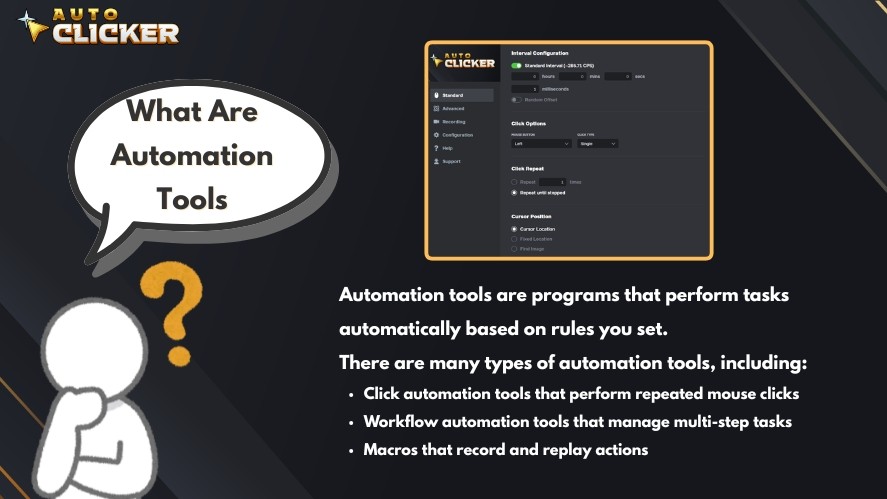
Automation tools are programs that perform tasks automatically based on rules you set. In simple terms, they do repetitive work for you.
There are many types of automation tools, including:
- Click automation tools that perform repeated mouse clicks
- Workflow automation tools that manage multi-step tasks
- Macros that record and replay actions
These tools are used in everyday situations. For example:
- In gaming, players use auto clickers to handle idle tasks or grinding
- In data entry, users automate repetitive input tasks
- In simple workflows, tools can repeat actions like opening files or clicking buttons
Even a basic auto mouse click tool can act as a starting point for automation.
How Automation Tools Work
Automation tools work by following instructions. These instructions can include:
- Scripts: Predefined steps the tool follows
- Triggers: Events that start the automation (like pressing a key)
- Repetitive Execution: Repeating the same task multiple times
Some tools are designed for beginners and require no coding. These are often called no-code tools. Examples include simple auto clicker apps or mouse clicking software, where you only set click speed and position.
Other tools are more advanced. They may use scripts, click macros, or even code to handle complex workflows.
For beginners, starting with simple tools like a Windows automatic clicker or autoclicker mouse is the easiest way to learn how automation works.
Why Beginners Should Use Automation Tools
Automation tools make everyday tasks easier and faster, even for beginners.
One of the biggest benefits is saving time. Many tasks, like repeated mouse click actions or simple workflows, can take hours if done manually.
With tools like an automatic mouse clicker, these actions can run automatically in the background.
Automation also improves gaming efficiency. In idle or clicker games, players often need to perform the same action many times.
Using auto clickers or a Windows automatic clicker helps handle grinding and repetitive actions with consistent speed.
Another key benefit is reducing human error.
When tasks are repeated many times, mistakes are more likely to happen. Automation ensures each step is done the same way every time.
Finally, automation increases productivity with minimal effort.
Even a simple auto click setup can handle routine work, allowing you to focus on more important tasks.
Common Beginner Mistakes to Avoid
When starting with automation tools, beginners often make a few common mistakes.
The first mistake is overcomplicating setups.
Many users try to build complex workflows too early. It is better to start simple and then improve over time.
The second mistake is using unsafe or unreliable tools.
Downloading random tools can lead to security risks or poor performance. So, always choose trusted software when setting up a mouse clicking software or macro auto clicker.
The last mistake is ignoring customization features.
Some beginners use default settings without adjusting them. Learning how to customize click speed, hotkeys, or intervals can make automation much more effective.
Types of Automation Tools for Beginners
There are many types of automation tools available. Each one is designed to handle different kinds of tasks.
For beginners, it’s best to start with simple tools and then explore more advanced options over time.
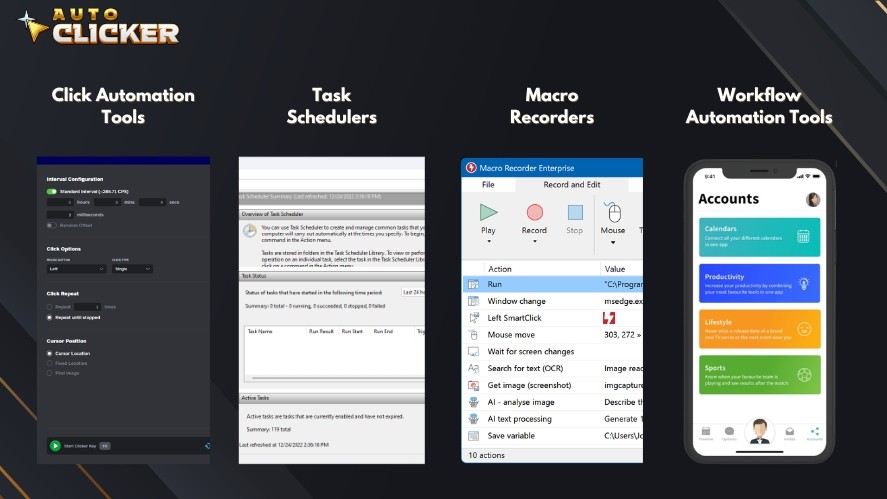
Here are the most common types:
- Click Automation Tools: Perform repeated mouse clicks automatically
- Task Schedulers: Run tasks at specific times or intervals
- Macro Recorders: Record and replay actions like typing and clicking
- Workflow Automation Tools: Connect multiple steps into one automated process
These tools help automate both simple and complex tasks, depending on your needs.
Click Automation Tools Explained
Click automation tools are the easiest way to start with automation. They focus on one simple task: automating mouse click actions.
Tools like an automatic mouse clicker, autoclicker mouse, or auto clicker app allow users to set how fast and where clicks happen.
Key advantages include:
- Simple setup with no coding required
- Easy control of click speed and position
- Quick results for repetitive tasks
Because of their simplicity, click automation tools are ideal for beginners. They provide a clear introduction to how automation works without requiring technical knowledge.
Auto Clicker on Steam: The Best Starting Point for Beginners
For beginners, Auto Clicker on Steam is one of the easiest ways to start using automation.
It is designed as a simple and reliable auto click on PC tool. Installation is quick through Steam, and setup only takes a few minutes.
The interface is clean and beginner-friendly, allowing users to configure settings without confusion. This makes it a great first step into using auto clickers and learning basic automation.
Key Features That Make It Stand Out
Auto Clicker on Steam includes several features that make it suitable for beginners:
- Customizable click intervals for precise timing
- Hotkey support to start and stop automation instantly
- Safe and lightweight performance for smooth operation
- Works for both gaming and productivity tasks
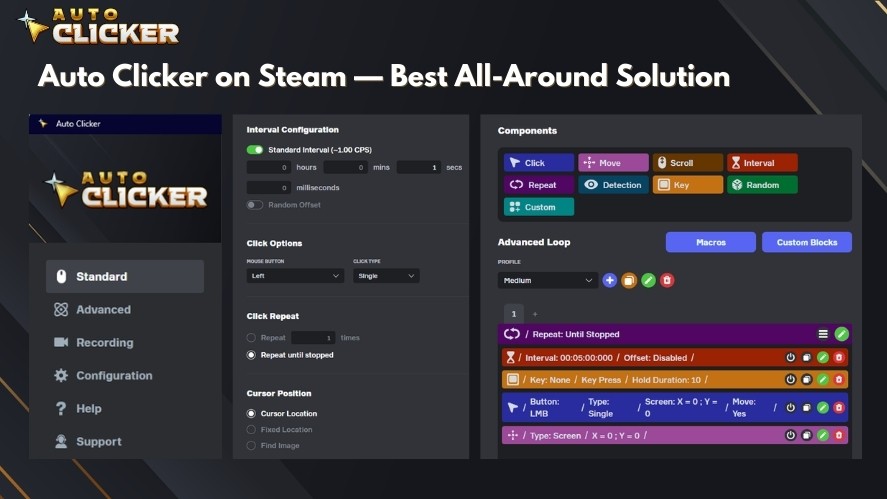
These features allow users to control how the automated click behaves while keeping the setup simple.
Use Cases for Beginners
Beginners can use Auto Clicker on Steam in many simple ways.
Common use cases include:
- Playing idle and clicker games without constant manual input
- Handling repetitive clicking tasks in daily workflows
- Running basic testing and simulations
These examples show how a simple mouse clicking software can improve efficiency and reduce repetitive work, even for first-time users.
How to Choose the Right Automation Tools
Choosing the right automation tools is important, especially for beginners. A good tool should be simple, safe, and flexible enough for your needs.
Here are a few key factors to consider:
- Ease of Use: Look for tools with a simple interface and quick setup. Beginner-friendly tools like an auto clicker app are a good starting point.
- Customization Options: The tool should allow you to adjust settings such as click speed, intervals, and hotkeys. This helps you control how the automated click behaves.
- Safety and Reliability: Always choose trusted tools. Avoid unknown downloads that may cause security risks.
- Compatibility with Steam and Games: If you plan to use automation for gaming, make sure the tool works well with your platform. Some auto clickers are better optimized for Steam and PC games.
By focusing on these points, you can find a tool that fits your workflow and helps you get started with automation more easily.
How to Get Started with Automation Tools Today
Getting started with automation tools does not need to be complicated. You can begin with a few simple steps and improve over time.
Step 1: Identify Repetitive Tasks
Start by looking for tasks you repeat often. This could include:
- Repeated mouse click actions
- Simple workflows in games or apps
- Routine tasks that take time but require little thinking
These are the best tasks to automate first.
Step 2: Choose a Simple Tool
Pick a beginner-friendly tool like Auto Clicker on Steam.
It works as a simple auto click PC solution and is easy to install and use. Tools like this help you understand automation without needing advanced setup.
Read More: How to Download Auto Clicker on Steam: Step-by-Step Guide
Step 3: Start with Basic Settings
Begin with simple configurations:
- Set a click interval
- Choose a mouse button
- Choose a click type
- Select a click location
- Assign a hotkey
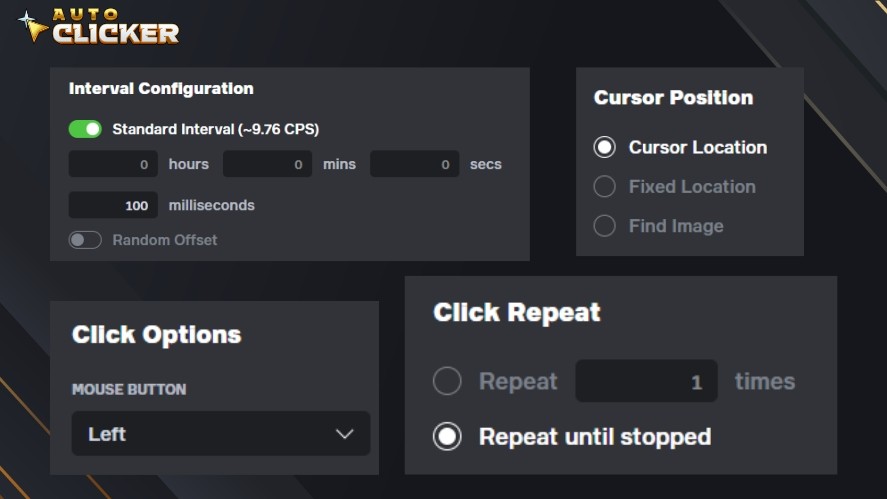
This basic setup is enough to run your first automated mouse clicker task.
Step 4: Gradually Explore Advanced Features
Once you are comfortable, you can explore more features. For example:
- Adjust click timing for better accuracy
- Combine with an auto macro auto clicker setup
- Use more advanced automation patterns
Learning step by step makes automation easier and helps you avoid confusion.
The Future of Automation Tools for Everyday Users
Automation tools are becoming more common in everyday life. They are no longer just for developers or advanced users.
In gaming, tools like auto clickers help players handle repetitive tasks such as grinding or idle progress. In productivity, workflow automation tools help users complete tasks faster and with fewer errors.
Another important trend is accessibility. Modern marketing automation tools are now easier to use.
Many tools are built for beginners, with simple interfaces and no coding required. Even a basic automatic mouse clicker can help users get started with automation in minutes.
Automation is also becoming smarter. Many tools are starting to integrate with AI and advanced systems.
This means future tools may be able to learn user behavior, suggest workflows, and automate tasks with even less manual setup.
As technology improves, automation will continue to play a bigger role in both gaming and productivity.
Frequently Asked Questions
Automation tools are software that perform repetitive tasks automatically, helping users save time and reduce manual effort.
Common examples include auto clickers, task schedulers, macro recorders, and workflow automation tools for both gaming and productivity.
Yes. Many beginner-friendly tools, like Auto Clicker on Steam, require no coding and are easy to set up and customize.
Yes. They are commonly used for gaming, office tasks, data entry, and simple workflow automation.
Conclusion
Automation tools are a simple but powerful way to save time and reduce repetitive work.
The key point is that beginners do not need to start with complex systems. If you are new to automation, start with a beginner-friendly tool like Auto Clicker on Steam.
By starting simple and learning step by step, you can gradually build more advanced automation workflows and make your daily tasks much easier.

How to Auto Farm in Games Using Auto Clicker on Steam

Excel Auto Clicker: How to Automate Repetitive Tasks

How to Automate Repetitive Tasks on Your Computer
About The Author
