
Fun Things to Do with Auto Clicker: Try These Creative Experiments
Looking for fun things to do with auto clicker? An auto clicker is essentially a clever software tool that automates mouse clicks, letting you set speeds, patterns, and locations without lifting a finger.
While it’s great for handling boring, repetitive tasks like data entry or grinding in games, it truly shines as a creative gadget that unlocks playful experiments and unexpected automation adventures.
This article dives into fun, creative, and unusual ways you can experiment with auto clickers, turning everyday clicking into something entertaining and inventive.
What Is an Auto Clicker and How Does It Work?
An auto clicker is a simple yet powerful mouse automation tool that simulates mouse clicks at set intervals. You can program it to click specific points on your screen automatically, saving time and effort on repetitive tasks.
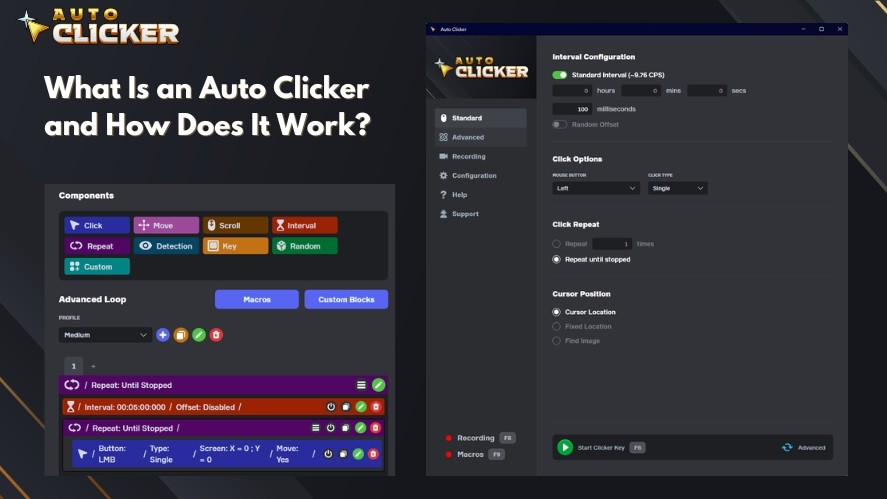
With Auto Clicker on Steam, you get a user-friendly interface and deep customization options, such as:
- Adjust click speed
- Choose between left, right, or middle clicks
- Or even create complex automated mouse click patterns for creative experiments
It’s a lightweight productivity tool that doubles as a playground for automation enthusiasts.
Whether you’re testing software, playing idle games, or crafting digital art, automatic clickers make it easy to automate any clicking task and have fun while doing it.
Fun Things to Do with Auto Clicker
Once you know how an automated mouse click works, it becomes a sandbox for trying new things.
You can use it to automate progress in games, create click-based art, or even challenge your friends in speed tests.
Here are some fun ideas to try out.
Idle and Incremental Game Hacking
If you enjoy games like Cookie Clicker, Clicker Heroes, or Realm Grinder, an auto clicker can keep your progress running while you do other things.
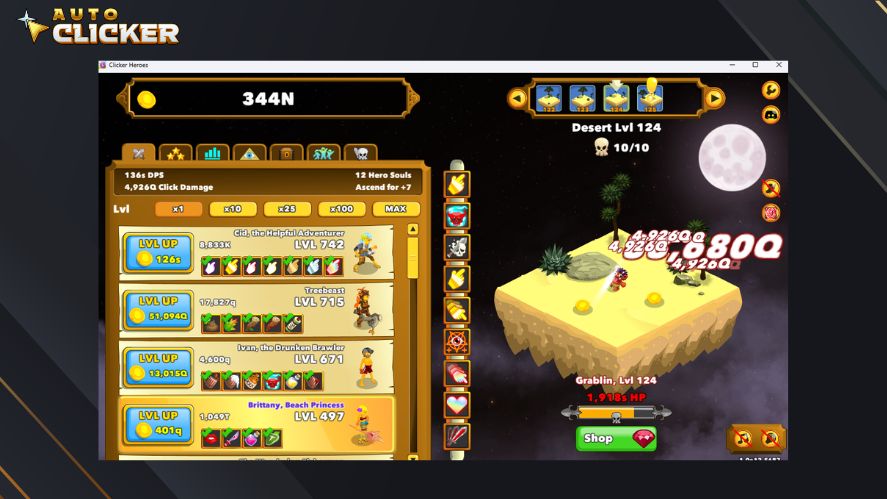
Watching your resources pile up automatically is oddly satisfying.
With Auto Clicker on Steam, you can fine-tune intervals and repeat counts so clicks land at just the right pace for each game.
Speed Clicking Challenges with Friends
Ever wondered how fast you can click in one second? Turn it into a mini-competition!
Use a mouse click automation to simulate extreme click speeds and see who gets the highest total. It’s a funny, low-stakes way to test your setup and compare with friends.
Drawing Pixel Art with Click Patterns
Auto clickers aren’t just for games. You can use them to make digital art by automating clicks on a grid, which is perfect for creating pixel drawings in paint programs or sandbox worlds.
With Auto Clicker on Steam, you can save custom click positions and replay them as precise, repeatable patterns.
Auto-Fishing in Games
Fishing minigames can be relaxing or repetitive. An auto clicker PC can handle the waiting and clicking for you in games like Stardew Valley or Minecraft.
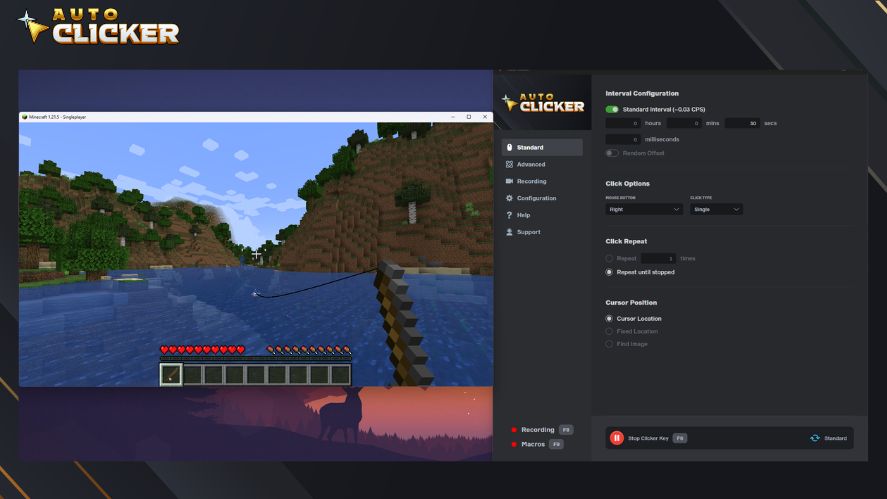
Just set a short delay before each click to match the timing of bites, and you’ll reel in catches automatically.
Keyboard Combo Automation for Rhythm Games
For rhythm or reaction games that use key presses instead of mouse clicks, you can still use an auto clicker’s key-binding features to automate parts of the pattern.
Try experimenting with timing and rhythm to see how close you can get to a perfect run. It’s a fun way to understand precision automation.
Creative Non-Gaming Uses
Auto clickers aren’t just for games. They can also help you explore how automation works in simple, hands-on ways.
Whether you’re testing websites, filling out forms, or just curious about how clicking tools behave, there are a few lighthearted experiments you can try.
Auto-Fill Online Surveys or Repetitive Forms
Clicking through the same questions or buttons on a survey can be painfully dull. With an automated clicker, you can set up a harmless test to see how it handles those repetitive clicks.
It’s a neat trick for productivity fans and testers who like to push tools to their limits.
You can adjust the timing, pattern, and speed to mimic human behavior, or just watch your auto clicker breeze through a long form on its own.
Auto Clicker as a Learning Tool
An auto clicker can also double as a simple way to learn logic and automation.
Try building short “click chains”, which are a series of actions that happen in a specific order. It’s a fun little project that teaches you how sequences and timing work.
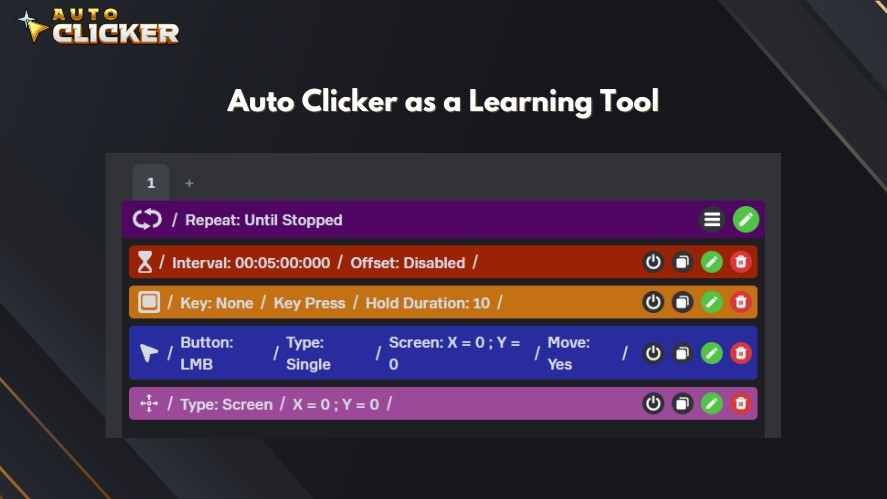
This is especially great for kids or anyone curious about how technology follows commands.
Watching your clicks trigger reactions step by step gives a basic, hands-on look at how computers automate tasks in the real world.
Read More: Auto Clicker Safety: How to Use Auto Clickers Without Risk
The Physics of Chaos: Stress-Testing Your PC
If you want to move away from productivity entirely, an auto clicker makes a fantastic tool for digital destruction.
Pushing software to its absolute operational limits can be an incredibly fun experiment.
Important: These stress tests are perfectly safe for your hardware, but they will likely freeze or crash the specific application you are testing. Save any open work before trying these!
The UI Freeze Test
Open a standard utility program like the Windows Calculator or a blank text document.
Set your auto clicker to an interval of 1ms, hover over a single number key or character, and hit start. Watch how the interface reacts.
You will quickly see the exact moment the application’s user interface detaches from reality.
The numbers will stop rendering in real-time as the software’s internal message queue overflows, resulting in a sudden, satisfying burst of thousands of inputs all at once when you stop the clicker.
The Physics Engine Explosion
Sandbox games with dedicated physics engines (like Garry’s Mod, Teardown, or Universe Sandbox) are the ultimate playgrounds for click automation.
Here’s how to do it:
- Select a spawn item, like a simple wooden crate or a massive asteroid
- Bind your clicker to the “Spawn” key at maximum speed
- Trigger the clicker inside an enclosed digital space
By spawning 500 physical objects in a fraction of a second, you force the game’s physics engine to calculate hundreds of thousands of simultaneous collisions.
It is a hilarious, chaotic way to watch your frames-per-second (FPS) drop to single digits while testing exactly how much chaos your graphics card can handle before throwing in the towel.
Why Auto Clicker on Steam Is Perfect for Experiments
Auto Clicker on Steam provides a simple and versatile way to explore creative automation.
You can adjust click speed and intervals to match different tasks, from rapid clicking challenges to slower, precise actions.
The position feature allows you to repeat patterns or return to exact screen locations, making it easy to create pixel art, automate in-game actions, or test ideas.
With a clean user interface and seamless integration with games and applications, Auto Clicker on Steam is one of the best auto clicker software that is both accessible and reliable, giving you the freedom to experiment.
Get Creative and Start Experimenting
Auto clickers aren’t just tools; they’re playgrounds for creative automation, where you can tinker with patterns, speeds, and ideas to see what wild results pop up.
We encourage you to try out your own fun experiments, whether it’s automating a game marathon or crafting quirky click-based projects.
Download Auto Clicker on Steam and start automating for fun today!

Auto Key Presser: The Best Way to Automate Keyboard Inputs

Autoclicker.com: The Best Auto Clicker for Gaming and Productivity

Auto Clicker Download for Beginners
About The Author
